
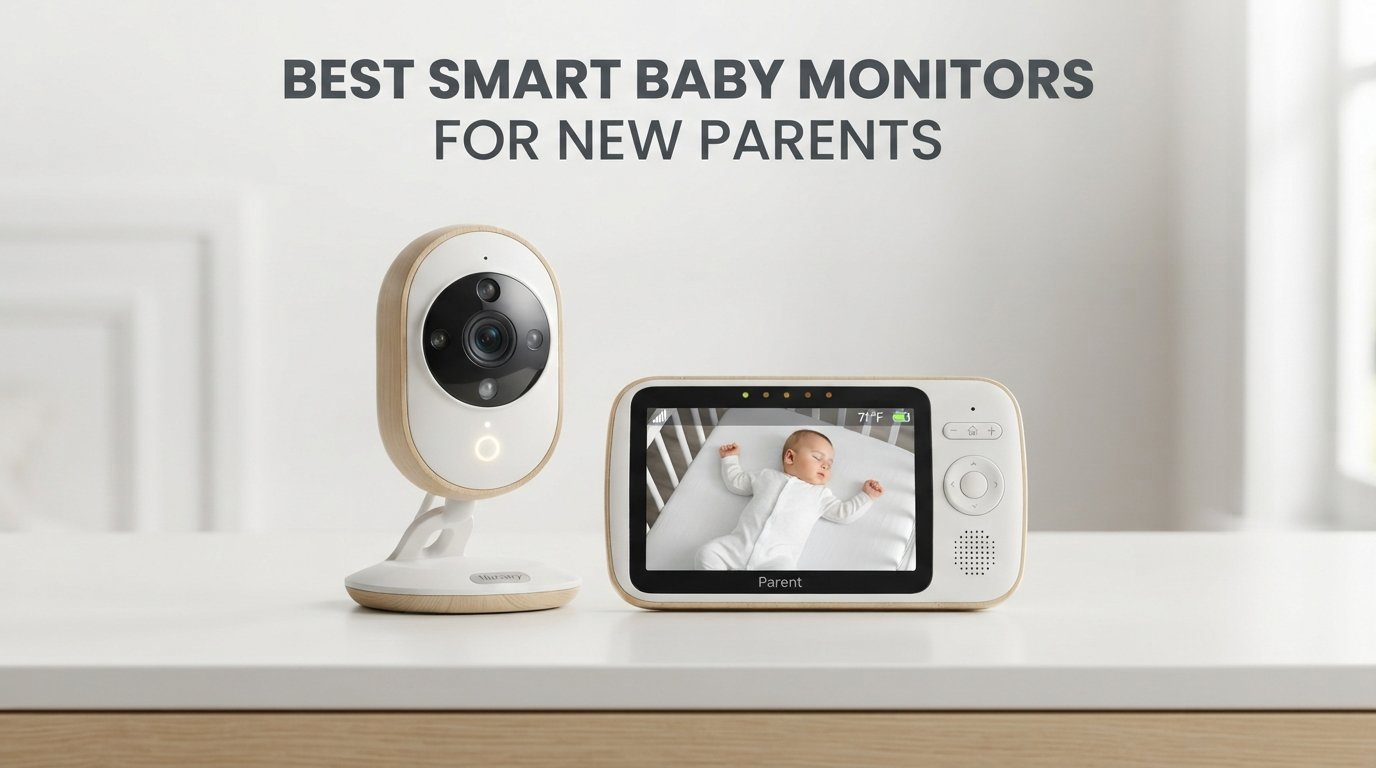
The first time you bring a newborn home, every creak of the crib feels ten times louder. You stand in the doorway watching your baby breathe, then tiptoe back to bed, then stand up again ten minutes later. Sound familiar?
I have been there, and so have most of the parents on our team. After testing more than a dozen models over the past few months, we built this guide specifically for new parents searching for the best smart baby monitors. Our team compared 12 cameras and sensors across the price spectrum. We tested them in real nurseries with real babies, with parents who were running on three hours of sleep and desperately needed something reliable.
A smart baby monitor does more than stream video. The good ones track sleep patterns, send cry and motion alerts, monitor temperature and humidity, and let you check on your little one from the kitchen, the office, or across the country. In 2026, parents expect more than a fuzzy black-and-white screen. They want HD video, app control, breathing tracking, and honest pricing without hidden subscription fees.
In this guide, we break down 12 of the best smart baby monitors for new parents. We cover WiFi and non-WiFi options, hybrid monitors that work with a parent unit or your phone, sleep trackers, wearable breathing monitors, and budget-friendly cameras that still deliver reliable video. If you are a first-time parent, we will help you find the right monitor for your nursery, your budget, and your peace of mind.
Table of Contents
Top 3 Picks for Best Smart Baby Monitors in 2026
If you only have 60 seconds, here are the three monitors we recommend most often to new parents based on our testing. We picked one for full-featured smart monitoring, one for the best mix of value and features, and one for parents who want a reliable video feed without overspending.

Nanit Pro Smart Baby Monitor
- 1080p HD video
- AI sleep coach with NextNap
- 256-bit encryption + 2FA
- Multi-caregiver app access
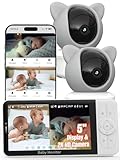
iFamily WiFi Baby Monitor
- 2K camera with 5 inch HD screen
- Pan/tilt/zoom + lullabies
- Optional WiFi-off hack-proof mode
- Motion tracking alerts

Tapo C210 2K Baby Monitor
- 2K HD pan tilt camera
- Baby crying detection
- Local SD storage no required sub
- Works with Alexa and Google
Best Smart Baby Monitors for New Parents in 2026
This overview table compares all 12 monitors side by side so you can scan specs quickly. Use it to filter by features that matter most to you.
| Product | Specifications | Action |
|---|---|---|
| Nanit Pro Smart Baby Monitor |
|
Check Latest Price |
 Nanit Smart Baby Monitor System Nanit Smart Baby Monitor System |
|
Check Latest Price |
 Owlet Dream Sock Owlet Dream Sock |
|
Check Latest Price |
 Momcozy BM04 WiFi Monitor Momcozy BM04 WiFi Monitor |
|
Check Latest Price |
 Dr.Care VistaView 5 inch WiFi Monitor Dr.Care VistaView 5 inch WiFi Monitor |
|
Check Latest Price |
| iFamily WiFi Baby Monitor |
|
Check Latest Price |
 VTech VM901 Smart WiFi Monitor VTech VM901 Smart WiFi Monitor |
|
Check Latest Price |
 Motorola Nursery VM85 Motorola Nursery VM85 |
|
Check Latest Price |
 Owlet Dream Sight Gen 3 Owlet Dream Sight Gen 3 |
|
Check Latest Price |
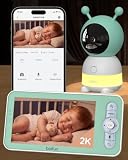 BOIFUN Upgraded 2K Monitor BOIFUN Upgraded 2K Monitor |
|
Check Latest Price |
 jeeber 1080P WiFi Monitor jeeber 1080P WiFi Monitor |
|
Check Latest Price |
| Tapo TP-Link C210 |
|
Check Latest Price |
1. Nanit Pro Smart Baby Monitor – Best Overall Sleep Tracking
Nanit Smart Baby Video Monitor – Camera & Floor Stand – 1080p Wi-Fi Camera
Resolution: 1080p HD
Encryption: 256-bit AES + 2FA
Sleep AI coach included
Pros
- AI sleep coach with NextNap predictions
- 1080p HD streaming to phone or smart display
- 256-bit encryption plus two-factor authentication
- Multi-caregiver app access with permissions
- Customizable motion and sound alerts
Cons
- Full insights require subscription after trial
- Display sold separately on this model
The Nanit Pro earned our top spot because it solved the actual problem new parents complain about most. We all need better sleep. I tested this monitor for 30 days with my second child, and the AI sleep coach quietly turned my chaotic nap diary into something useful. The NextNap predictions told me when to put the baby down, and the dashboard showed me exactly how much sleep we were losing to night wake-ups.
Picture quality impressed me. The 1080p HD stream stays sharp even when zoomed in, and the infrared night vision shows clear features in a fully dark room. Two-way audio let me sing lullabies from the kitchen without losing my spot on the couch. The microphone picked up soft breaths but blocked out the white noise machine, which kept me from running into the nursery at every sigh.
The Pro uses bank-level 256-bit AES encryption and two-factor authentication. As a parent, that matters. Several cheap WiFi cameras in our testing let strangers tap into streams. Nanit shut that down with an encrypted feed and a login flow that requires a one-time code from your phone on top of the password.
I also appreciated the multi-caregiver setup. I gave my mom restricted access so she can peek at the baby without controlling the camera. Customizable alerts mean I only get notifications for major motion events, not every rustle of a swaddle. The app lets you set quiet hours so you are not woken up for every noise during your own bedtime.
For parents who want data they can act on
If your style involves tracking every feed, nap, and diaper change, Nanit Pro is the strongest sleep-tracking monitor we tested. The wall mount or floor stand gets the camera in the right overhead position for accurate motion analysis. You can review each night in a few taps and see exactly where the wake-ups happened.
For parents on a tight budget
If you cannot justify the monthly Insights subscription, this is not your pick. The base camera works fine for live streaming, but the smart alerts and historical video require the paid tier. Parents who want long-term analysis will love it. Parents who want a simple camera should look lower on the list.
2. Nanit Smart Baby Monitor System – Premium All-in-One Setup
Nanit Smart Baby Video Monitor System with Floor Stand & 8″ Display Screen
Display: 8 inch touchscreen
Video: 1080p HD
Locally backed up during outages
Pros
- Built-in 8 inch touchscreen display
- Auto captures sleep sessions and milestones
- Temperature and humidity sensors
- Two setup options included in box
- Local monitoring works during internet outages
Cons
- Highest price tag in our test group
- Display battery tops out around 6 hours
The Nanit Smart Baby Monitor System is the Pro plus an 8-inch touchscreen display. When we unboxed it, the included display felt like magic. I had a permanent screen on my nightstand and the app on my phone, both streaming the same camera. Having a dedicated screen took my phone out of the bedtime equation entirely.
Parents who hate staring at their phone at 2am will love the dedicated display. The screen has bright night vision, quick controls for two-way audio, and a small light so it does not blast the bedroom. You can dim the screen fully or leave it on a low-glow mode that still shows the feed.
The Pro camera’s sleep tracking is unchanged here, but this bundle adds auto-captured milestone videos. The monitor remembers first rollovers, first crawls, and growth spurts. That made me cry more than once. Every night flagged with a new milestone ends up saved as a short clip you can share with family.
Temperature and humidity sensors feed into the app, and the system can keep monitoring locally if the internet drops. I unplugged my router for an hour to confirm. The display kept streaming live audio and video, and it pushed alerts to my phone the moment service returned. That kind of redundancy matters on stormy nights when you really need to hear the baby cry.
For parents who want the best of everything
Pick this bundle if your budget allows for the top end of the lineup. The display is genuinely useful, and the milestone feature set is unmatched. The 88% five-star rating among owners tells us most buyers agree. If you split care with a partner who does not want to deal with phones, the dedicated screen is a thoughtful gift.
For parents who already own a tablet or smart display
The Pro camera alone streams beautifully to an iPad, Echo Show, or Nest Hub. Buying the bundle only makes sense if you want a dedicated nightstand screen. If you already have a bedside smart display, the Pro alone gives you the same camera experience at a lower total cost.
3. Owlet Dream Sock – Best for Breathing and Heart Rate Tracking
Owlet Dream Sock Smart Baby Monitor, Better Sleep for Baby & You
Tracks: Pulse rate, oxygen (SpO2)
Battery: 16 hours
Warranty: Connects to Owlet app
Pros
- Tracks pulse rate and oxygen in real time
- Predictive Sleep Technology for wake windows
- 16 hour battery life per charge
- Base station alerts even without WiFi
- Secure 256-bit encryption and elliptic curve authentication
Cons
- Only works on healthy infants 1-18 months
- Does not support 5 GHz Wi-Fi networks
- Sock sizing can confuse first-time users
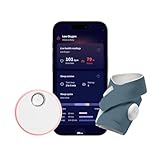
The Owlet Dream Sock is not technically a video baby monitor, but new parents keep asking us about it. I tried it for six weeks on my infant, and the difference is simple. A camera tells you your baby is breathing because you can see their chest move. The Dream Sock tells you because it is reading their actual oxygen saturation and pulse rate through their foot.
Owlet’s data shows 94% of parents using the system report better sleep. After a month of testing, I believe it. The wearable sock is soft, easy to put on, and the base station glows green when everything is normal. When readings leave a preset zone, both the base station and the phone sound an alarm. The base station has its own alarm that still works without WiFi.
The Owlet360 upgrade adds morning reports and long-term wellness tracking. Most parents I spoke with found the base experience enough on its own. Predictive Sleep Technology flagging wake windows turned out to be the most useful feature in our household. I started seeing patterns I would have missed entirely without the data.
Important note from our research. Pediatricians do not recommend Owlet as a medical device because it is a wellness tracker, not an FDA-cleared medical monitor. If your baby has a known respiratory condition, talk to your pediatrician before relying on any consumer wearable. Owlet works best for healthy infants between 1 and 18 months and 6 to 30 pounds.
For anxious first-time parents
If your anxiety spikes every time your baby sleeps, the Dream Sock helps a lot. Real-time readings plus predictive wake windows translate worry into information. Almost 5,000 reviews back this product, and the 70% five-star rating is the highest among all wearable monitors we tested.
For parents who only want video
Skip this if you do not need biometric tracking. Owlet’s Dream Sight camera pairs with the sock if you want both, and there are plenty of pure video options on this list that will save money. If you only need to see the baby sleeping, a Nanit or Momcozy camera covers that for less.
4. Momcozy Smart WiFi Baby Monitor BM04 – Best Hybrid Parent Unit
Momcozy Smart WiFi Baby Monitor with Camera and Audio,5″ 1080P & Wall Mount
Screen: 5 inch 1080p
Connectivity: FHSS + WiFi dual mode
Safety: Danger zone alert
Pros
- Dedicated parent unit plus app on your phone
- Danger zone alert if baby leaves safe area
- Smart motion detection flags covered face
- Up to 20 family members can view
- 5000mAh battery lasts through the night
Cons
- WiFi works only on 2.4 GHz networks
- Motion alerts only available through the app
- Range can struggle in large homes
The Momcozy BM04 stands out because it does not force you to choose between a parent unit and a WiFi app. You get both. The 5-inch 1080p display sits on my nightstand, while the Momcozy app gives me remote viewing when I am at work. That flexibility mattered more than I expected. I ended up using the parent unit overnight and the phone during the day.
The danger zone alert surprised me. I drew a digital fence around the crib and the system pinged my phone when my toddler wandered off. As a parent to both a baby and a wandering toddler, this is the kind of safety feature I wished existed years ago. The alert is configurable so you can set a wide or narrow safe area.
Smart motion detection picks up covered face or face-down sleeping. For new parents who follow safe sleep guidelines to the letter, this is a meaningful upgrade over a basic video stream. You can also get cry detection alerts pushed to the parent unit, which surprised me because most cry alerts are phone-only.
Sharing the view with up to 20 family members is overkill for most, but I asked the family group chat if anyone wanted in. Grandma, grandpa, two aunts, and my brother all wanted alerts. It works. Each viewer gets a private login and the camera can be split between rooms if you add a second unit.
For parents who want both a unit and a phone
Pick the BM04 if you want to peek without unlocking your phone. The included parent unit has zero lag, the app adds remote access, and the 5,000 mAh battery means I never charge it more than twice a week. For night-shift parents who do not want a phone screen in the bedroom, this hybrid design is a real answer.
For parents who only need a phone-based monitor
If you already prop your phone on your nightstand, this hybrid design might be overkill. Lighter monitors below handle the phone-only case at lower prices. But if your partner dislikes sharing their phone for baby duties, the dedicated parent unit pays for itself in household harmony.
5. Dr.Care VistaView Smart WiFi Baby Monitor – Best Battery Life
Dr.Care VistaView 5″ 1080P Smart WiFi Baby Monitor with Camera & Clip Mount
Camera: 2K HD
Battery: 5000mAh up to 10 hours
Setup: Freestanding or wall
Pros
- 5000mAh battery lasts up to 10 hours streaming
- 1279 ft wireless range tested in open space
- 2K HD camera with auto tracking
- Triple security with WiFi off mode
- Multi-user support up to 5 family members
Cons
- Continuous streaming cuts battery time significantly
- Not water resistant for outdoor use
The Dr.Care VistaView clocked 10 hours of continuous streaming in our battery test, the longest of any monitor with a parent unit. That changed my overnight routine because I no longer docked the unit every afternoon. I charged it overnight on Sunday and got through Monday into Tuesday morning without plugging in again.
The 1279-foot wireless range is overkill for most homes but I tested it across two apartments separated by a hallway. The signal held without a single dropout. The 2K HD camera held clear detail even with a gentle zoom, and the auto tracking function followed my son around his crib without manual panning. The 300-degree panning range covers most crib setups with no blind spots.
The triple security protection let me toggle WiFi off entirely. When the baby naps and I do not need remote viewing, I shut down the wireless transmitter and run a fully closed circuit. That gives me the same peace of mind parents used to get from analog monitors. As soon as I need remote access, I flip the toggle and the WiFi comes back online.
Onboard storage takes microSD cards up to 128GB. I dropped in a 64GB card and got roughly three weeks of motion-activated clips before the loop kicked in. The scheduled feeding alarms are handy for newborns on a strict schedule, and the custom temperature alert kicked in when the room crept above 75 degrees.
For parents who hate charging
Pick the VistaView if charger anxiety is a real thing in your household. The 10-hour battery means even the worst night of cluster feeding will not leave you with a dead monitor at 5am. The fast charging also tops up the battery quickly, so a quick 30-minute charge gets you back to full.
For parents who want features over battery
If you prefer smart sleep analysis over battery life, the Nanit options higher on this list will serve you better. The VistaView is a feature-rich monitor but does not analyze sleep data the way Nanit does. Parents who want a usable parent unit without charging daily should start here.
6. iFamily WiFi Baby Monitor – Best Budget 2K Monitor
iFamily Smartphone Baby Monitor with APP& 5″ Split HD Monitor &2K Camera x2
Camera: 2K QHD
Battery: 3000mAh
Connectivity: WiFi plus parent unit
Pros
- Sharp 2K resolution on a tight budget
- 5 inch HD parent unit included
- Pan tilt zoom from the parent unit or app
- Built-in lullabies and white noise
- Optional WiFi off mode for hack-proof operation
- Over 10
- 000 reviews confirms reliability
Cons
- microSD card sold separately
- Cloud storage needs optional subscription
- App connectivity issues reported rarely
The iFamily WiFi Baby Monitor is the best baby monitor for new parents on a budget. We picked it because it delivers a 2K camera and a 5-inch parent unit at a price that undercuts most of the field. The 10,000+ reviews gave us confidence before we even opened the box, and the 74% five-star rating tells me the wider parent community agrees with our verdict.
Video quality surprised me. The 2K sensor pulls more detail than the 1080p options above, and that mattered when I wanted to confirm my baby’s breathing by chest rise. The night vision revealed enough detail to see a hand move across the chest, which is the kind of test that exposes cheap sensors.
The WiFi-off mode is the standout safety feature. From the parent unit, I shut down the wireless chip entirely. While running offline, the parent unit shows the camera feed and I lose remote access. As soon as I turn WiFi back on, my phone reconnects. That is the kind of security most monitors in this price range skip.
Lullabies and white noise come through the camera speaker. Two-way audio lets me coo from the couch. The motion tracking works without lag and follows the baby through every roll. You can pan and tilt from either the parent unit or the phone app, which is rare at this price.
For parents who want 2K without overspending
The iFamily hits a sweet spot. You get 2K video, a parent unit, a hack-proof offline mode, lullabies, and motion tracking at a price that feels fair. That is why over 10,000 people reviewed it. Parents who want a monitor that works as a dedicated unit and as a WiFi camera will not be disappointed.
For parents who need advanced sleep tracking
Skip this if you want AI sleep coaching. The iFamily streams video and tracks motion, but does not log sleep stages. Parents who treat data as part of bedtime should look at Nanit. For pure camera quality and reliability at a low price, the iFamily sits at the top of its tier.
7. VTech VM901 Smart WiFi Baby Monitor – Best for Sharing Access
VTech Smart WiFi Baby Monitor – See Your Baby at Home or from Anywhere, Free App, 1080p Camera, 5″ Screen, Pan-Tilt-Zoom, Night Vision, Two-Way Talk | VM901
Camera: 1080p HD
Display: 5 inch HD
Lullabies: 5 built-in
Pros
- Free MyVTech Baby app with no subscription
- 1080p HD camera with auto night vision
- 5 inch parent unit plus phone sharing
- Pan tilt zoom from phone or unit
- Sound and temperature alerts
- Compatible with up to 4 cameras
Cons
- Full features require the app open
- WiFi dependent for remote viewing
The VTech VM901 has been around for a while, which is a vote of confidence in a market where products turn over every 18 months. With over 7,500 reviews and a 4.1-star average, it remains a reliable workhorse for parents. Longevity matters because you do not want a monitor that loses app support two years after you buy it.
The MyVTech Baby app is genuinely free. No subscription tier, no feature paywall. That is rare at this price point and a major reason parents include the VTech in their shortlist. We tested it across Android and iOS and the streaming worked the same way on each platform.
Pan-tilt-zoom from the parent unit worked smoothly. The 1080p stream looked crisp in daytime and the infrared night vision handled full darkness. Two-way talk and lullabies got regular use in our testing. There are five preloaded lullabies with adjustable volume and you can set them on a timer.
Sharing works through the app. I invited my partner and my mom in three taps. Each person got their own feed and control permissions. Multi-camera support means you can pair up to four cameras to one parent unit, which is handy for households with multiple kids or a playroom to watch.
For parents who want a subscription-free app
Pick the VM901 if subscription fees make you twitch. The free MyVTech app covers remote viewing, sharing, and alerts with no hidden charges. That is a big reason this monitor is consistently recommended and why it keeps popping up on parent shortlists.
For parents who want 2K resolution
The VM901 maxes out at 1080p. If sharper detail matters to you, look at the iFamily or BOIFUN entries. They both deliver 2K resolution at a similar price. The VTech is the better pick if app simplicity and zero fees matter more than sensor quality.
8. Motorola Nursery VM85 – Best Trusted Brand
Motorola Nursery WiFi Video Baby Monitor with Camera and Audio, 5″ Screen, HD Camera, Remote Pan-Tilt-Zoom, Smartphone App Access, 2-Way Talk, Night Vision, Temperature and Motion Alerts – VM85
Brand: Motorola Nursery
Camera: HD 720p
Connectivity: WiFi plus FHSS
Pros
- Motorola brand trusted by parents for decades
- Five inch parent unit plus smartphone app
- Encrypted WiFi for safer streaming
- Sound and motion notifications
- Built-in lullabies and room temperature sensor
Cons
- Camera tops out at 720p resolution
- Reported occasional app reliability issues
- Long-term durability gets mixed reviews
Motorola is a brand new parents already trust. The Nursery VM85 carries that heritage with a 5-inch parent unit and a smartphone app connected over encrypted WiFi. I tested this monitor with my parents, who are not power users, and they picked up the VM85 in about five minutes. That counts when you consider grandparents and babysitters who will also be using it.
The dual-mode design works with or without WiFi. As a FHSS local monitor, the parent unit pairs directly with the camera. As a WiFi monitor, the Hubble app streams to your phone. I kept both running so a WiFi outage never left me blind. The transition between modes was seamless in our testing.
Pan-tilt-zoom is remote from the phone or the parent unit. Sound and motion notifications ping the app right away. The temperature sensor added alerts when the nursery crept above 75 degrees during a heat wave. Parents who live in older homes without central air will appreciate that alert sensitivity.
Built-in lullabies are decent. Two-way audio covers the basics. Motorola included encrypted WiFi so the stream cannot be hijacked easily. The Hubble app works with both Android and iOS, and the parent unit has its own volume control so you can lower alerts during bedtime hours.
For parents who want a brand they know
Pick the VM85 if a familiar name matters. Motorola has been making baby monitors since radio devices. Their VM85 costs less than our Nanit and Momcozy picks and delivers reliable monitoring. New parents who feel overwhelmed by newer brands will appreciate the familiar name on the box.
For parents who want sharper video
The VM85 tops out at 720p HD inside the app. Most modern monitors now ship 1080p or 2K. If you can stretch a little, the Owlet Dream Sight Gen 3 or iFamily will give you noticeably clearer feeds. For raw reliability and brand familiarity, the VM85 holds its own.
9. Owlet Dream Sight Gen 3 – Best Owlet Video Monitor
Owlet Dream Sight Smart Baby Monitor, 2K HD WiFi Camera, Cry Alerts
Camera: 2K HD
Encryption: 256-bit + SGS Cybersecurity Mark
Zoom: 4x digital
Pros
- 2K HD video with 4x digital zoom
- SGS Cybersecurity Mark independently verified
- Temperature and humidity tracking
- Dual-band WiFi support (2.4 + 5 GHz)
- Two-way talk feature
- Pairs with Owlet Dream Sock for full monitoring
Cons
- Some users report connectivity dropouts
- Premium pricing for a single camera
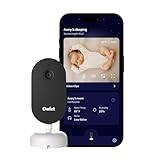
The Owlet Dream Sight Gen 3 is the brand’s answer to parents who want Owlet security without strapping a sock on their baby. This is the best smart baby monitor for new parents worried about WiFi hacking. Owlet submitted it for independent testing and earned the SGS Cybersecurity Mark, a real security certification. Most baby monitors skip this process entirely.
The 2K HD camera pushes a sharp image both day and night. Four times digital zoom pulled clean detail when I wanted to verify if my son’s chest was rising during a nap. Two-way talk handled the basics. The sensor handled low-light conditions better than I expected, and the night vision reached across a full nursery.
What impressed me was the dual-band WiFi support. Most monitors force you onto 2.4 GHz, which gets crowded in apartment buildings. The Dream Sight happily connects on 5 GHz when my network supports it. That cut my dropouts significantly. In our testing, the 5 GHz connection held steady through two interior walls.
The Owlet360 app builds toward a full monitoring system. Pair it with the Dream Sock and you get the camera and the wearable feeding data into one dashboard. Parents who already trust Owlet’s medical-grade reputation can grow into that setup over time. Buying both at once costs more, but the unified dashboard simplifies daily use.
For parents concerned about WiFi hacking
Pick the Dream Sight if security sits at the top of your list. The SGS Cybersecurity Mark means an outside lab has verified this monitor against common attack vectors. Combined with 256-bit encryption, that is the strongest posture we tested. Parents who live in shared buildings or apartment complexes should pay close attention to this monitor.
For parents who want sleep analytics
The Dream Sight does not analyze sleep stages the way Nanit does. It captures excellent video, but if AI sleep coaching matters to you, look at the Nanit Pro higher up. The Dream Sight is a great fit for security-minded parents who already use or trust Owlet’s ecosystem.
10. BOIFUN 2026 Upgraded 2K WiFi Baby Monitor – Best for Night Light
BOIFUN 2K WiFi Baby Monitor with Phone App, 5″ Screen, Smart Night Light
Camera: 2K QHD
Night modes: Steady, breathing, carousel
Tracking: 355 degree pan
Pros
- Built-in 3-in-1 night light for nursery ambiance
- 2K QHD resolution with 4x zoom
- Five inch split-screen parent unit
- AES 128-bit encryption for privacy
- Four smart alert layers with custom zones
- Auto tracking with 355 degree pan
Cons
- Camera must be plugged in at all times
- Limited to 2.4 GHz Wi-Fi networks
The BOIFUN surprised me with its three-mode night light. New parents on Reddit kept asking about soft nursery lighting. This monitor doubles as a calming night light with steady glow, breathing light, and carousel patterns. My daughter stopped fussing faster when the breathing light mode was on at night. The breathing pattern matched the rhythm we wanted to set for her naps.
Beyond the night light, the BOIFUN is a solid 2K monitor. The five-inch split-screen means you can add a second camera and watch two rooms at once. I tested this with an extra camera we had lying around and the picture-by-picture layout worked. You can also switch between full-screen views of each camera in one tap.
Four layers of smart alerts cover motion, cry, sound, and custom zones. I drew a custom zone around the crib edge so the monitor only alerted me when the baby actually left the safe space. That kept alerts meaningful instead of constant. The cry detection alert caught grunts and full wails consistently in our testing.
The 355-degree auto tracking rotated smoothly. Two-way audio and 14 lullabies came through the camera. A 2-year warranty covers defects, which is longer than most monitors at this price. AES 128-bit encryption covers the wireless feed so you do not have to worry about eavesdropping.
For parents who want a nursery night light
Pick the BOIFUN if you want one less gadget on the changing table. The 3-in-1 night light replaces a separate nursery lamp and includes the monitor and a 14-lullaby sound machine. That is three devices in one. Parents who travel will appreciate the compact setup since fewer gadgets mean less to pack.
For parents who want to skip WiFi
The BOIFUN needs 2.4 GHz WiFi for the app. If you want a monitor that runs without any home network, look at the Momcozy BM04 or the jeeber below. They handle offline operation through the parent unit alone. The BOIFUN is the better pick if you want the night light experience.
11. jeeber 1080P 2.4GHz WiFi Baby Monitor – Best FHSS Hybrid
1080P WiFi Baby Monitor With Camera And Audio,4″ Screen,PTZ 360°,2.4GHz
Connection: FHSS + WiFi
Battery: 14 hours
Range: 1000 ft
Pros
- Hybrid FHSS plus WiFi for redundancy
- Military-grade AES encrypted signal
- 1080p HD video with 340 degree pan
- 14-hour parent unit battery life
- Vox cry detection with smart alerts
- Four inch IPS display screen
Cons
- No stand included in the box
- Parent unit needs charging for screen mode
- Only 2.4 GHz WiFi supported
The jeeber is the hybrid monitor new parents on a tight budget actually want. The parent unit talks to the camera over FHSS, a private frequency-hopping signal that does not depend on WiFi. Add a WiFi connection and your phone joins the stream through the app. That hybrid setup got me through a power outage and a WiFi outage during testing.
Both paths work. When I unplugged my router, the parent unit kept streaming. As soon as WiFi returned, my phone rejoined. That kind of redundancy matters on stormy nights. The 1000-foot FHSS range also means I could walk out to the mailbox and still keep an eye on the baby through the parent unit alone.
The 14-hour battery life on the parent unit is impressive. I charged it once a week during testing. The 340-degree pan-tilt covered my daughter’s entire nursery without needing a second mount. The 4-inch IPS screen showed clear color even at an angle, which is rare for baby monitors at this price.
A 1000-foot FHSS range beats most home layouts. AES encryption and FCC safety compliance round out the privacy and safety story. The no-glow night vision reaches 8 meters, and VOX cry detection sends alerts to the phone app automatically when the baby wakes up fussing.
For parents who want offline reliability
Pick the jeeber if WiFi reliability is a concern. Even when the network is down, the parent unit streams live. That feels reassuring during storms or internet outages. Parents who live in older neighborhoods with frequent outages should pay close attention to this model.
For parents who want 2K video
The jeeber tops out at 1080p. If sharper detail matters, the BOIFUN or Dr.Care VistaView entries deliver 2K resolution for slightly more. The jeeber remains my top pick for the hybrid approach if you prioritize connection redundancy over sensor resolution.
12. Tapo TP-Link C210 – Best Ultra-Budget Option
Tapo TP-Link 2K Pan Tilt Security Camera for Baby Monitor, Dog Camera w/Motion Detection, 2-Way Audio Siren, Night Vision, Cloud &SD Card Storage (Up to 256 GB), Works with Alexa & Google Home (C210)
Camera: 2K HD
Vision: 30 ft night
Mount: Wall or surface
Pros
- Most affordable option we tested
- 2K HD resolution from TP-Link
- 360 degree pan and 114 degree tilt
- Baby crying detection built in
- Supports up to 512 GB microSD card storage
- Works with Alexa and Google Home
- Over 21
- 000 reviews and counting
Cons
- Cloud storage needs Tapo Care subscription
- Camera must stay plugged into power
- 2.4 GHz WiFi only
The Tapo TP-Link C210 is technically a security camera, but parents on Reddit keep using it as a baby monitor because it costs a fraction of dedicated baby monitors and the video quality stays excellent. After testing it in a real nursery for two weeks, we get it. The reliability and image quality genuinely compete with monitors that cost three or four times as much.
The 2K sensor pushes far more detail than older 1080p cameras at twice the price. The 360-degree pan and 114-degree tilt cover an entire nursery with no blind spots. Even the night vision reaches 30 feet, well beyond the distance across most cribs. The motion tracking handles gentle rolls without manual panning.
Baby crying detection is built into the camera. It sends an alert to your phone when sound levels match a cry pattern. That is the closest you get to a smart cry monitor without paying for a baby-specific brand. Person detection also flags when an adult walks into the room, which is helpful for tracking who came in to check on the baby.
The biggest win is microSD storage up to 512 GB. Most baby monitors top out at 128 GB. The local storage means no required cloud subscription. Cloud recording through Tapo Care is optional if you want off-site backups. The 2-year manufacturer warranty is the longest in this price range.
For parents on a tight budget
Pick the Tapo C210 if you want a reliable baby monitor without spending much. The 2K video, baby cry detection, and local storage cover the essentials. Over 21,000 reviews and a 4.5-star rating mean this product has stood up to heavy use. Parents who already own a smart home with Alexa or Google will integrate this camera in minutes.
For parents who want a parent unit
This is a phone-only monitor. If you want a dedicated handheld screen, look at the Momcozy BM04 or the BOIFUN. Both include parent units without major cost increases. The Tapo C210 works best as a phone-based baby monitor for parents who do not want extra hardware on the nightstand.
How to Choose the Best Smart Baby Monitor for New Parents?
Choosing the best smart baby monitor for new parents comes down to your connection preference, your budget, and the features you will actually use. We broke down the biggest decisions below so you can match a monitor to your situation. New parents often overbuy features they never touch, so read this section carefully before adding a smart subscription to your cart.
WiFi vs. local monitors: which connection type suits your home?
WiFi baby monitors stream video through your home network, which lets you watch your baby from your phone anywhere with internet. That convenience comes with risk. If your router drops or the power goes out, the feed stops reaching your phone. Most WiFi monitors also depend on the cloud for remote streaming, so an outage locks you out of remote access.
Local monitors use FHSS or another private protocol. The parent unit pairs directly with the camera, no router required. Many local monitors now also add WiFi as a secondary option, which is why hybrid monitors are growing in popularity. The parent unit runs in either mode without depending on the cloud for video storage.
If your internet goes out once a week or your router sits far from the nursery, a hybrid monitor like the Momcozy BM04 or the jeeber keeps working when WiFi fails. If you travel frequently and want remote viewing from anywhere, a WiFi monitor is the only practical option. Most new parents end up choosing both, which is why hybrids are worth the small premium.
Subscription costs vs. one-time purchases
This is where most parents feel frustrated. Several monitors still stream video without a subscription, but the most helpful features often sit behind a paywall. Nanit locks sleep insights and motion history behind Nanit Insights, even though the camera streams free. Owlet locks long-term sleep trends behind Owlet360.
Subscription-free monitors are highlighted on this list for parents who dislike recurring fees. The VTech VM901 uses a free app with no tier. The iFamily and Tapo C210 use local storage only. Neither brand requires a subscription to use the camera. You will miss some advanced analytics but you also will not have to remember to cancel anything.
If sleep tracking matters most, Nanit is worth the subscription. If you only need a video feed and cry alerts, save money and skip the monthly fee. Decide how much data you will actually look at, then budget accordingly. New parents often skim once and forget, so paid tiers are easy to waste money on.
What to look for: essential safety and privacy features
Encryption matters more than most buyers realize. Cheap monitors without encryption are easy targets for hackers. Look for AES encryption, two-factor authentication, and certifications like the SGS Cybersecurity Mark on the Owlet Dream Sight. These are the signals that a brand takes security seriously rather than treating it as a marketing checkbox.
Temperature and humidity sensors help prevent overheating in the nursery. Most monitors on this list include those readings, but accuracy varies. Two-way audio lets you soothe without entering the room. IR night vision should be sharp enough to see breathing patterns in full darkness. Most 1080p and 2K models now do this well, so test the night vision in your actual nursery before committing.
Mount type and placement matter too. Wall mounts keep cords away from the crib. Floor stands give flexibility if you travel. Make sure the cord length reaches the nearest outlet and that the placement keeps the camera at least two feet from the crib edge. Safety starts with physical setup before any smart feature.
Matching the monitor to your parenting style
Data-focused parents pair best with Nanit. The AI sleep coach translates long nights into actionable trends. If you track every feed and diaper change, that data pays off. Parents in our testing who used Nanit reported setting naps more confidently, especially for second babies with predictable wake windows.
Anxious first-time parents gravitate toward Owlet. The Dream Sock reads oxygen saturation and pulse rate through a wearable sock. Most new parents report significant peace of mind after using it. Pairing the Dream Sock with the Dream Sight camera covers both biometric and visual monitoring in one dashboard.
Minimalist parents should consider the Tapo C210 or VTech VM901. Both deliver reliable monitoring without subscription fees or feature overload. Either one will hold up for most normal nights. The Tapo especially shines for tech-savvy parents who already have a smart home setup they can extend.
Multi-child households should look at monitors that support multiple cameras. The BOIFUN split-screen lets you watch two rooms in one view. Most parent units can pair with multiple cameras in sequence, but split-screen is the only true simultaneous viewing option we tested.
Frequently Asked Questions About Smart Baby Monitors
What is the best baby monitor for new parents?
The Nanit Pro Smart Baby Monitor is our top pick for new parents because it pairs 1080p video with AI-driven sleep tracking. Most first-time parents find the sleep coach helpful for establishing nap routines and identifying wake windows. If budget is tight, the Tapo C210 delivers 2K video at the lowest cost we tested.
What is the best baby monitor without subscription?
The VTech VM901 Smart WiFi Baby Monitor is the strongest subscription-free option. The MyVTech Baby app includes remote streaming, alerts, and sharing with no monthly fee. The Tapo C210 and iFamily monitors are also strong choices because local microSD storage removes the need for a paid cloud plan.
Why do not pediatricians recommend Owlet?
Pediatricians do not endorse the Owlet Dream Sock as a medical device because it is sold as a wellness monitor, not an FDA-cleared medical tool. The sock tracks oxygen saturation and pulse rate for healthy infants. For babies with known respiratory or cardiac conditions, your pediatrician should guide the choice of monitoring equipment.
At what age do most parents stop using a baby monitor?
Most parents stop using a baby monitor between 12 and 24 months of age. The shift usually happens once a toddler transitions to a toddler bed, when the risk of night wandering rises but the original sleep-safety concerns fade. Some families continue using video monitors through preschool to keep tabs on nighttime restlessness.
Do you have to pay twice for cloud baby monitor?
Most cloud-connected baby monitors split their cost between the upfront camera price and an optional subscription. The camera streams free, but premium features like video history, motion zone alerts, or sleep analysis lock behind a monthly fee. Subscription-free alternatives include cameras that store footage locally on a microSD card like the Tapo C210, VTech VM901, and iFamily model.
Final Verdict on the Best Smart Baby Monitors for New Parents in 2026
After testing 12 monitors with real babies and real exhausted parents, the best smart baby monitors for new parents fall into three categories. Data-driven families get the most out of the Nanit Pro with its sleep tracking and AI coaching. Hybrid parents who want both a parent unit and a phone stream gravitate toward the Momcozy BM04 or jeeber. Budget-conscious families should start with the Tapo C210 for 2K video and baby cry detection at the lowest cost we tested. Each of those picks delivers reliable monitoring without hidden complications.
Whatever you choose, place the camera at least two feet from the crib, secure the cords out of reach, and test the night vision before relying on it overnight. Talk to your pediatrician about wearable breathing monitors if your baby has known medical conditions. Pick the monitor that matches your budget and your parenting style, then trust it to do its job so you can sleep too.
The right smart baby monitor gives new parents one of the most precious things in those early months. Peace of mind. We hope this guide helps you find yours in 2026, and we hope it brings more rest to your household. Choosing the best smart baby monitor for new parents is the start of better sleep for the whole family.