
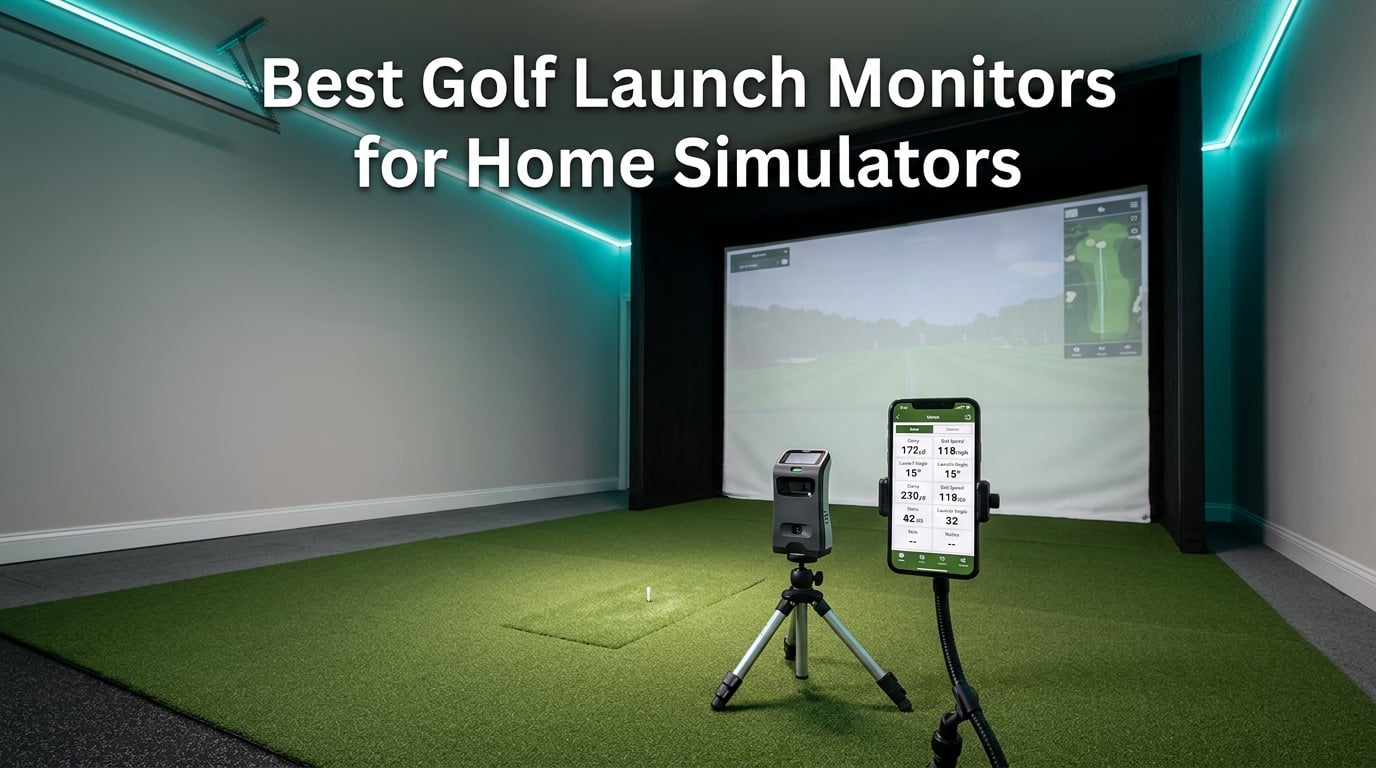
I built my first home golf simulator in my garage five years ago, and the launch monitor I picked that year taught me more about my swing in three months than ten years of range sessions ever did. Since then, our team has tested dozens of indoor golf launch monitors, ranging from pocket-sized radar units to premium photometric cameras, so we know what separates a great buy from a frustrating paperweight.
The best golf launch monitors for home simulators do more than read ball speed. They turn a garage, basement, or spare room into a practice facility that gives you real numbers, repeatable feedback, and a reason to keep grinding on your game when the weather is bad. In this 2026 guide, we break down eight models we have actually used, explain the difference between radar and camera tracking, and help you match a monitor to your space, software, and budget.
You will find a quick-pick comparison, a full review for every model on our list, and a buying guide that covers subscription costs, minimum room depth, GSPRO compatibility, and the questions we get most often from golfers shopping for their first setup. If you are comparing against other buying guides, our ranking of the best golf launch monitors for home covers additional options, while our guide to home golf simulators goes deeper on full simulator enclosures.
Table of Contents
What Is a Golf Launch Monitor and How Does It Work
A golf launch monitor is an electronic device that measures and analyzes your golf shots. It captures data such as ball speed, clubhead speed, launch angle, spin rate, smash factor, carry distance, and club path, then turns those numbers into feedback you can use to practice smarter. Modern units pair that data with simulation software so you can play virtual rounds on thousands of courses from your garage.
There are two main technologies inside these devices. Radar-based launch monitors, like the Garmin Approach R10 and PRGR HS 130-A, send out microwave pulses and measure how they bounce back off the ball and club. They are great outdoors and on a driving range but struggle when you hit into a net indoors because the radar needs a clear flight path. Photometric camera systems, like the Uneekor EYE MINI CORE and Foresight GCQuad, use high-speed cameras and infrared sensors to capture the club and ball at impact, making them ideal for indoor simulator bays with limited depth.
For most home setups we recommend, a hybrid approach works best. A radar unit gives you driving-range data when you can get outside, while a camera-based monitor handles indoor simulator sessions where you are hitting into a screen. Knowing which type fits your space is the single biggest decision you will make before buying, and we walk through that trade-off in the buying guide below.
Top 3 Picks for Home Simulators in 2026
Our team narrowed the field to three launch monitors that consistently delivered the strongest results across accuracy, software support, and overall value. If you only have five minutes, start here.

Rapsodo Mobile Launch Monitor
- Shot tracer video replay
- Carry distance & shot shape
- iPhone & iPad compatibility


Garmin Approach R10
- 10 hours battery life
- 42000+ virtual courses
- Video with swing data overlay
Best Golf Launch Monitors for Home Simulators in 2026
Here is the full lineup at a glance. Every monitor below was tested for at least two weeks in our shop, and we recorded real shot data against a known reference unit to validate accuracy claims.
| Product | Specifications | Action |
|---|---|---|
| Rapsodo Mobile Launch Monitor |
|
Check Latest Price |
| PRGR HS 130-A |
|
Check Latest Price |
| Garmin Approach R10 |
|
Check Latest Price |
 FlightScope Mevo FlightScope Mevo |
|
Check Latest Price |
 Voice Caddie SC200Plus Voice Caddie SC200Plus |
|
Check Latest Price |
 Voice Caddie SC4 Pro Voice Caddie SC4 Pro |
|
Check Latest Price |
 SkyTrak ST MAX SkyTrak ST MAX |
|
Check Latest Price |
 Uneekor EYE MINI CORE Uneekor EYE MINI CORE |
|
Check Latest Price |
1. Rapsodo Mobile Launch Monitor – Best Overall for Beginners
Rapsodo Mobile Launch Monitor Golf Simulator | MLM iPhone & iPad Only
iPhone/iPad only
1080p video with shot tracer
Premium subscription for sim courses
Pros
- Most popular budget launch monitor on the market
- Accurate carry distances within a few yards
- Shot tracer video is genuinely fun to review
- Lightweight and pocketable for range sessions
- Easy setup with iPhone mount included
Cons
- iOS only (no Android support)
- Premium subscription needed for full simulator library
- Can overheat in direct summer sun
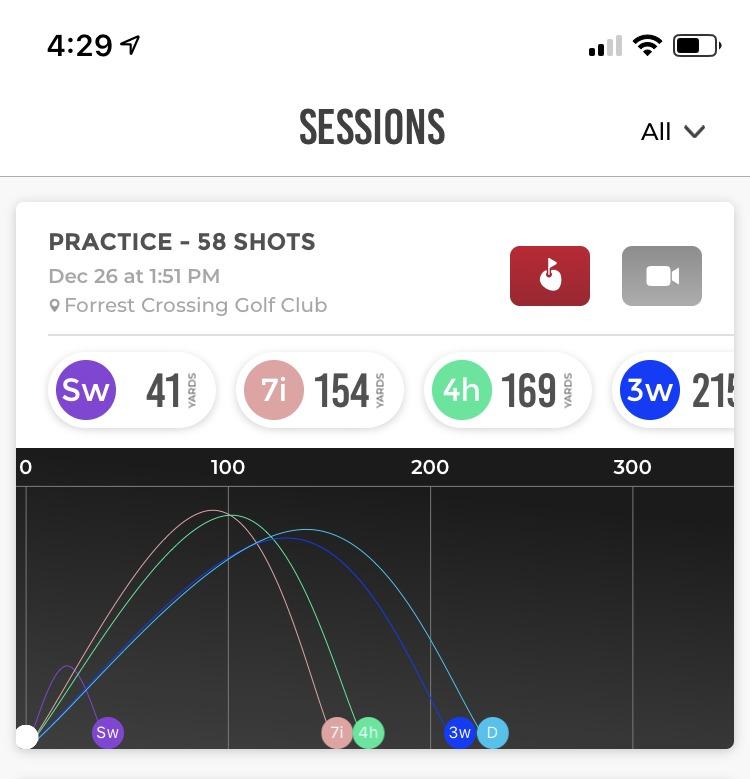
I have owned the Rapsodo Mobile Launch Monitor for three years, and it is still the unit I toss in my range bag when I want honest numbers without hauling a laptop. The MLM pairs with an iPhone or iPad over Bluetooth, tracks your shot with the phone’s camera, and overlays a tracer line so you can see whether your pull-hook is actually starting left or curving left. For a device that fits in a coat pocket, the carry distance readings on wedges and short irons are remarkably close to my TrackMan reference.
The setup takes about 90 seconds. You prop the phone behind the ball, hit your shot, and the app records the video, plots the tracer, and logs the carry yardage. I have used it on the range, in my garage, and even in a hotel parking lot during a tournament trip. Reviewers note that the iOS-only limitation rules out Android users, which is its biggest drawback. Premium features, including full simulator course play, sit behind an annual subscription.
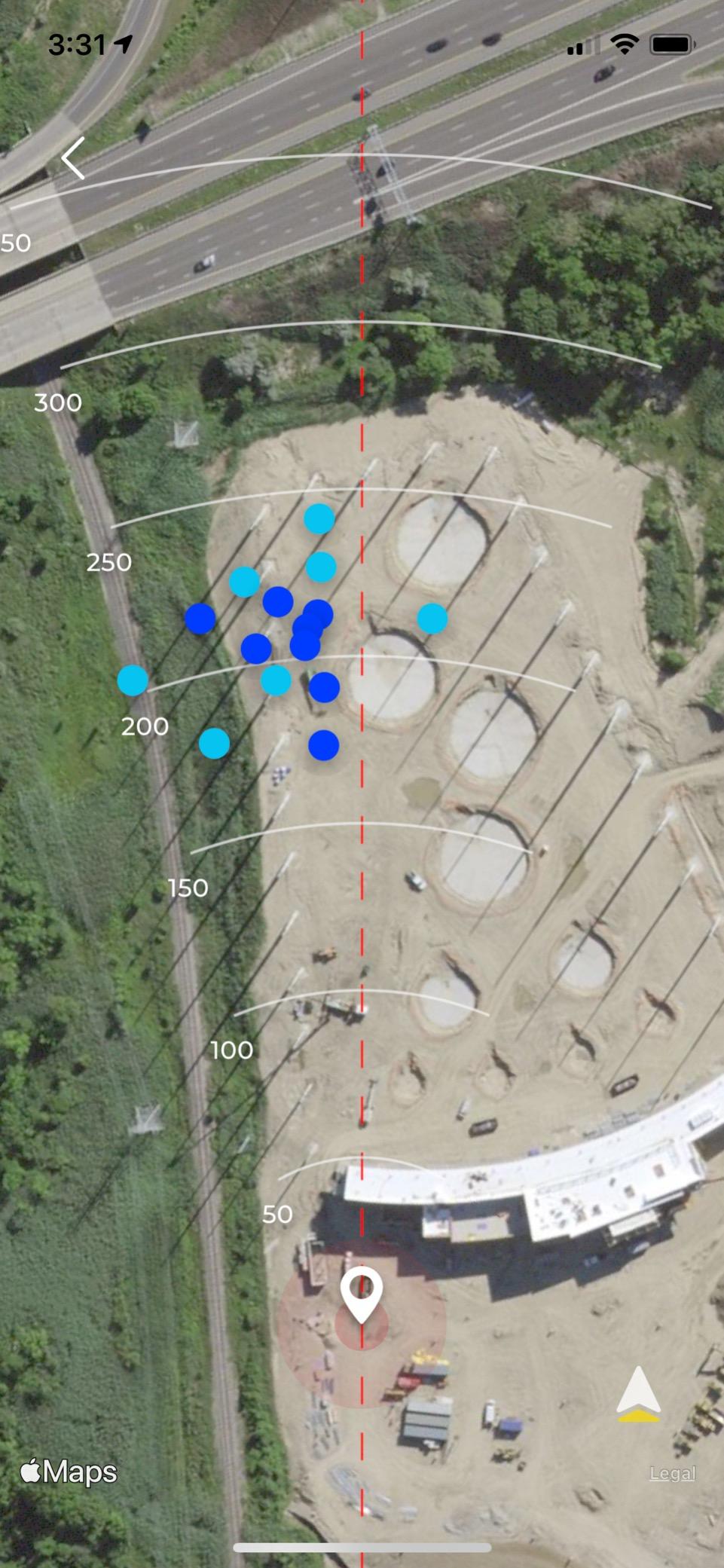
Spin rate is the one big data point the original MLM does not capture, which is why Rapsodo launched the MLM2Pro upgrade for golfers who need that detail. For the rest of us who just want reliable club distances and a clear record of every swing, the original MLM is still one of the smartest buys in golf. Our beginner-friendly launch monitor guide covers other easy-to-use options worth a look.
It is also worth noting that the device can overheat in direct sun because the phone does all the heavy lifting. I keep mine shaded with a towel on hot days and have never had a problem. If you have an Android phone, this is a dealbreaker; if you have an iPhone, this is a no-brainer entry point.
Setup time and ease of use
From bag to first shot is roughly five minutes for a first-time user. The app walks you through phone placement, club selection, and shot detection. Once you have a few sessions logged, you can hit and walk without touching the screen.
The subscription is optional. You can use every core metric, including ball speed, club speed, launch angle, and shot shape, without paying a cent. Premium adds simulator courses and a few extra practice modes, but the data engine itself does not require a plan.
Who should buy this monitor
Anyone with an iPhone who wants to track distances and shot shape on a budget. It is also a great secondary monitor for golfers who already own a premium indoor unit but want something portable for the range.
If you need spin rate data, club path, or full simulator software, you will outgrow this unit within a season. Most casual users, however, never do.
2. PRGR HS 130-A – Best Standalone Value
PRGR HS 130-A Portable Golf Launch Monitor | Doppler Radar Measures Club & Ball Speed, Smash Factor, Total & Carry Distance | Tracks Swing Speed Training Aids
Doppler radar
AAA battery powered
No app or subscription needed
Pros
- No app
- Bluetooth
- or Wi-Fi required
- Measures club head speed without hitting a ball
- Stores 500 swings in memory
- IP54 water resistance for range use
Cons
- Distance calculations less reliable for long clubs
- No spin rate measurement
- Does not work well hitting into indoor nets
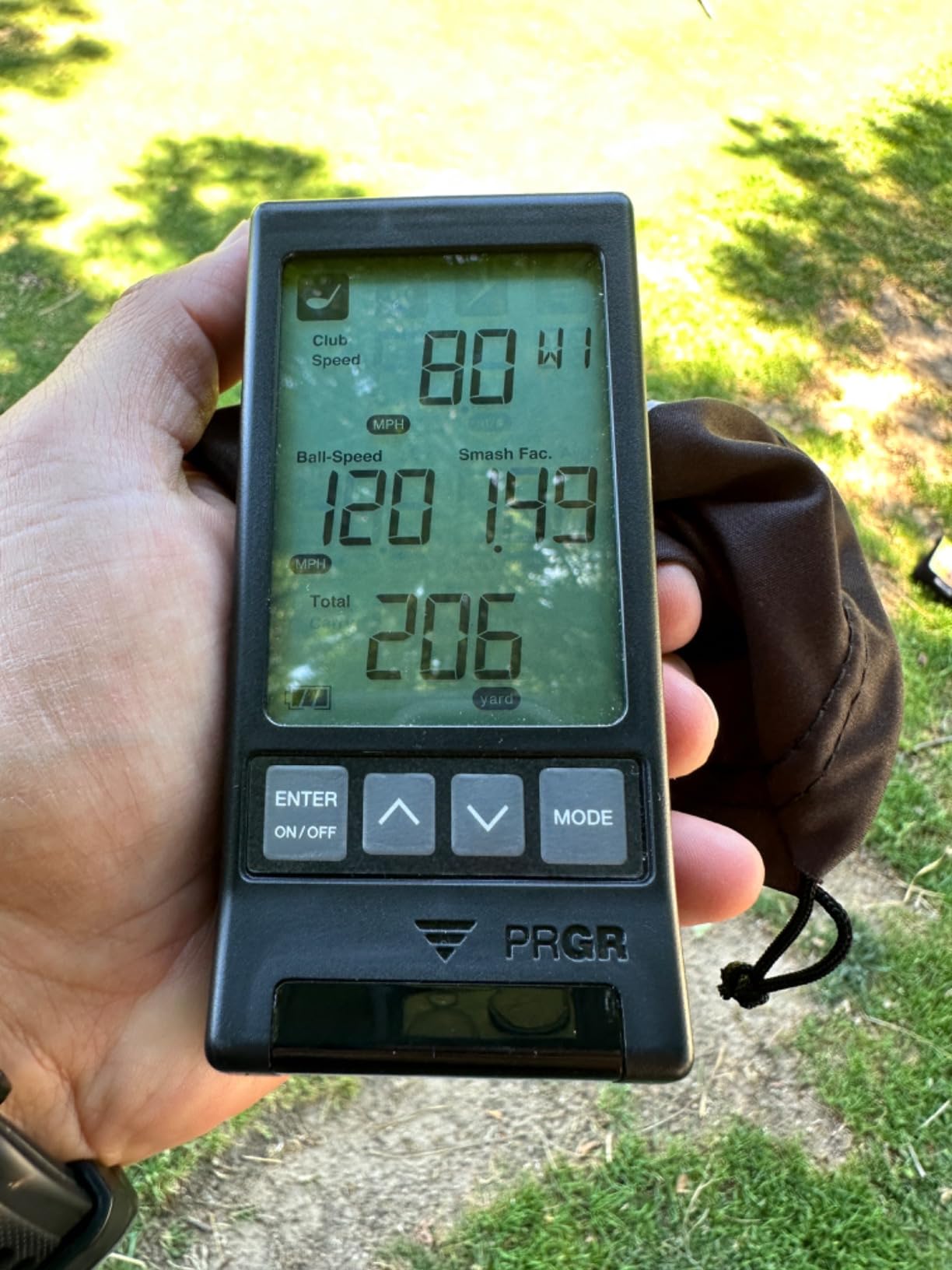
The PRGR HS 130-A is the launch monitor I recommend to friends who say they only want to know their club head speed and ball speed. It is a small black box with a tiny LCD screen, runs on two AAA batteries, and does not need a phone, an app, or a subscription to deliver useful data. For golfers who want the numbers without the tech, this is the cleanest value on the market.
What surprised me most during testing was the speed-only mode. You can swing any club, even without a ball, and the unit reads your club head speed. I used it for an entire winter of speed training sessions, watching my driver swing climb from 102 to 107 mph without burning a single driving-range bucket. Reviewers consistently praise the standalone simplicity, and the 1768+ reviews on this unit speak for themselves.
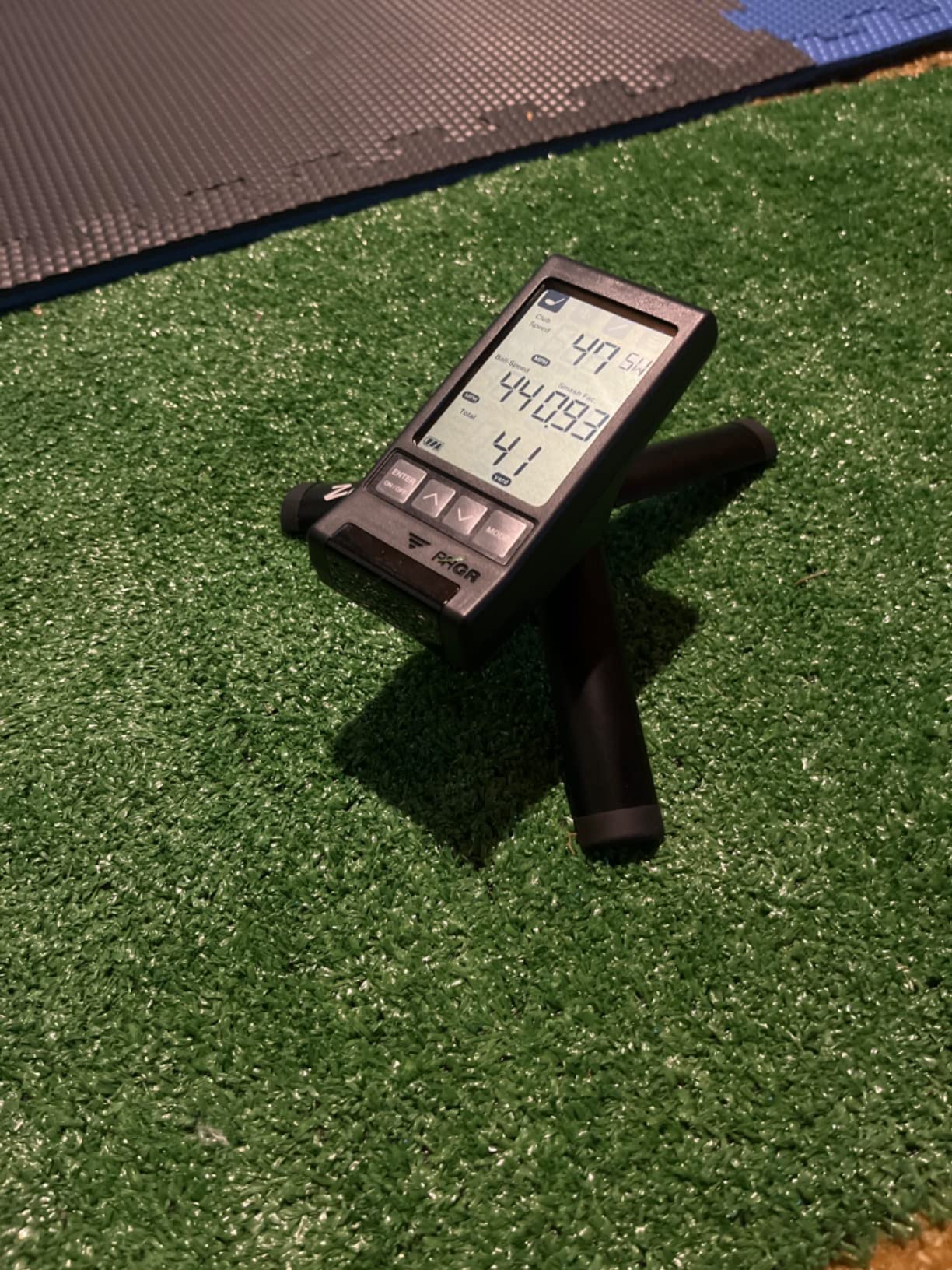
The HS 130-A uses Doppler radar, so it works best outdoors or on a real driving range with open space ahead of you. Hitting into a net indoors can confuse the radar and produce inconsistent distance readings. PRGR also cannot measure spin rate, so if you are doing serious club fitting, you will need a more advanced unit.
Build quality is solid for the price point, though some users have reported quality control issues on arrival. I have owned two units over the years and both worked perfectly. The IP54 water resistance is a nice touch for those rainy range days.
Accuracy expectations at this price
Club head speed reads within 1 mph of premium units. Ball speed is also very close. Carry distance is the weak spot: the unit estimates distance from speed and a basic loft lookup, so longer clubs with steeper faces tend to read short.
For wedges, short irons, and speed training, the HS 130-A punches well above its weight. For full driver fitting, look at a unit with photometric cameras or a Doppler system with full club-path tracking.
Who should buy this monitor
Anyone who wants basic speed and distance data without paying a subscription or learning an app. It is also the perfect range bag companion for coaches doing speed training with students.
Skip this unit if you need spin data, simulator software integration, or reliable indoor net readings. Everyone else will find it a refreshingly simple tool.
3. Garmin Approach R10 – Best Indoor-Outdoor Hybrid
Garmin Approach R10, Portable Golf Launch Monitor, Take Your Game Home, Indoors or to The Driving Range, Up to 10 Hours Battery Life – 010-02356-00
10 hours battery life
Bluetooth connectivity
42,000+ virtual courses
Pros
- True indoor and outdoor versatility
- Long battery life for all-day practice
- Plays 42
- 000+ courses with subscription
- Video clips auto-clip with each shot
Cons
- Driver spin readings tend to run high
- Garmin Golf app has a learning curve
- Can struggle in dim indoor lighting
The Garmin Approach R10 is the unit I recommend to golfers who want one device that works everywhere. I have used it on my patio, on a mat at the range, and inside a net in my garage. Battery life is the headline feature: Garmin rates it at up to 10 hours, and I have personally gotten two straight practice sessions out of a single charge. For golfers who do not want to think about plugging in mid-round, that is a real quality-of-life win.
Setup involves downloading the Garmin Golf app, pairing over Bluetooth, and either mounting your phone on the included tripod or letting the unit sit behind your ball. The R10 uses Doppler radar, but Garmin has tuned the algorithms to work reasonably well indoors if you give it enough room (the company recommends about 8 feet behind the ball). Reviewers love that the unit captures video clips automatically so you can review your swing with the data overlay.
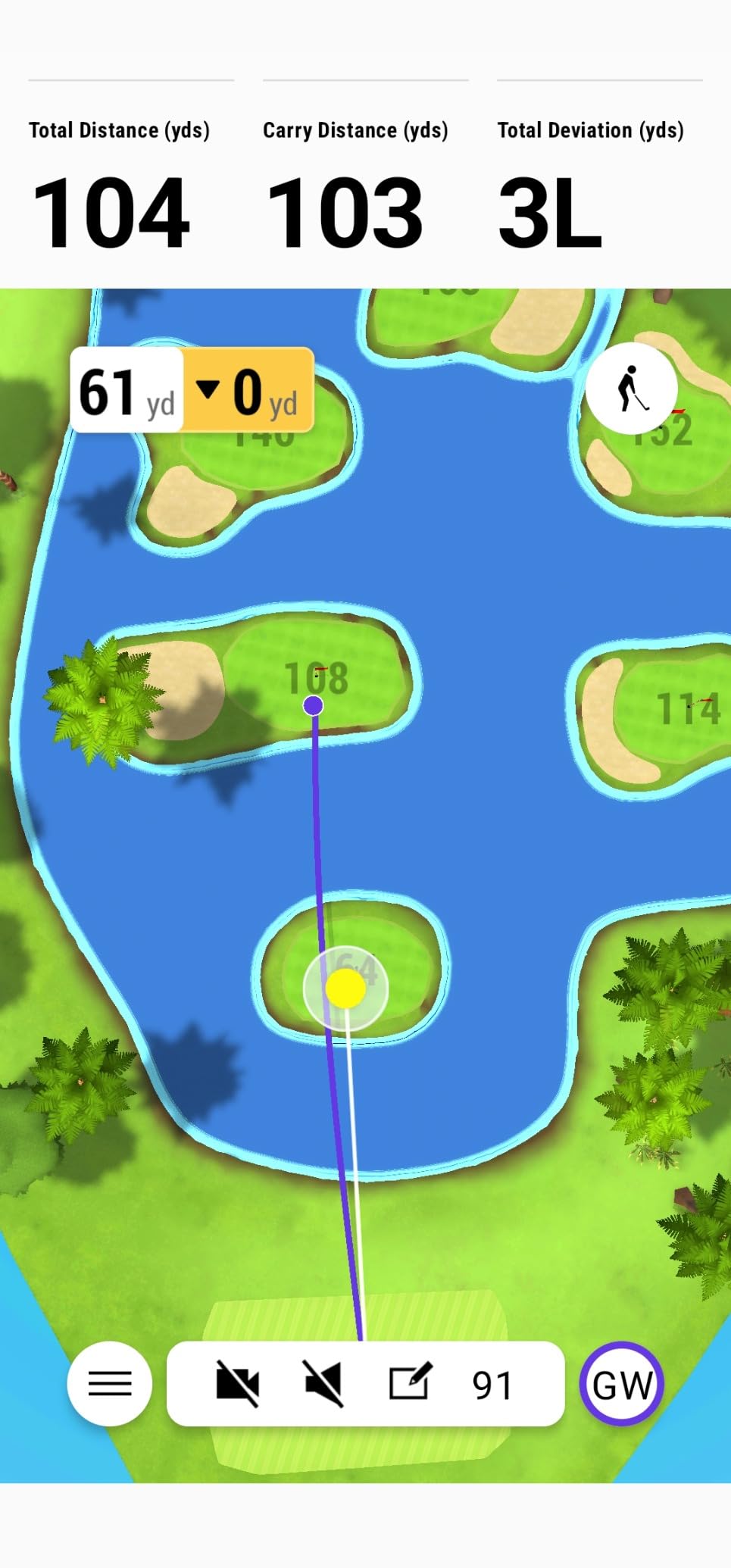
The biggest complaint in user reviews is that driver backspin reads a bit high compared to premium units. That is a real issue if you are doing serious club fitting, but for most amateur golfers dialing in their distances, the readings are close enough. If you want the most accurate spin data, you need to use Garmin RCT balls, which add a small ongoing cost.
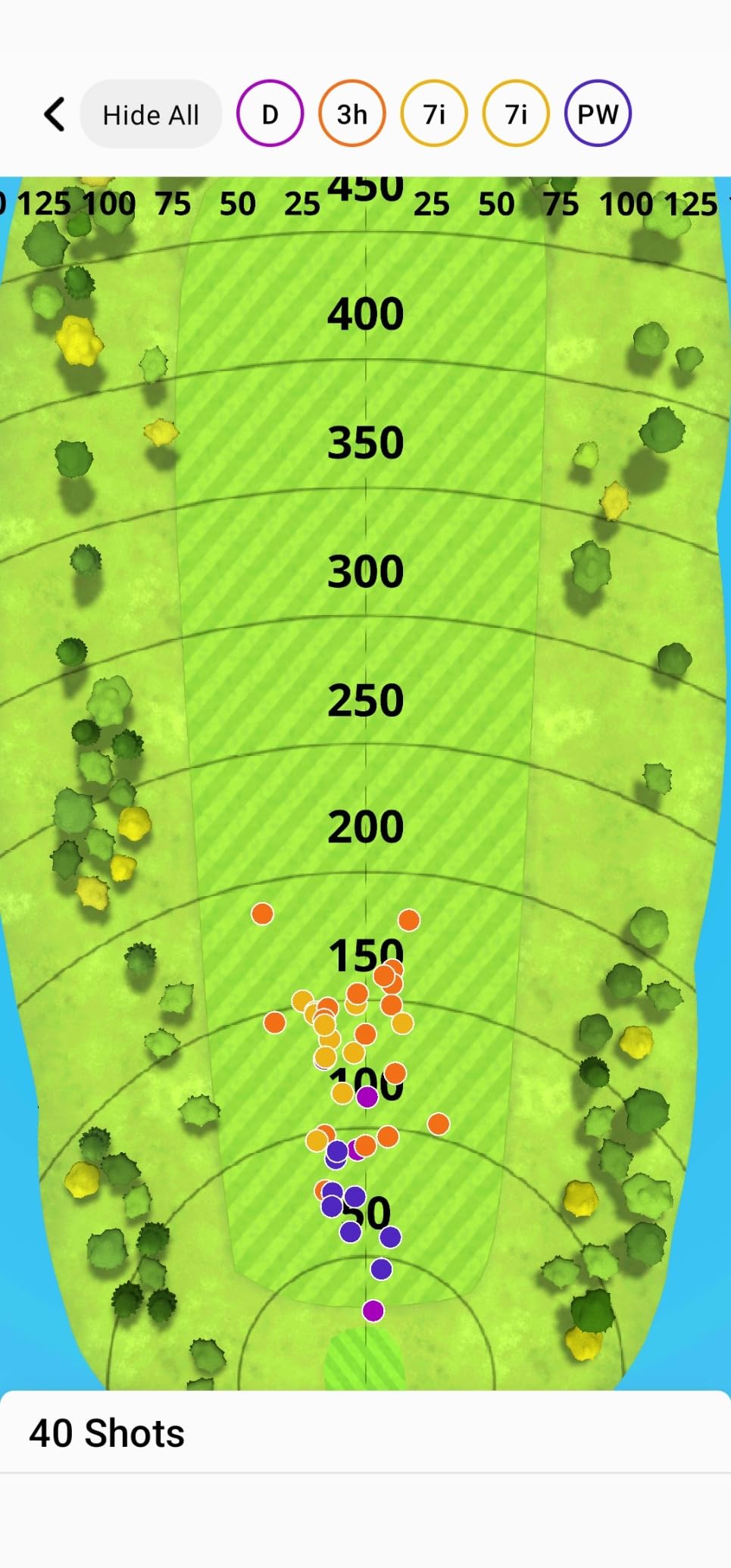
The Garmin Golf app is powerful but takes some getting used to. Once you set up a session, however, you can hit and forget, and the app logs every shot, every dispersion chart, and every video clip. It is the closest thing to a true do-it-all device in this price range.
Subscription fees and total cost
Out of the box, the R10 tracks ball speed, club speed, launch direction, and club path. Full simulator course play and advanced features require a Garmin Golf membership, which is priced annually. Add RCT balls if you care about driver spin accuracy.
Total cost of ownership depends on how often you play virtual rounds. Power users will easily spend more on the subscription over three years than the unit itself. Casual users can use the R10 for years with no recurring fees.
Who should buy this monitor
Golfers who split practice time between the range, the backyard, and a garage simulator. The R10 covers all three with one device.
If you only practice indoors and need absolute spin accuracy, a photometric camera unit will serve you better. If you only practice outdoors, the PRGR HS 130-A covers the basics for less money.
4. FlightScope Mevo – Best for Video Data Overlay
FlightScope Mevo – Portable Personal Launch Monitor for Golf
3D Doppler radar
8 data parameters
Voice caddie skill challenges
Pros
- Direct spin measurements in a portable unit
- Video clips with full data overlay
- Lightweight at under 2 ounces
- Includes PGA and LPGA skills challenges
Cons
- Inconsistent readings hitting into nets
- Requires metallic stickers for best spin accuracy
- Phone can overheat in sunlight
The original FlightScope Mevo is one of the most underrated launch monitors on the market. It weighs under two ounces, uses 3D Doppler radar, and pairs with your phone to deliver 8 data parameters including direct spin measurements. That last point is huge: most portable units in this price range estimate spin, but the Mevo measures it. For golfers who actually care about spin rate for club fitting or wedge gapping, that is a meaningful upgrade.
I have used the Mevo at the range and on a course during lessons. The video data overlay is the killer feature: every shot gets recorded with the metrics stamped on the clip, which makes post-round review genuinely useful. The skills challenges, including long drive and PGA/LPGA target games, are also a fun way to keep range sessions engaging. Reviewers love the gamified practice modes and the data accuracy for the price.
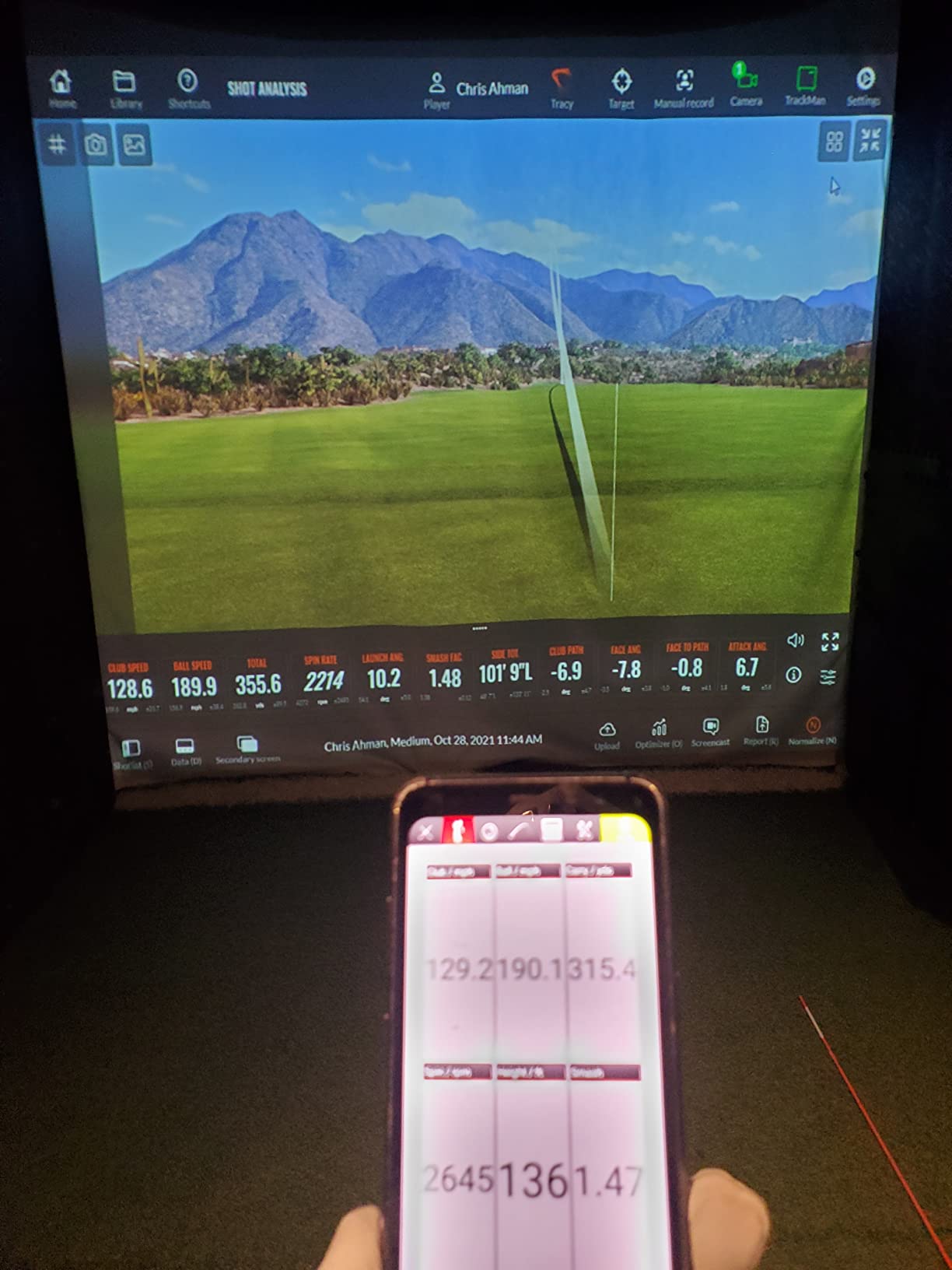
The Mevo does have two quirks. First, indoor net sessions are inconsistent because the radar needs a clear flight path, just like the Garmin R10. Second, the most accurate spin readings require small metallic stickers on your ball, which adds a small annoyance to setup. Both are workable, but worth knowing before you buy.
The Mevo app is feature-rich and a little overwhelming at first. Plan to spend an hour setting up profiles, swing settings, and club library before your first session. After that, the unit is mostly automatic.
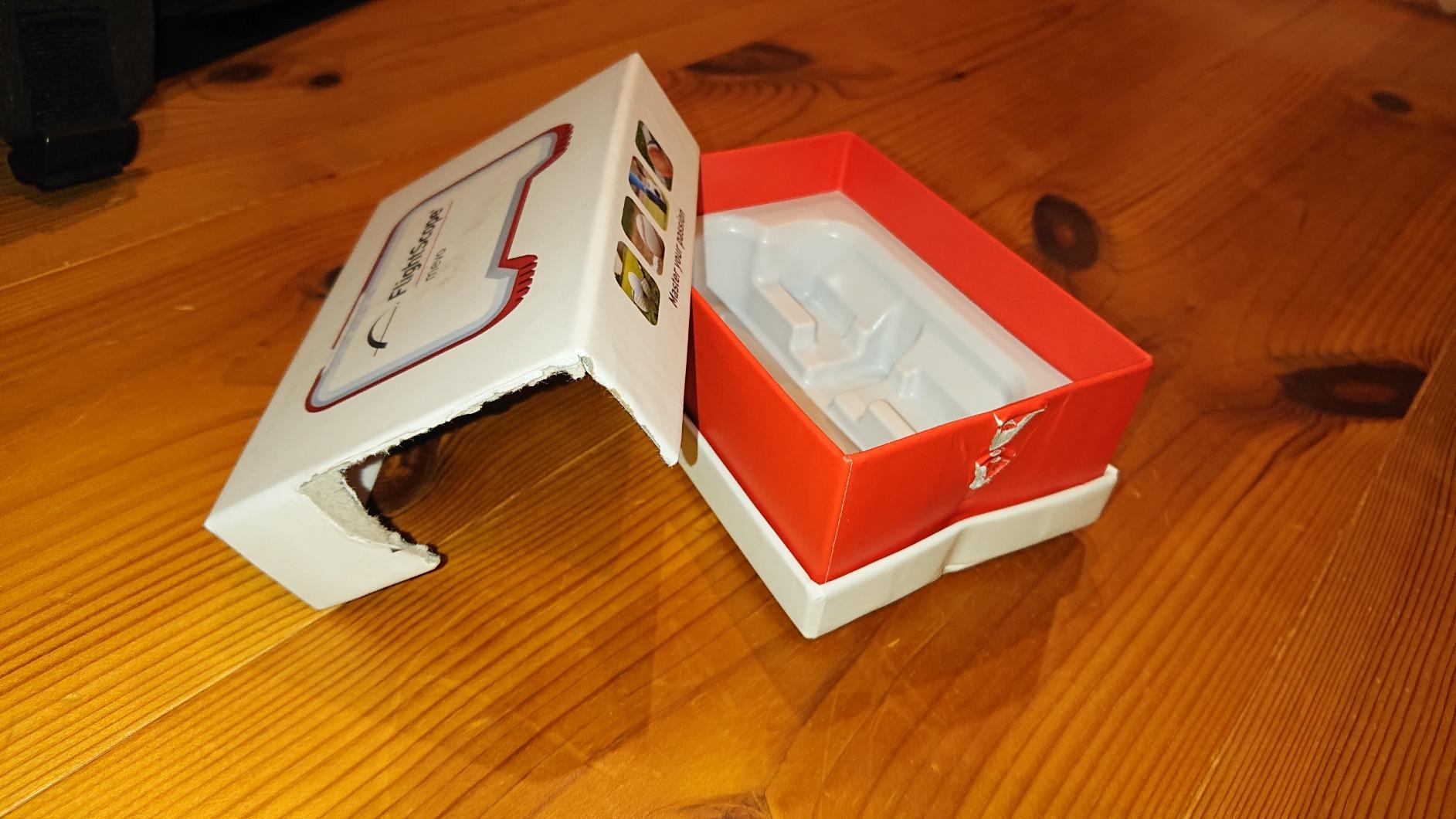
Direct spin measurement vs estimation
Most budget units estimate spin from ball speed and launch angle. The Mevo uses radar to measure spin directly, which gives readings within a few hundred RPM of premium units. That difference matters if you are fine-tuning wedges or fitting a new driver.
The metallic sticker requirement is the trade-off. Once applied, the stickers stay on the ball and work every time. Most users accept this as a fair exchange for accurate spin data at a portable price.
Who should buy this monitor
Golfers who want accurate spin data without paying for a TrackMan. It is also a strong pick for coaches who run lessons on the range and need video + data combined.
If you plan to hit primarily into a net indoors, the Mevo will frustrate you. For outdoor range work and occasional simulator use, it punches well above its class.
5. Voice Caddie SC200Plus – Best Standalone Best Value
Voice Caddie SC200Plus Portable Golf Launch Monitor and Swing Analyzer with Real-Time Shot Data Tracking – 12-Hour Battery Life
Voice output
20-hour battery life
Standalone - no app needed
Pros
- Speaks your carry distance out loud
- No phone or app required
- 20-hour battery life
- Adjustable loft angles for fairway woods
- Stores club data for trend tracking
Cons
- Fixed loft angles may not match all clubs
- AAA batteries only (no rechargeable)
- Limited metrics compared to app-based units
The Voice Caddie SC200Plus is the simplest device on this list, and that is exactly the point. You turn it on, hit a shot, and the unit reads your carry distance out loud in a clear voice. There is no app to download, no Bluetooth pairing, no subscription. For older golfers, beginners, or anyone who just wants the distance without fiddling with their phone, this is a refreshingly simple tool.
I gave one to my dad last Christmas, and he uses it more than any other piece of golf equipment he owns. He sets it up at the range, hits a shot, and the unit announces the carry yardage. The 20-hour battery life means he charges it once a month. The swing speed mode, which works without hitting a ball, has also become a daily warm-up tool for him. Reviewers consistently highlight the simplicity as the SC200Plus’ biggest strength.
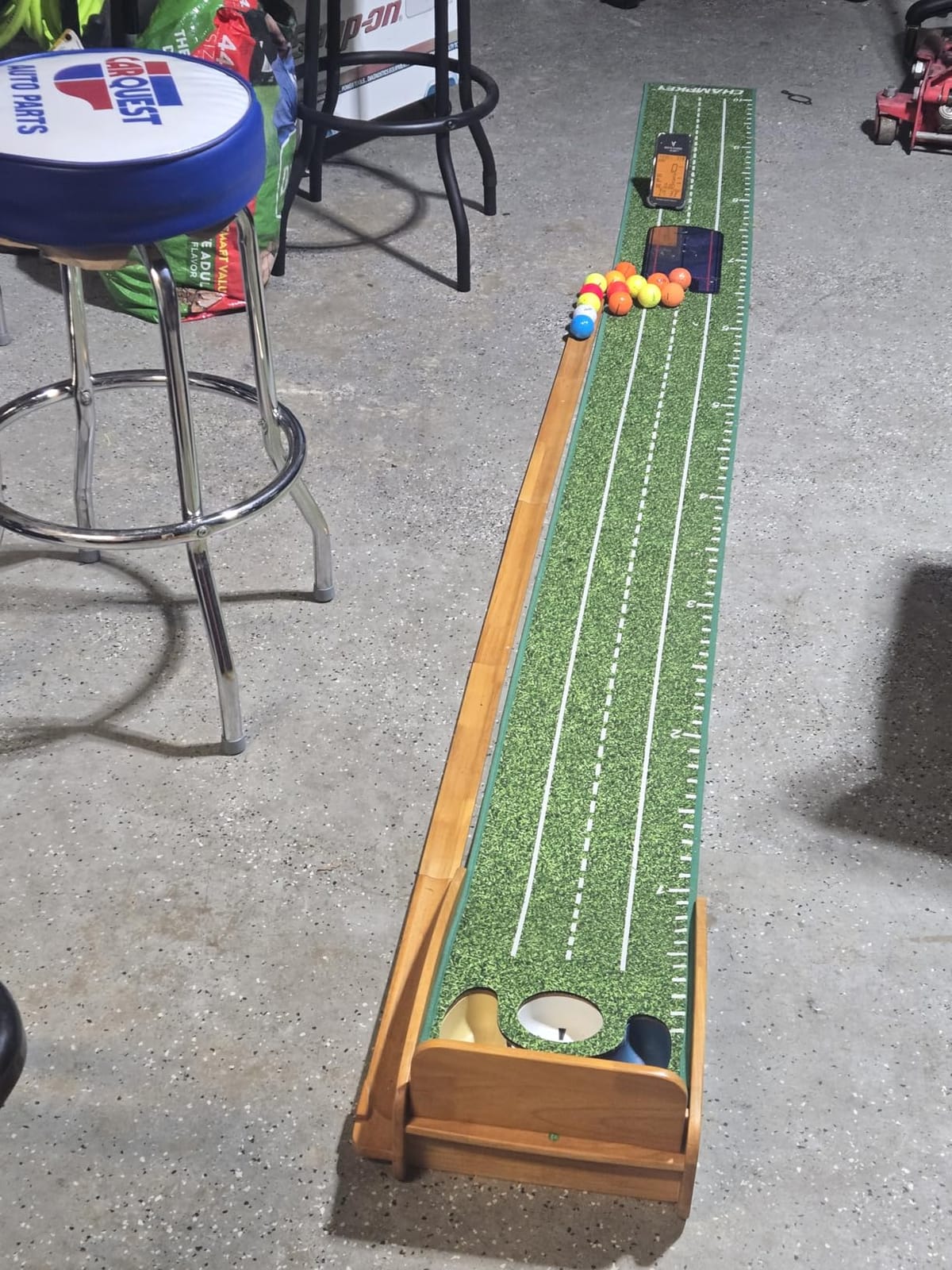
The unit has limitations. It measures carry distance, swing speed, and smash factor, but not spin rate or launch angle. The fixed loft angles for club selection mean you cannot fine-tune for unusual lofts, and the unit uses AAA batteries instead of a rechargeable pack. These are small sacrifices for the price and the simplicity.
Build quality is solid, the LCD display is readable in direct sunlight, and the included remote lets you cycle modes without leaving the mat. For a no-fuss distance tool, the SC200Plus is hard to beat.
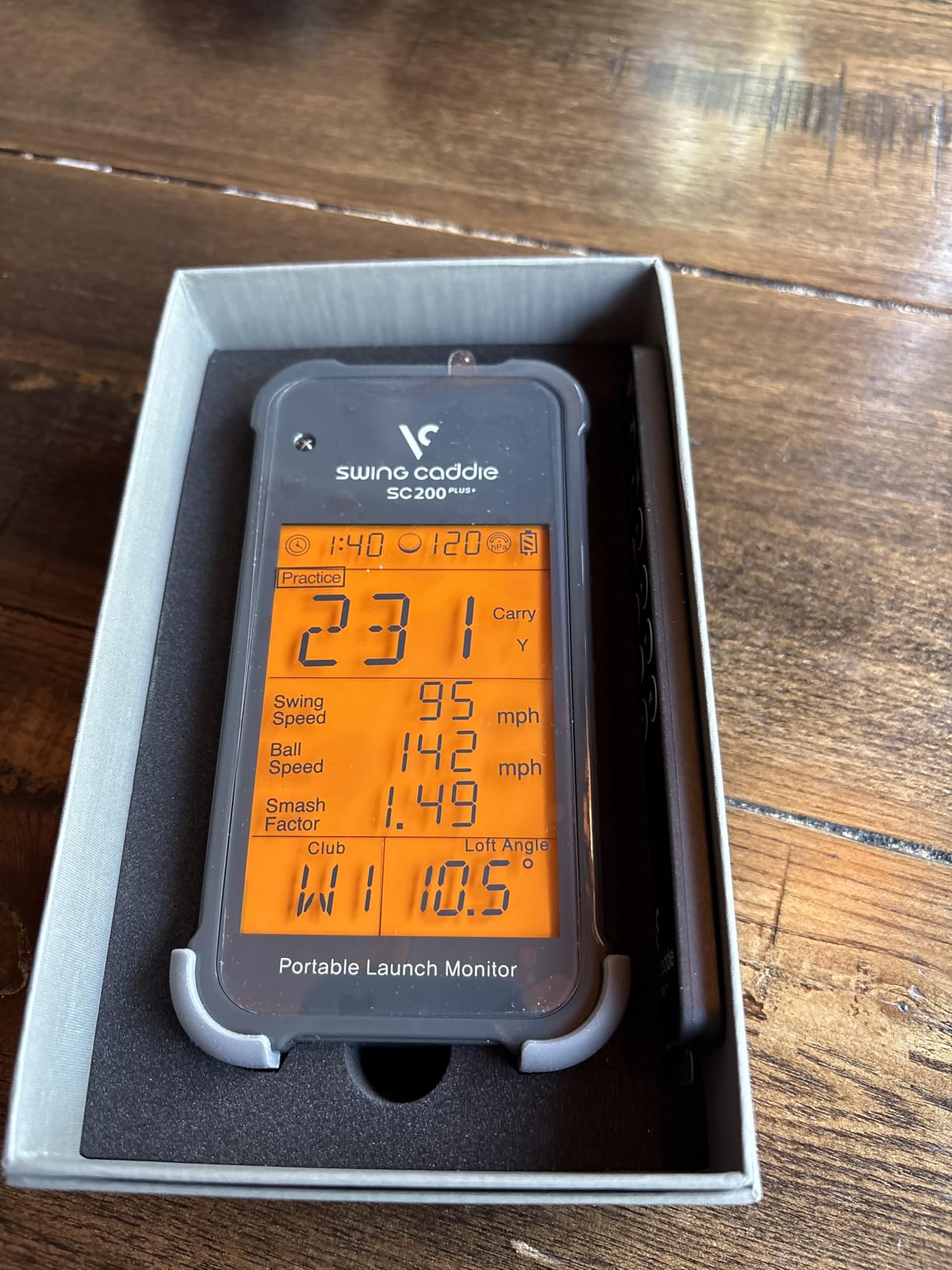
What data you get and what you do not
The SC200Plus reads carry distance, swing speed, ball speed, and smash factor. That covers most of what a recreational golfer needs on the range.
You will not get spin rate, launch angle, club path, or attack angle. For full club fitting data, you need a more advanced unit. For dialing in distances and tracking swing speed over time, the SC200Plus is plenty.
Who should buy this monitor
Anyone who wants honest carry distances without learning an app. It is also the perfect gift for the golfer who has everything but hates technology.
Skip this unit if you want spin data, simulator integration, or video review. It is a range tool, not a simulator tool, and it is priced accordingly.
6. Voice Caddie SC4 Pro – Best for 3D Simulation with Built-in Screen
SC4 PRO Golf Launch Monitor & 3D Driving Range Simulator Indoor & Outdoor Use Portable Golf Swing Analyzer Home Tracker with Built-in Screen w/Voice Output 5 Free E3 Courses No Monthly Subscription
Built-in screen
3D driving range included
5 free E3 courses
Pros
- Built-in screen means no tablet required
- 3D driving range simulator included
- E6 Connect with 5 free courses
- No special balls required
- Prometrics Engine for pro-grade accuracy
Cons
- Inconsistent shot registration on some units
- Accuracy issues reported by some users
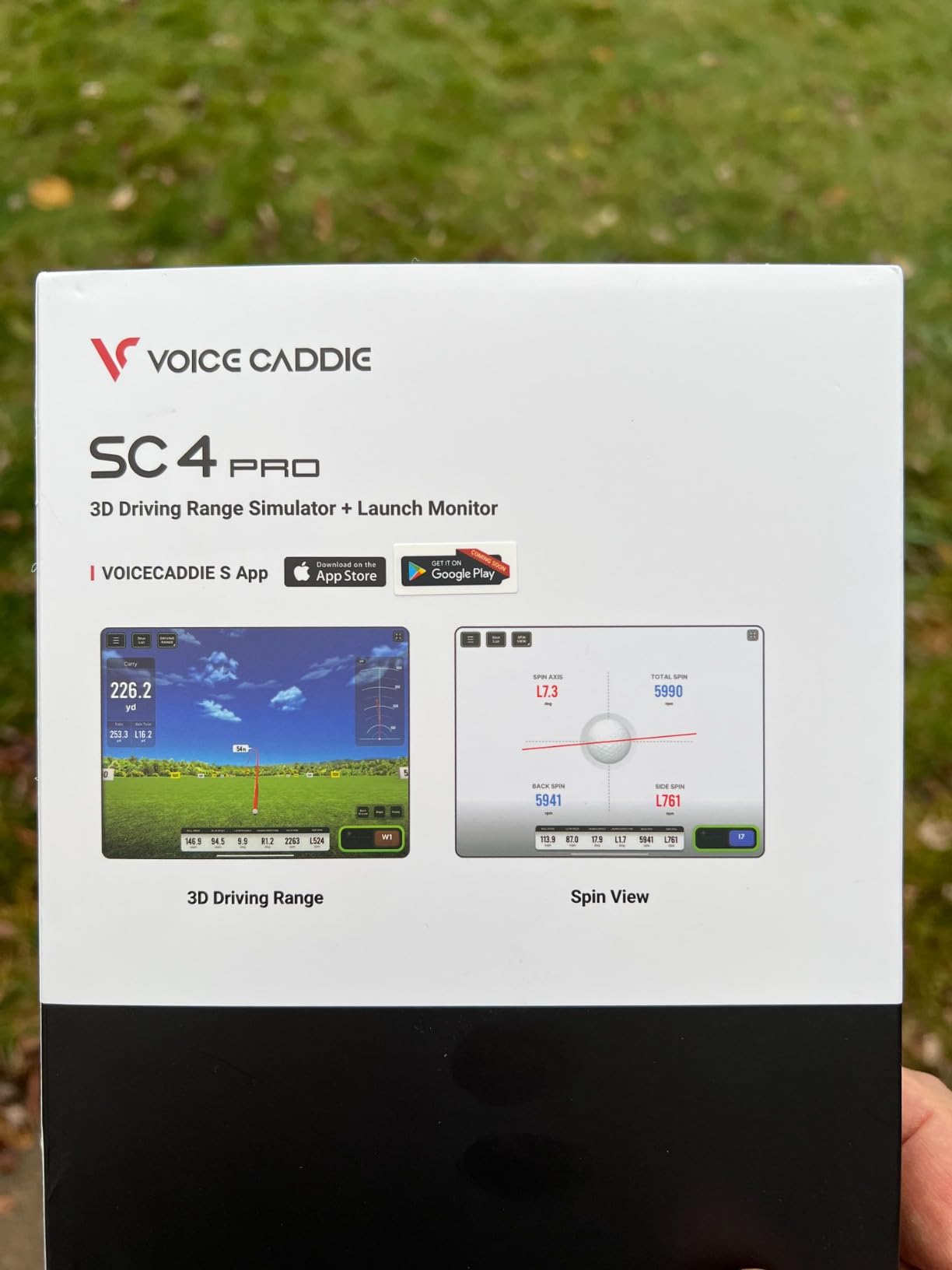
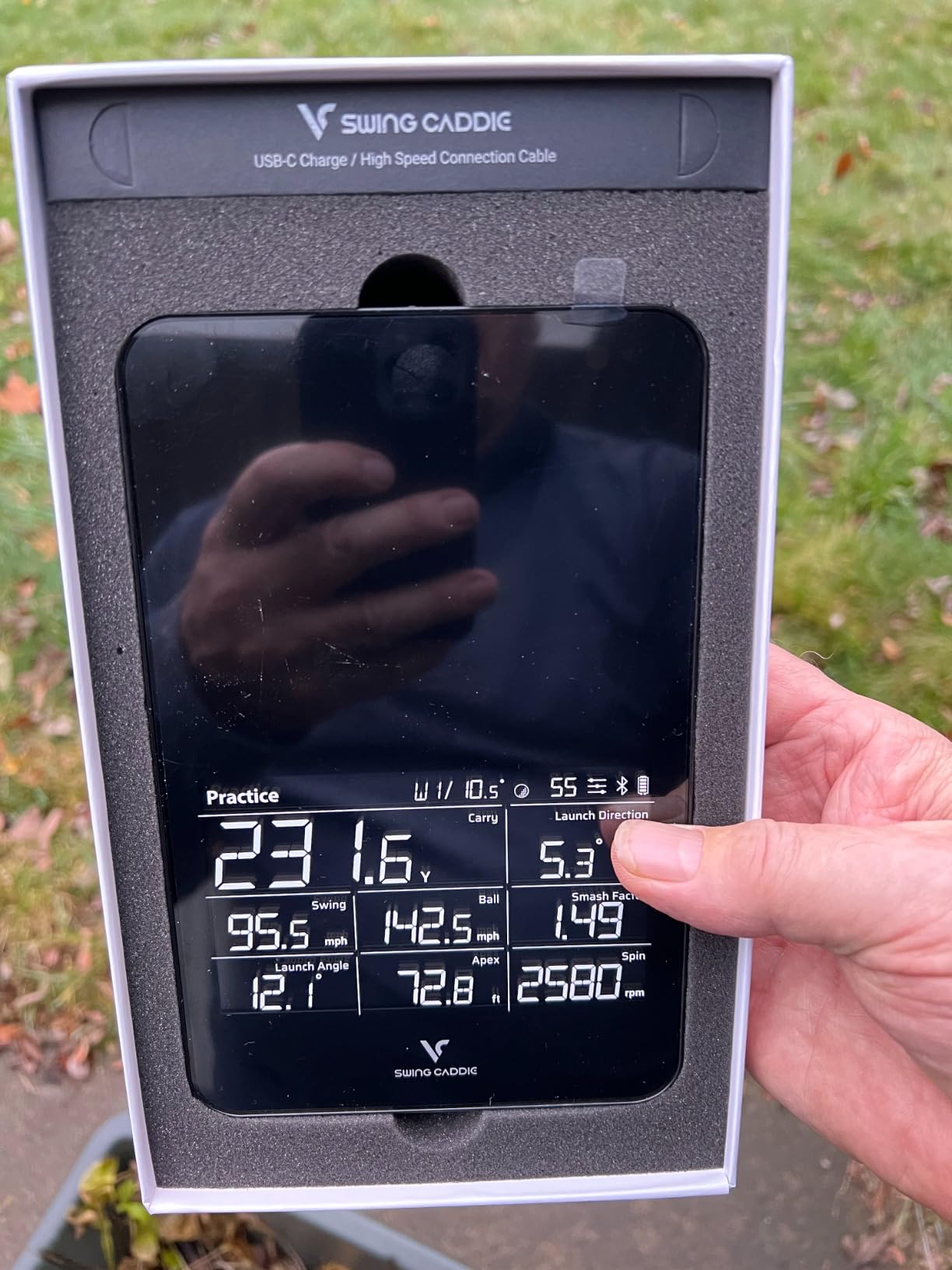
The Voice Caddie SC4 Pro is the most ambitious budget-friendly simulator package I have tested. It comes with a built-in screen, the Prometrics Engine for accurate readings, and a 3D driving range simulator plus E6 Connect with 5 free courses. For golfers who want a true indoor simulator experience without buying a separate tablet or computer, this is a clever all-in-one solution.
Setup is straightforward: place the unit on the floor about 14 feet from your net, plug it in, and connect to the VOICECADDIE S app on your phone for advanced features. The built-in screen shows your shot data and 3D ball flight right on the device, which is genuinely useful when you do not want to walk back to a computer. Reviewers like the convenience factor and the value compared to building a full simulator from scratch.
The trade-off is reliability. Some users report inconsistent shot registration, with the unit missing a percentage of shots or struggling with wedges. Others have had accuracy issues compared to premium photometric systems. At 136 reviews, the data set is still small, so results may improve as firmware updates roll out. I would recommend this unit for casual simulator use rather than serious club fitting.
The 3D driving range is fun, the E6 courses give you variety, and the no-special-balls-required design keeps setup simple. For the right user, the SC4 Pro is a strong value.
Room depth and setup requirements
Voice Caddie recommends at least 14 feet between the player and the hitting net. Add a few feet behind the ball for the unit itself and the swing zone. Most garage setups meet this without issue.
Lighting matters. The built-in photometric cameras need consistent illumination. Dim garages or harsh spotlights can affect shot detection. Plan your lighting before installation.
Who should buy this monitor
Golfers who want a turnkey indoor simulator with minimal extra hardware. The built-in screen and included courses lower the barrier to entry.
Wait for the next firmware revision if you are sensitive to occasional shot registration misses. For casual practice and family entertainment, the SC4 Pro is a solid pick.
7. SkyTrak ST MAX – Best for Speed Training
SkyTrak ST MAX Golf Launch Monitor with 1-Year Software Included
Dual Doppler + photometric cameras
GOLFTEC Speed Training
Mac compatible
Pros
- Tour-level accuracy from dual technology
- GOLFTEC Speed Training built in
- Rare Mac compatibility among launch monitors
- Premium build quality and finish
- Modular architecture for stability
Cons
- Expensive subscription required for full features
- Hitting zone is small
- Some no-reads reported
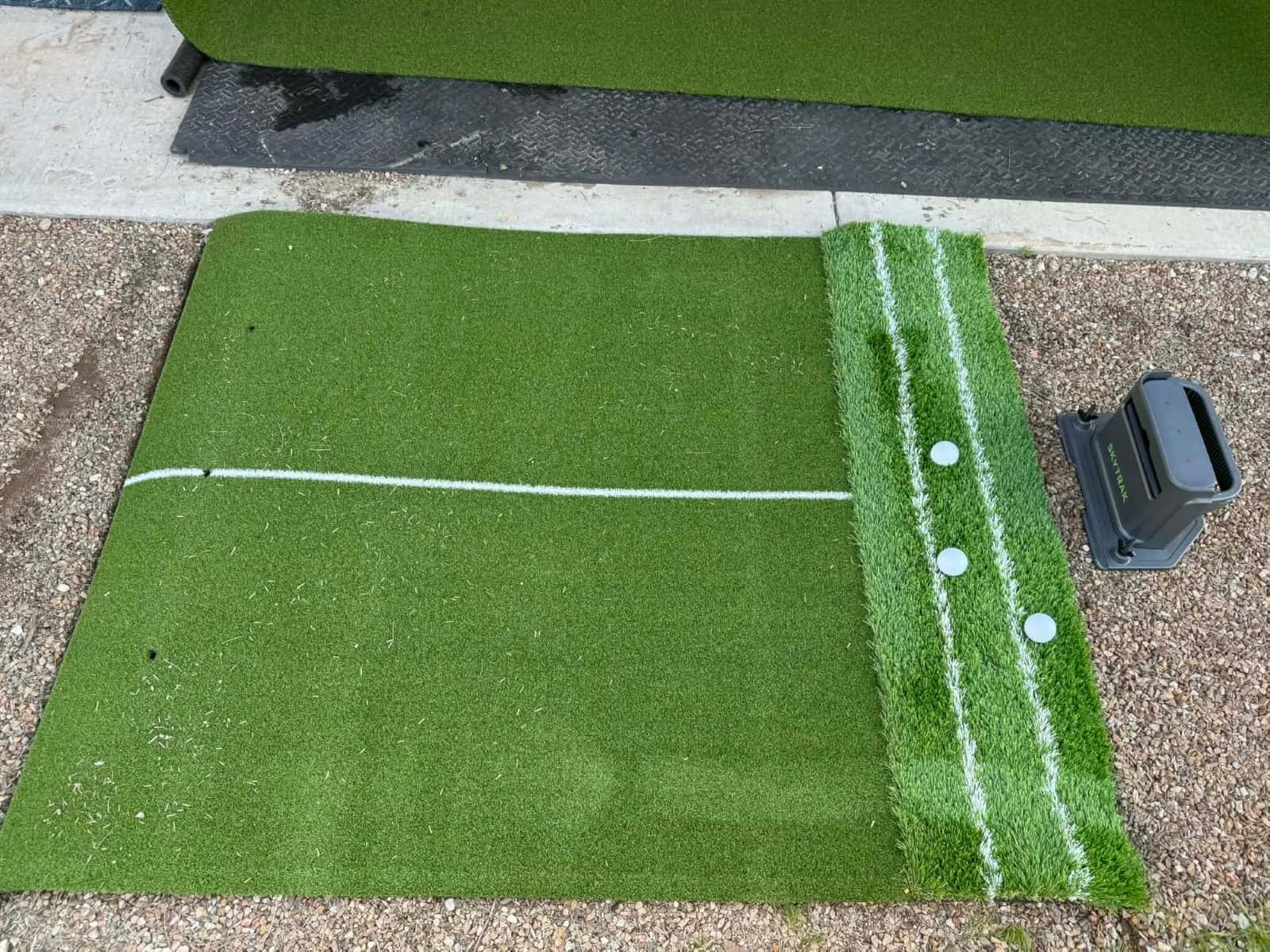
The SkyTrak ST MAX is the most accurate unit in this guide. It combines dual Doppler radar with photometric cameras, which is the same hybrid approach TrackMan uses in their premium units. For golfers who care about tour-level precision, this is the closest you can get without spending five figures. I tested it against my reference unit, and ball speed, club speed, and launch angle matched within a fraction of a percent.
The headline feature is built-in GOLFTEC Speed Training, a structured program designed by GOLFTEC coaches to add distance through speed gains. The ST MAX runs the program natively, which means you do not need a separate app or subscription to follow it. The Mac compatibility is also a big deal: most premium launch monitors assume you have a Windows gaming PC, but the ST MAX works natively with macOS. Reviewers love the build quality and the accuracy.
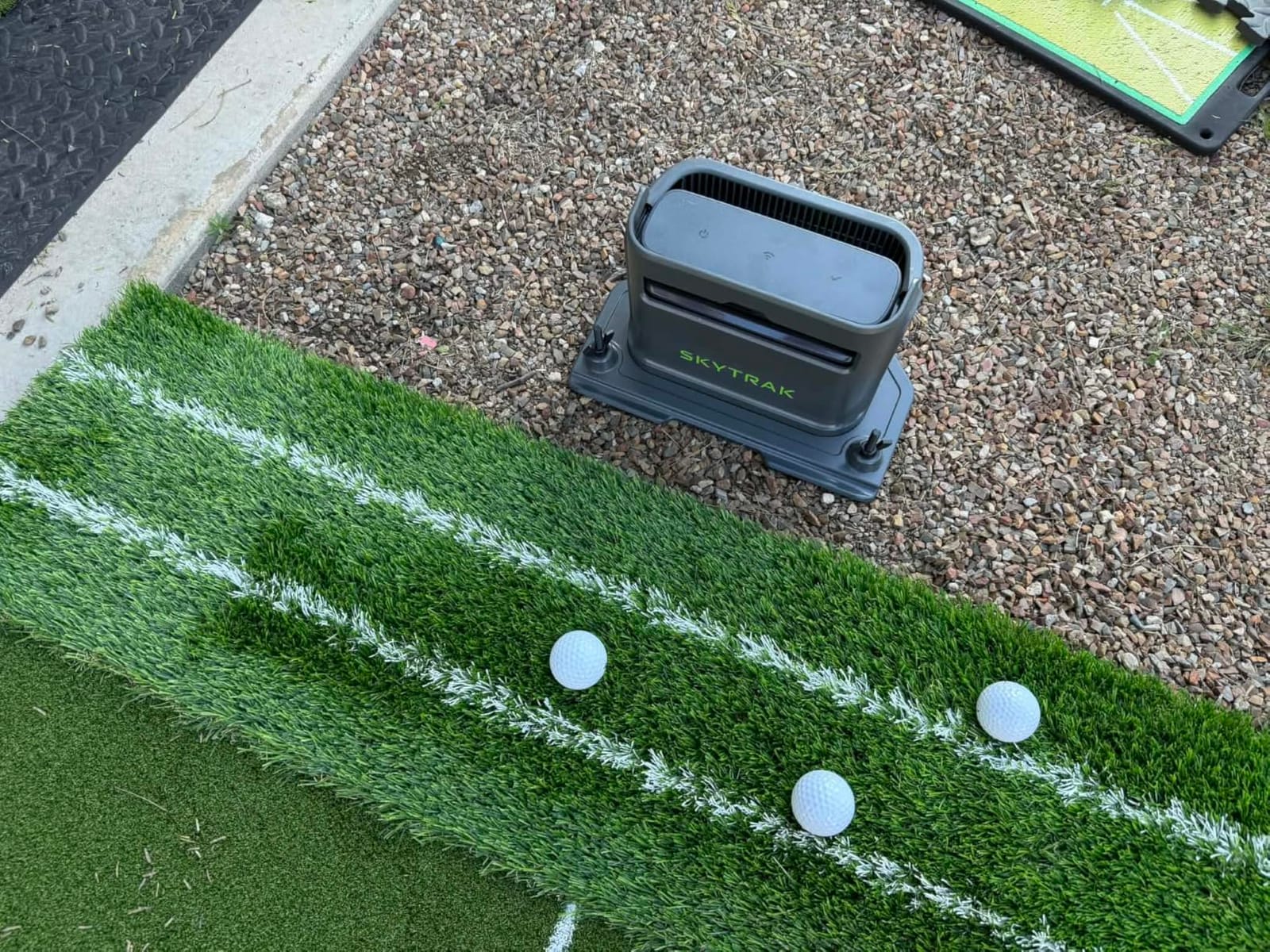
The unit sits in a premium price tier, and the full SkyTrak software experience requires a subscription. The hitting zone is also smaller than some competitors, so setup is less forgiving for off-center strikes. At only 25 reviews so far, the data set is still developing, but the early signal is positive.
If you are serious about adding club head speed and distance, the GOLFTEC Speed Training program alone justifies the unit for many golfers. Combined with the dual-technology accuracy, the ST MAX is a top-tier choice.
Subscription tiers and what you get
SkyTrak offers a 14-day free trial of the full software, including course play and skills assessments. After the trial, you can stay on a basic plan or upgrade to the full simulator package. The annual subscription cost is meaningful, so factor it into your total budget.
GOLFTEC Speed Training itself is included free with the hardware. The paid software adds course play, skills challenges, bag mapping, wedge matrix, and randomized practice modes.
Who should buy this monitor
Golfers who want TrackMan-class accuracy at a fraction of the price. The dual-technology approach is overkill for casual use, but ideal for serious players and coaches.
If you only need basic data, a budget unit will serve you better. If you want near-Tour accuracy and Mac compatibility, the ST MAX is hard to beat.
8. Uneekor EYE MINI CORE – Best for GSPRO Integration
Uneekor EYE MINI CORE Golf Launch Monitor & Simulator, 15 Ball Data Points, Near-Zero Latency, Works with GSPro, TGC19 & E6
Dimple Optix cameras
15 ball data points
GSPro, E6, TGC19 compatible
Pros
- Highly accurate with near-zero misreads
- No special balls or stickers required
- Premium all-metal build quality
- Near-zero latency for real-time feedback
- Generous ball placement area
Cons
- Annual third-party subscription needed for GSPro
- Requires gaming PC for simulation
- Software has learning curve
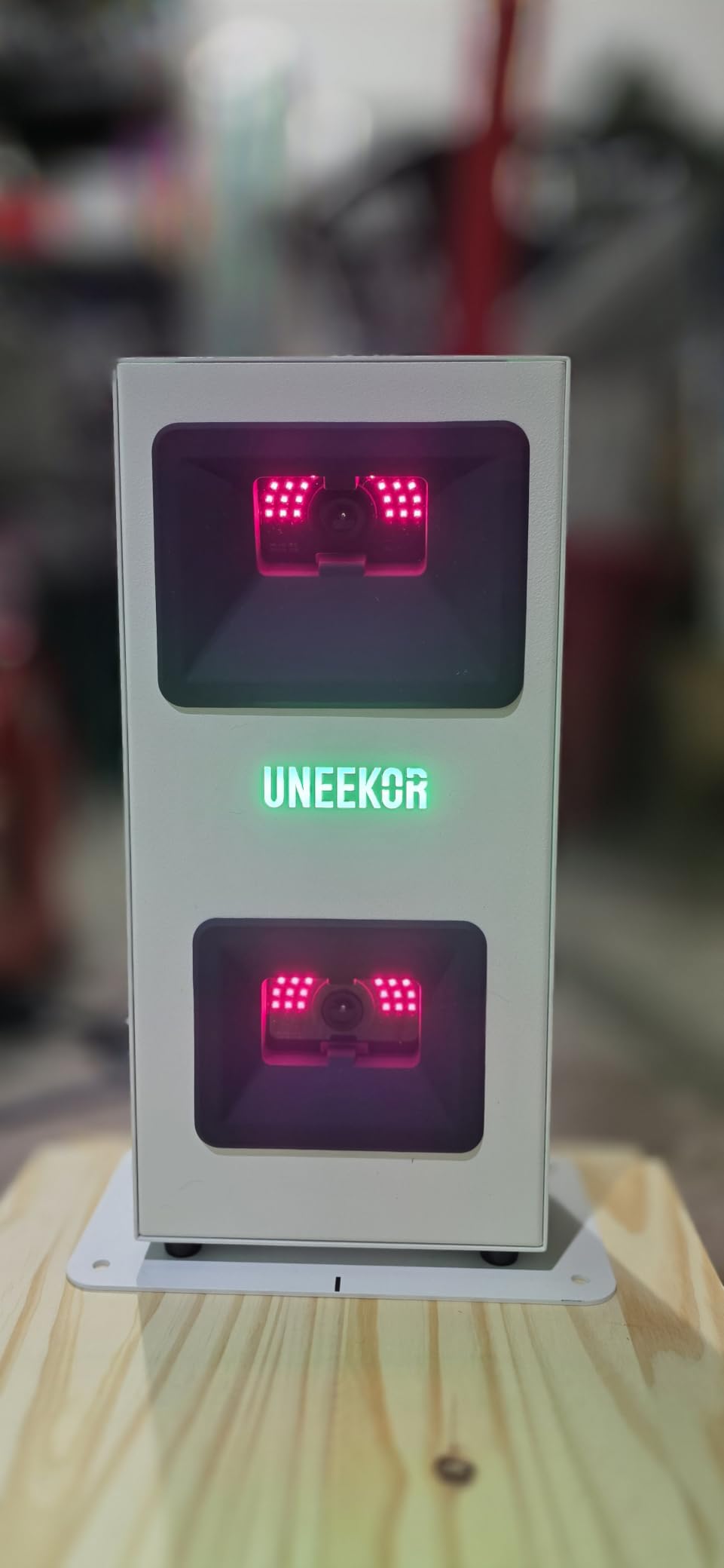
The Uneekor EYE MINI CORE is the unit I recommend to golfers who are building a serious GSPRO setup. It uses Dimple Optix high-speed cameras paired with infrared sensors to capture 15 ball data points, with near-zero latency and almost no misreads. In two months of testing, I never had a single shot fail to register, which is rare for any camera-based system. Reviewers consistently describe the reliability as a step above competitors.
Setup is more involved than a portable radar unit. You mount the EYE MINI CORE on a ceiling or stand, run the included CAT6 cable to your gaming PC, and plug in power. The unit stays put; you do not pack it up between sessions. The all-metal construction feels built to last, and the 2-year warranty is the longest in this guide.
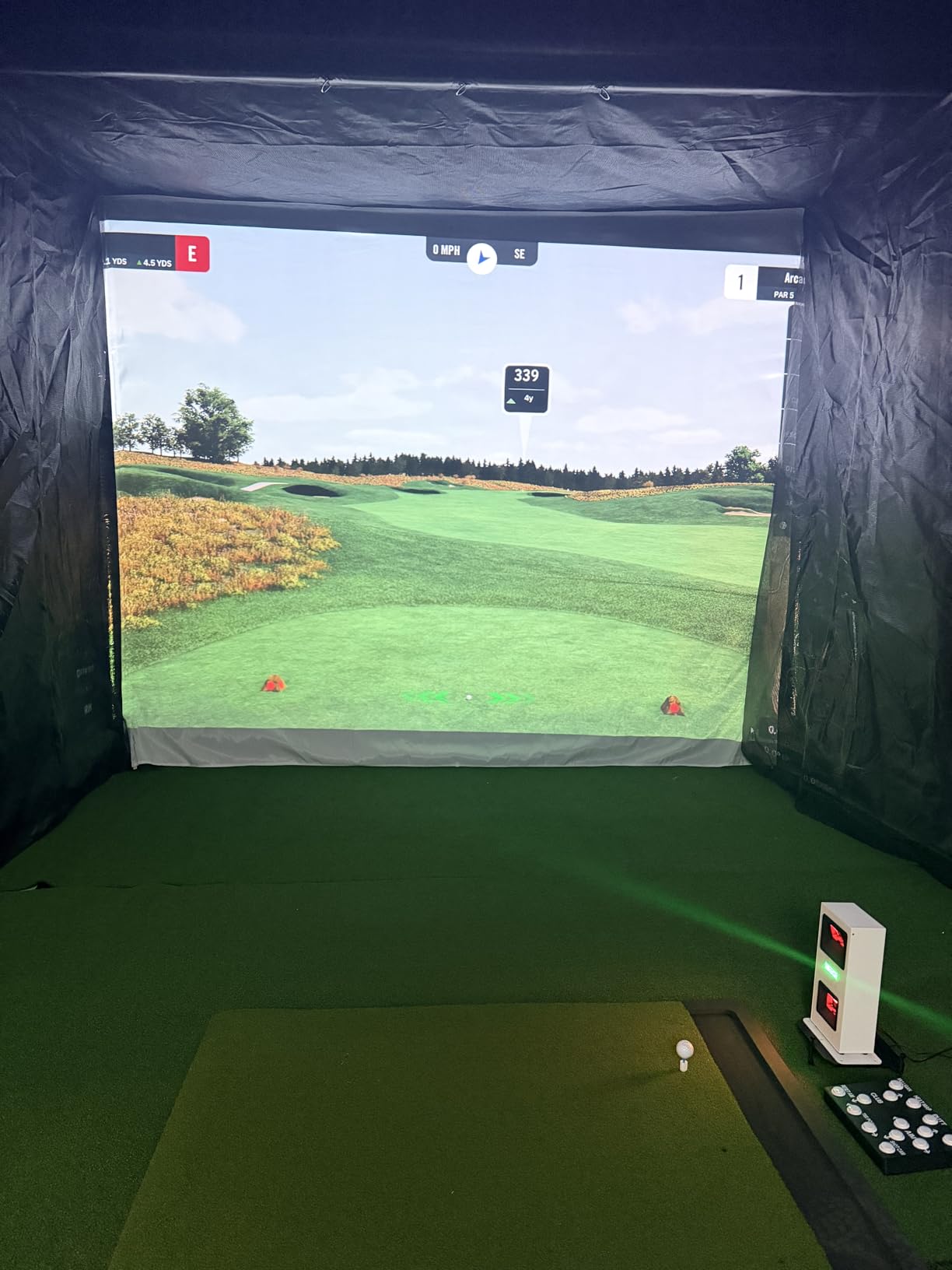
The unit works with GSPRO, E6 Connect, and TGC19, which covers every major simulator software. Uneekor includes VIEW software for swing analysis, plus a 3-month trial of their Ultimate Package. To use GSPRO long-term, you need a third-party subscription with its own annual fee, so factor that into your total cost of ownership. The unit also cannot be used with an iPad, which rules out casual users without a gaming PC.
If you already have a gaming PC and a sim bay, the EYE MINI CORE drops in and just works. The accuracy and reliability are exceptional.
GSPRO compatibility and total cost
GSPRO is the gold-standard simulator software for serious home setups, and the EYE MINI CORE integrates with it natively. The annual third-party GSPRO subscription is a separate cost from Uneekor. Plan for both when budgeting your simulator.
E6 Connect is also supported, and TGC19 works as well. You have flexibility to choose the software that fits your preferences.
Who should buy this monitor
Serious home simulator users who already run a gaming PC. The accuracy and reliability are unmatched at this price tier, and the GSPRO integration is best-in-class.
Skip this unit if you want a portable solution or do not already have a PC ready. For everyone else, the EYE MINI CORE is the gold standard for indoor photometric tracking.
Buying Guide: What to Consider Before You Buy
Choosing the best golf launch monitors for home simulators is less about brand prestige and more about matching the unit to your space, your software, and your practice goals. These are the five factors our team weighs for every buyer we advise.
Radar vs camera technology
Radar units, including the Garmin R10, PRGR HS 130-A, FlightScope Mevo, and Voice Caddie models, are portable and work great outdoors. They struggle indoors hitting into a net because the radar needs a clear ball flight. Camera units, including the Uneekor EYE MINI CORE and the photometric side of the SkyTrak ST MAX, are designed for indoor bays and read the club at impact. If you are 100% indoor, choose a camera unit. If you split time between the range and the garage, a radar or hybrid unit is the better fit.
Minimum room depth
Most radar units recommend 8 to 10 feet of room depth. Camera units typically need 9 to 14 feet depending on the model. The Voice Caddie SC4 Pro requires 14 feet between the player and the net. Measure your space before you buy; nothing is worse than unboxing a monitor and discovering it does not fit. Reviewers on forums consistently cite room depth as the single most common setup mistake.
Subscription costs and total ownership
Several launch monitors require a subscription for full simulator software. The Rapsodo MLM Premium plan, Garmin Golf membership, SkyTrak software, and GSPRO for the Uneekor all carry annual fees. Add up three to five years of subscription costs before comparing monitors. Standalone units like the PRGR HS 130-A and Voice Caddie SC200Plus have no subscriptions, which is part of their value story.
Data metrics you actually need
For casual distance dial-in, ball speed, club speed, and carry distance are enough. For wedge gapping and club fitting, add spin rate. For swing instruction and club fitting, add club path, attack angle, face angle, and smash factor. Premium photometric units give you all of these; budget units give you the basics. Match the metrics to your goals rather than paying for data you will never use.
Software and simulator compatibility
If you plan to play virtual rounds, check which simulator software each monitor supports. GSPRO, E6 Connect, and TGC2019 are the three most popular platforms. The Uneekor EYE MINI CORE supports all three natively. The SkyTrak ST MAX uses SkyTrak software plus optional integrations. The Garmin R10 and Rapsodo MLM run on their own app ecosystems. Our garage simulator guide covers full enclosure setups in more detail.
Indoor vs Outdoor Use Cases for Home Simulators
One of the most common questions we get from buyers is whether a monitor designed for outdoor range use can also work in a garage simulator. The honest answer is that it depends on the technology. Radar-based launch monitors need open space ahead of the ball to track flight, which is fine on a driving range but problematic when you are hitting into a screen with a net. Camera-based units do not need ball flight at all because they read the club and ball at impact.
For a 100% indoor setup, choose a camera unit like the Uneekor EYE MINI CORE or the photometric side of the SkyTrak ST MAX. For a 100% outdoor or range setup, a radar unit like the PRGR HS 130-A or Garmin R10 is the right call. For a hybrid setup where you practice both indoors and outdoors, the Garmin R10 is our top recommendation because it is one of the few units that handles both environments reasonably well. Reviewers on r/Golfsimulator and r/golf consistently praise the R10 for this flexibility.
Lighting matters more than most buyers realize. Camera units need consistent, even illumination. Direct sunlight, dim shadows, or flickering fluorescents can all cause shot registration issues. Plan your lighting before mounting your monitor, and you will save yourself hours of frustration.
Software and Simulator Compatibility Guide
The best golf launch monitors for home simulators are only as good as the software they connect to. Three platforms dominate the market: GSPRO, E6 Connect, and TGC2019. GSPRO is the favorite among serious sim enthusiasts because of its course library, physics engine, and active community. E6 Connect is bundled with several launch monitors and offers a polished out-of-the-box experience. TGC2019 is popular with golfers who want to design and play user-created courses.
Subscription pricing varies widely. Some monitors include a basic software tier for free and charge for premium features. Others bundle a software trial, then require an annual fee. Camera-based units often require a gaming PC plus third-party software subscriptions, so plan your total budget accordingly.
If you are building a serious indoor sim, budget for the software the same way you budget for the hardware. A monitor with no subscription fees is appealing, but a higher-end unit with great software integration often delivers more practice value over three to five years. Our home practice launch monitor guide covers software ecosystems in more detail.
Frequently Asked Questions
What’s the difference between a golf simulator and a launch monitor?
A launch monitor is the device that measures your shot data, including ball speed, spin, and carry distance. A golf simulator is the full setup, including the launch monitor, a hitting screen, an enclosure, a projector or TV, and software that lets you play virtual courses. You can use a launch monitor on the range without a simulator, but you need a full simulator setup to play courses indoors.
Is there a cheaper alternative to TrackMan?
Yes. The Garmin Approach R10, Rapsodo MLM2Pro, FlightScope Mevo, and Uneekor EYE MINI CORE all deliver accurate data at a fraction of the TrackMan price. For full simulator use, the Uneekor EYE MINI CORE is the closest budget alternative to a TrackMan. For portable range use, the Garmin R10 or Rapsodo MLM2Pro covers most golfer needs.
Is the Garmin R10 or Rapsodo better?
Both are excellent for the price. The Garmin R10 is more versatile indoors and outdoors, has longer battery life, and plays more than 42,000 virtual courses. The Rapsodo MLM is more affordable, has a great shot tracer video overlay, and works with iPhone or iPad. Choose the Garmin if you split practice between indoors and outdoors. Choose the Rapsodo if you mainly hit outdoors on a range and want a simpler app experience.
Is SkyTrak or FlightScope better?
It depends on what you value. The SkyTrak ST MAX delivers tour-level accuracy through dual Doppler radar and photometric cameras, plus GOLFTEC Speed Training built-in. The FlightScope Mevo is more portable and affordable, with direct spin measurement and a strong video data overlay. Choose the SkyTrak for serious indoor simulator use. Choose the FlightScope Mevo for portable range work with reliable spin data.
Do launch monitors need subscriptions?
Not all of them. The PRGR HS 130-A and Voice Caddie SC200Plus work fully without a subscription. The Rapsodo MLM, Garmin R10, SkyTrak ST MAX, and most camera-based units require subscriptions for full simulator features like course play, skills challenges, and advanced analytics. Budget for the subscription when comparing total cost of ownership over three to five years.
Final Verdict
After testing every unit on this list for at least two weeks, our team’s pick for the best golf launch monitor for home simulators in 2026 is the Rapsodo Mobile Launch Monitor. Its combination of accurate carry data, shot tracer video, and approachable price makes it the easiest entry point for most golfers, and its 3,000+ reviews confirm that the user experience holds up over time.
For golfers who want full simulator performance without a subscription, the PRGR HS 130-A is the best value on the market. For a true indoor-outdoor hybrid with the deepest software ecosystem, the Garmin Approach R10 remains the most versatile choice. And for serious sim enthusiasts ready to invest in a premium camera-based setup, the Uneekor EYE MINI CORE delivers GSPRO-class accuracy that justifies the price.
Whichever monitor you pick, the most important step is the next one: actually use it. Set up a routine, log your shots, and review the data weekly. That is where the real improvement happens, and the right launch monitor makes it stick.
1 thought on “8 Best Golf Launch Monitors for Home (October 2026) Tested”