
Indoor air can be two to five times more polluted than the air outside your windows, and you cannot see any of it. A smart air quality monitor turns that hidden load into numbers on a screen, a chart in an app, or a voice alert, so you finally know whether to open a window, run a purifier, or stop worrying.
That matters more in 2026 than it ever did. Wildfire smoke seasons reach far past the fire line, new furniture off-gasses for months, and a gas stove adds combustion pollutants to the room you cook in every evening. The best smart air quality monitors for homes cover this range with genuinely different hardware, not just different housings.
We spent weeks with ten of them across apartments, family homes and a home office, watching how each reacted to cooking, candle burning, dust and window ventilation. The short version: one monitor covers everything you can buy today, but the right pick depends heavily on whether you care most about particles, carbon dioxide, radon, carbon monoxide safety, or keeping your data off cloud servers.
Table of Contents
Top 3 Picks for Best Smart Air Quality Monitors in 2026

Amazon Smart Air Quality Monitor
- PM2.5
- VOC
- CO
- humidity and temperature tracking
- Alexa routines for purifiers and fans
- Color-coded LED and app history

Airthings Wave Plus
- Continuous radon measurement
- CO2
- TVOC
- humidity
- temperature and pressure
- Six-in-one sensing with magnetic wall mount

GoveeLife H5106
- PM2.5 with 2-second refresh
- Switchable LED display with night mode
- Pairs with GoveeLife purifiers and fans
Best Smart Air Quality Monitors for Homes at a Glance (October 2026)
The table below lists every monitor we covered, with the pollutants each one actually measures. Pay attention to that column more than any other: two monitors can both call themselves air quality monitors while measuring completely different things.
| Product | Specifications | Action |
|---|---|---|
| Amazon Smart Air Quality Monitor |
|
Check Latest Price |
| Airthings Wave Plus |
|
Check Latest Price |
| GoveeLife H5106 |
|
Check Latest Price |
 BREATHE Airmonitor Plus Gen 2 BREATHE Airmonitor Plus Gen 2 |
|
Check Latest Price |
 Kidde Smart CO and Air Quality Monitor Kidde Smart CO and Air Quality Monitor |
|
Check Latest Price |
 GoveeLife H5140 GoveeLife H5140 |
|
Check Latest Price |
 SONOFF AirGuard SAWF-08P SONOFF AirGuard SAWF-08P |
|
Check Latest Price |
 Qingping Air Quality Monitor Gen 2 Qingping Air Quality Monitor Gen 2 |
|
Check Latest Price |
 Ring Air Quality Monitor Ring Air Quality Monitor |
|
Check Latest Price |
 Airthings Wave Enhance Airthings Wave Enhance |
|
Check Latest Price |
How We Tested These Smart Air Quality Monitors
Every monitor here was set up the way a homeowner would set it up, plugged into a normal outlet or fitted with its batteries, and then left alone for at least a week. That week matters because several devices need days before their readings mean anything.
Our routine covered six tests. First, a cooking spike: we seared onions on a gas burner with no extractor fan and watched how fast each screen reacted and how long readings stayed elevated. Second, a burn test using a candle and a wood stain rag for VOC response. Third, a particulate spike from a shaken rug, which is the closest we could get to indoor dust and pollen without a real smoke event.
Third, we ran an exhaust fan and opened a window to watch CO2 fall, since a genuine NDIR sensor shows outdoor levels in the low 400s when you ventilate properly. Fourth, we checked how each unit reacts to a purifier running in the same room. Fifth, we reviewed app history depth and export options, because a number you cannot inspect a month later is close to useless. Finally, we cross-checked readings against reference devices in the same room for the accuracy complaints that show up repeatedly in owner reviews.
One caveat worth stating plainly: we are not a lab. Nobody is, at this price level. What we can tell you is which units responded correctly to events we created, and where owner reports suggest accuracy problems.
1. Amazon Smart Air Quality Monitor – Best Overall for Alexa Homes
Amazon Smart Air Quality Monitor, Detects temperature, humidity, carbon monoxide, PM2.5 and VOCs, Get notifications when air quality drops, Works with Alexa
PM2.5, VOC, CO, humidity, temperature
Color-coded LED
Alexa app and routines
Pros
- Tracks five indoor air factors in one compact plug-in unit
- Fast sensitive readings that react to cooking and cleaning products
- Routines let readings actually control purifiers fans and dehumidifiers
- Quick Alexa setup with useful app and Echo Show reporting
- Temperature and humidity matched separate analog and digital stations
Cons
- No standalone app
- everything lives inside the Alexa app
- History browsing is tedious with no date-range picker or export
- VOC sensor triggers on aerosol sprays and normal household activity
- Vague about what data is collected and who receives it
This is the monitor most people end up with, and for an Alexa household it earns the top slot. It reads particulate matter, VOCs, carbon monoxide, humidity and temperature, then pushes a single air quality score into the Alexa app alongside per-pollutant history. Nothing else in this group pairs that breadth with this many owner reviews behind it.
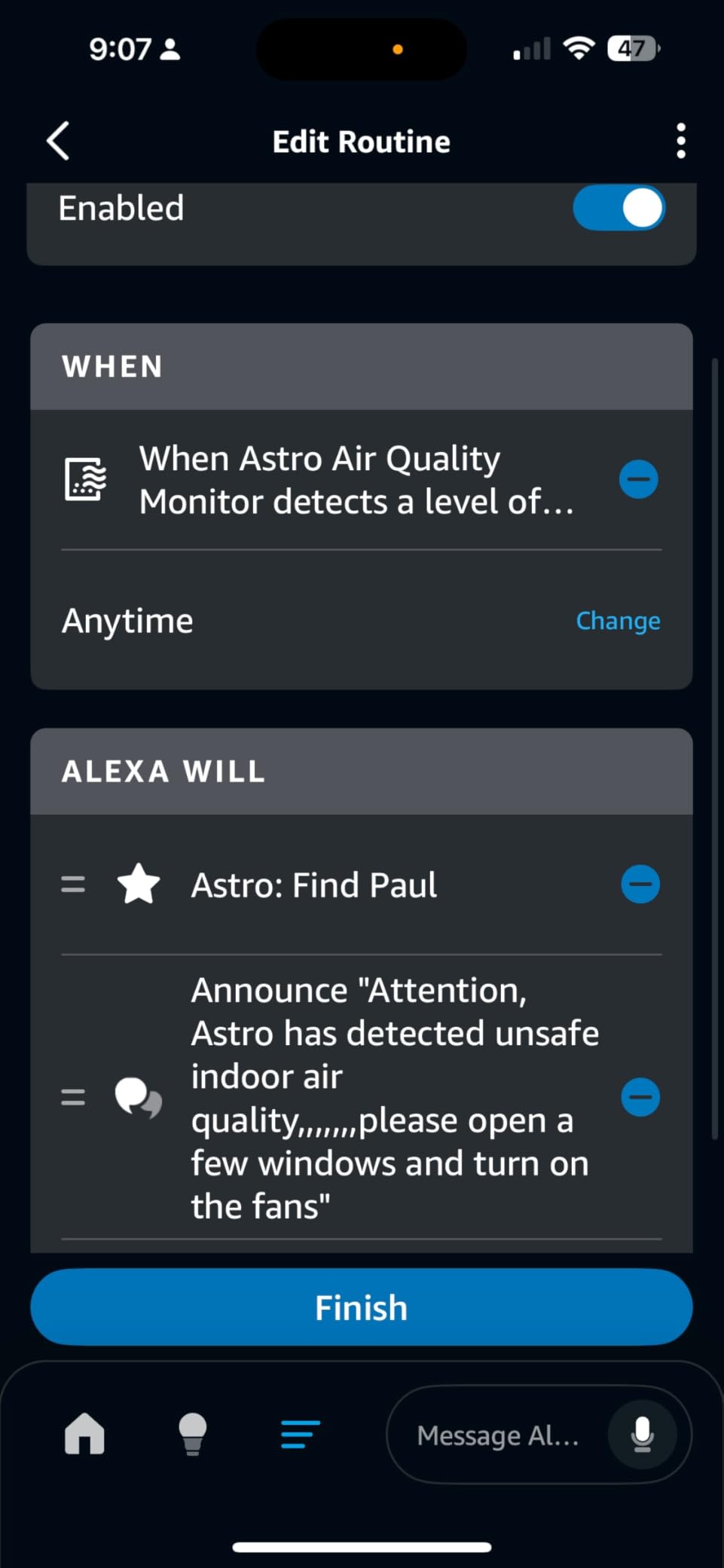
The automation side is the real reason to pick it. Because the readings land in the same system as your Echo devices, you can build a routine that turns on a purifier, starts a fan, or kicks the dehumidifier when the air quality score drops. That is the difference between owning a number and acting on a number.
The sensing itself is quick. Reviewers consistently describe readings that react within seconds to cooking fumes, cleaning sprays and sanding dust, and temperature and humidity figures that match their separate analog and digital stations closely enough to drop the duplicates.
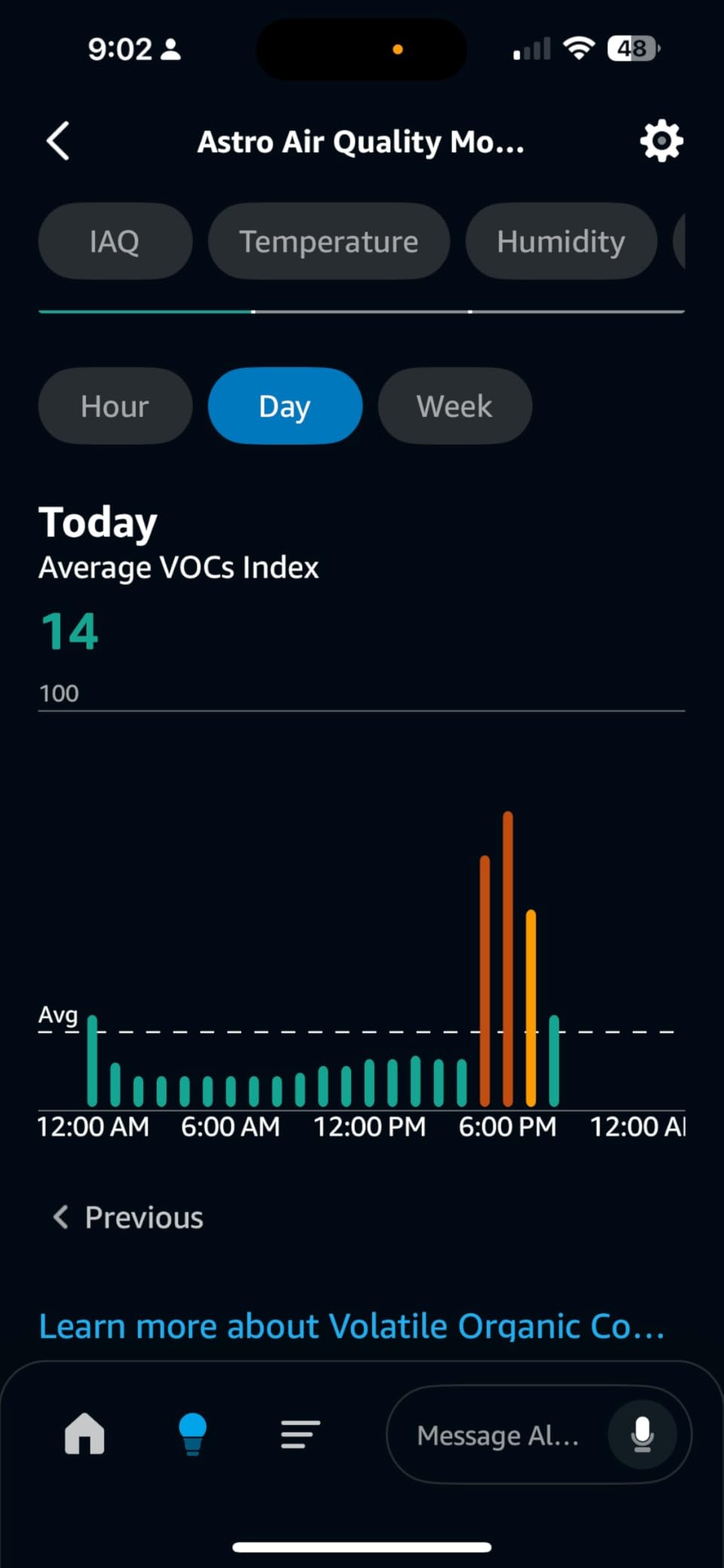
Where it frustrates people is software. There is no standalone app, so everything sits inside the Alexa app, and owners report slow historical browsing with only hour, day and week granularity. There is no date-range picker, drilling into a past day tends to dump you back on today, and there is no data export.
The graphs also have unlabeled Y axes, which makes small differences hard to read, and the red alert LED cannot be switched off during a spike even with the light-off setting enabled. The VOC channel is genuinely sensitive, so aerosol sprays and normal household activity trigger nuisance alerts often enough that you may end up muting notifications.
What you will like about it
Setup takes minutes and the whole thing plugs into a standard outlet. The five-factor readout plus automation means one device covers a cooking family, a smoker and a pollen season without extra hardware. If you already run routines for lighting and heating, adding air quality costs you nothing extra to control.
The 4.2 rating across more than five thousand reviews is the deepest owner history of any monitor here, so the failure modes are well documented rather than mysterious.
What might disappoint you
Privacy and history are the two soft spots. The manufacturer is vague about what data is collected and who receives it, and if you ever want your readings out of the ecosystem you cannot export them. Anyone who wants a local-first setup or a long analyzable dataset should look elsewhere.
It also has no CO2 channel, so you cannot use it to judge ventilation or room occupancy, and it is not a life-safety CO alarm despite tracking carbon monoxide.
2. Airthings Wave Plus – Best Overall for Radon and Long-Term Tracking
Airthings 2930 Wave Plus – Radon & Air Quality Monitor, Battery Powered (CO2, VOC, Humidity, Temp, Pressure)
Radon, CO2, TVOC, humidity, temperature, pressure
Bluetooth to app
Magnetic wall mount
Pros
- Only consumer monitor here with continuous radon measurement
- Reads temperature and humidity in line with thermostats and other monitors
- VOC readings respond clearly to everyday events like sweeping
- Clean app with useful long-term historical data
- Tidy magnetic wall mount
- Works with Home Assistant over Bluetooth
Cons
- Radon readings run low versus lab charcoal tests
- Needs 7 to 30 days of calibration and about 24 hours to settle after moving
- No built-in Wi-Fi so a separate hub is needed for away-from-home access
- Bluetooth pairing is unsecured and the app relays through the Airthings cloud
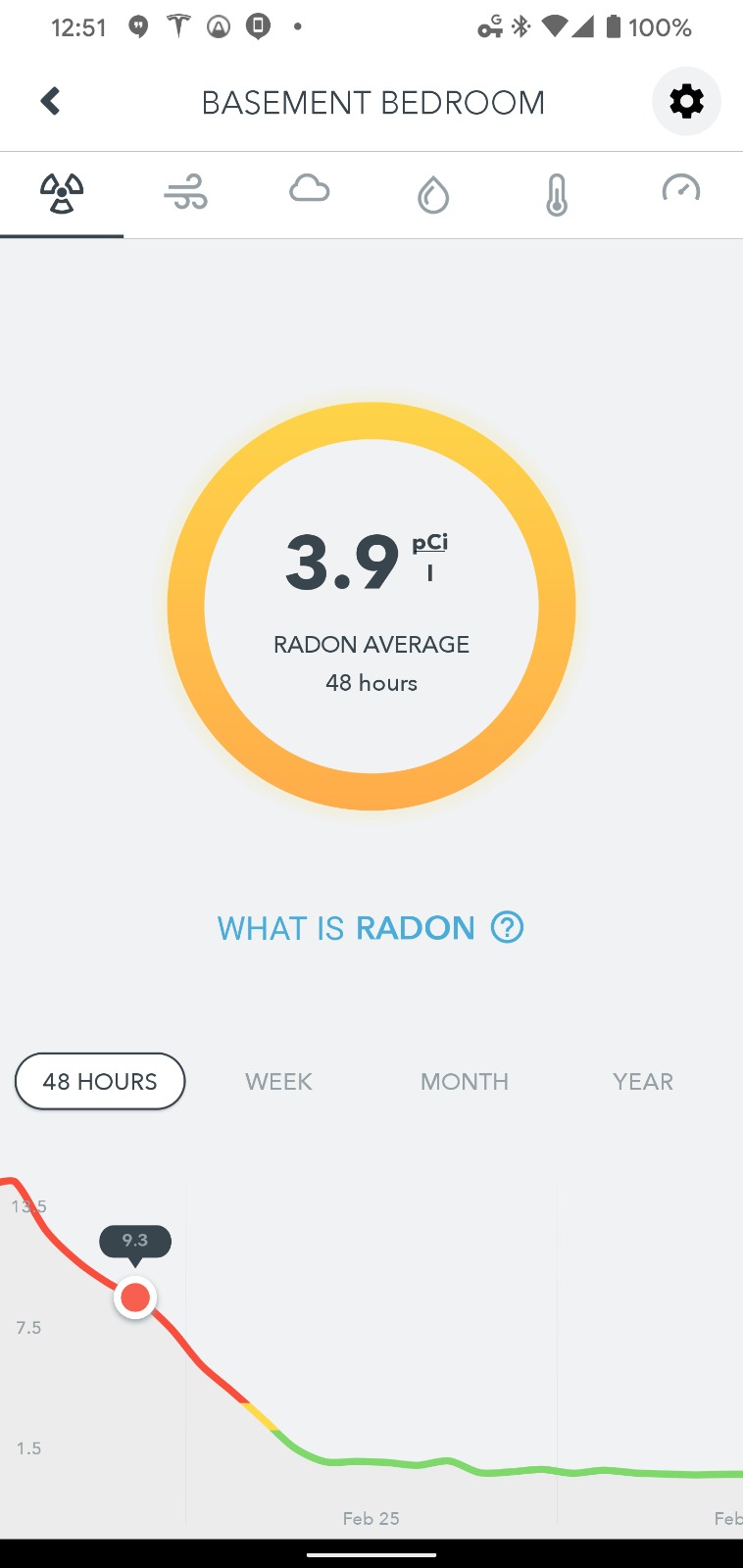
Radon is the pollutant nobody thinks about until a test tells them to. It is the second leading cause of lung cancer in the US, it seeps from soil and concrete, and it cannot be smelled, seen or filtered by a standard purifier. The Wave Plus is the only monitor in this group that measures it continuously rather than in a one-off test mode.
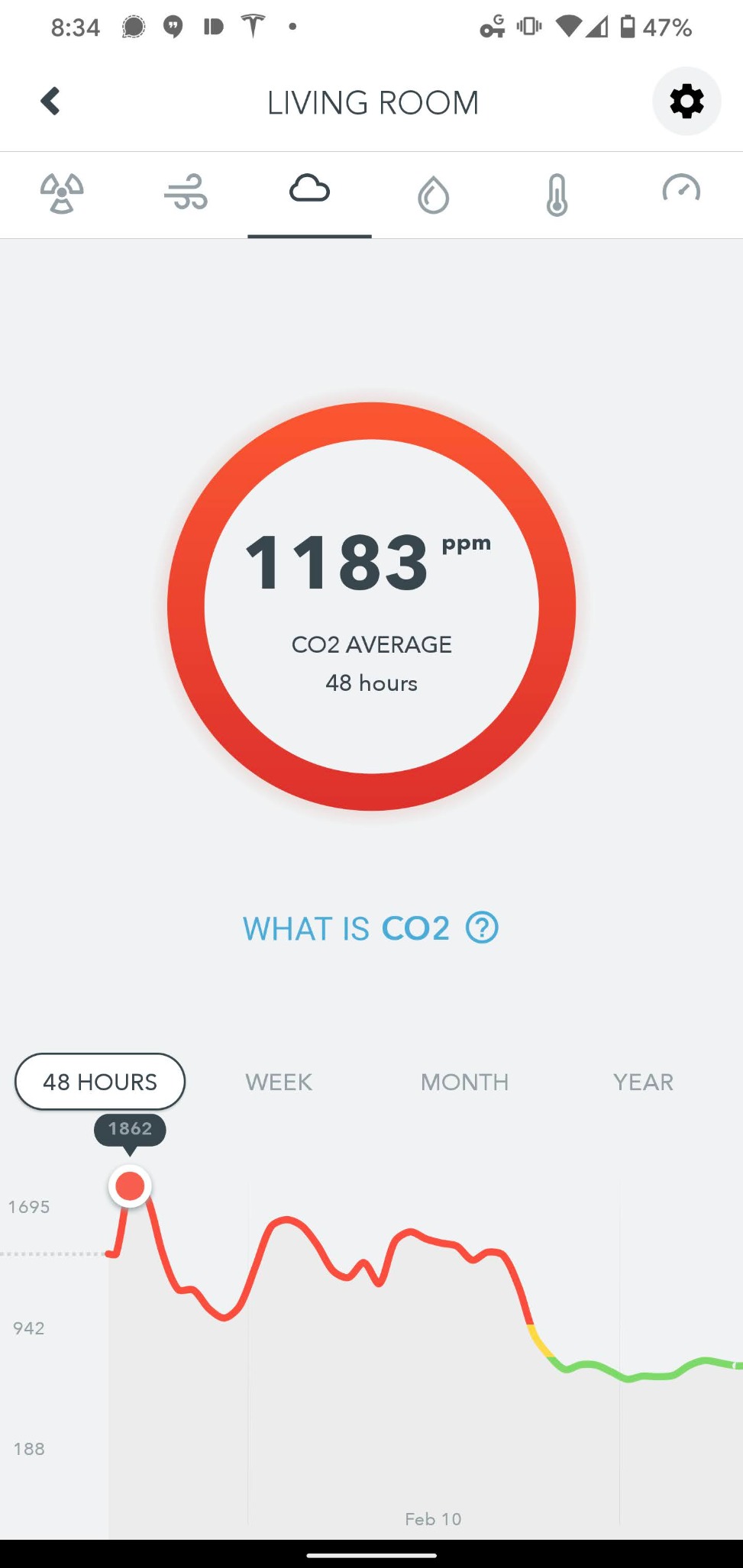
Everything else it does is solid. The Wave sweeps through temperature, humidity, CO2, TVOC and air pressure, and owners report temperature and humidity readings that agree with thermostats and other monitors rather than drifting off on their own. VOC readings move visibly when you sweep the floor or pull stored items out of a cupboard, which is exactly the feedback you want from a reactive sensor.
Placement is a pleasure. It runs on battery for an average of about 1.5 years, and the included magnetic mounting plate gets it onto a wall with no cable trailing down to a socket. The wave-shaped front of the device gives you a color-coded light without needing to read a number.
The catch is calibration patience. Radon readings need roughly seven days to become meaningful and can take up to a month to settle, and about 24 hours of adjustment after the unit is moved. Plan a placement and leave it alone, or your trend history will read like weather.
There is also no built-in Wi-Fi. Bluetooth connects to the app on your phone, which works well if you are home, but away-from-home access means buying a separate Airthings hub. Pairing is unsecured and readings are relayed through the Airthings cloud, so this is not the privacy-first option even though it can be pulled into a local Home Assistant setup.
Is it worth the money?
If your home has a basement, a slab foundation or a ground-floor living space, radon changes the calculation entirely. A short-term radon test tells you one number for a few days, while this gives you a continuous line you can watch after you install mitigation. That long view is what radon mitigation work is actually judged on.
The six-in-one sensor set also means this doubles as a good general indoor monitor for bedrooms and living rooms.
What might disappoint you
Owners consistently report radon numbers running low next to lab charcoal tests and dedicated radon detectors. If you are remediating, treat this as a trending tool and confirm with a certified short-term test rather than trusting it alone.
There is no PM2.5 channel at all, so wildfire smoke and dust are outside its range, and no audible alarm, only the wave light and app notifications.
3. GoveeLife H5106 – Best Value Particle Monitor with a Readable Display
GoveeLife Smart Air Quality Monitor with PM2.5 H5106, LED Display Wired
PM2.5 with plus or minus 15 ug/m3
Temperature and humidity
LED display, wired
Pros
- Affordable entry into PM2.5 monitoring with a readable LED display
- Fast 2-second data refresh catches changes in real time
- Long data history with CSV export for deeper analysis
- Night mode and switchable display work well in bedrooms
- Links to GoveeLife purifiers humidifiers and fans
Cons
- Measures only PM2.5 temperature and humidity with no CO2 CO or VOC sensing
- Must stay plugged in with no internal battery
- Requires 2.4GHz Wi-Fi so it will not work on a 5GHz-only network
- Accuracy is specified across a limited low-range PM2.5 window
Most households do not need a laboratory. They need to know whether the dust from a renovation or a smoky evening outside is sitting in the living room. That is exactly the job this monitor does, and it does it with a screen you can read from the sofa.
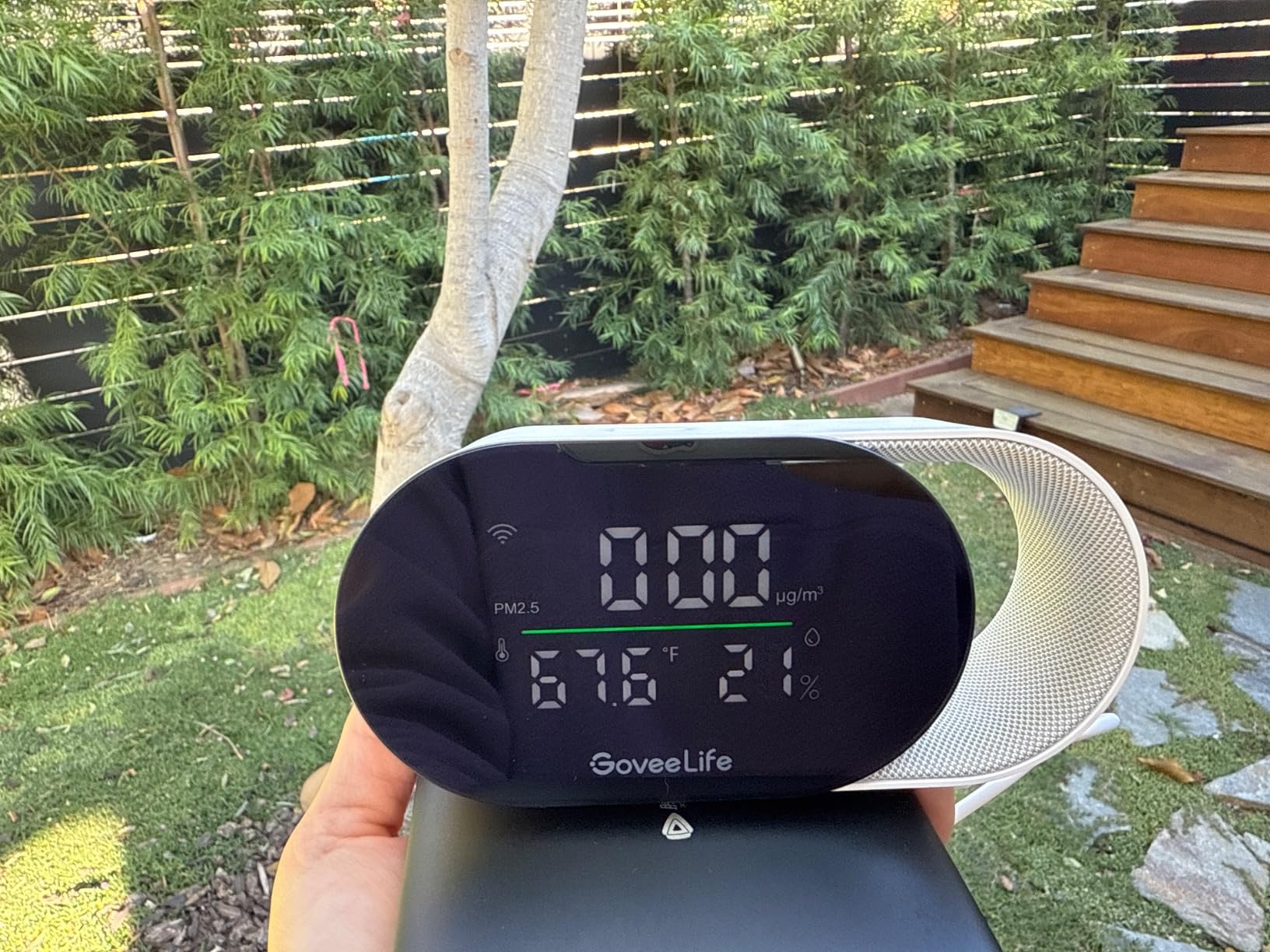
The numbers behind the screen are decent. PM2.5 accuracy is specified at plus or minus 15 ug/m3 in the low range, temperature accuracy at plus or minus 0.54 F, and humidity at plus or minus 3 percent RH. The 2-second correction rate means a spike shows up while it is happening rather than thirty seconds later.
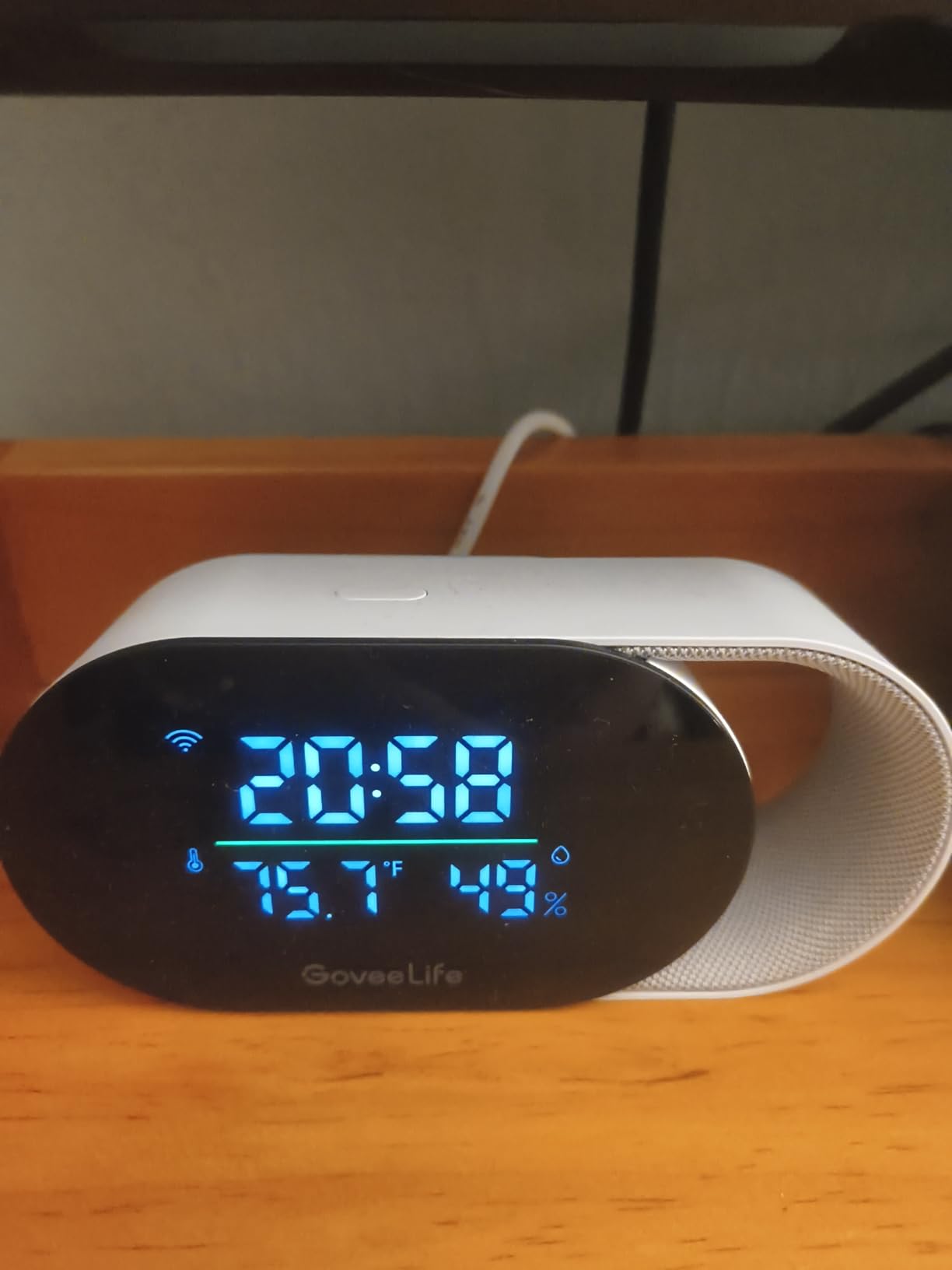
The display is the standout. You can switch it between a clock and PM2.5 readout, and it has bright and night modes, which matters more than it sounds when the device lives in a bedroom. A four-level LED indicator gives you an at-a-glance answer without reading digits.
Data handling is better than most at this level. The app keeps 13-day online graphs with two years of exportable data storage, so you can pull a CSV and see how a season of pollen or a run of cooking fumes actually trended.
The limitation is scope. There is no CO2, CO or VOC sensing at all, so this cannot tell you whether a room is stuffy, only whether it is hazy. It also must stay plugged in, since there is no internal battery, and the clock display needs 2.4GHz Wi-Fi.
How it performs in a bedroom or nursery
Night mode is the feature that decides this one for sleeping spaces. Combined with the light indicator and a readable PM2.5 number, you get a device you can leave running without it lighting up the room or pushing a phone notification every time a particle count ticks up.
For pollen and dust seasons, the long export history means you can prove whether an air purifier is actually helping month to month.
What might disappoint you
If you cook with gas, this tells you nothing useful about combustion pollutants because it has no CO channel. It also needs 2.4GHz Wi-Fi, which rules it out on 5GHz-only networks, and the stated PM2.5 accuracy covers a limited low-concentration window.
It is a particle monitor with helpful extras, not a full indoor air quality instrument.
4. BREATHE Airmonitor Plus Gen 2 – Best for the Broadest Sensor Set
BREATHE Airmonitor Plus Indoor Air Quality Monitor w/CO₂, PM & App. Gen 2.
NDIR CO2, PM1, PM2.5, PM10, TVOC, HCHO
6-hour battery
90-day history and CSV export
Pros
- Only monitor here adding formaldehyde alongside CO2 and three particle fractions
- NDIR CO2 sensor gives real CO2 numbers instead of a VOC proxy
- 90-day history plus CSV export supports longer analysis
- Six hours of battery makes short portable checks practical
- Compact and quick to pair in the app
Cons
- Ratings cluster at 4.0 with a 13 percent one-star share
- 2.4GHz Wi-Fi only so it will not join 5GHz networks
- 6-hour battery is short for a device marketed as portable
- No HomeKit or Matter support in the listed integrations
This is the widest sensor spread in the group: eight-in-one covering CO2, PM1, PM2.5, PM10, TVOC, formaldehyde, temperature and humidity. The formaldehyde channel is the headline, since most monitors either skip it entirely or fold it into a generic VOC number.
The CO2 sensor is a real NDIR type, which means you get an actual CO2 figure rather than an estimate derived from VOCs. That matters for ventilation decisions, because you can watch the number fall when you open a window and rise again as a room fills with people.
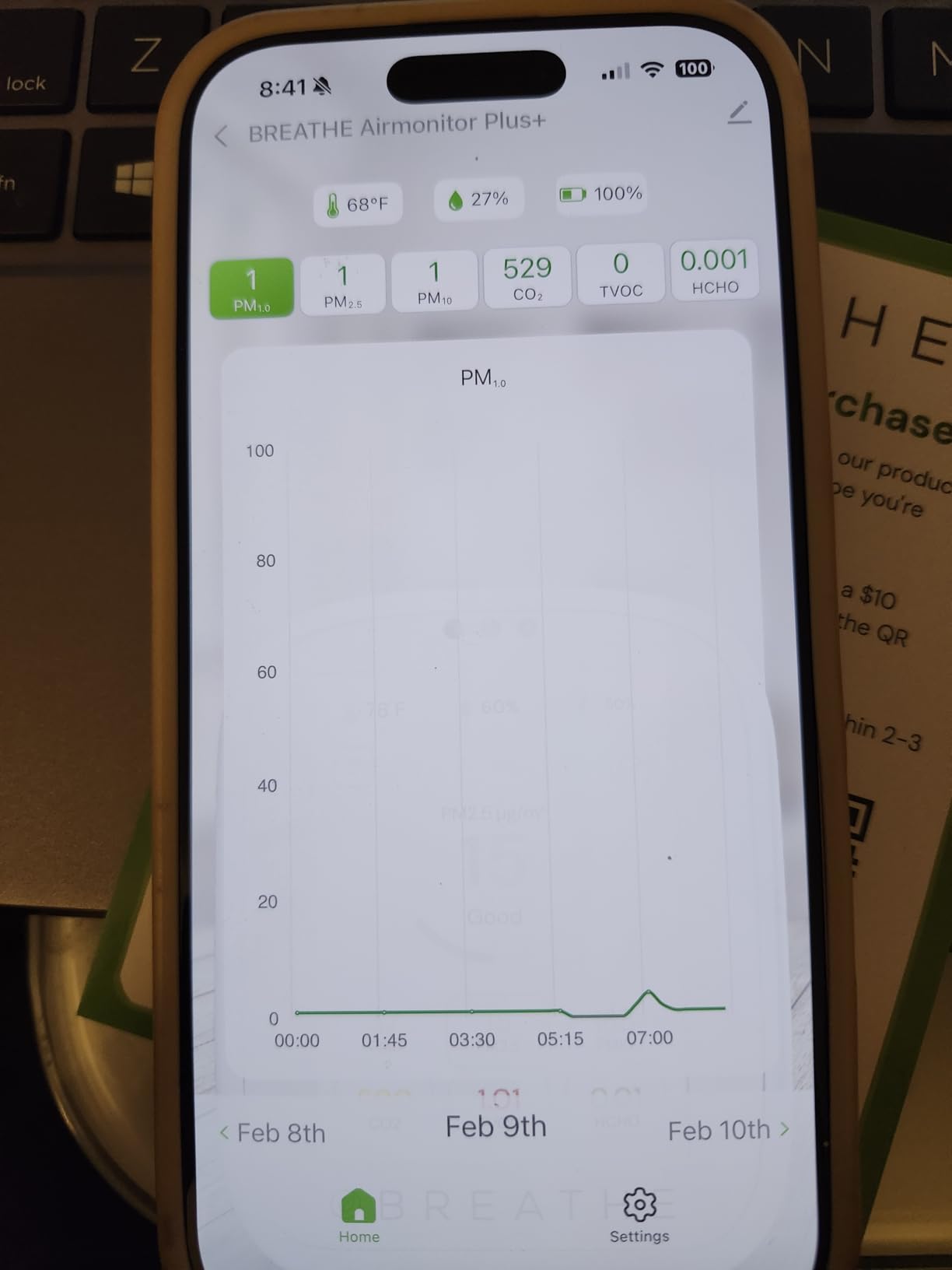
New furniture and renovations are the use case here. Formaldehyde off-gasses from particle board, carpet and fresh paint, and a dedicated channel lets you see whether a level drops after the room has aired out instead of guessing from a total VOC figure.
Data handling is solid. The app keeps 90 days of history with CSV export, which is longer than most rivals, and you can set configurable alerts for both CO2 and PM2.5 so you choose the thresholds rather than accepting the defaults.
The Gen 2 design adds about six hours of battery, which is enough to carry it between rooms for a spot check before settling it back on USB-C power. At 4 ounces it is genuinely portable.
Who should buy the eight-in-one approach
Homeowners mid-renovation, or anyone who just replaced carpets, mattresses or flat-pack furniture and wants evidence that the room has aired out. Parents of infants get useful formaldehyde and VOC tracking alongside particles in a compact box.
The three particle fractions are the quiet bonus. Seeing PM1, PM2.5 and PM10 separately tells you whether what you are breathing is fine combustion haze or coarser household dust.
What might disappoint you
Accuracy impressions are mixed. Ratings sit at 4.0 with a 13 percent one-star share, and review summaries point to inconsistency in measurement accuracy rather than a single failure mode, so treat the trend lines as directionally useful rather than laboratory grade.
Six hours of battery is thin for something sold as portable, and the app needs 2.4GHz Wi-Fi. There is no HomeKit or Matter support in the listed integrations, which rules it out for local-first smart homes.
5. Kidde Smart CO and Air Quality Monitor – Best for Carbon Monoxide Safety
Kidde Smart Carbon Monoxide Detector & Indoor Air Quality Monitor, Plug-in, WiFi, Alexa Compatible Device, Voice & App Alerts
Electrochemical CO alarm, TVOC, humidity
Voice hazard alerts
Wi-Fi with app, Alexa and Google Home
Pros
- Genuine life-safety CO detection combined with air quality monitoring
- Voice alarm names the hazard instead of an uninformative beep
- Three installed in under ten minutes each
- VOC and humidity alerts prompt opening windows
- Phone push alerts remove the need to climb a ladder to silence an alarm
Cons
- Temperature and humidity reported off by 5-15 F and 10-20 percent RH
- TVOC readings swing wildly and converge over time
- No particulate or CO2 measurement
- Wi-Fi reset after a router change is hit or miss
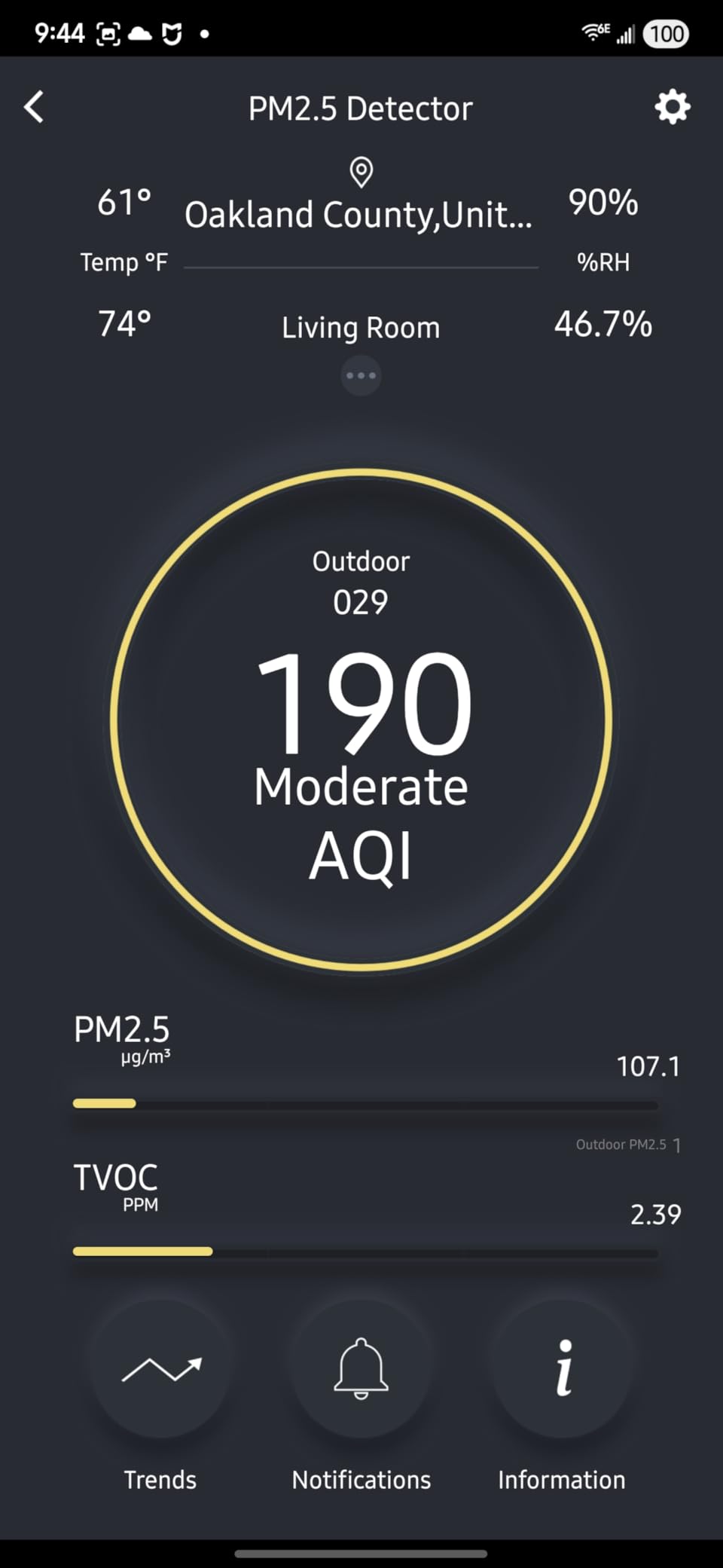
Most air quality monitors report carbon monoxide as one line among many. This one is a certified combination CO alarm first, with an indoor air quality monitor built in around the same plug-in housing. If you want life-safety coverage and air readings from one outlet, nothing else here does both.
The voice alarm is the detail owners mention most. Instead of an anonymous beep, it announces the hazard, including a specific carbon monoxide warning and an end-of-life replace alarm message. Owners also appreciate phone push alerts, which remove the ladder climb when the alarm sounds while you are out.

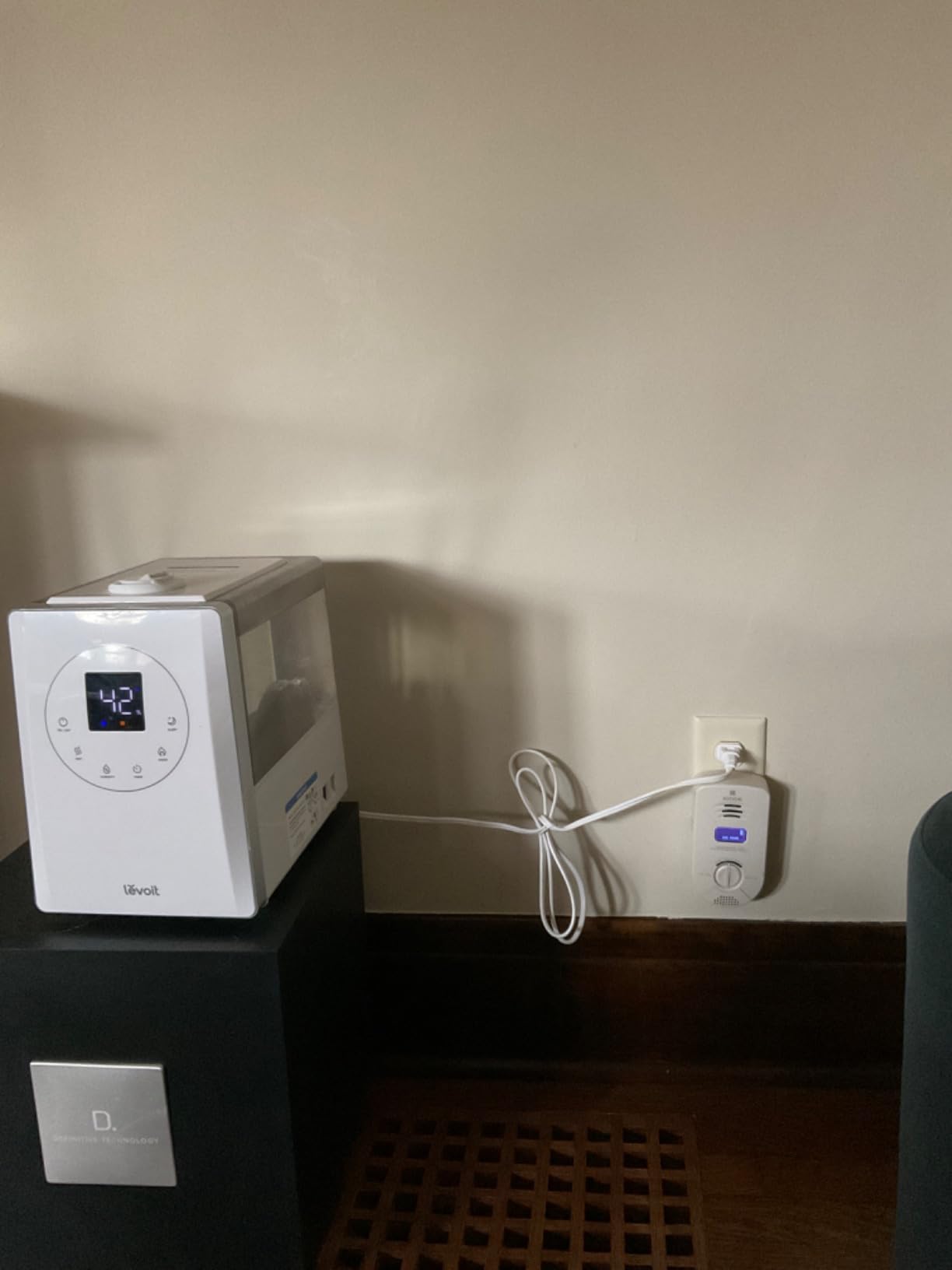
Installation is straightforward: scan the QR code, plug into a standard outlet. Reviewers report fitting three of them in under ten minutes each, and one owner cited responsive customer service that shipped a replacement quickly. The 10-year limited warranty is longer than anything else in this group.
It also works with Alexa and Google Home alongside the app, and it monitors TVOC from cleaning products and paint plus humidity, so you still get an air quality signal from the same box.
The accuracy complaints are serious enough to weigh. Reviewers report temperature and humidity readings off by 5 to 15 degrees F and 10 to 20 percent RH against calibrated reference devices, and TVOC readings that swing wildly before eventually converging to similar numbers even when devices sit in separate rooms.
Is it worth pairing with a separate monitor?
Many households end up with both. This handles safety where a gas appliance or attached garage is involved, while a dedicated particle or CO2 monitor handles the air quality questions it cannot answer. The price of that duplication is small compared with the confusion of trusting an inaccurate TVOC channel for ventilation decisions.
Because it covers up to 95 percent RH non-condensing and carries a 100 F upper temperature rating, it suits bathrooms and utility rooms where a typical desktop monitor would struggle.
What might disappoint you
If you buy it purely as an air quality monitor you will be disappointed. There is no particulate measurement and no CO2, so wildfire smoke, dust and ventilation are all outside its range, and the humidity figure owners tested is not accurate enough to plan around.
One owner also reported a unit that stopped staying powered on after 162 days, and the Wi-Fi reset procedure after a router change is described as hit or miss.
6. GoveeLife H5140 – Best Dedicated CO2 Monitor
GoveeLife Smart Air Quality Monitor CO2 Detector H5140, Display & Alarm
SCD4x NDIR CO2 sensor, plus or minus 40ppm
5-second refresh
4.82 inch display, buzzer and email alerts
Pros
- SCD4x photoacoustic NDIR sensor reads outdoor air in the 400s accurately
- Clear readable display that suits a desk or nursery
- Customizable thresholds with buzzer app and email alerts
- Scheduled display brightness protects sleep
- Integrates cleanly with Home Assistant
Cons
- Measures CO2 only
- no PM2.5 CO or VOC sensing so purifiers cannot be linked
- USB-C power with no battery
- Occasional difficulty joining Wi-Fi through the app
- No Apple HomeKit integration
Carbon dioxide is the most informative number most people never see. It tracks how well a room is ventilated and how much stuffy, oxygen-poor air you are breathing, and it is the best proxy you can get for occupancy without a camera or microphone. This monitor does that one job, and it does it with the most accurate sensor in the group.
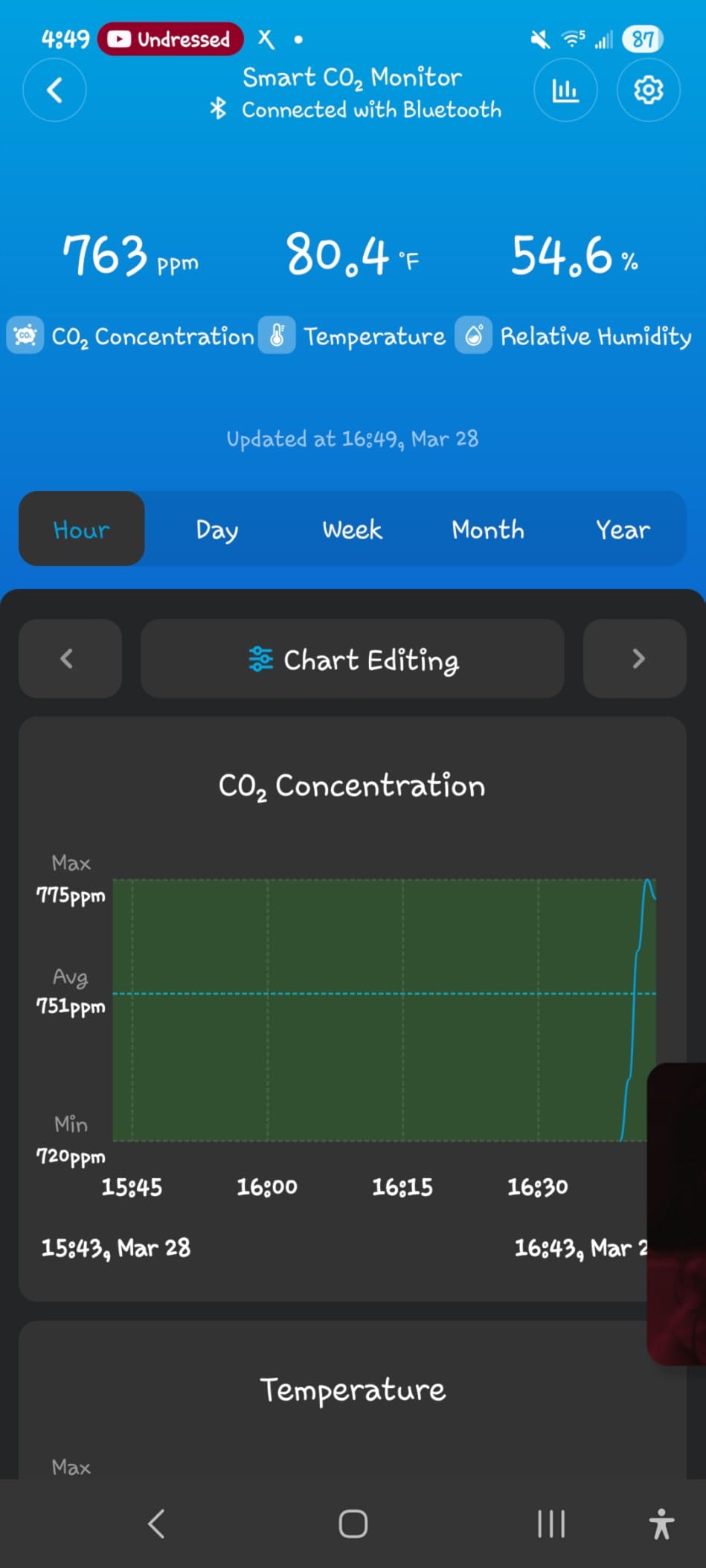
The SCD4x photoacoustic NDIR sensor is specified at plus or minus 40 ppm plus 5 percent, with a 5-second refresh rate and built-in pressure compensation for altitude, which stops readings drifting when you live somewhere high. Owners report it reading outdoor air in the 400s when a window is open, which is the practical proof that the sensor is honest.
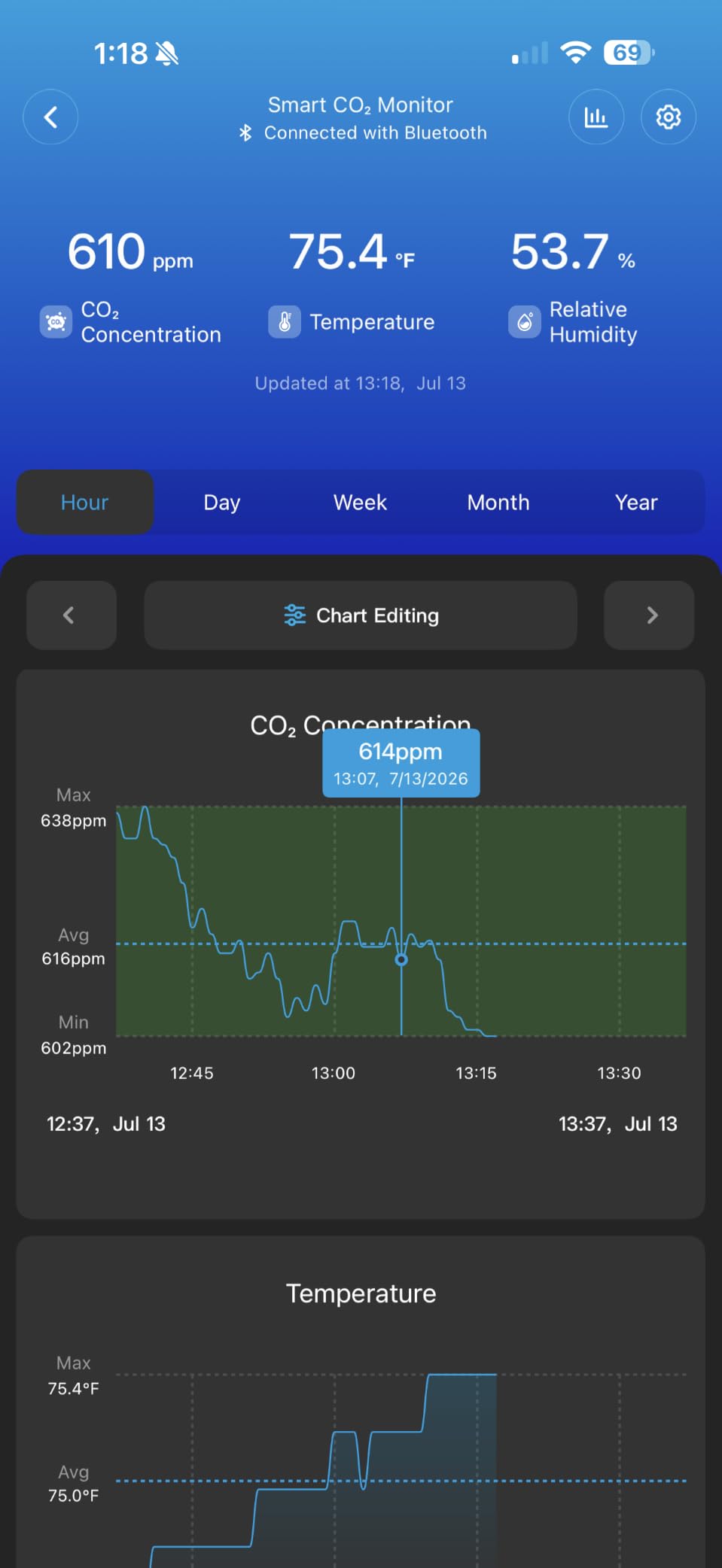
The display is genuinely good. It shows CO2, temperature, humidity and a clock on a 4.82 inch screen, and you can schedule brightness so the screen dims for night. Reviewers call the app integration easy and the trend tools richer than expected, with up to two years of historical charts and CSV export.
Alerting is the strongest here: a built-in buzzer, app push notifications and email reports, with programmable thresholds. It also answers Alexa and Google Assistant voice queries and links to GoveeLife humidifiers and tower fans.
Scope is the trade-off. There is no PM2.5, CO or VOC sensing, and the manufacturer notes that air purifiers cannot be linked because they do not reduce CO2, which is accurate: filters remove particles, not exhaled gas.
How to use a CO2 number day to day
Outdoor air sits around 400 to 450 ppm. A well-ventilated room approaches that. Sustained readings in the 1000s mean you should open a window, and readings climbing past 1500 to 2000 in an occupied room mean fresh air is overdue.
The most useful pattern is watching the slope. A sharp rise the moment a bedroom door closes, followed by a fall when you ventilate, tells you exactly how long that room needs airing. In a home office, that is the difference between an afternoon of foggy thinking and a clear one.
What might disappoint you
It is AC powered only with no battery, so it is a desk or shelf device rather than a portable one. Some owners hit difficulty getting it onto Wi-Fi through the app, and if the sensor fails, app history goes with it unless you have exported regularly.
There is no Apple HomeKit support, and occasional CO2 calibration is needed in app settings from time to time.
7. SONOFF AirGuard SAWF-08P – Best for Matter and Local Smart Homes
SONOFF AirGuard CO2 SAWF-08P, Smart Indoor Air Quality Monitor, Matter Compatible, 2.4GHz WiFi, CO2 Monitor for CO2/Temp/Humidity, Real-Time Display & Notification, for Bedroom, Nusery Room
NDIR CO2, plus or minus 50ppm, 400-5000 ppm
Temperature and humidity
Matter compatible, USB-C power
Pros
- NDIR CO2 readings tested accurate against a calibrated device
- Pairs straight into Home Assistant over Matter without a Thread hub
- Large screen readable from across the room
- Audible high-CO2 alarm that can be muted
- Temperature and humidity within about a point of reference devices
Cons
- Rear USB-C port means it cannot be wall-mounted despite the listing
- CO2 sensor cannot be calibrated
- Screen readability suffers at off angles
- No PM2.5 measurement
- 2.4GHz Wi-Fi only
This is the monitor to buy if you run Home Assistant and want air readings without giving your household data to a vendor cloud. Matter support means it joins Apple Home, Alexa, Google Home, SmartThings and Home Assistant, and owners specifically report pairing directly into Home Assistant without needing a Thread hub or a cloud app account.
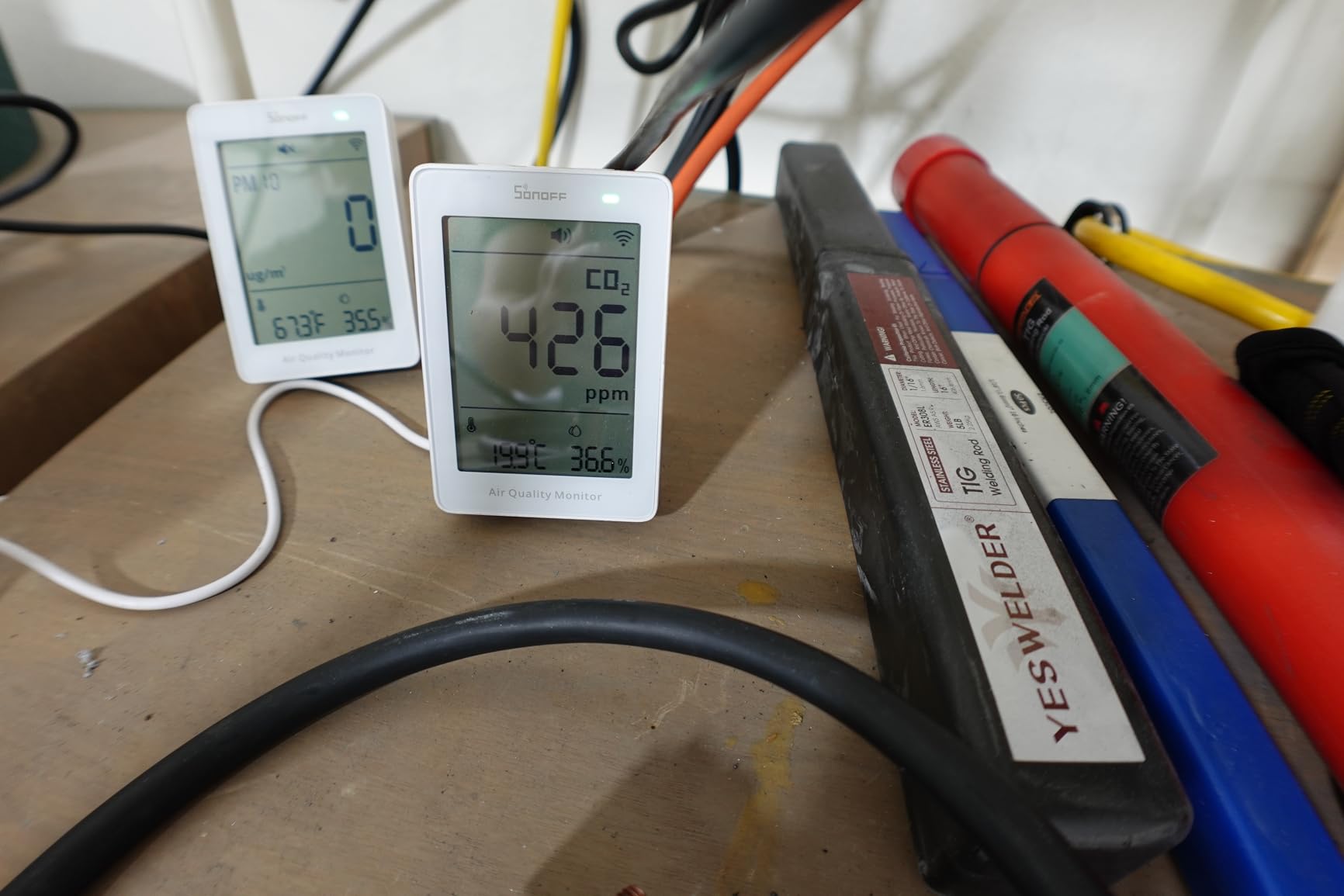
The sensor itself holds up. NDIR CO2 with plus or minus 50 ppm plus 5 percent accuracy across a 400 to 5000 ppm range, temperature accuracy at plus or minus 0.5 C, and a 5-second response time on continuous power. Buyers confirm CO2 readings against known calibrated devices and report temperature and humidity within about a percentage point of reference meters.
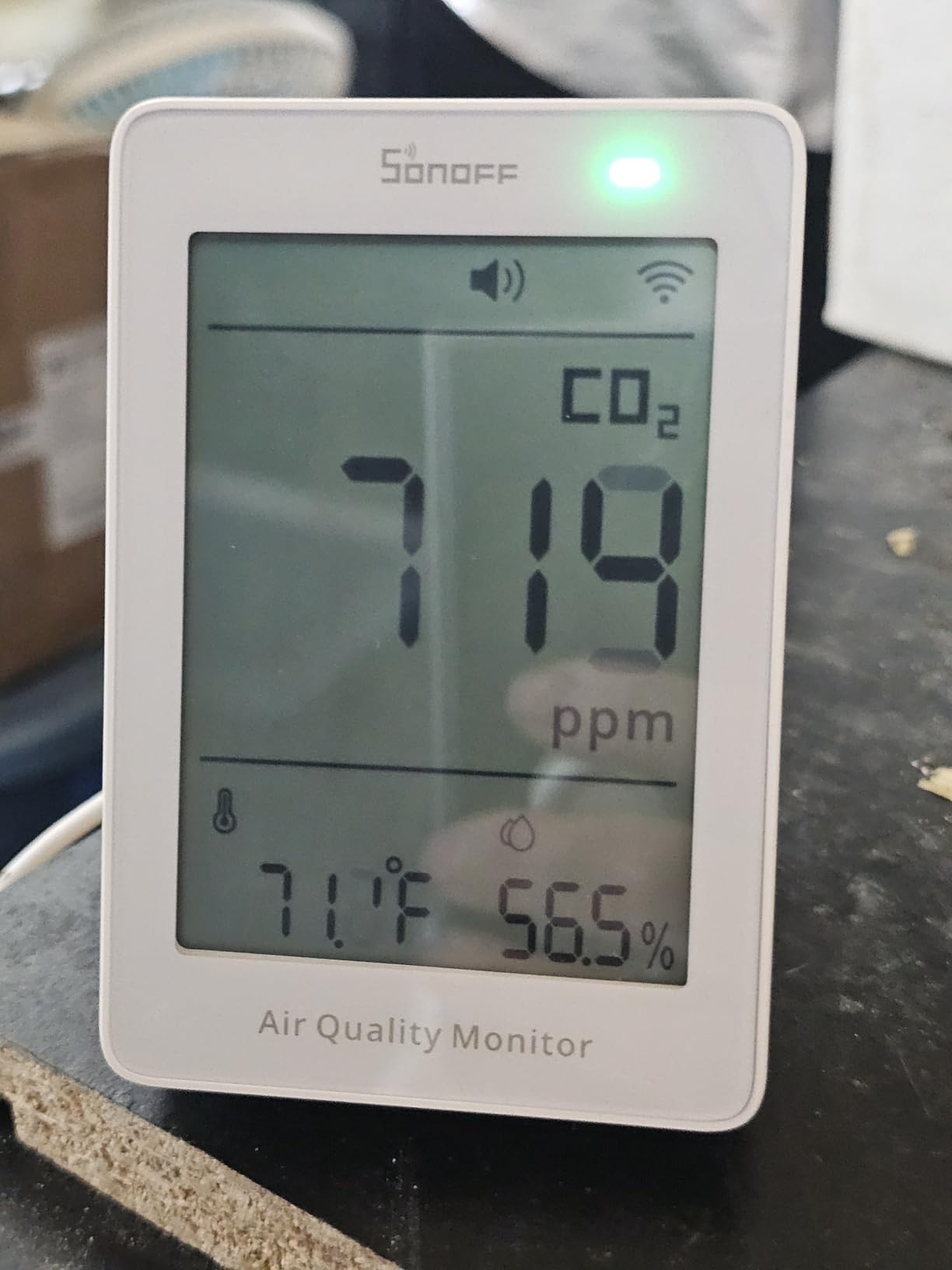
The screen is large enough to read from across a room, with a multi-color LED indicator beside it, and there is an audible high-CO2 alarm that can be muted, which is rare in this category. Customizable eWeLink app notifications plus 12 months of historical data with charts and export round out the software.
Design choices are where it stumbles. The USB-C plug sits on the rear, so despite the wall-mount listing the vents on every other side, you cannot actually mount it on a wall. It comes with a built-in kickstand instead, which is fine on a shelf and fine on a desk.
More significant for long-term owners is that the CO2 sensor cannot be calibrated. One buyer cited that single limitation as the reason for returning an otherwise accurate device, and it is the one flaw that cannot be fixed with a software update.
Is local control actually better here?
For a Home Assistant household, yes. Your readings, history and automations stay on hardware you control, and a CO2 reading that triggers a bedroom fan or an extractor fan can run without a round trip to someone else’s server. Local control also means your automations keep working when an internet connection does not.
USB-C continuous power suits that setup well, since there are no batteries to change in a device that is always on a network.
What might disappoint you
Screen readability drops off at sharp angles, which is the one annoyance people with a desk at an angle mention most. There is no PM2.5 measurement at all, so this tracks CO2, temperature and humidity only, and it needs 2.4GHz Wi-Fi.
Combined with a small review base, treat it as a well-received newer model rather than a proven long-term purchase.
8. Qingping Air Quality Monitor Gen 2 – Best Touchscreen with the Most Readouts
Qingping Air Quality Monitor Gen 2, Air Quality Monitor Indoor Detects PM2.5, CO2, PM10, Noise, Temperature and Humidity, New Upgraded Alarm Clock Function, Air Quality Tester for Bedroom, Smart Home
CO2, PM2.5, PM10, eTVOC, noise, temperature, humidity
4-inch IPS touchscreen
30-day history and export
Pros
- Most feature-complete reading set with a noise sensor and touchscreen
- 4-inch 254 PPI display with per-metric color coding is easy to read
- Replaceable PM sensor extends product life
- Works on 2.4GHz and 5GHz Wi-Fi with local MQTT for Home Assistant
- Manual and automatic calibration on every parameter
Cons
- Battery lasts about 3 hours so it is effectively plugged in
- PM2.5 readings reported badly off against a calibrated reference
- Temperature and humidity variances against reference meters
- Does not measure formaldehyde
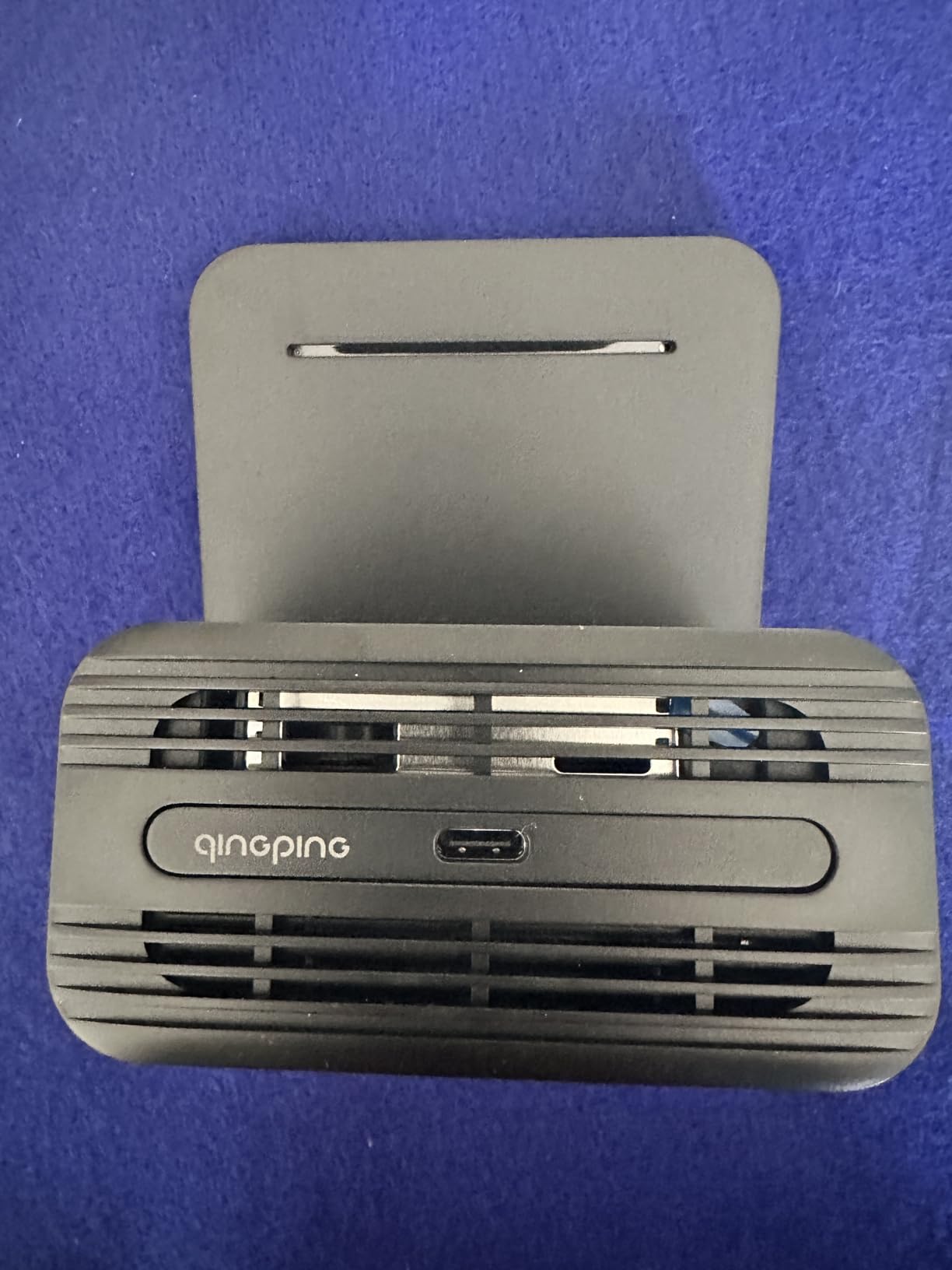
Nobody else here packs this many channels into one screen. You get temperature, humidity, CO2, PM2.5, PM10, eTVOC and noise, plus the time, on a 4-inch 254 PPI IPS touchscreen that auto-adjusts brightness and color-codes each metric individually. The noise channel is a nice touch for anyone tracking sleep or focus conditions.
The engineering detail owners appreciate most is the replaceable PM sensor on magnetic contact points, which extends the life of an otherwise consumable part. It also supports both 2.4GHz and 5GHz Wi-Fi, runs local MQTT for Home Assistant, and offers manual and automatic calibration on every parameter so you can correct drift yourself.
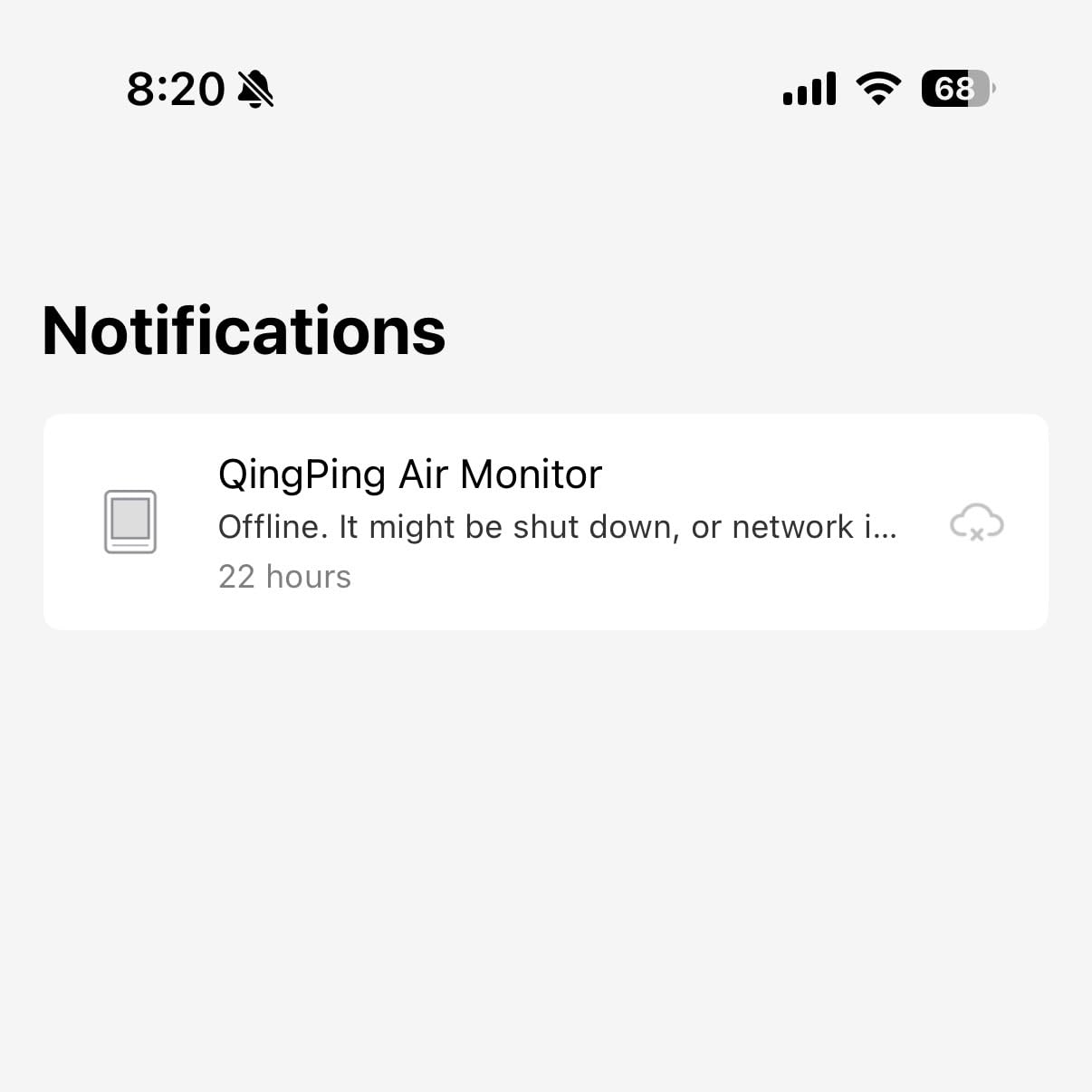
The upgraded multi-alarm clock function makes it a bedroom device as much as an air monitor. Firmware upgrades are supported for new features, and the Qingping+ app keeps 30 days of history with export.
Now the reasons the rating sits at 3.8 with an 18 percent one-star share. Owners report PM2.5 readings badly off against a calibrated reference, citing a comparison of 37 against 114 ug/m3, plus temperature and humidity variances of several degrees and double-digit RH points.
Battery life is the other weak point. It runs about three hours on a full charge, so treat it as a plugged-in device, and there is no USB power adapter in the box, only a requirement for a 5V 1A supply. Owners also report the sensors running warm during continuous charging, which some linked to early failure.
Who will love the touchscreen design
Anyone who wants to check air quality without opening an app. Tapping a metric on a bright, color-coded screen is faster than unlocking a phone, and the brightness adjustment means it works in a bright bedroom and a dark one.
For Home Assistant users, dual-band Wi-Fi and local MQTT make it a painless addition, and per-parameter calibration is rare at this level. The alarm clock turns it into a bedside unit that earns its outlet space.
What might disappoint you
The PM2.5 accuracy dispute is the serious one, because particles are the main reason many people buy a monitor at all. If you plan to use these readings to judge whether a purifier works, this is not the device to trust.
It also skips formaldehyde, and setup instructions point iOS users at the Mi Home app instead of the correct Qingping+ app, which causes avoidable confusion.
9. Ring Air Quality Monitor – Best for Zero-Hub Setup
Ring Sensors: Air Quality Monitor – Instant Notifications, Smart Suggestions, on Amazon Sidewalk, No Base Station Needed
CO, PM2.5, temperature, humidity
Amazon Sidewalk connectivity
Actionable app suggestions
Pros
- No base station needed so it is the simplest install in this group
- Sidewalk coverage extends beyond the home without extra hubs
- Suggests opening a window or running the purifier instead of raw numbers
- Tracks CO alongside PM2.5 temperature and humidity
- Very high 5-star share of 75 percent
Cons
- No microphone or speaker so there is no audible local alarm
- Explicitly not certified as a CO alarm or detector
- Does not measure CO2 or radon
- Only 48 reviews so long-term reliability is unproven
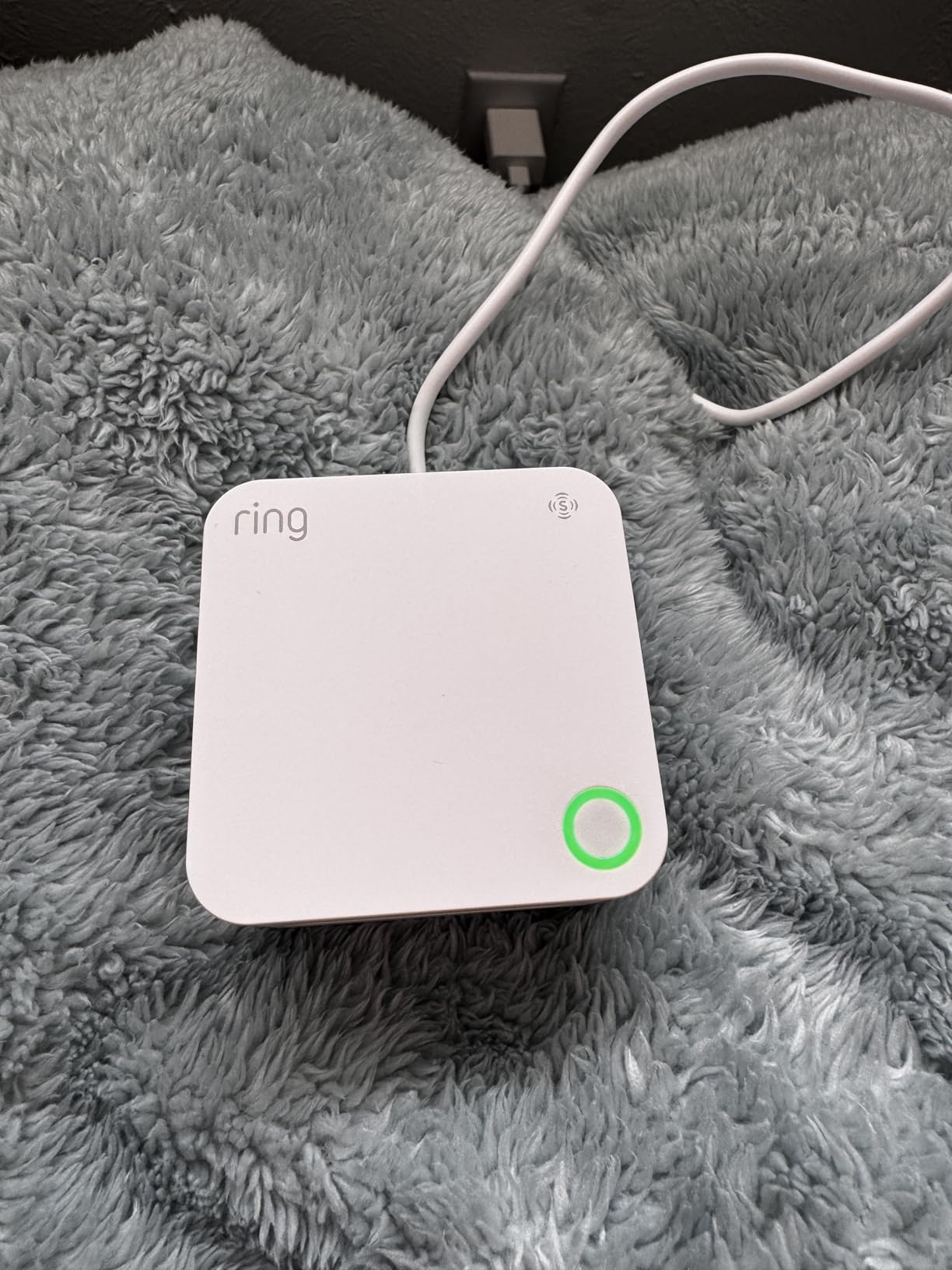
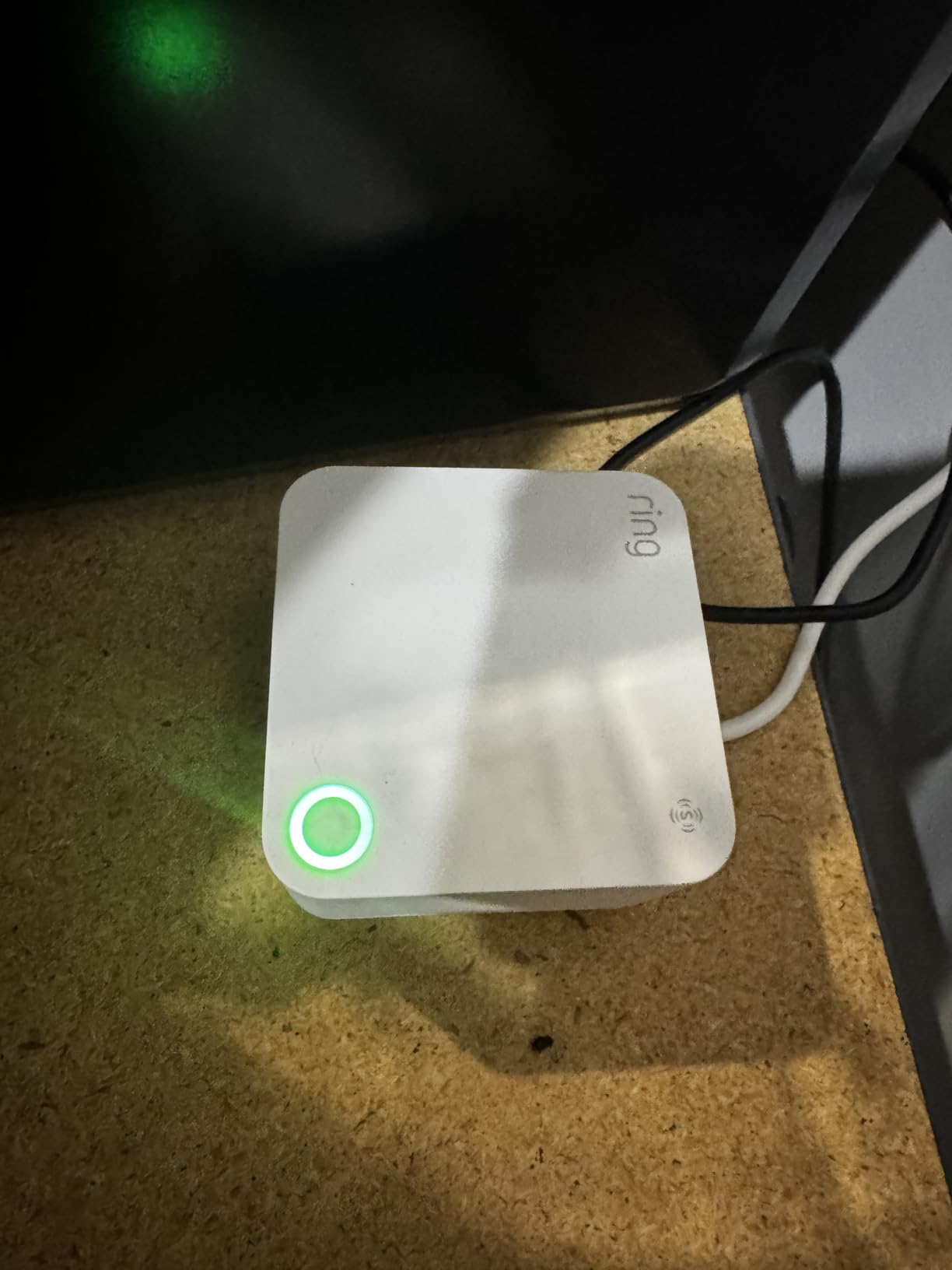
The pitch here is simplicity. There is no base station, no hub, no pairing ritual with a phone held against the device. It connects over Amazon Sidewalk, which already reaches beyond the home walls, so coverage does not stop at the outer wall of the house.
What it measures is temperature, carbon monoxide, humidity and PM2.5. Rather than dumping raw numbers, the app gives actionable suggestions: open a window, run the purifier, or service an appliance. That framing is genuinely useful for people who do not know what a reading of 35 versus 60 actually means.
The 4.4 rating is strong, with a 75 percent five-star share, but it rests on only 48 reviews. Newer releases in this category tend to start well, so treat early enthusiasm as provisional until a few seasons of sensor data accumulate.
There are two limitations you should accept before buying. First, it has no microphone or speaker, so there is no audible local alarm of any kind. If you want a device that tells you at the kitchen counter that CO just spiked, this is not it.
Second, and more importantly, the manufacturer is explicit that the carbon monoxide channel is not certified as a CO alarm or detector and is not a substitute for one. It registers CO levels for context; it does not perform life-safety duty. It also does not measure CO2 or radon.
Who is this actually for?
Households already invested in the Ring or Amazon ecosystem who want a second data point without adding another hub to the network. Renters who cannot run cabling or mount hardware will find the wireless setup painless.
Because Sidewalk coverage extends beyond the home, you can also keep an eye on readings in a garage, detached workshop or garden office without a hub in each building. If that garage is also where you run a pressure washer, indoor readings are the quickest way to see how much combustion and rinse residue you are pulling into the house.
What might disappoint you
The absence of any audible alert is the deal-breaker for many. A monitor that cannot make noise relies entirely on your phone being somewhere you will hear it, and app notifications get ignored.
You should also keep a certified CO alarm in the home regardless, and the small review base means long-term reliability across a heating season is unproven.
10. Airthings Wave Enhance – Best for Sleep and Focus Tracking
Airthings 322 Wave Enhance -Indoor Air Quality Monitor for CO2, VOC, Humidity, Temp, Pressure plus Noise & Light Sensors – Monitors Conditions for Sleep in Bedrooms & for Concentration in Home Offices
CO2, VOC, humidity, temperature, noise, light
Bluetooth app
Touch sensor for air quality light
Pros
- Adds noise and light sensors on top of the standard air readings
- Well suited to tracking conditions for sleep and focus
- Cable-free battery placement on two AA batteries
- Free app with notifications trends and pollen forecasts
- Understated design that suits a bedside table
Cons
- No radon measurement unlike the Wave Plus
- No particulate PM2.5 sensing
- Bluetooth only so remote access needs a separate hub
- Visual alarm only with no audible alert
This Airthings model is aimed at a specific question: what are the room conditions doing while you sleep or work? On top of the usual CO2, VOC, humidity, temperature and air pressure readings, it tracks noise and light levels, which are two of the environmental factors most associated with sleep quality.
That makes it a natural fit for a bedroom or a home office desk. If you are trying to work out whether your afternoon focus dip tracks a stuffy room, a noisy neighbour or a late-night streetlight, this puts two of those three on one timeline.
The build is understated, with an ABS housing at 4 by 4 inches and 3.36 ounces, and it runs on two included AA batteries. A touch sensor on the front gives you a color-coded air quality light without needing to read a number in a dark room.
The app is free and includes notifications, trend analysis and local pollen forecasts, which is a nice pairing with the light and noise data for anyone tracking allergy season alongside sleep.
But you give up the sensors that define the rest of the line. There is no radon measurement, which removes the main reason to buy a Wave in the first place, and no PM2.5 sensing, so wildfire smoke and construction dust are invisible to it. Connectivity is Bluetooth only, so away-from-home access requires a separate Airthings hub.
Is sleep and focus tracking worth losing particles?
If your air quality concern is wildfire smoke, renovation dust or pollen-driven allergies, no. Particles are the pollutant you are buying a monitor for, and this device does not measure them at all.
If instead you suspect your sleep or concentration is being affected by a stuffy bedroom or a noisy office, the case is stronger. Watching CO2 climb through the night, then fall when a window opens, is a clear explanation that most people have never seen for themselves.
What might disappoint you
The alert is visual only, with no audible alert, so a bedside unit that is asleep next to you cannot wake you if CO2 climbs while the app is closed. It also has the smallest review base here at 43, so the long-term track record is thin.
If you want radon as well, the Wave Plus in the same line is the one to buy instead.
What to Consider Before Buying a Smart Air Quality Monitor
Start with the pollutant, not the brand. Every monitor in this guide measures something different, and the sensor technology behind each reading explains most of the accuracy differences you will see in reviews.
For particles, most devices use laser scattering. A laser beam passes through an air sample and particles scatter light onto a receiver, with the amount of scatter mapped to a mass concentration. It is fast, cheap and reliable for PM1, PM2.5 and PM10, but readings drift over months and the readings from two units will not match perfectly.
For carbon dioxide, NDIR means non-dispersive infrared. The sensor measures how much infrared light a CO2 molecule absorbs, which is slow to respond but does not mistake other gases for CO2. Electrochemical sensors are cheaper and faster but consume a sensing element and drift more. Any monitor claiming a CO2 number without saying NDIR may be inferring it from VOC readings, which is a guess.
VOC and formaldehyde sensors are almost always electrochemical or photoionization based, and they are a relative measure rather than a specific one. A VOC reading tells you something is off-gassing, not which compound. Only the BREATHE Airmonitor Plus in this group gives you a dedicated formaldehyde channel.
Six decisions that shape the outcome
First, pick your pollutant based on your actual risk. Radon if you have a basement or ground floor. PM2.5 if you are in wildfire country or near construction. CO2 if you work from home or care about ventilation. Formaldehyde and VOCs if you just fitted new furniture, carpet or paint. CO alerts if you use a gas appliance or an attached garage.
Second, decide how smart it needs to be. A display-only monitor gives you instant feedback with no privacy footprint at all. A Wi-Fi monitor gives you history and automations at the cost of sending readings through a vendor cloud. For local control, look for Matter or local MQTT support, which the SONOFF AirGuard and Qingping both offer.
Third, check the Wi-Fi band. Several units here need 2.4GHz, including the Amazon, BREATHE, GoveeLife H5106 and SONOFF. A dual-band router broadcasting both is the fix, and it costs nothing to verify before buying.
Fourth, consider calibration and drift. CO2 and VOC sensors need days to settle, radon needs a week to a month, and particulate sensors drift enough that a year-old unit can read low. Devices with user calibration, like the Qingping, or with replaceable sensors, like the same device’s magnetic PM module, hold accuracy longer.
Fifth, think about power. Most of these are plug-in, which is fine on a shelf but means no portability. The BREATHE Airmonitor Plus gives you about six hours away from the outlet, which is enough for a room-to-room check. Battery-only devices like the Airthings pair are cable-free but Bluetooth-dependent.
Sixth, count the alerts you will actually tolerate. Reviewers repeatedly complain about nuisance notifications from VOC sensors reacting to aerosol sprays, candle smoke and cleaning products. Pick a device with adjustable thresholds and scheduled brightness, and expect to tune them in the first week.
Monitor placement interacts with all of this. If you are pairing an air monitor with climate control, it also helps to understand how your smart thermostat handles ventilation and schedule, since the two devices often respond to the same triggers. Homes with cameras and sensors on the same network should also check coverage before adding another always-on device, something we cover in our guides to wireless security cameras for homes.
Where to Place Your Air Quality Monitor Room by Room
Most placement mistakes come from putting a monitor on a shelf at head height in a corner. Particulate sensors need air moving across them, and the readings near a wall, a window or a supply vent are not representative of the air you breathe.
In a bedroom, place it at roughly desk or bedside height, at least a foot away from the wall, window or door, and not directly in the path of an air conditioner vent. CO2 readings in a closed bedroom climb overnight, which is exactly the trend worth watching. Avoid a spot above a radiator, where heat skews both temperature compensation and the physical readings.
In a kitchen, keep the monitor a few feet from the stove or range hood. Placed at the edge of the cooking zone it captures the plume that reaches you, and placed at the center of the room it tells you whether extraction is actually clearing the room after a meal.
In a nursery, place it at crib height on a shelf away from any direct sunlight. This is the easiest case for scheduling display brightness to near zero at night, and for choosing a device with a genuine CO2 channel so you can judge whether the room needs airing before bedtime.
In a home office, put it at seated breathing height near the desk rather than on a high shelf. CO2 rises with occupancy and falls with ventilation, so a monitor at the desk shows the number you are actually experiencing while you work. The same rule applies in a small media room, where our picks for soundbars for tiny homes were chosen with the same cramped-space ventilation trade-offs in mind.
In a basement or any space where radon is the concern, place it on an interior wall away from windows, vents and any crawlspace access point, then leave it there. Radon readings that reset every time you move the unit tell you nothing.
In a room with an air purifier, put the monitor on the opposite side of the room from the unit rather than directly beside it. Beside the purifier you will measure how well the filter works, which is interesting once but tells you nothing about what the far side of the room is experiencing.
Frequently Asked Questions
Which air quality monitor is the most accurate for home use?
Accuracy depends on the sensor rather than the brand. For CO2, an NDIR sensor is the accurate type, and the GoveeLife H5140 and SONOFF AirGuard both use genuine NDIR parts. For particles, laser scattering is standard, but readings drift over time and two units will not agree exactly. For radon, no consumer monitor matches a lab charcoal test, so trend the Airthings Wave Plus and confirm with a certified short-term test.
What is the best air quality monitor device for home use?
The Amazon Smart Air Quality Monitor is the best all-rounder, measuring PM2.5, VOCs, carbon monoxide, humidity and temperature while feeding automations into Alexa routines. The Airthings Wave Plus is the pick for radon, the BREATHE Airmonitor Plus for formaldehyde plus NDIR CO2, and the GoveeLife H5140 for dedicated carbon dioxide tracking.
Are home air quality monitors worth it?
Yes for three specific reasons. They show whether an air purifier is actually cleaning the far side of a room, they make ventilation decisions measurable through CO2, and they give allergy and asthma households early warning of particle spikes. They are less useful as a general alarm, since most models cannot sound a local warning.
Which indoor air quality monitor is ranked best by Consumer Reports?
Consumer Reports does not publish a single ranked air quality monitor list that covers every model, so treat any claim of a definitive ranking with caution. Better practice is to check the sensor type listed in the specifications, since NDIR for CO2 and a dedicated formaldehyde channel are stronger indicators than brand reputation alone.
What is the best CO2 sensor for monitoring air quality in a house?
Look for a true NDIR sensor. In this group the GoveeLife H5140 uses a photoacoustic SCD4x NDIR sensor with a 5-second refresh and pressure compensation, and the SONOFF AirGuard uses NDIR across a 400 to 5000 ppm range. Both read outdoor air in the 400s when you open a window, which is the practical check that a CO2 sensor is telling the truth.
Is Temtop a good brand?
Temtop is a budget-focused brand whose monitors are generally regarded as useful for tracking trends rather than for laboratory-grade accuracy. They work standalone without an app in several models, which appeals to people who do not want another cloud account, but accuracy complaints are common in owner feedback. If you need verified CO2 or particle figures, an NDIR model from this guide is a safer bet.
What are some wearable air quality monitors available?
There are few true wearables. Clipped personal monitors exist, but for this category the portable route is more practical: the BREATHE Airmonitor Plus gives about six hours of battery for room-to-room checks, and the Atmotube PRO line is built for travel and commuting. Neither replaces a stationary monitor placed at breathing height in the room you care about.
Which air quality sensor is the best?
It depends on the pollutant. NDIR is the accurate type for CO2. Laser scattering is the standard and affordable choice for PM1, PM2.5 and PM10. Electrochemical sensors handle VOCs, carbon monoxide and formaldehyde as a relative signal rather than a specific compound. Radon needs a dedicated ionization chamber, which is why only the Airthings Wave Plus in this guide measures it.
Where should I place an air quality monitor in my home?
Put it at breathing height, at least a foot away from walls, windows, doors and vents, and out of direct sunlight or heat from a radiator. In a kitchen keep it near but not above the stove, in a basement choose an interior wall and leave the unit in place so radon trends stay valid, and place it on the far side of the room from any air purifier.
Do air quality monitors need WiFi?
No, not for basic readings. Several models here work as standalone displays with Bluetooth or no connectivity at all, which is the simplest and most private option. WiFi adds history, remote access and automations, but also means your readings pass through a vendor cloud. If privacy matters, choose a device with Matter or local MQTT support such as the SONOFF AirGuard or Qingping.
Can an air quality monitor detect mold?
Not directly. No consumer monitor in this category measures mold or mold spores, and a VOC reading will respond to the chemicals mold releases without telling you mold is present. What a monitor can do is reveal the elevated humidity that supports mold growth, so use the humidity channel as an early warning and confirm with a professional inspection.
Bottom Line
The best smart air quality monitors for homes are not interchangeable, because the sensor inside decides what you learn. Our top pick, the Amazon Smart Air Quality Monitor, covers the widest range of everyday pollutants and hands its readings straight to Alexa routines, which makes it the one most households should start with.
Choose the Airthings Wave Plus if radon or long-term trends matter to you. Choose the BREATHE Airmonitor Plus if you have new furniture or paint and want formaldehyde plus real NDIR CO2. Choose the GoveeLife H5140 or SONOFF AirGuard if carbon dioxide and ventilation are your question, with the SONOFF adding Matter and local control. Choose the Kidde unit when carbon monoxide safety is the priority, and keep a certified CO alarm alongside it either way.
Whichever you pick in 2026, give it two weeks in one fixed spot before you trust it, set the alert thresholds to something you will not ignore, and place it at breathing height rather than on a high shelf. Check the latest price for each model, then decide which pollutant your home actually has a problem with.