
Can I put a smart lock on my apartment? Usually yes, but only a retrofit model that mounts over your existing deadbolt and leaves no visible change to the door or frame. Anything that replaces the cylinder, drills new holes, or requires rewiring needs written landlord permission first. Most leases treat lock hardware as landlord property, so get the answer in writing before you buy.
That one rule shapes everything in this guide. We compared 10 smart deadbolts against what actually matters in a rental: whether the install is reversible, whether remote access works without buying a hub, whether you get an alert when the door opens while you are out, and whether your security deposit survives move-out.
Three decisions narrow the field before you start shopping. First, decide retrofit or full replacement, because a retrofit lock bolts onto the deadbolt you already have and a replacement lock takes it out entirely. Second, confirm what your lease says about hardware changes. Third, decide which door you are solving: your in-unit front door is a completely different job from a lobby or package-room entrance, because the building’s shared door is usually wired into the tenant intercom and is not yours to touch.
If your main frustration is the apartment internet rather than the door hardware, our router picks for apartments cover the mesh and signal problems that cause smart locks to drop offline. We also measured these locks across the same building constraints we apply to other renter gear, including ventless dryers for apartments, where floor plan and outlet placement decide what works.
Every lock below was judged on the same five questions. Can a renter install it without landlord approval? Does it work with Wi-Fi down? Is there a physical key path in? What does it cost you in attention over a year? And can you put the original hardware back at move-out?
Table of Contents
Top 3 smart deadbolts for apartments In 2026

Schlage Encode WiFi Deadbolt
- Built-in Wi-Fi and 100 access codes
- BHMA top residential rating
- Snap n Stay screwdriver install

ULTRALOQ Bolt SE WiFi
- Fingerprint plus keypad
- Built-in Wi-Fi and Matter over Thread
- Up to 18 months battery

eufy Smart Lock C220
- Six unlock methods
- Sub-one-second fingerprint reads
- Built-in Wi-Fi no hub
The Schlage Encode takes the top slot because it pairs a full mechanical deadbolt with hub-free Wi-Fi and a manufacturer name that landlords recognise, which matters when you are asking for permission. The ULTRALOQ Bolt SE is the value pick if fingerprint entry and Matter support matter more to you than brand prestige. The eufy C220 wins on unlock flexibility, with six ways in and no hub to buy.
The best smart deadbolts for apartments at a glance (October 2026)
| Product | Specifications | Action |
|---|---|---|
| Schlage Encode Smart WiFi Deadbolt |
|
Check Latest Price |
| ULTRALOQ Bolt SE WiFi |
|
Check Latest Price |
| eufy Security Smart Lock C220 |
|
Check Latest Price |
 ULTRALOQ U-Bolt WiFi ULTRALOQ U-Bolt WiFi |
|
Check Latest Price |
 Tapo Smart Wi-Fi Door Lock DL110 Tapo Smart Wi-Fi Door Lock DL110 |
|
Check Latest Price |
 Veise VE017 Fingerprint Smart Lock Veise VE017 Fingerprint Smart Lock |
|
Check Latest Price |
 Philips Wi-Fi Smart Deadbolt Philips Wi-Fi Smart Deadbolt |
|
Check Latest Price |
 DESLOC B200 Fingerprint Smart Lock DESLOC B200 Fingerprint Smart Lock |
|
Check Latest Price |
 TEEHO TE012W WiFi Fingerprint Lock TEEHO TE012W WiFi Fingerprint Lock |
|
Check Latest Price |
 Wyze Auto-Lock Bolt v2 Wyze Auto-Lock Bolt v2 |
|
Check Latest Price |
Read that table as a shortlist, not a verdict. Every model on it is a full deadbolt replacement, which means every model changes the outside of your door. If your lease forbids that, the only workable route is a retrofit lock that clamps onto the deadbolt you already own, and that category is worth shopping separately.
1. Schlage Encode Smart WiFi Deadbolt – the one landlords rarely argue with
Schlage Encode Smart WiFi Deadbolt Lock with Century Trim, Matte Black
Built-in Wi-Fi
Bluetooth and voice control
One-touch exterior locking
Screwdriver-only install
Pros
- Built-in Wi-Fi gives remote access and up to 100 access codes
- BHMA certified for the highest residential security rating
- Snap n Stay install needs only a screwdriver
- One-touch exterior lock plus auto-lock delay
- Low battery indicator on the lock and in the app
Cons
- Fingerprint-resistant touchscreen needs intentional contact each time
- Four AA batteries are rated for about six months
- Connects only to a 2.4 GHz secure network
This is the lock we recommend when your building manager is involved. Schlage is the most familiar brand name on landlord-approved hardware, and the Encode replaces the deadbolt outright with a solid zinc body rather than bolting an add-on onto the existing one.
In use it does one thing well: it reports. You get lock history, open-door alerts, and a tamper alarm if the door is forced or the interior thumbturn is lifted from outside. With more than 13k reviews averaging 4.2 stars, the recurring praise is for build quality and a dependable app, and the recurring complaint is keypad touch sensitivity.
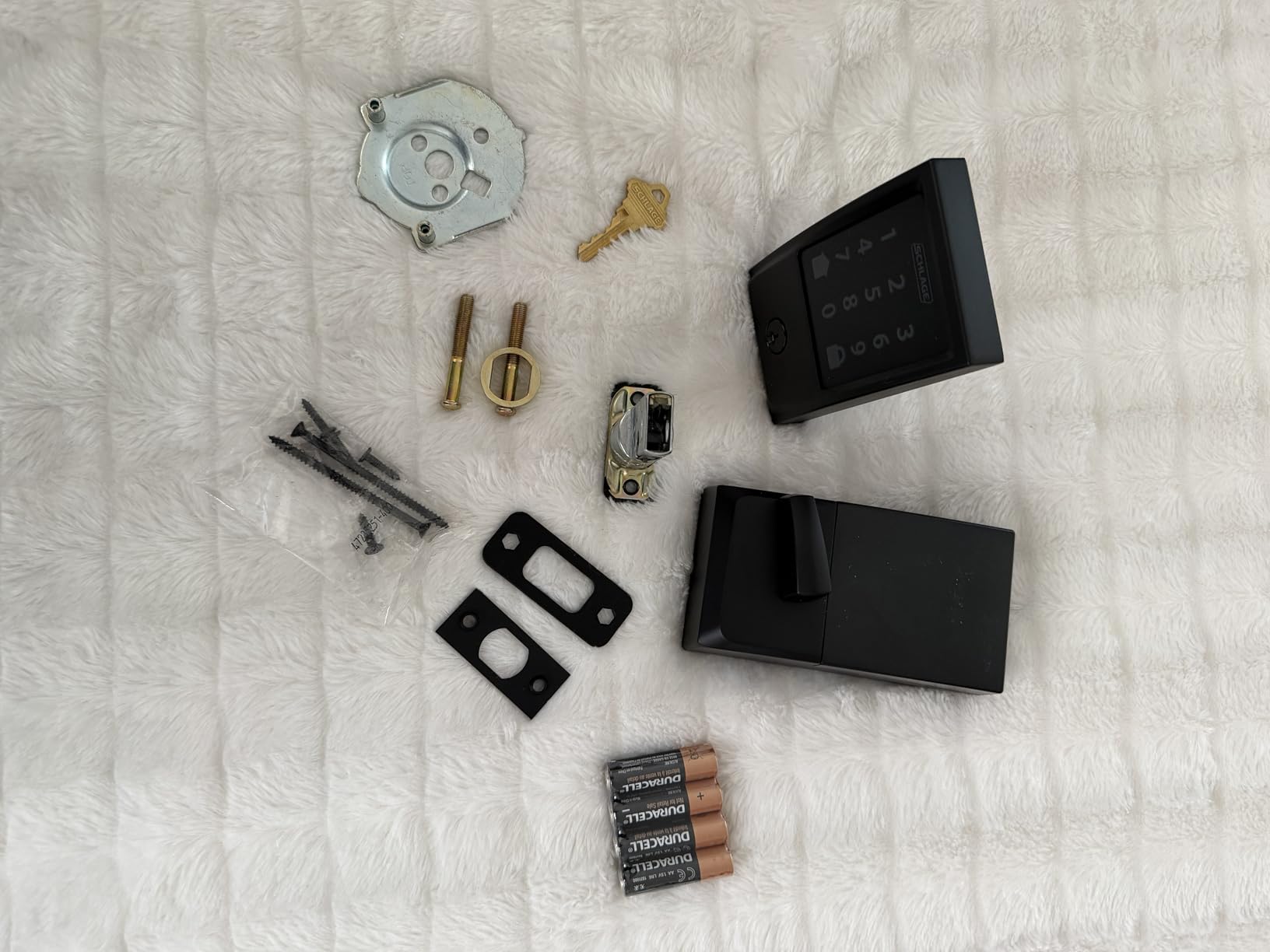
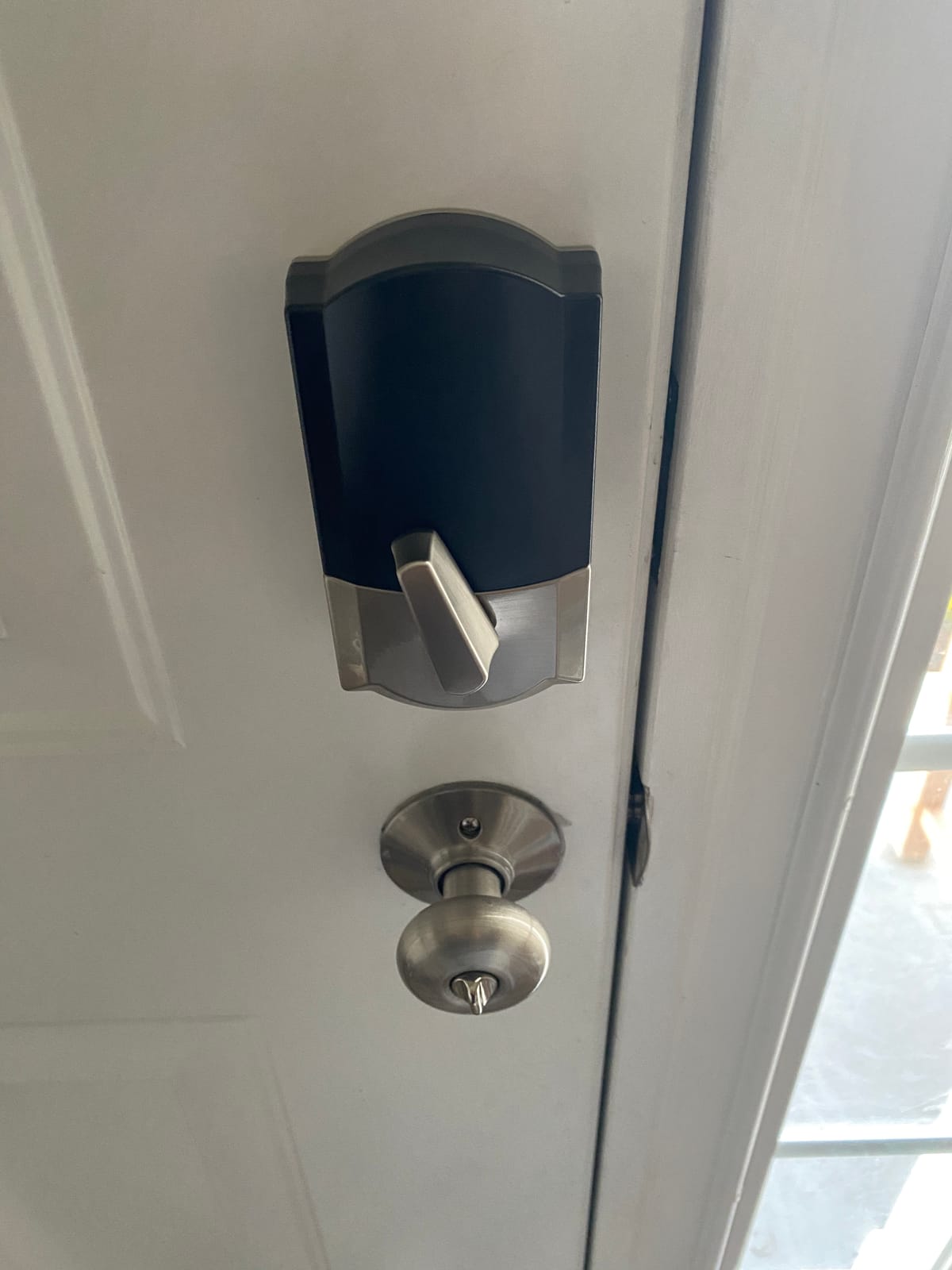
Install is genuinely a screwdriver job on a standard door between 1-3/8 and 1-3/4 inches thick, and no wiring is involved. That matters in older apartment stock where chasing a cable into a masonry wall is not realistic. The unit weighs 3.4 pounds and measures 0.9 by 3 by 5 inches, which is a compact profile on a narrow door.
The appliance side is hub-free, which is a real advantage over bridge-based locks. Wi-Fi is 2.4 GHz only, so if your building router broadcasts both bands, you may need to split them. Battery life is the honest weak spot: four AA cells last about six months, so you are replacing batteries roughly twice a year.
Who this lock suits
This suits a tenant whose lease allows a hardware swap, or a landlord upgrading several apartments who wants one brand across the building. It also suits anyone who will lose their mind without an access log showing exactly when the door opened.
It also works if you hand keys to a dog walker, a cleaner, or a contractor and want to revoke access from your phone instead of asking for the key back. Up to 100 codes means shared-building turnover never runs out of slots.
Where it falls short
The obstacle is landlord permission. Replacing the exterior deadbolt is a visible, permanent change to a door that the landlord owns, and many leases prohibit it outright. Ask first, and if the answer is no, this lock is off the table no matter how good it is.
There is also no Matter support here, so if your plan is Apple Home or a mixed Thread household, you are locking into the Schlage app and Alexa or Google. And the one-touch locking means a departing guest can press the pad and walk away without the door actually latching.
2. ULTRALOQ Bolt SE WiFi – the widest unlock method list here
ULTRALOQ Bolt SE Wi-Fi Smart Lock, Matter Over Thread, App Remote Access
Fingerprint and keypad
Built-in Wi-Fi and Matter over Thread
Zinc alloy IP65 body
10 minute install
Pros
- Seven unlock methods with 50 fingerprints and 50 passcodes
- Built-in 2.4 GHz Wi-Fi for hub-free remote access
- Matter over Thread support for Apple Home
- Up to 18 months of battery life
- ANSI BHMA certified IP65 zinc alloy body
Cons
- Matter features need a compatible Thread border router
- Wi-Fi is 2.4 GHz only and best within about 70 ft
- No door sensor is included
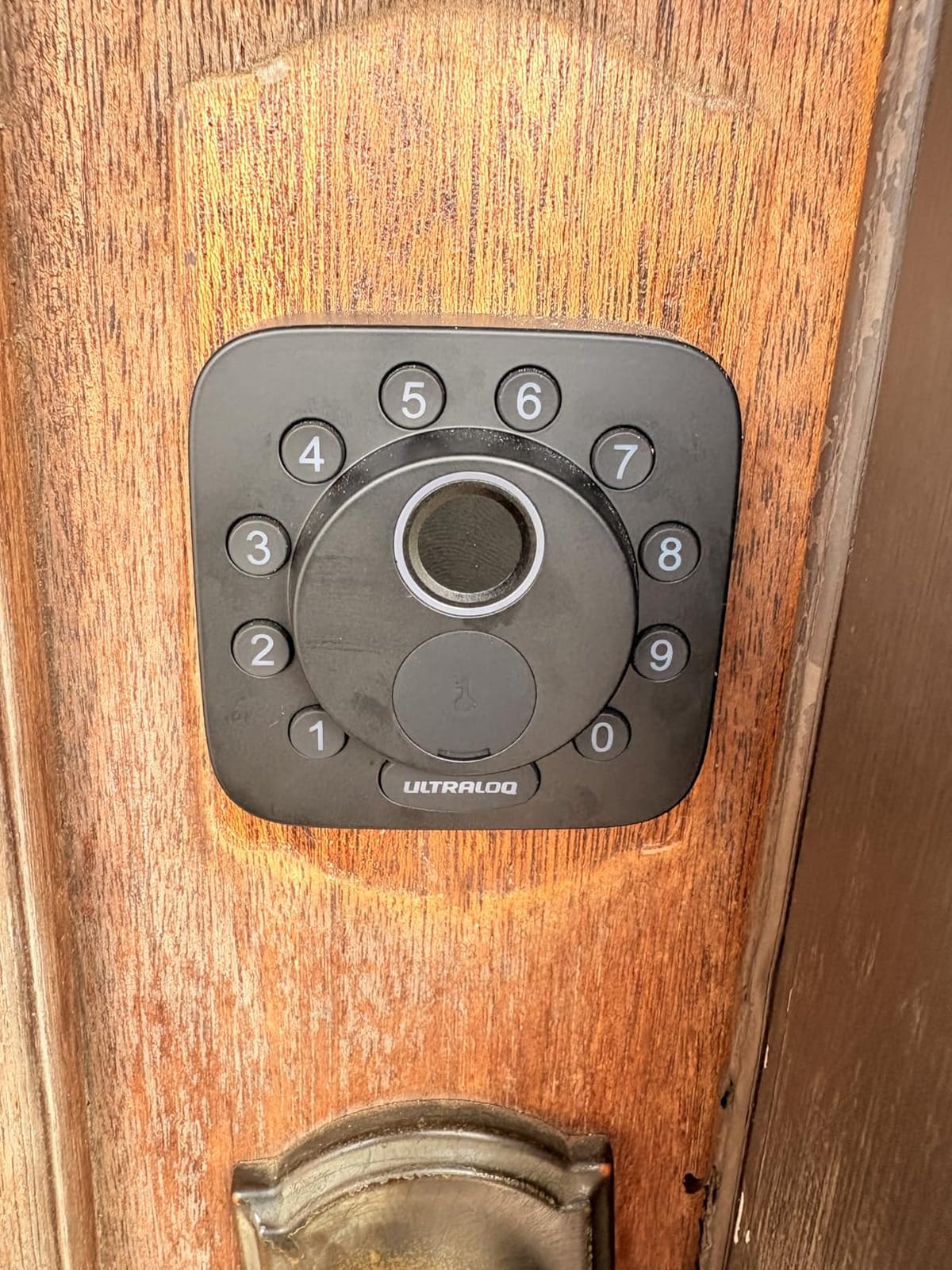
The Bolt SE is the most flexible lock in this group. Fingerprint, keypad, app, eKey sharing, voice, and two mechanical keys cover nearly every household arrangement in one unit, which matters when three people share an apartment.
At more than 10k reviews and 4.3 stars, owners single out fingerprint accuracy and battery longevity. The Matter over Thread support is the differentiator here, since Thread self-heals the mesh rather than depending on a single hub link.
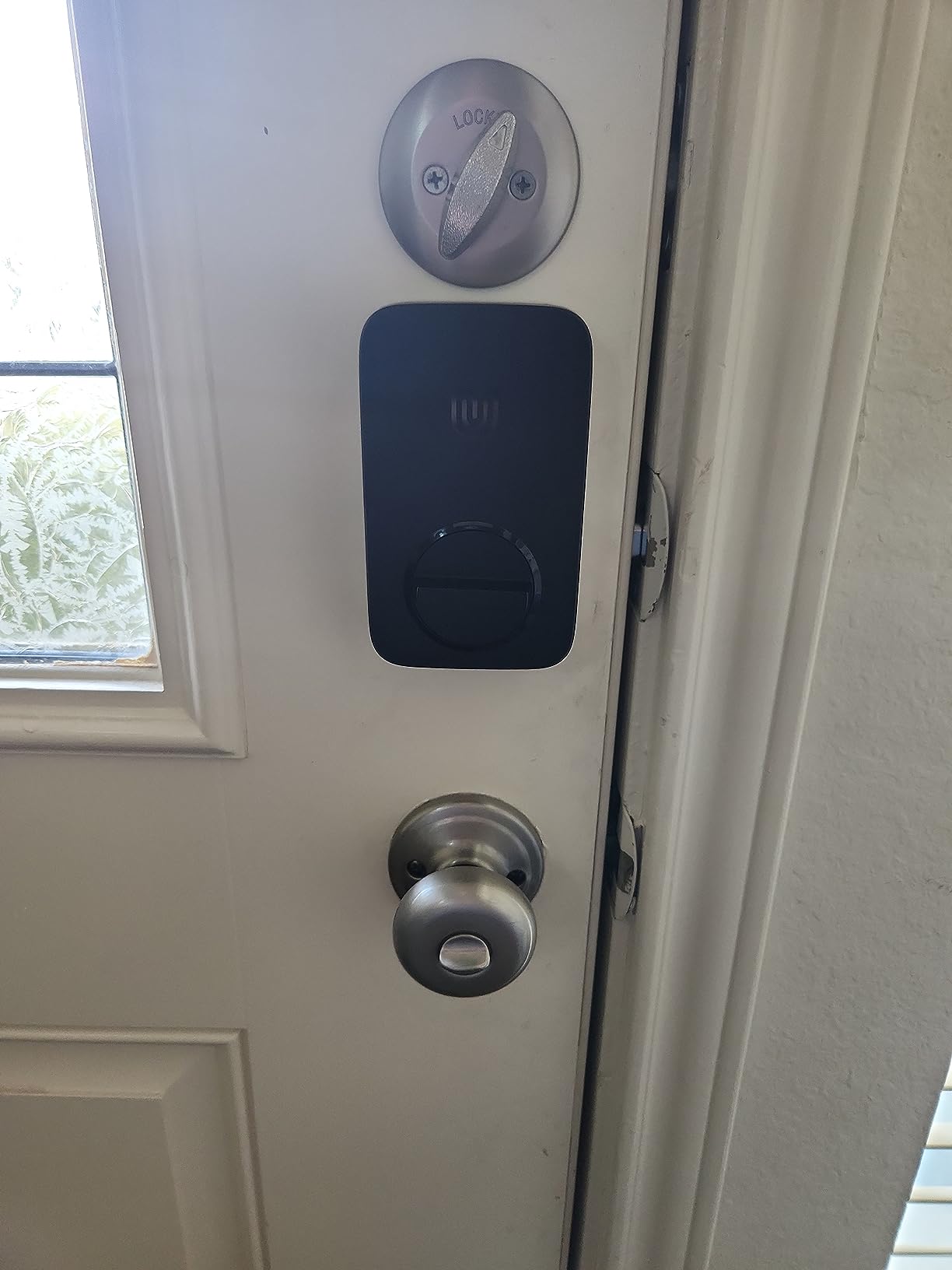
Installation is described as about 10 minutes with a screwdriver, and the zinc alloy body carries an IP65 rating with ANSI BHMA certification, so an uncovered exterior walkway is fine. Dimensions are 2.95 by 1 by 2.95 inches, one of the narrower footprints in this group, which helps on a door with a tight frame reveal.
Up to 18 months of battery life on the low-energy Thread radio is the longest claimed runtime here by a wide margin. The catch is that Matter remote access depends on having a Thread border router, so if you do not run one, you are relying on built-in Wi-Fi for remote control instead.
Who this lock suits
This suits a renter already invested in Apple Home or another Matter platform who wants to avoid buying a proprietary bridge. If you are starting from scratch with no hub at all, the Wi-Fi path still works on its own.
It also suits a household where fingerprint entry is the everyday method and the keypad is the fallback for guests. Fifty prints covers a large family or a small group of roommates without an argument about whose finger is on the reader.
Where it falls short
The missing door sensor is the real gap. Without one, auto-lock fires on a timer and cannot tell an open door from a closed one, so the app can report a locked state that is not true. If knowing that the door is genuinely shut is important to you, add a contact sensor or choose the U-Bolt below.
A smaller group of owners reports Wi-Fi dropouts and firmware update friction, and some report connectivity that needs re-pairing after a network change. Treat any smart lock as a computer that sits on your front door and needs occasional attention.
3. eufy Security Smart Lock C220 – six ways in, one hub less
eufy Security Smart Lock C220, Fingerprint Keyless Entry Door Lock
Six unlock methods
Built-in Wi-Fi with no bridge
8 AA for about 8 months
BHMA Grade 3, IP53
Pros
- Six unlock methods including sub-one-second fingerprint
- Self-learning AI recognition improves with each touch
- Built-in Wi-Fi means no bridge or hub
- Eight AA batteries deliver roughly eight months
- BHMA Grade 3 certified and IP53 rated
Cons
- Ties into the eufy ecosystem rather than Matter platforms
- Fingerprint reads can miss on dry or dirty fingers
- Thicker doors need the bore cut under 54mm
The C220 is the one we recommend for anyone who wants fingerprint entry to be the default and everything else to be backup. Six unlock methods cover fingerprint, app, keypad, physical key, Apple Watch, and voice, a broader spread than any keypad-only alternative here.
The AI fingerprint module is self-learning, so recognition improves the more you use it instead of degrading. Across more than 4k reviews at 4.3 stars, owners mention fast reads and straightforward app setup, with a recurring minority note on missed fingerprints and the closed ecosystem.
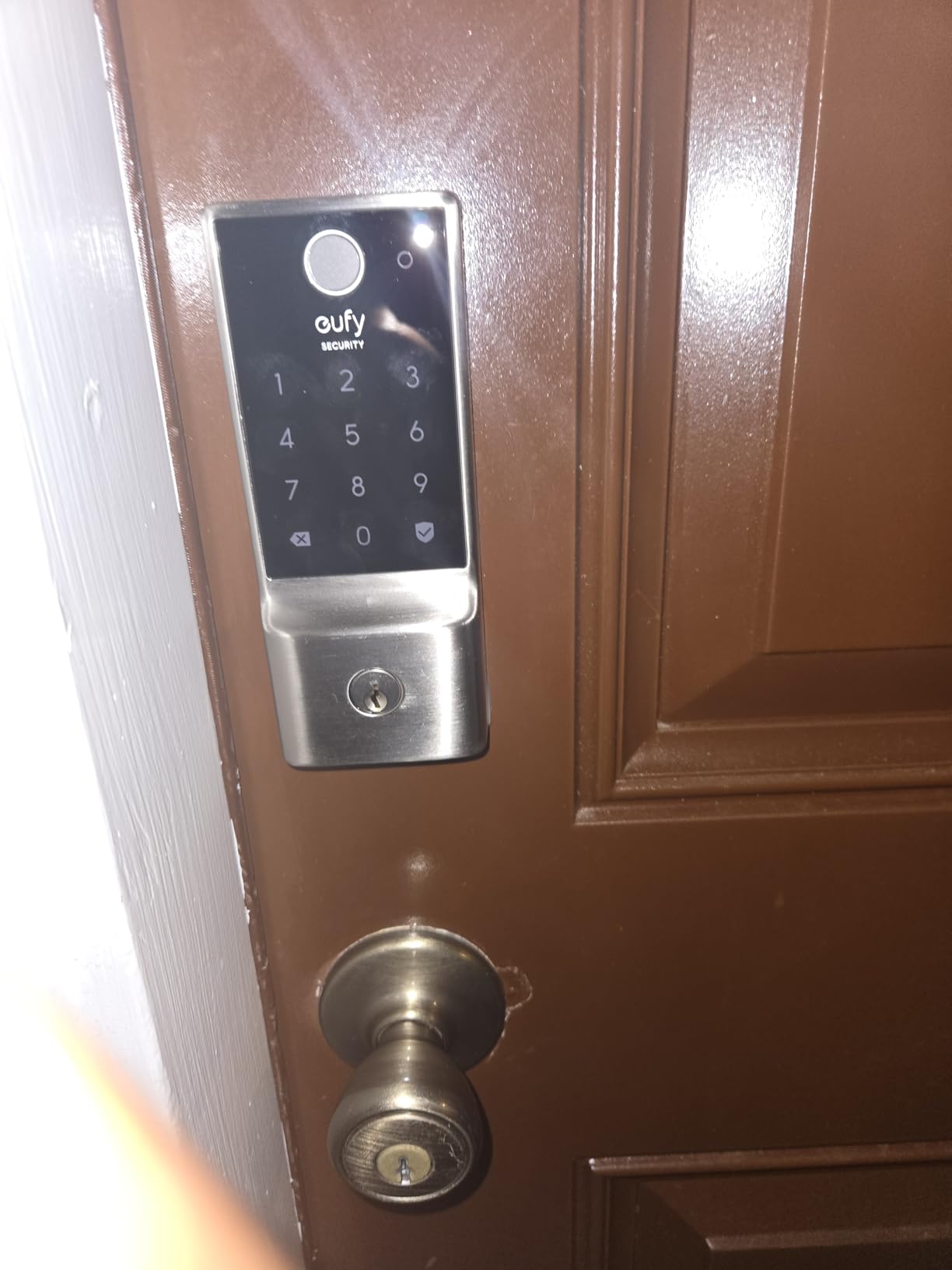
Built-in Wi-Fi removes the bridge purchase, so remote unlock works the day it is installed. Eight AA batteries give roughly eight months of operation, and the unit is BHMA Grade 3 certified and IP53 rated for an outdoor-facing apartment door.
One installation detail catches people out: the lock fits most standard deadbolts, but on some thicker doors you have to remove the spacer and trim the bore under 54mm. Measure before you start, or you may end up with a lock that does not sit flat against the door.
Who this lock suits
This suits an apartment resident who does not want a hub, an extra bridge, or a second app subscription just to let a dog walker in. It is also the pick if you already run eufy doorbells, because routines tie the lock to your existing camera feed.
Apple Watch owners get tap-to-unlock through the app ecosystem, which is convenient for a household where one person never carries a phone. For guests, the keypad plus one-time codes cover short visits without handing over anything physical.
Where it falls short
The main limitation is ecosystem lock-in. There is no Matter path here, so if you plan to move to Apple Home or a mixed platform later, this lock does not come with you.
Fingerprint accuracy can need a second attempt with dry or dirty fingers, and elderly residents with noticeably dry skin sometimes find this the deciding factor against it. If that describes someone in your household, test the reader before committing.
4. ULTRALOQ U-Bolt WiFi – the door sensor that tells you the truth
ULTRALOQ U-Bolt WiFi Smart Lock with Door Sensor, App Remote Access
Bundled door sensor
Built-in 2.4 GHz Wi-Fi
ANSI BHMA Grade 1 and IP65
Lockout Mode while travelling
Pros
- Bundled door sensor tells an open door from a closed one
- Built-in Wi-Fi for hub-free remote lock and unlock
- Works with Alexa
- Google Assistant
- SmartThings and IFTTT
- Up to 50 passcodes with one-time or scheduled access
- ANSI BHMA Grade 1 in IP65 zinc alloy
Cons
- Proximity unlock and proximity lock can be finicky
- The app is built for larger setups than a single door
- Firmware updates have been unreliable for some owners
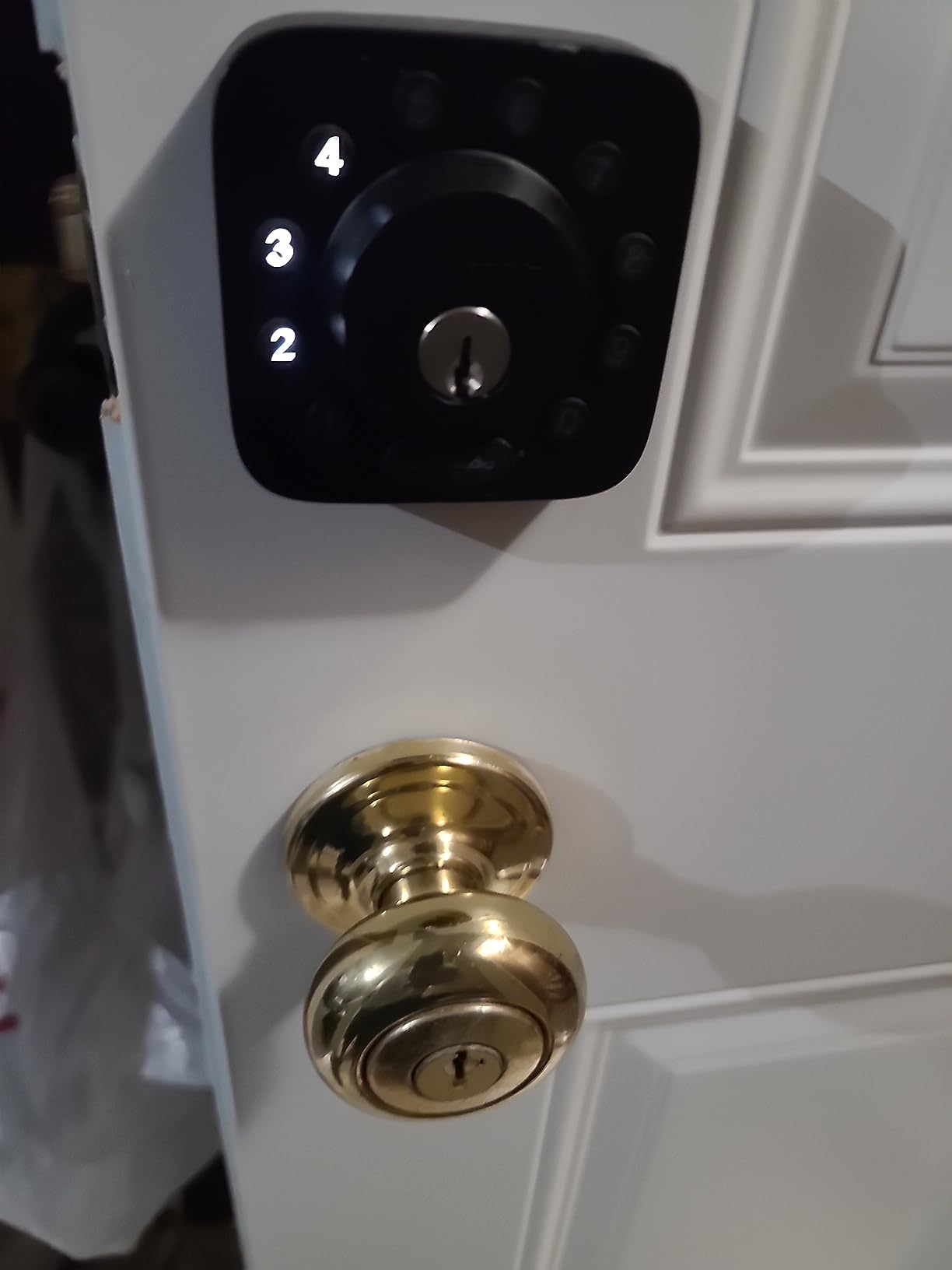
The U-Bolt is the one we recommend when your main question is whether the door is standing open. The bundled door sensor is the reason: it distinguishes an open door from a closed one, so auto-lock only fires when the door is actually shut.
That single feature changes the value of everything else in the app. Auto-unlock, door-open alerts, and entry logs all become accurate instead of approximate, which is exactly the feedback renters ask for on apartment forums.
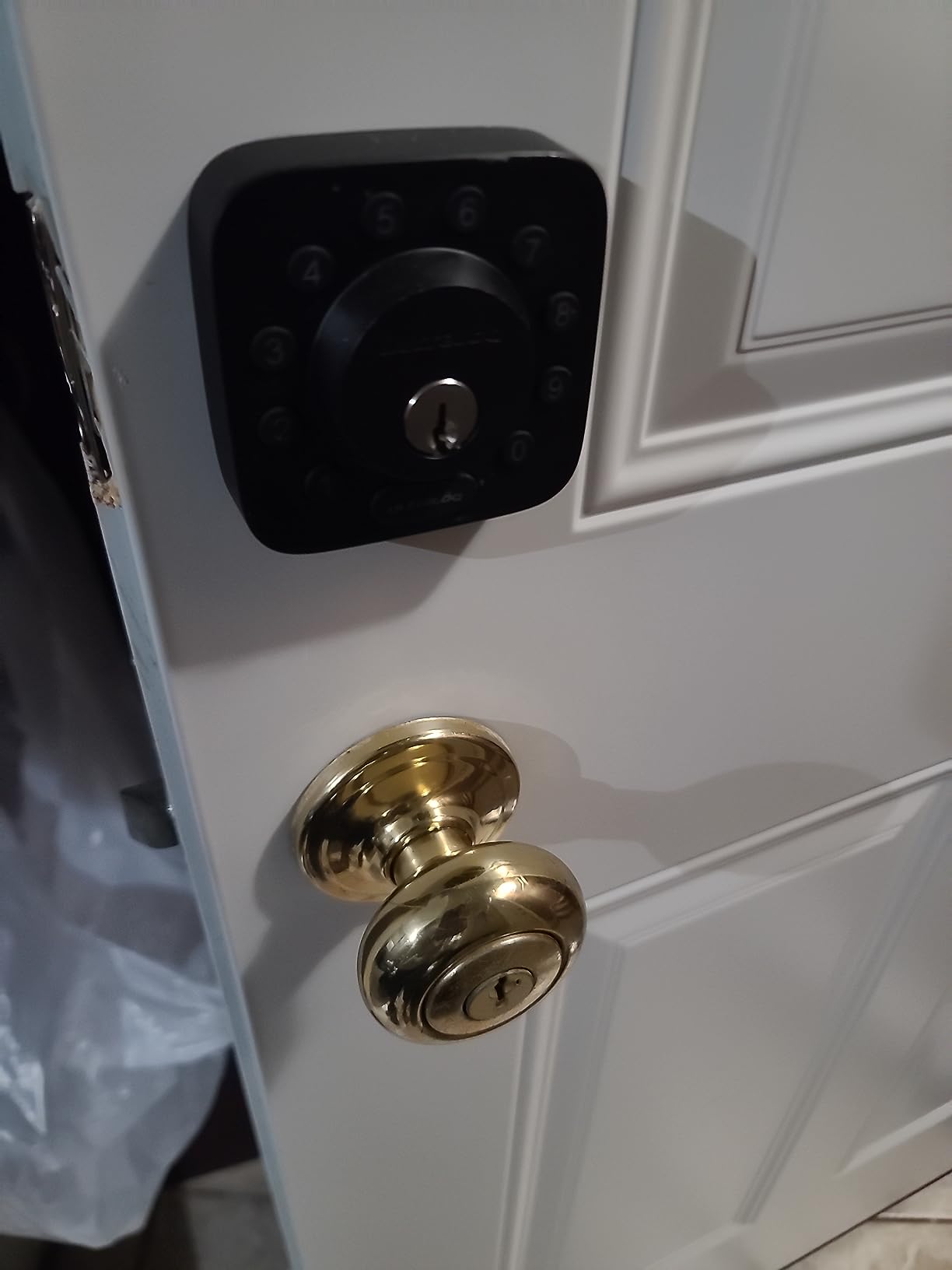
Remote access runs over built-in 2.4 GHz Wi-Fi with no bridge, and it works with Alexa, Google Assistant, SmartThings, and IFTTT. The body is ANSI BHMA Grade 1 in IP65 zinc alloy, a higher rating than most connected deadbolts carry, and it fits doors from 1-3/8 to 1-3/4 inches thick on either hinge side.
Up to 50 custom passcodes with one-time or scheduled windows is generous for a shared apartment. Lockout Mode temporarily disables electronic unlocking while you travel, so a copied code or a guest with your app cannot get in.
Who this lock suits
This suits a tenant whose biggest fear is coming home to an unlocked door, and a small landlord managing several apartments from one account. The activity log is the feature that makes multi-door oversight possible.
It also suits anyone who leaves home at odd hours. The sensor means the phone alert you get is accurate, so you can trust it enough to check a camera instead of running home.
Where it falls short
Proximity unlock and proximity lock can be finicky in daily use, and in a dense building where your phone is near the door constantly, that feature may fire at the wrong moment. We would leave it off and use the keypad or fingerprint instead.
The app is also designed for broader setups than a single apartment door, which can feel like learning more software than you asked for. There is no battery backup terminal, so if the four AA cells die while you are away, your fallback is the two included keys.
5. Tapo Smart Wi-Fi Door Lock DL110 – built for quiet night entries
Tapo Smart Wi-Fi Door Lock, Deadbolt, Fingerprint Recognition, DL110
Removable rechargeable battery
0.42 second fingerprint reads
ANSI BHMA Grade 2
Backup keys included
Pros
- Six access methods including fingerprint and Wi-Fi remote
- About one year per charge on a removable rechargeable pack
- Fingerprint recognition in 0.42 seconds for up to 100 prints
- Notably quiet deadbolt compared with competing locks
- Two Schlage-compatible backup keys and a rekeyable cylinder
Cons
- Keypad digits stay hidden until the screen is touched
- The doorbell button is easy to trigger by accident
- No Matter support and no open API for third-party hubs
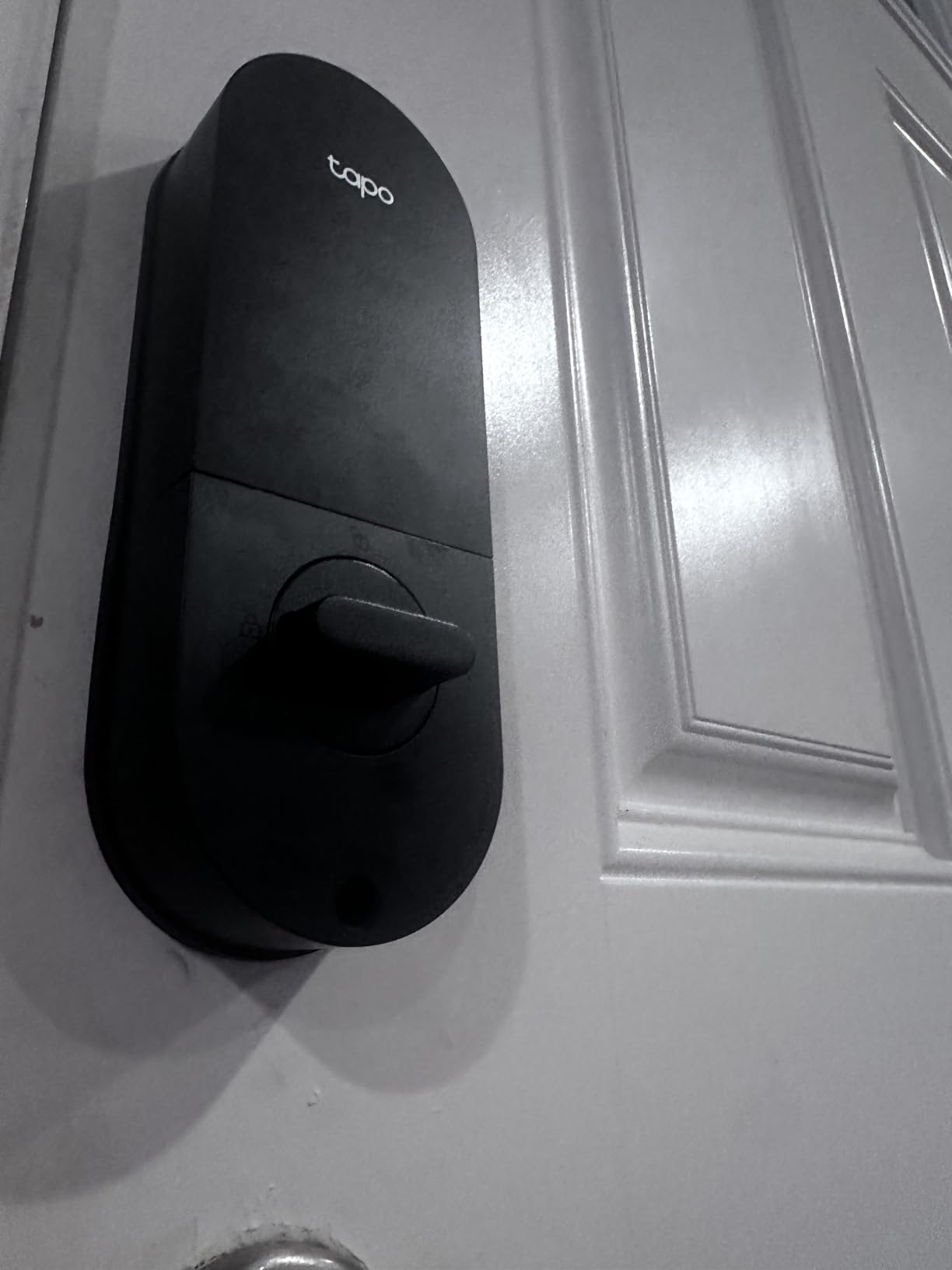
The DL110 earns its spot for one reason you feel every single night: it is quiet, and owners describe it as noticeably quieter than competing deadbolts. In a thin-walled apartment, a bolt that does not clatter when the door closes makes a bigger difference to your neighbours than any app feature.
At 4.6 stars from more than 800 reviews, this sits among the highest-rated locks we looked at, with 81 percent of reviewers giving five stars. Owners mention reliability, battery life, and quiet operation; the complaints cluster around the invisible keypad and the touchy doorbell button.
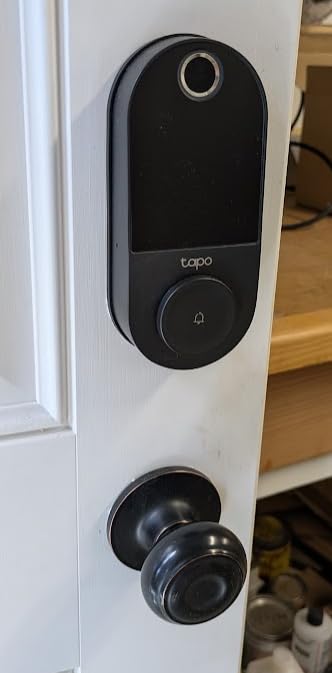
Battery handling is different here. Rather than AA cells, it uses a removable rechargeable pack that runs about a year per charge and recharges over USB-C, and the same port accepts external power if the pack goes flat.
The cylinder takes Schlage-compatible backup keys and can be rekeyed to match your other doors, so you end up with one key for the apartment. Recognition runs in 0.42 seconds and stores up to 100 fingerprints, with an ANSI BHMA Grade 2 metal body.
Who this lock suits
This suits a tenant in a building with thin walls, a night-shift worker who comes home after neighbours sleep, or anyone with a partner who is easily woken. Rubber gaskets on both sides dampen the swing as well as the bolt. If you are chasing the same problem with your stereo instead, our subwoofer picks for apartments cover the neighbour-friendly bass options.
The rekeyable cylinder is the underrated part for apartments. If you already have one key that opens your building door and your unit door, matching this cylinder means one key ring instead of a permanent jangle of mismatched blanks.
Where it falls short
The keypad digits are invisible until the screen is touched, which slows down guests entering a code in the dark. That is a genuine friction point for the dog walker or delivery person you gave a code to.
The integrated doorbell button is easy to hit by accident and generates false app notifications. There is also no Matter support and no open API for third-party hubs, so Tapo automations are limited and codes must be set per lock rather than shared across a set.
6. Veise VE017 – built for several people, not one
Veise VE017 Fingerprint Smart Door Lock with App Control, Matte Black
Per-user permissions with logs
On-device AES128 storage
About 12 months on 4 AA
USB-C emergency port
Pros
- Multi-user management with remote permission changes and activity logs
- On-device AES128 encryption instead of cloud-only credentials
- Four password modes including anti-peeping privacy code
- About 12 months of battery life with USB-C emergency power
- Fits doors 1-3/8 to 2 inches with 15 minute install
Cons
- Remote unlock and voice control need the separately sold gateway
- Four AA batteries are not included
- Fingerprint matching can need repeat registration
The VE017 stands out for how it treats credentials. Codes and entry logs are stored on the device with AES128 encryption rather than living only in a cloud account, which is a real answer for anyone nervous about handing a landlord or platform permanent access to their door history.
That matters here because of the multi-user model. In the app you can grant, change, pause, or delete access per person, and every change is logged, which is what a roommate turnover or a sublet actually requires.
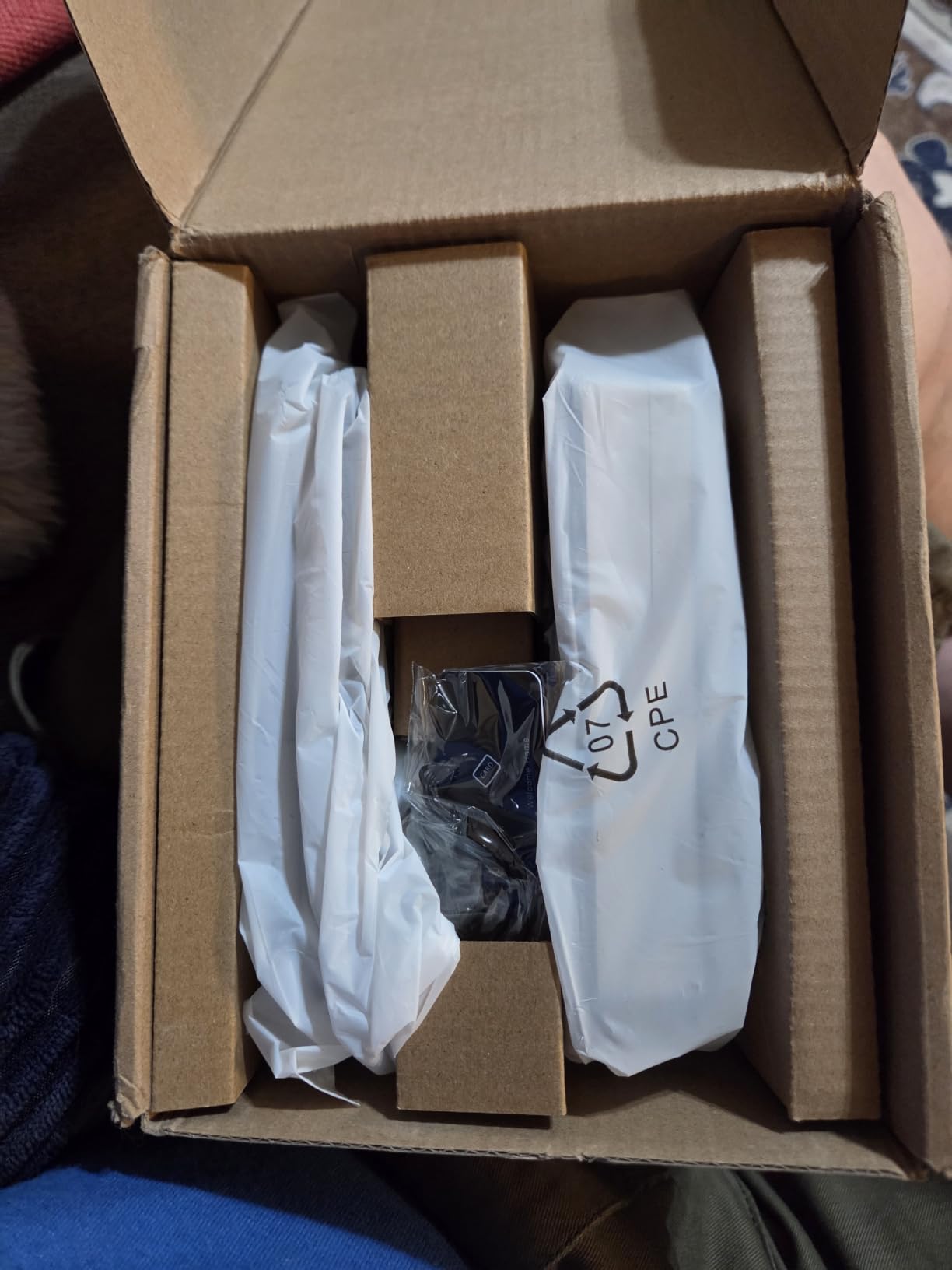
Unlock methods number eight: fingerprint, app, fob card, code, code sharing, voice, and mechanical key, plus fob and key options. The four password modes cover one-time, timed guest, permanent, and recurring codes, and an anti-peeping privacy code lets you mask the real digits on screen.
Battery life is about 12 months on four AA cells with a USB-C emergency port, and the body is rated IP55 in a temperature band from -35F to 160F. Fingerprint matching is claimed under 0.2 seconds at 99.99 percent accuracy and improves over time.
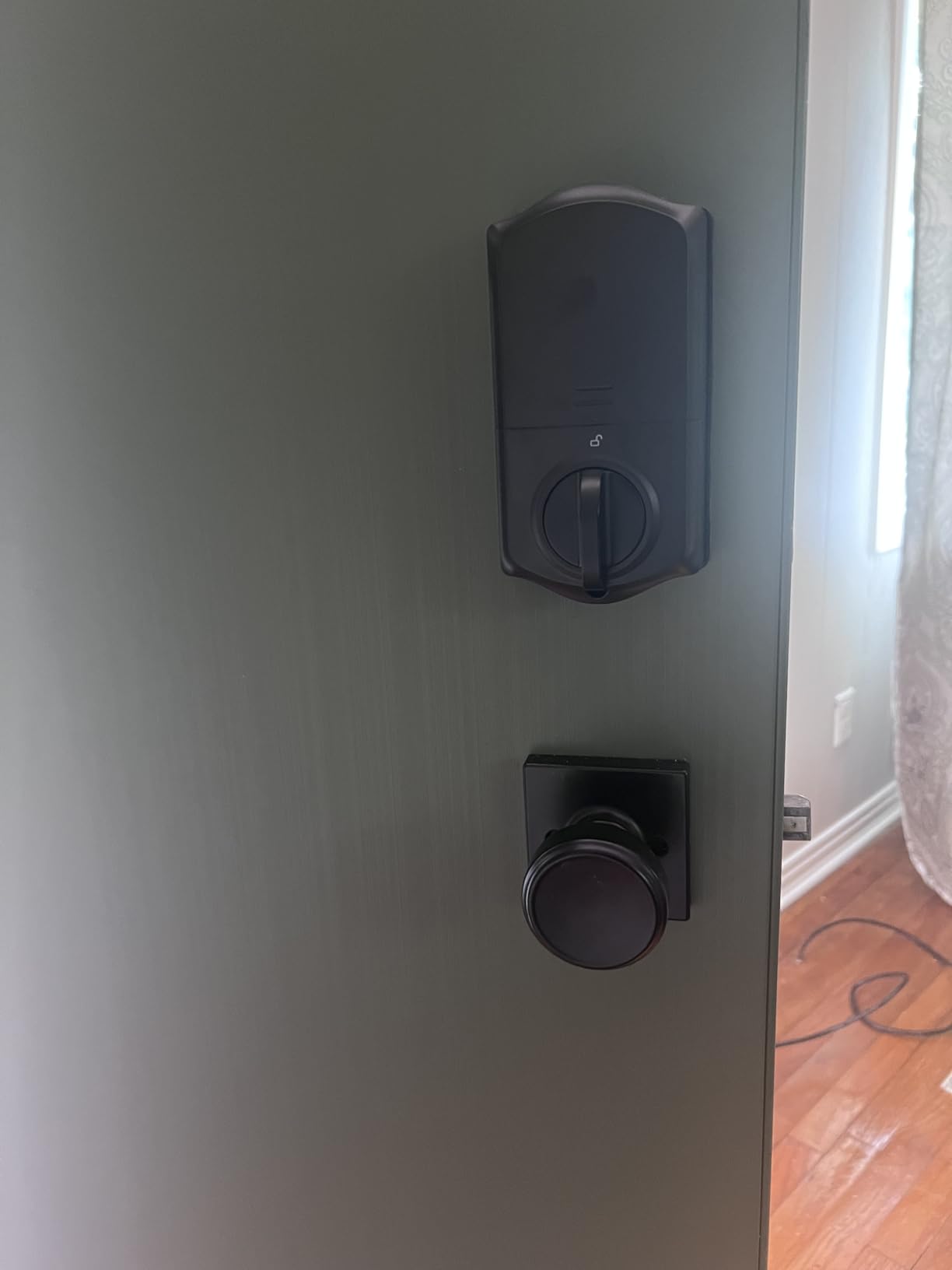
Who this lock suits
This suits a shared apartment where three or four people each need their own code and their own fingerprint, plus a cleaner or dog walker on a scheduled one. Pausing access beats reissuing keys every time a roommate moves out.
It also suits anyone who wants local credential storage, or a landlord with a handful of doors who would rather not stand up a vendor cloud account for each unit. The activity log gives you a record without handing over personal data.
Where it falls short
Remote lock and unlock from the app requires the separately sold Veise G1 gateway, and voice control needs it too. Out of the box this is a local Bluetooth lock, so budget for the gateway before you commit to remote access.
The four AA batteries are not included, and fingerprint matching occasionally needs multiple registration attempts. If fast fingerprint reads are the main reason you want a lock, test this one specifically before buying.
7. Philips Wi-Fi Smart Deadbolt – passcodes for a busy door
Philips Wi-Fi Smart Deadbolt Lock, Keyless Entry Door Locks for Front Door
Built-in 2.4 GHz Wi-Fi
Up to 100 custom passcodes
Auto-lock 10 to 180 seconds
Pros
- Built-in Wi-Fi unlocks remotely with no extra hub
- Up to 100 custom passcodes plus unlimited one-time or scheduled codes
- Five access paths including app
- fingerprint
- key and voice
- Real-time open and lock alerts with a full access history
- Away Mode disables every unlock method but the master code
Cons
- Wi-Fi is 2.4 GHz only and best within about 65 ft of the router
- Batteries are not included
- No door sensor
- so auto-lock cannot see an open door
The Philips is built around passcodes. With up to 100 custom passcodes and unlimited one-time or scheduled codes, it handles a door that genuinely sees a lot of traffic: flat shares, a home with contractors, or a roommate situation with rotating guests.
At roughly 1,100 reviews and 4.3 stars, owners value the hub-free Wi-Fi and the flexible code types. The reservation that shows up most often is the missing door sensor, which matters more than it sounds.
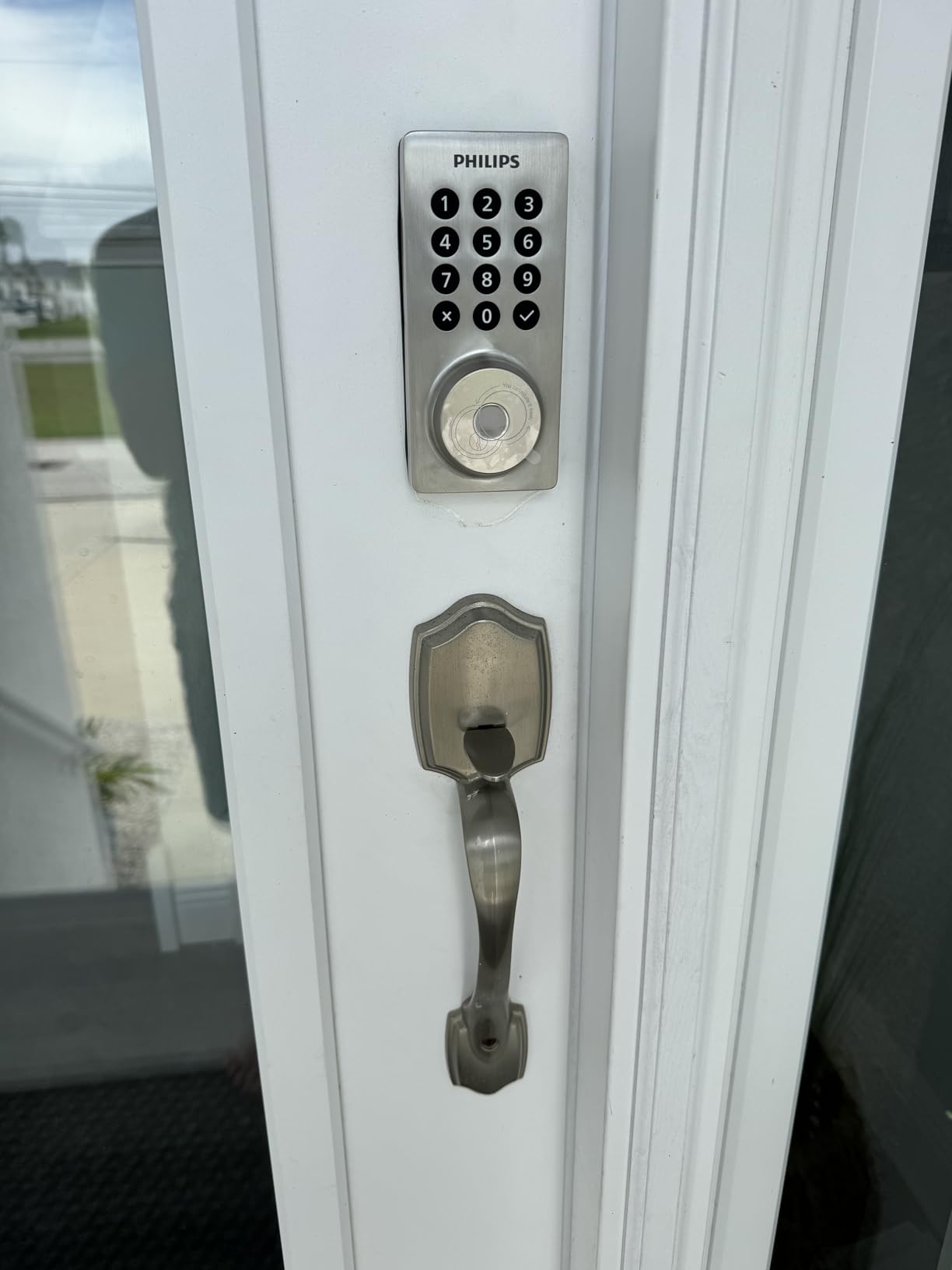
Auto-lock delay is adjustable from 10 to 180 seconds, so you can set a long delay for carrying groceries upstairs and a short one at night. Away Mode disables all unlock methods except the master code, that is a decent answer for a unit left empty between tenants.
The unit is 1.4 pounds and fits doors 1-3/8 to 2 inches thick, and installation is screwdriver-only. US-based phone support with 24/7 email is unusual at this tier and helpful when you are mid-install.
Who this lock suits
This suits a renter who expects to hand out codes more than keys, and a landlord approving a tenant upgrade because codes can be deleted rather than locks changed. It also suits anyone on a 2.4 GHz network without a hub.
Anti-peeping passwords let you enter a decoy digit sequence if someone is watching your shoulder, and one-touch fingerprint entry covers the household while codes cover everyone else.
Where it falls short
Without a door sensor, the timer-based auto-lock will engage even when the door is standing open, which produces the wrong impression about whether your apartment is secure. If that distinction matters to you, choose the U-Bolt with the sensor.
Batteries are not included, Wi-Fi is 2.4 GHz only with a suggested 65-foot range from the router, and the lock ships without a handle, so a door that needs a pull handle requires a separate purchase.
8. DESLOC B200 – near-instant fingerprint, kind to dry hands
DESLOC B200 Fingerprint Smart Door Lock, Keyless Entry Deadbolt
Sub-0.3 second fingerprint
Up to 50 prints, 12 month battery
USB-C emergency power
Pros
- Sub-0.3 second fingerprint reads storing up to 50 prints
- Self-learning recognition that works well for dry skin and elderly users
- Up to 12 months on four AA with a USB-C emergency port
- IP54 water resistance across a -22F to 158F range
- Screwdriver-only fit on most standard US doors
Cons
- Bluetooth only
- so remote app control needs the separately sold gateway
- Four AA batteries are not included
- Offered in matte black or silver only
The B200 is the lock we recommend when fingerprint entry has to work for older residents. Its self-learning recognition is reported as reliable for dry skin and elderly users, and the read speed of under 0.3 seconds is among the fastest in this roundup.
Across more than 2k reviews at 4.2 stars, 71 percent are five star. Buyers highlight the fast reads and straightforward installation, with the most common reservation being that remote control depends on buying an extra gateway.
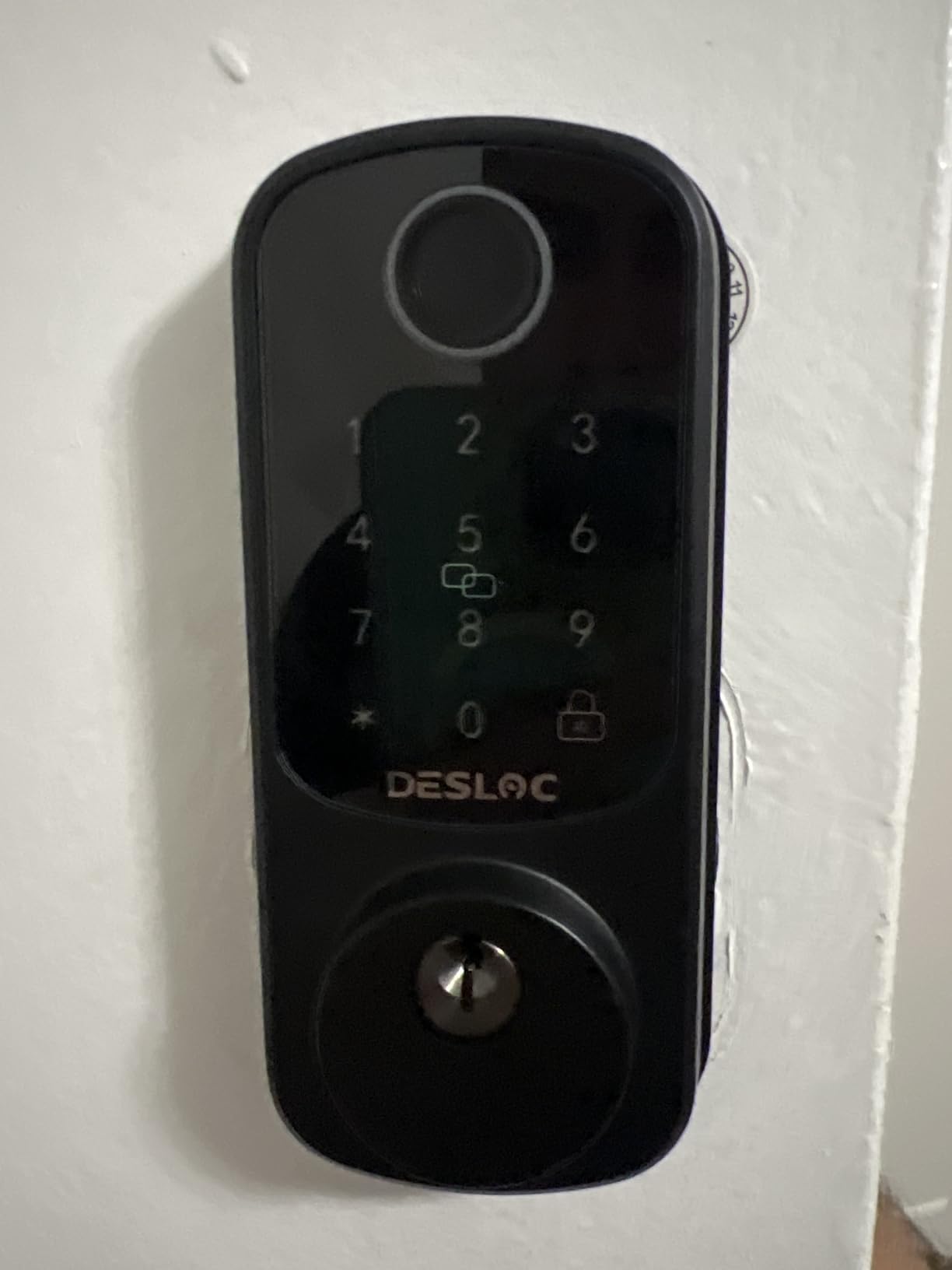
That gateway point is the deciding factor for most apartments. Without the G2 Gateway, this is a local Bluetooth lock: keypad, fingerprint, nearby app control, and mechanical keys all work, but nothing remote. If you want to unlock from your phone across town, budget for the gateway.
Scheduled and temporary codes are supported, which handles cleaners and short visits well. The body is IP54 rated from -22F to 158F with BHMA Grade 3 compliance, and it weighs just over two pounds at 7.28 by 6.3 by 3.27 inches.
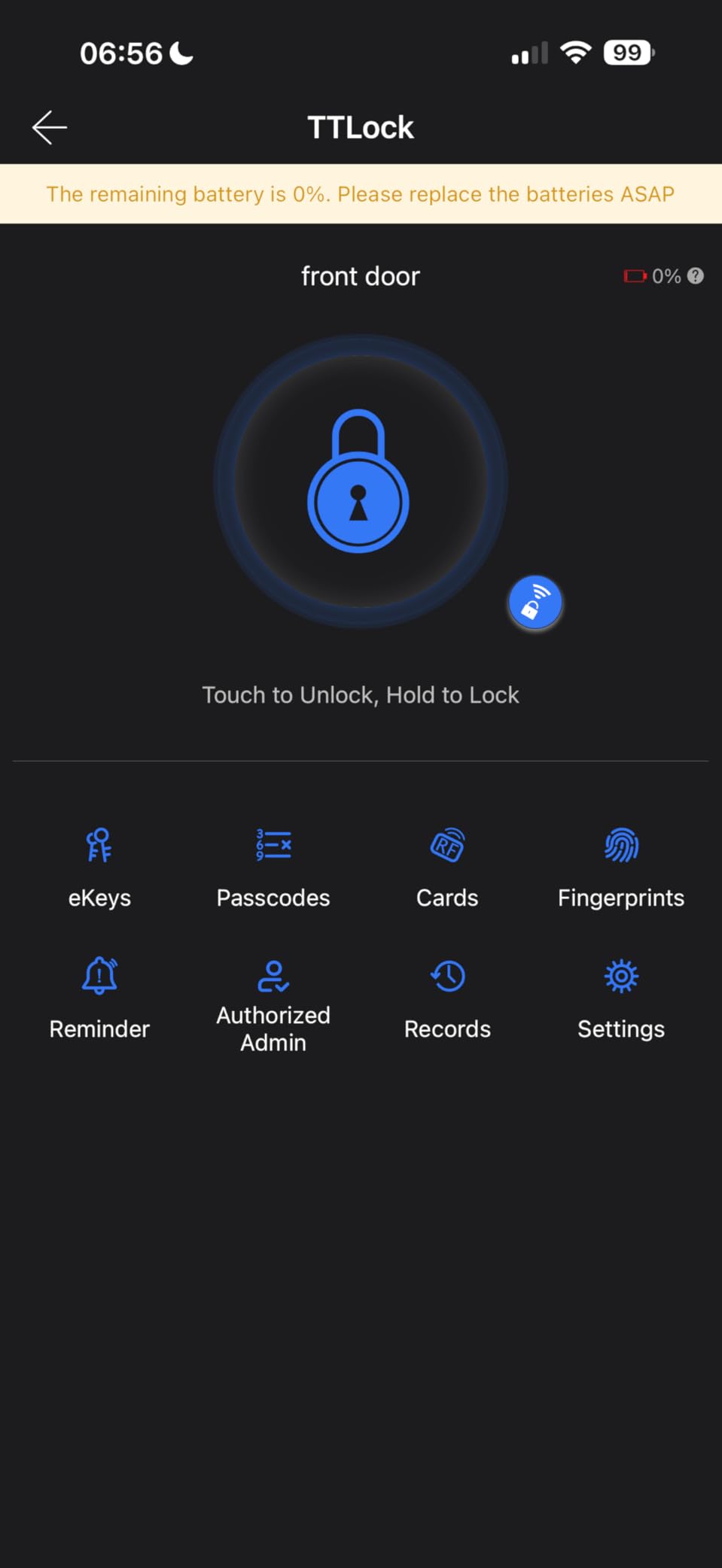
Who this lock suits
This suits a household with a parent or grandparent who needs fingerprint entry rather than a keypad, because small or dry fingers struggle with numbered touch targets. It also suits anyone who primarily needs local unlocking and can live without remote access.
If you are subletting and do not want to touch the door at all, the scheduled and temporary code options let you change access between tenants without issuing keys.
Where it falls short
Bluetooth-only connectivity is the honest limitation. Anyone expecting to be on the couch and buzz a delivery person in will be disappointed without the additional gateway purchase.
The four AA batteries are not included, and the lock is listed in only matte black or silver. The separate gateway cost also erodes much of the value that made this lock attractive in the first place, so compare the total before you buy.
9. TEEHO TE012W – built for an unheated entryway
TEEHO TE012W WiFi Fingerprint Smart Door Lock for Front Door, Satin Nickle
Built-in 2.4 GHz Wi-Fi
BHMA Grade 3 and IP55
Eight AA cells
Backlit keypad
Pros
- Connects directly to 2.4 GHz Wi-Fi with no hub
- Five unlock methods including fingerprint for 20 users
- Eight AA batteries improve capacity and Wi-Fi stability
- BHMA Grade 3 certified and IP55 rated for rain and cold
- Break-in detection locks the unit after 10 wrong PIN attempts
Cons
- Eight AA cells and some owners report faster-than-expected drain
- Alexa routines did not work reliably for one reviewer
- The interior housing feels more plastic than the exterior
The TE012W is the choice for an unheated corridor or a north-facing exterior door where cold and damp are constants. It is BHMA Grade 3 certified and IP55 rated, with a backlit keypad that stays readable in a dark stairwell.
At 4.4 stars with 76 percent five star, it punches above its weight. Owners like the fingerprint reader at this tier, the ten-minute setup, and stable Wi-Fi, and two physical backup keys are in the box.
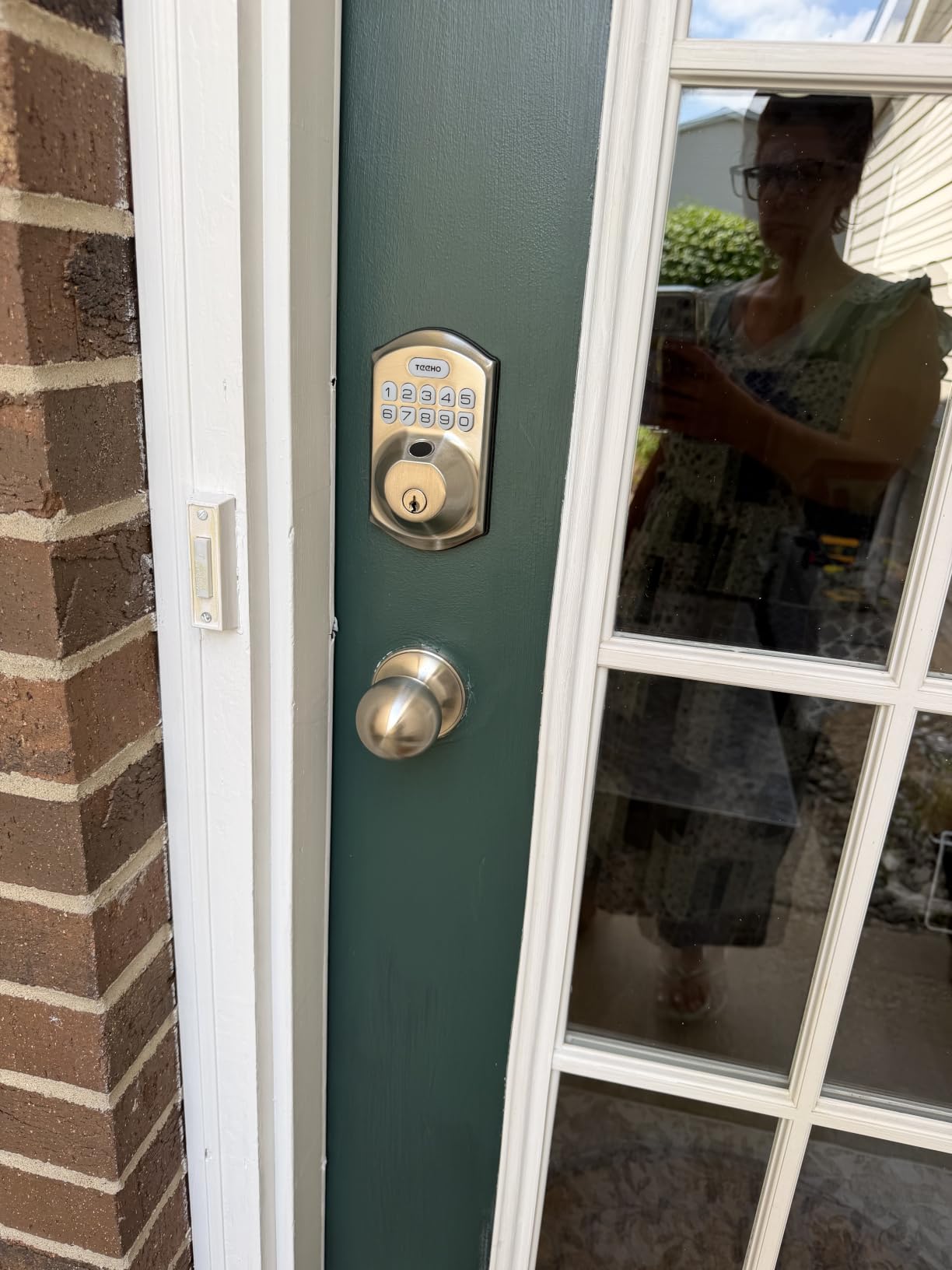
The eight-AA configuration is unusual and deliberate. Twice the battery capacity of a typical four-cell Wi-Fi lock is why owners report steadier Wi-Fi behaviour, and auto-lock is adjustable from 10 to 180 seconds in the app.
Break-in detection is a nice touch: after 10 wrong PIN attempts the unit locks itself for three minutes and sends an alert, which cuts off brute-force guessing on a shared entrance. AES-128 local data storage runs through the KK Home app.
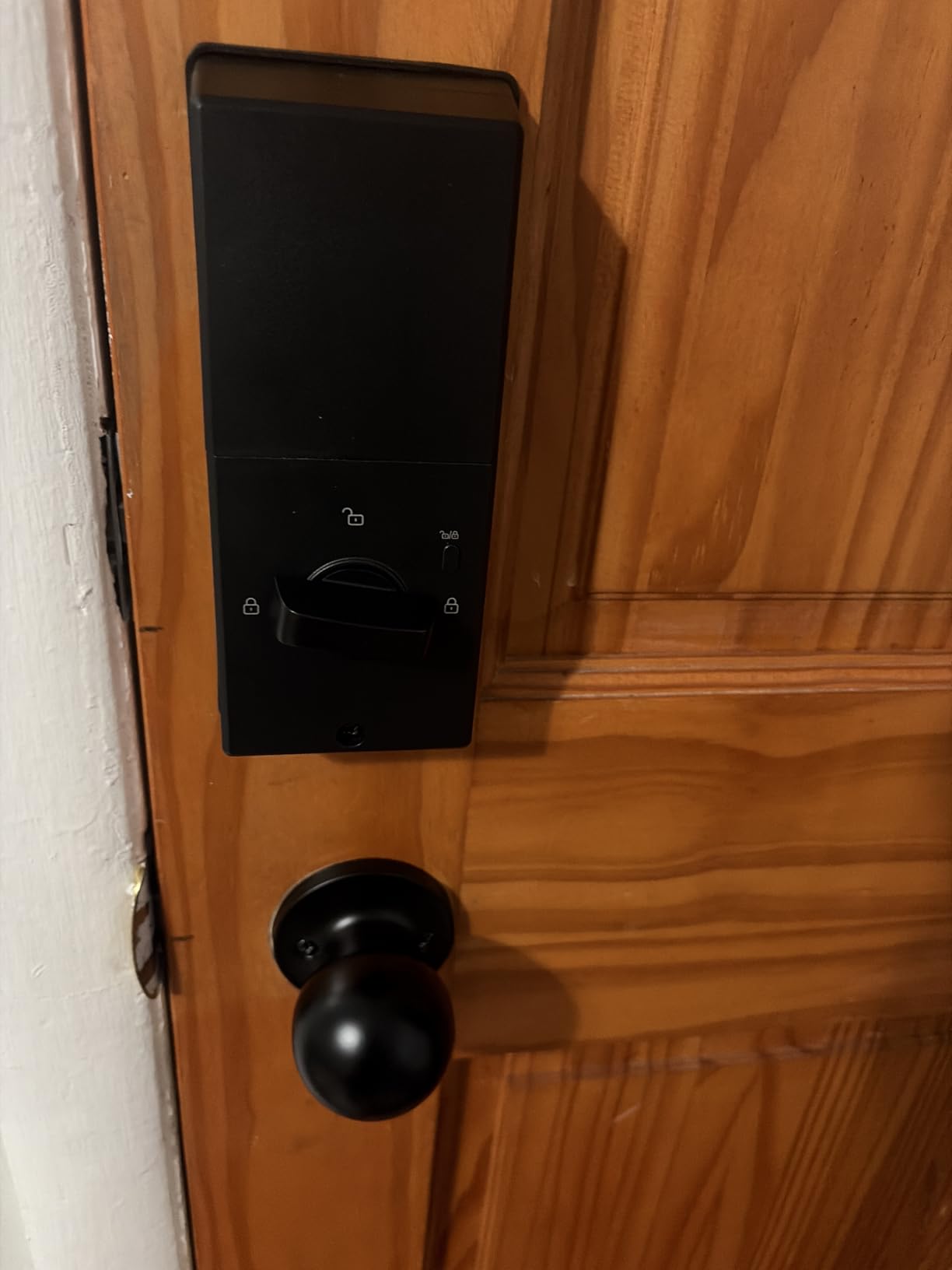
Who this lock suits
This suits residents of older buildings where the entry is a walk-up, unheated, or exposed to rain and snow, and anyone who wants a backlit keypad for arriving home in the dark. Fingerprint storage covers up to 20 users, which is plenty for a household.
Silent Mode mutes the keypad beeps for late arrivals, and Away Mode plus anti-peeping passwords handle the away period when nobody should be using your code at all.
Where it falls short
Eight batteries is more to keep on hand than four, and some owners report drain faster than expected. Factor in a six to twelve month cadence and decide whether you actually mind changing them twice a year.
Alexa routines were unreliable for at least one reviewer, so if your plan depends on voice-triggered locks, test that path first. The interior housing also feels more plastic than the exterior, which is the first thing you notice at install.
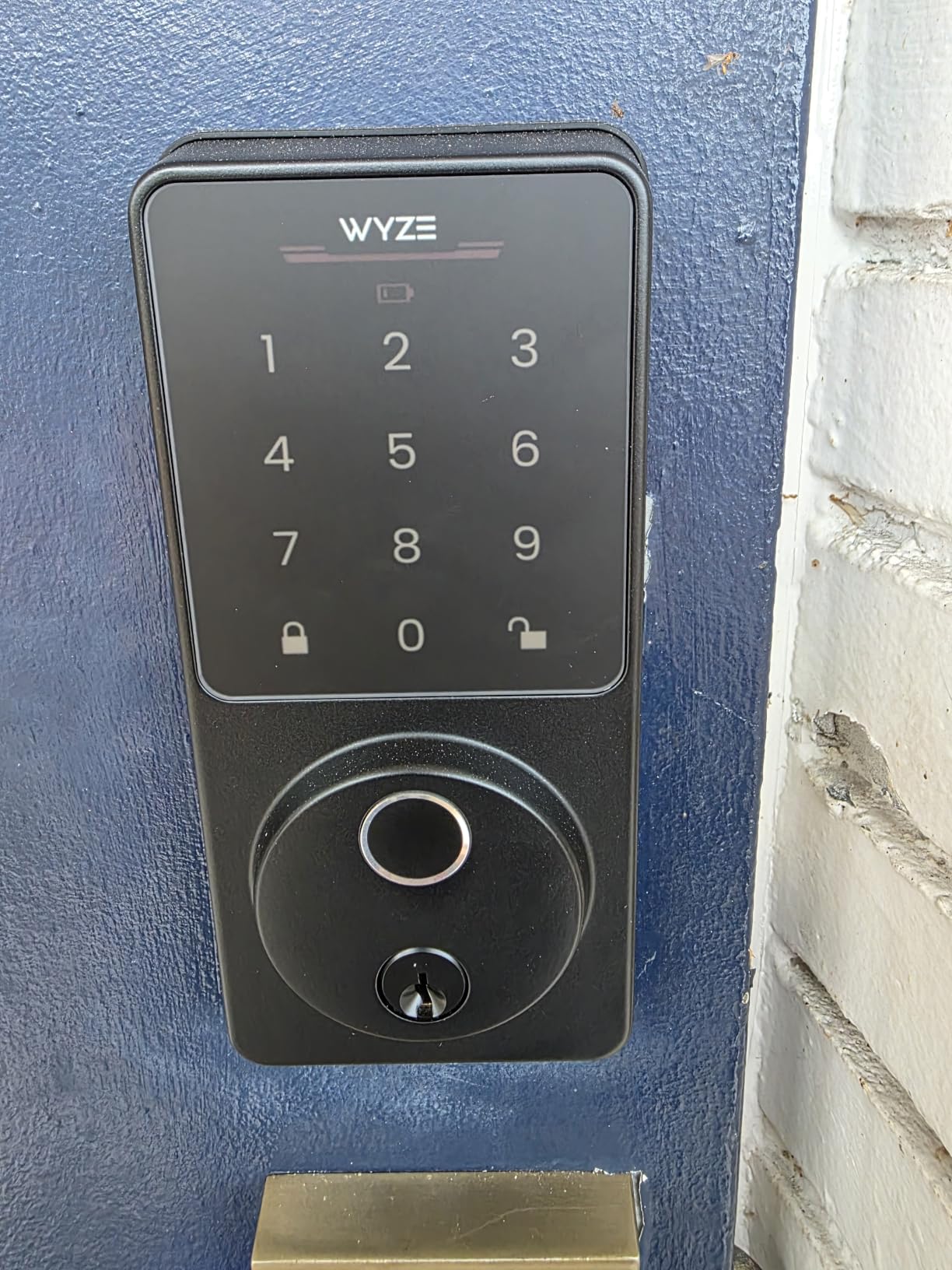
10. Wyze Auto-Lock Bolt v2 – unlock from the doorbell feed
Wyze Auto-Lock Bolt v2, Fingerprint Keyless Entry Smart Lock, AI Learning Scanner with Wi-Fi Front Door Lock Deadbolt, Auto-Lock, 8 Months Battery, BHMA2, IP53, Anti-Peep Keypad, Backup Keys
Half-second fingerprint unlock
Built-in Wi-Fi with no hub
8 AA for up to 8 months
Pros
- Fingerprint unlock in about half a second on tempered glass
- AI learning scanner that improves with each touch
- Built-in Wi-Fi for remote status with no hub
- Unlock from a Wyze Video Doorbell live feed after checking a visitor
- Eight AA batteries included for up to 8 months plus USB-C backup
Cons
- No door sensor
- so timer auto-lock can fire on an open door
- Keypad beeps are quiet and hard to hear
- The touchpad does not light up on approach
The Wyze earns its place for one workflow: check the camera, then unlock. If you own a Wyze Video Doorbell, you can see the person at the door on the live feed and unlock from the same app instead of leaning out of a window to check.
At 4.6 stars with 81 percent five star, it ties for the highest rating in this group. Owners praise a fast, smooth scanner, easy installation, good battery life, and quiet operation.
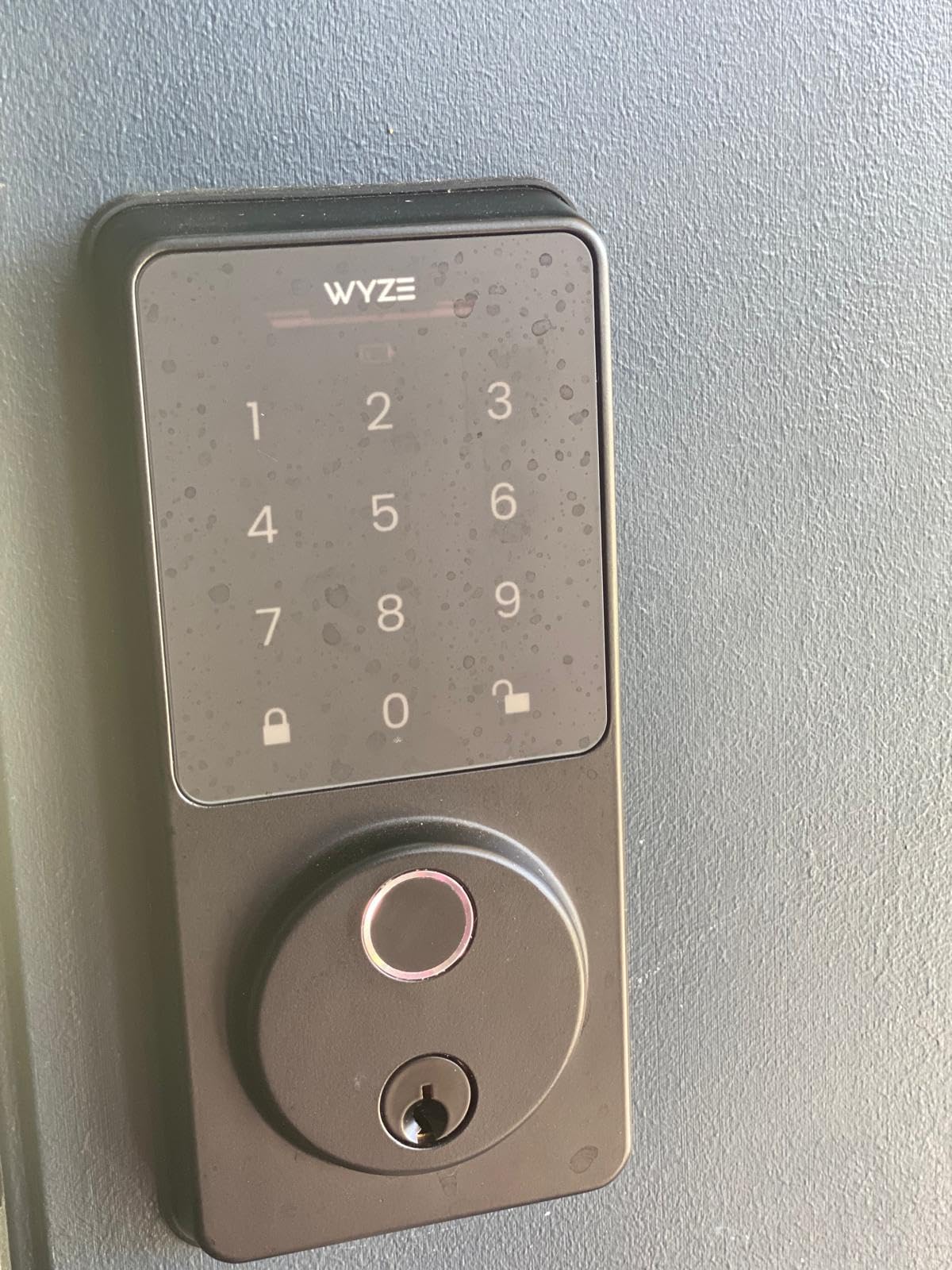
The scanner reads in about half a second on scratch- and smudge-resistant tempered glass, and the AI learning scanner adapts to each user over time. That self-learning behaviour is what keeps it accurate as a household wears in prints or a child grows.
Eight AA batteries are included and rated up to eight months, and the USB-C port accepts an ordinary power bank as emergency backup. That matters more than it sounds, since a dead battery with no spare keys is the classic lockout story.
Who this lock suits
This suits anyone already in the Wyze ecosystem, and particularly residents who want to admit a visitor without using the intercom or a code. It also suits households where a parent needs fingerprint entry and no app learning curve.
The included backup keys are a genuine safety net. Two keys, about eight months of battery, and a power bank port cover most failure modes before they turn into a call to a locksmith at midnight.
Where it falls short
There is no door sensor, so timer auto-lock will engage even when the door is standing open. For a renter whose main concern is knowing the door is secure, that ambiguity is worth taking seriously.
The keypad beeps are quiet, which is a real accessibility problem for anyone with hearing loss, and the touchpad does not light up on approach so starting in a dark hallway takes a moment. If accessibility matters in your household, check this one against a model with a backlit keypad.
Do I need my landlord’s permission to install a smart deadbolt?
Ask, and ask in writing, before you buy anything. Nearly every lease treats door hardware, keys, and the cylinder as landlord property, and the penalties for changing them without permission range from a deposit deduction to eviction in the strictest buildings. A two-line text exchange that confirms the answer is worth more than any lock on this list.
Retrofit locks that clamp onto the existing deadbolt are the easiest case to get approved, because the door and frame return to their original state in minutes. Full replacements need more convincing, since the exterior hardware changes permanently. Presenting the model number, the reversible plan, and a move-out restoration promise usually works better than asking in general terms.
A note that works: “I would like to install a smart deadbolt on my apartment door. It is a standard deadbolt replacement, I will return the original hardware at move-out, and I will provide my own key. Can you confirm this is approved in writing?” If the answer is yes, keep the reply with your lease.
If the answer is no, that is not the end of the project. A retrofit model, a lever handle instead of a deadbolt, or a lock that only changes the interior side can all work with a cautious landlord. Some buildings also have a standard approved lock model that they will install for you at no cost.
Retrofit or full replacement: check your apartment door first
Retrofit means the smart lock sits on top of the deadbolt you already have, and the existing cylinder and key stay in place. Full replacement means the deadbolt comes out and the new lock becomes the door’s only lock. Every lock in the table above is a full replacement, so if your lease is restrictive, you need to shop a different category.
Check your door type in four steps. Look at the edge of the door for a single round deadbolt cylinder, which means standard deadbolt and most locks will fit. Then measure door thickness, where most models accept 1-3/8 to 2 inches. Next measure the distance from the door edge to the cylinder, which should be 2-3/8 or 2-3/4 inches. Finally check the bore diameter, normally 2-1/8 inches.
If you find a rectangular steel case instead of a round cylinder, that is a mortise lock and most consumer smart deadbolts will not fit without adapters or a full replacement. Multipoint hardware on French or patio doors needs its own category of product entirely. Older pre-1970 apartment stock hits mortise more often than new construction, which is why we recommend measuring before ordering.
The one-sided deadbolt question comes up for tenants who want an interior-only change with nothing visible from outside. Those products exist, but they are a small category, and their key backup usually works only from the inside. Know which problem you are solving before you shop.
Connectivity: built-in Wi-Fi, a bridge, or Matter over Thread
Built-in Wi-Fi means the lock talks to your router directly, so remote unlock works with nothing else to buy. That is the simplest setup and the one we recommend for most apartments, especially where your router may sit far from the door. All of these locks are 2.4 GHz only, and a few specify a range of 65 to 70 feet from the router.
A bridge or hub sits between the lock and your network over Bluetooth or Z-Wave. It adds a device, a power outlet, and another ecosystem to maintain, but it often gives you a stronger radio link to the lock than Wi-Fi alone in a thick-walled building.
Matter over Thread is the newer path. The radio builds a self-healing mesh across your home rather than reaching one hub, and it works with Apple Home, Alexa, Google, and SmartThings through the Matter standard. The catch is that a Thread border router must exist somewhere in your network, and the lock must offer Matter as well as Wi-Fi. Check both before you buy, since some models force the choice.
One honest note about apartment Wi-Fi: many buildings hand out shared wireless on a network that is managed by property management, sometimes with client isolation that blocks device-to-device traffic. If your lock cannot reach a personal 2.4 GHz network, remote access will not work at all. Test it before you commit.
What actually goes wrong: batteries, outages, and auto-unlock
Batteries are the most common failure. Claimed runtimes here span from about six months on four AA cells up to around eighteen months on a low-energy Thread radio, so check alerts rather than assuming. Every lock in this roundup includes at least one mechanical key, and several accept a USB-C power bank as emergency power. Keep a key somewhere other than your bag.
Outages are usually fine. Keypad, fingerprint, and mechanical key entry all work on the lock itself, so a Wi-Fi outage removes remote access but not the ability to get in. What you lose is the alert when the door opens, which is often the feature you wanted most.
Auto-unlock geofencing is where apartment living gets difficult. In dense buildings, GPS drift and neighbouring towers cause delayed or false triggers, and a lock that unlocks because you are two blocks away is worse than one that never auto-unlocks. We recommend turning geofencing off in a high-rise and using fingerprint or keypad instead.
Hacking risk is real but narrow. The weak point is a reused or weak master PIN more than the radio itself, which is why locks with a privacy screen, an anti-peeping entry mode, and lockout after failed attempts matter more than the brand name. Change the master code at move-out.
Move-out removal checklist that protects your deposit
Document the door before you touch anything. Photograph the exterior, the interior, the strike plate, and the original key, so you have a dated record of the starting condition. Without photos, arguing a deposit deduction is guesswork.
Save your codes, delete the lock from the app, and factory-reset it before you hand back the keys. A leftover account with a live credential on the building’s door is a problem for whoever moves in next, and it can cost you more than the lock cost you.
Reinstall the original deadbolt, cylinder, and strike, and rekey the cylinder so the old keys no longer open the door. If your lease required the original hardware, returning the landlord’s own cylinder avoids the argument entirely.
Finally, take your own photos after removal and send them to your landlord the same day. A short written handover closes out the record, and most disputes we hear about come down to nobody documenting anything at all.
Who should skip a smart deadbolt entirely
Skip it if your building door is a shared lobby or package-room entrance wired into the tenant intercom. That hardware belongs to the building, and consumer locks will not integrate with it. Your problem there is access to your building, not your unit door.
Skip it if your lease forbids hardware changes and no retrofit lock will do the job. Forcing a full replacement risks your deposit, and a lock you have to remove under time pressure is a lock you did not need. Buildings that restrict cooking or odours outright also limit what you can install indoors, which is why we keep a separate guide to electric smokers for apartments for tenants who smoke but cannot vent.
Also skip it if you cannot accept any electronic failure mode. A traditional deadbolt with two keyed copies held in different places has no battery, no network, and no firmware. For a back door in a building with good foot traffic control, that is still a defensible choice, and pairing it with a camera on the other side of the hall covers the awareness gap.
Frequently Asked Questions
Can I put a smart lock on my apartment?
Usually yes, but only a retrofit lock that mounts over the deadbolt you already own will pass most lease rules, because it leaves no permanent change to the door or frame. A full deadbolt replacement alters hardware the landlord owns, so get written permission before you buy. Ask early, keep the reply with your lease, and plan to restore the original cylinder at move-out.
What is the best smart lock for an apartment building?
For an in-unit door the Schlage Encode Smart WiFi Deadbolt is the strongest overall choice, because it combines built-in Wi-Fi with a full mechanical deadbolt and a brand landlords recognise. If your lease forbids hardware changes, a retrofit model is the only realistic option. For a shared building entrance, do not attempt a consumer lock at all since that door is wired into the building intercom.
Can you have a smart lock without a deadbolt?
Yes. Lever handles and retrofit cylinders both work as smart locks without a separate deadbolt body, which is useful on doors that take a mortise or multipoint lock instead of a standard cylinder. A one-sided deadbolt also exists for tenants who cannot change exterior hardware, though its key backup usually works only from inside the apartment.
Do smart locks work when the internet is down?
Yes. Keypad, fingerprint, and physical key entry all run on the lock itself, so a Wi-Fi outage does not stop you getting in. What you lose is remote unlock and open-door notifications. That is why every lock in this roundup includes at least one non-network entry method, and why keeping a physical key somewhere other than your bag is worth the habit.
What happens when the smart lock battery dies?
Most locks send a low-battery alert to the app weeks before the cells run out, and several accept a USB-C power bank or an external backup terminal so you can enter immediately rather than waiting for a new battery. Every lock reviewed here ships with at least one mechanical key. Batteries are a consumable cost, not a one-off, so check alerts instead of assuming.
Can I retrofit a smart lock to an existing mortise lock?
Rarely with consumer hardware. Mortise locks use a rectangular steel case inside the door rather than a round cylinder, and most smart deadbolts expect a standard bore with a 2-1/8 inch hole. Measure first, look for a rectangular case on the door edge, and if you find one, plan on a lever-style smart lock or a full replacement rather than a clamp-on retrofit.
Can smart locks be hacked?
The practical risk is credential compromise rather than a radio exploit. A reused or weak master PIN is the common failure, so change it from the factory default and avoid codes tied to birthdays. Locks with an anti-peeping privacy screen, lockout after repeated failed attempts, and on-device encrypted storage, such as the Veise VE017, narrow the exposure further.
The bottom line for apartment dwellers
The best smart deadbolts for apartments are the ones you can install, remove, and live with. Our pick is the Schlage Encode Smart WiFi Deadbolt, because hub-free Wi-Fi, a mechanical deadbolt, and a recognised brand name make it the easiest lock to get approved and the easiest to trust at 2 a.m.
If your lease is strict, step away from full replacements and buy a retrofit lock instead. If fingerprints matter most, the eufy C220 or ULTRALOQ Bolt SE give you more ways in than any keypad-only alternative. Whatever you choose, get permission in writing, test it before the tenant changes, and photograph the door on day one.
Pairing a smart deadbolt with the rest of your renter setup, like one of our smart fitness mirrors rated for small apartments, is easier than most people expect. One device, one app, and a key you never hand out.