
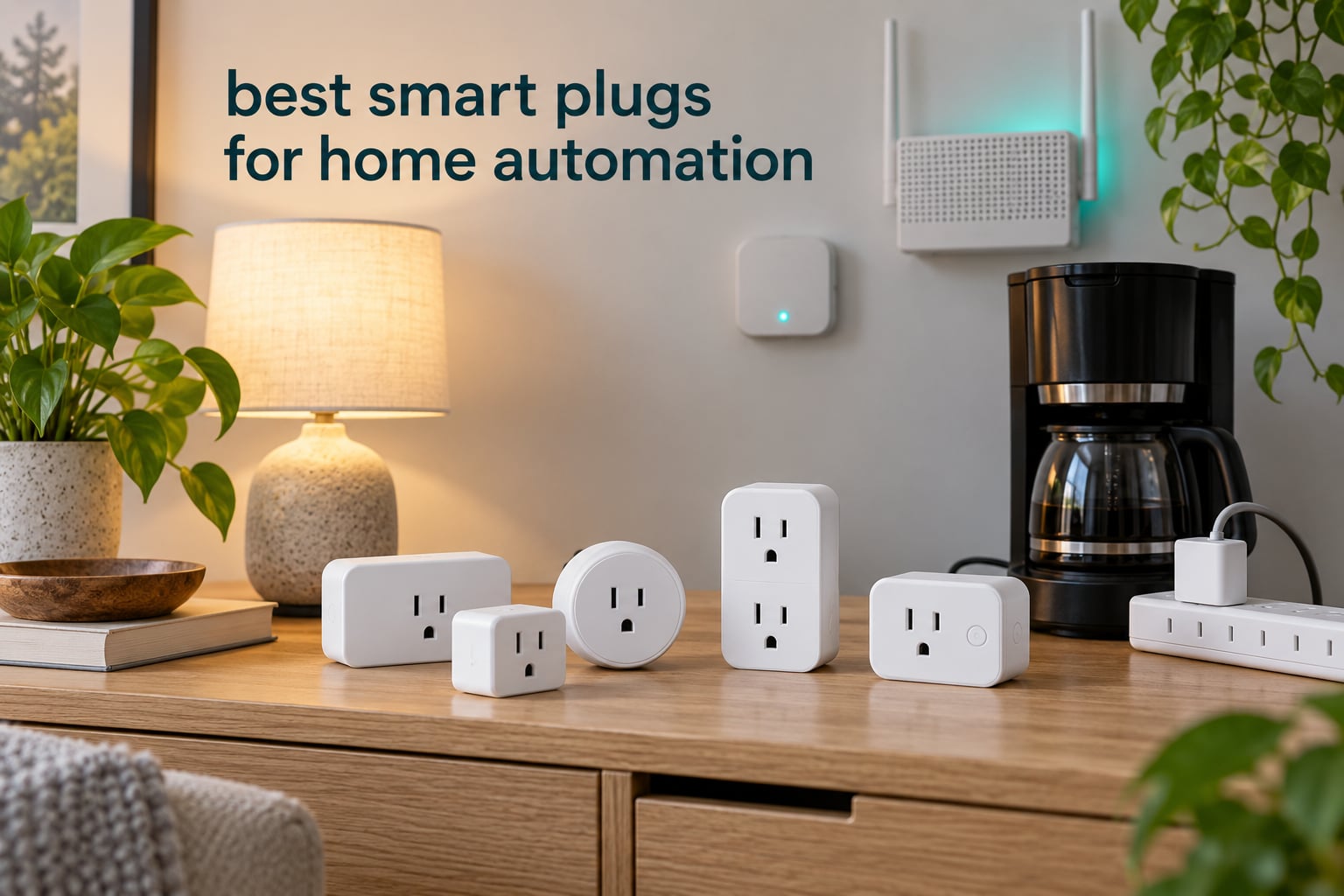
A smart plug is the fastest way to automate a home without touching the wiring, and the best smart plugs for home automation in 2026 fall into two very different groups. mainstream Wi-Fi and Matter plugs that pair with a phone and work in minutes, and mesh-based plugs that report accurate power readings and keep working when your internet does not. If you want the single best starting point, the Amazon Smart Plug is the one we would buy first, because more than half a million owners rate it 4.7 stars and it re-joins the network on its own after a power cut. If energy data or local control is the priority, look further down the list at the Tapo P115 and the Matter-equipped Tapo P125M.
We assembled this roundup around ten plugs that cover the situations people actually run into: a lamp in a crowded power strip, a coffee maker you want to cut off automatically, a rental where rewiring is not an option, and an outdoor string of holiday lights. Each pick below carries its real load rating, protocol, warranty length and known drawbacks, taken from the manufacturer data and owner reviews, so you can match a plug to the job before you commit.
Three things shaped our final list more than anything else. The first is reliability over a long ownership period rather than a first-week impression. The second is whether the plug keeps working locally, because a cloud-only plug stops responding the moment a vendor changes its servers. The third is honest energy metering, which is what makes a plug useful for cutting phantom standby draw rather than just switching a lamp on. If you are still building out the rest of your setup, our guide to the best smart home hubs explains which controller suits which protocol.
Table of Contents
Top 3 Best Smart Plug Picks for Home Automation in 2026

Amazon Smart Plug
- Works with Alexa app
- No hub required
- Compact body
- Auto-reconnects after outages

Tapo P125M Matter Mini Plug
- Matter for Apple Home and Alexa
- Local LAN control
- Compact
- UL certified
Best Smart Plugs for Home Automation at a Glance (October 2026)
| Product | Specifications | Action |
|---|---|---|
| Amazon Smart Plug |
|
Check Latest Price |
 Kasa Smart Plug HS103P2 2-Pack Kasa Smart Plug HS103P2 2-Pack |
|
Check Latest Price |
| Tapo P125M Matter Mini 3-Pack |
|
Check Latest Price |
 Philips Hue Smart Plug 2-Pack Philips Hue Smart Plug 2-Pack |
|
Check Latest Price |
 Tapo P115 4-Pack Energy Monitoring Tapo P115 4-Pack Energy Monitoring |
|
Check Latest Price |
 Govee H5086 4-Pack Energy Monitoring Govee H5086 4-Pack Energy Monitoring |
|
Check Latest Price |
 meross Smart Plug 15A 4-Pack meross Smart Plug 15A 4-Pack |
|
Check Latest Price |
 Kasa Smart Plug Ultra Mini EP10 Kasa Smart Plug Ultra Mini EP10 |
|
Check Latest Price |
 Govee Smart Plug H5083 4-Pack Govee Smart Plug H5083 4-Pack |
|
Check Latest Price |
 Amazon Basics Smart Plug 4-Pack Amazon Basics Smart Plug 4-Pack |
|
Check Latest Price |
1. Amazon Smart Plug: Best Overall for Home Automation
Amazon Smart Plug, Works with Alexa, Simple Setup, Endless Possibilities
Works with Alexa app
No hub required
Compact two-outlet design
Type B plug
Pros
- Setup in minutes with no hub
- Compact body keeps the second outlet free
- Automatic reconnection after power or Wi-Fi loss
- Timers routines and schedules
- Works with lamps fans and coffee makers
Cons
- Alexa ecosystem only with no HomeKit or Google Home
- No energy monitoring
- On and off control only
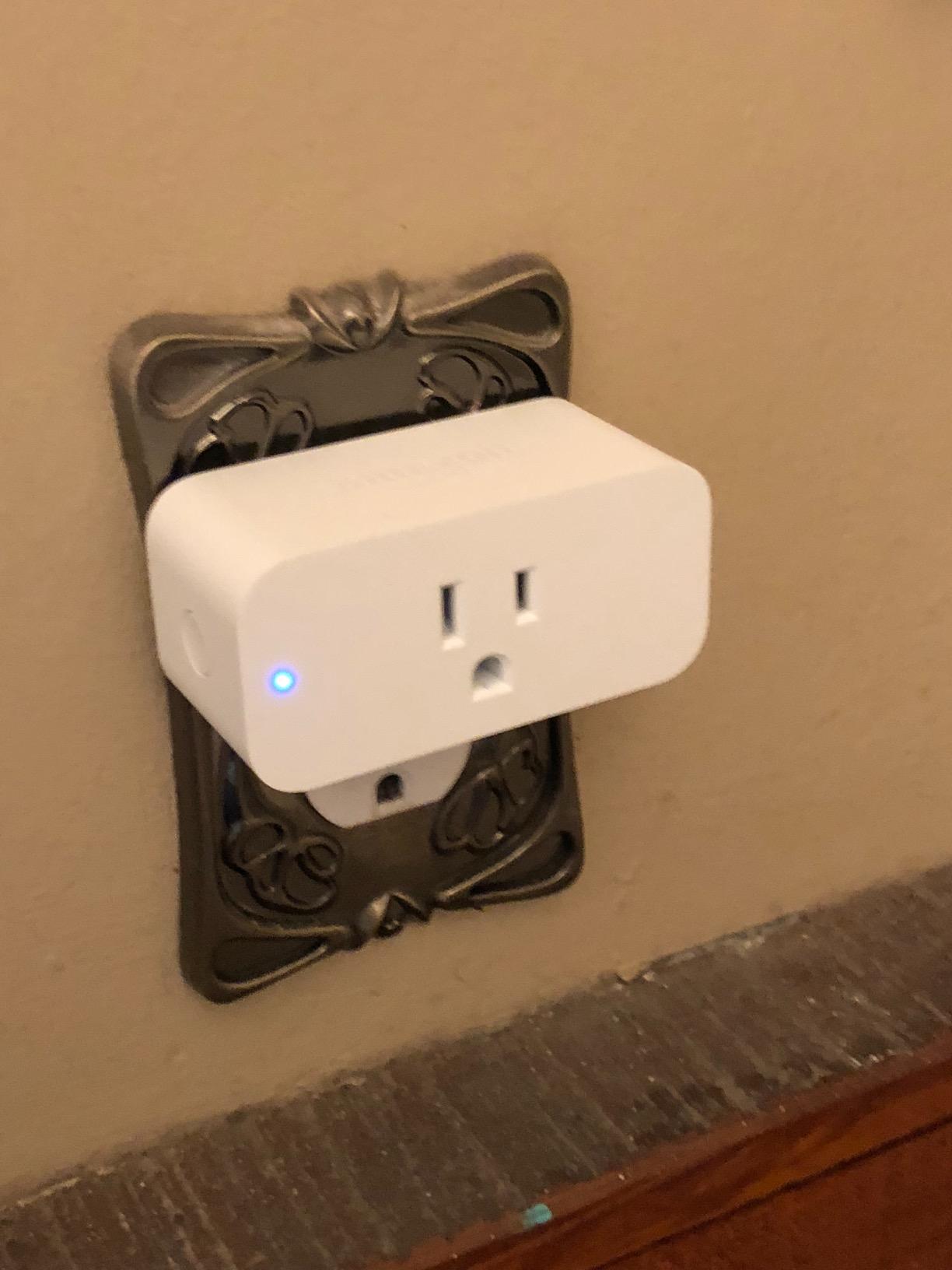
Out of everything we looked at, this plug has the least to explain. Plug it into the wall socket, open the Alexa app, and the device shows up. There is no hub, no account juggling and no QR code ritual, which is why it is the first recommendation we give to anyone automating a lamp or a fan this weekend.
The number behind it is the strongest reliability signal in this roundup. Owners have filed more than 571000 reviews at an average of 4.7 stars, with 83 percent of those at five stars. That volume matters because it means the failure patterns are well documented, and the dominant one is a near miss: owners report that the plug comes back on its own after a power cut or an internet outage without losing its schedules.
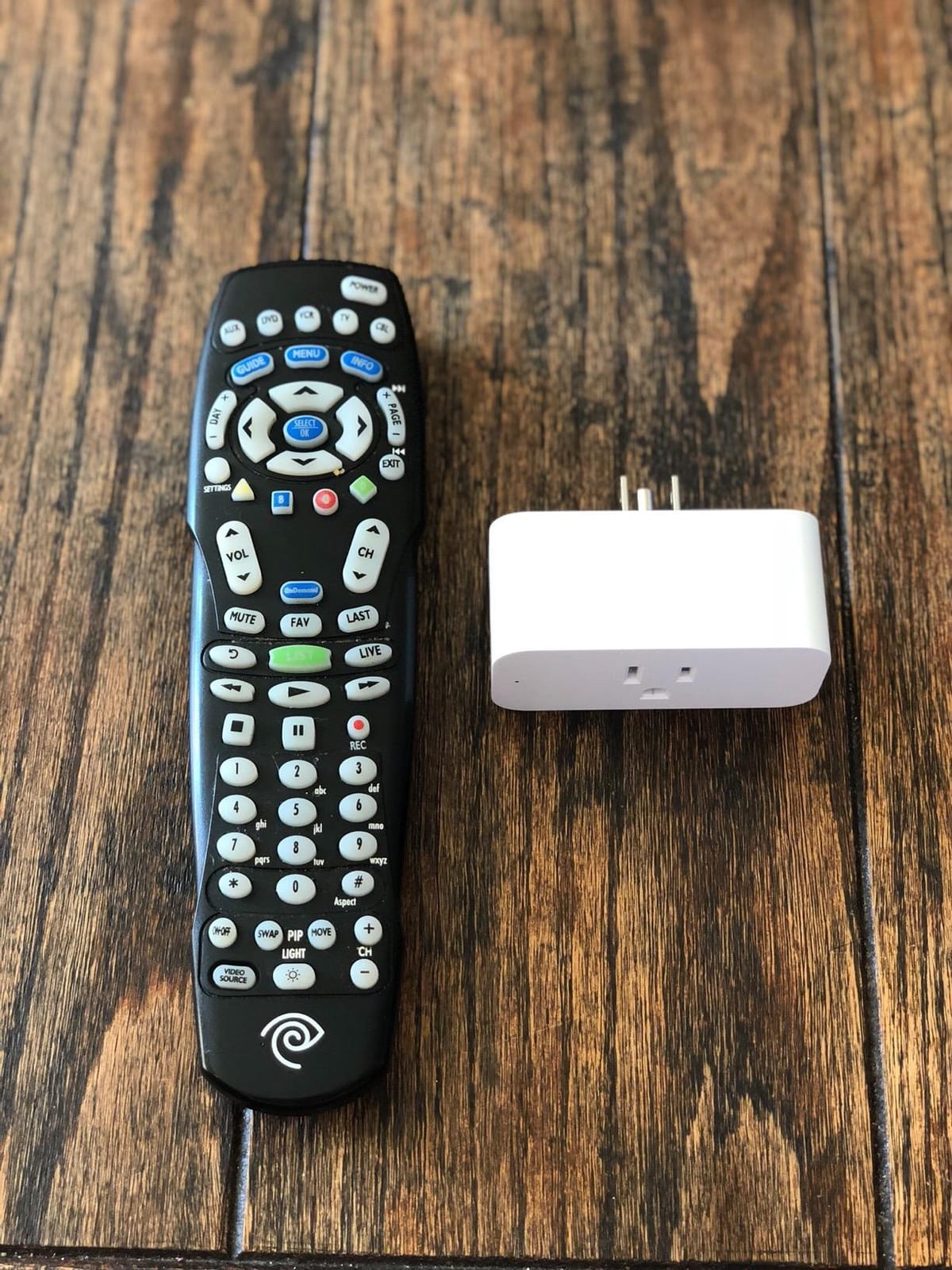
The physical design is the other quiet advantage. The body is deliberately slim so the second socket on a duplex receptacle stays usable for another plug, which matters in older homes with tight outlets behind furniture. At 15 amp resistive capability it covers lamps, fans and most countertop appliances, and the physical button on the front remains a usable fallback if the app is unreachable.
Automation beyond simple on and off is where Alexa-focused setups shine. You can set timers, build routines in plain language, and schedule lighting to run while you are away so the house does not look empty. For a broader look at what else belongs in a first smart home, see our picks for the best smart home devices for new homeowners.
Is the Alexa lock-in worth it for you
This is the single most important question with this plug, because it is an ecosystem decision as much as a hardware decision. If your household already speaks to Alexa, the trade is easy and the setup cost is zero. If anyone at home uses Siri or Google Assistant, this is the wrong plug for you, and no amount of app tinkering changes that.
Note that energy monitoring is absent here. There is no watt readout and no kWh history, so you cannot use it to find standby draw or to get a laundry-done notification. If that data matters, the Tapo P115 further down this list is built for it.
Where it falls short for automation
Because control runs through the Alexa app, anything outside that ecosystem is out of reach. There is no local API path for a hub such as Home Assistant or Hubitat, so if your plan is to run a local-first setup, this plug will not fit and you should look at the Matter or Zigbee options instead.
Reviewers also point out that routines live in the Alexa account rather than on the device, so a factory reset or an account change means rebuilding them. For pure on and off switching that trade costs nothing. For a home with dozens of automated devices it becomes a real limitation.
2. Kasa Smart Plug HS103P2: Best Value 2-Pack
Kasa Smart Plug HS103P2, Wi-Fi Outlet Works with Alexa, 2-Pack
15 amps at 120V
UL certified
2-year warranty
2 plugs per pack
Pros
- Works with Alexa and Google Assistant
- Reliable reconnect after outages
- Scheduling groups and vacation mode
- UL certified with 2-year warranty
- Good value in multipacks
Cons
- No Apple HomeKit support
- Occasional 2.4GHz pairing hiccups
- Audible relay click
- Slightly bulky on power strips
The Kasa HS103 is the workhorse of the category. It has been sold for years in multipacks, which is how you fill a whole apartment in one order, and the accumulated owner base of more than 150000 reviews at 4.6 stars tells you the design has not needed radical revision.
Setup behaves the same way each time. The first plug takes a few minutes in the Kasa app, and every plug after that joins quickly because the app copies your Wi-Fi details. The rating of 15 amps resistive at 120V covers a lamp, a humidifier or a slow cooker, and the UL certification plus two-year warranty make it the pick we would recommend for a rental where you want something reversible.
Owner reports on reliability are unusually good for a budget device. People with decades of accumulated plugs describe units that keep working, hold their schedules through an internet outage and rejoin the network on their own. The Kasa app handles timers, countdown schedules, device groups and randomised vacation lighting, which covers most of what a beginner wants to automate.
How this plug handles crowded power strips
This is not the model to choose if you are trying to de-crowd a power strip. At 1.6 inches deep by 2.6 inches wide it is taller than the mini plugs, so two of them rarely fit side by side on the same strip. If space is the constraint, move to the EP10 or the Govee H5083 in this list.
One practical note from owner reviews: the relay makes an audible click on every switch. In a bedroom or a home office that can be irritating, and it is a common reason people upgrade to the Philips Hue plug later.
What to watch after you install it
The recurring complaint is pairing friction rather than failure. Some units struggle on a busy 2.4GHz network, and the fix owners describe is a power cycle of the plug or the router, not a return. Setting your router to 2.4GHz only during setup resolves most of these cases.
There is no Apple HomeKit support, so this is an Alexa and Google Assistant device. There is also no energy data, which again pushes metering users toward the Tapo P115. If you want broader control over household energy, our guide to the best smart thermostats for home energy savings covers the bigger loads.
3. Tapo P125M Matter Mini Plug: Best for Cross-Ecosystem Homes
TP-Link Tapo Matter Supported Smart Plug Mini, Compact Design, 15A/1800W Max, Super Easy Setup, Works with Apple Home, Alexa & Google Home, UL Certified, 2.4G Wi-Fi Only, White, Tapo P125M(3-Pack)
Matter over Bluetooth and Wi-Fi
15A 1800W max
UL certified
2-year warranty
Pros
- Matter unlocks Apple Home Alexa Google and SmartThings
- Keeps working on the local network
- Compact body
- Fast Bluetooth onboarding
- UL certified with 2-year warranty
Cons
- 2.4GHz Wi-Fi only
- No energy monitoring on this model
- No dimming
- First setup still needs the Tapo app
Matter is the reason this plug exists. Instead of committing to one vendor, a single Tapo P125M shows up in Apple Home, Amazon Alexa, Google Home and Samsung SmartThings, which is the practical answer for a household where different people use different assistants.
The more interesting detail is local control. Because the plug connects directly to your router on the local network, it keeps responding to commands when the internet connection drops. Owners highlight this more than any other feature, and it is the difference between a lamp that still turns on during an outage and one that does not.
The hardware is rated at 15 amps and 1800 watts at 120 volts, and it carries UL certification with a two-year manufacturer warranty. Size is the other draw. Owners who moved from bulkier plugs to this one report that two fit side by side in one duplex receptacle, which is why it earns a place in a crowded power strip plan.
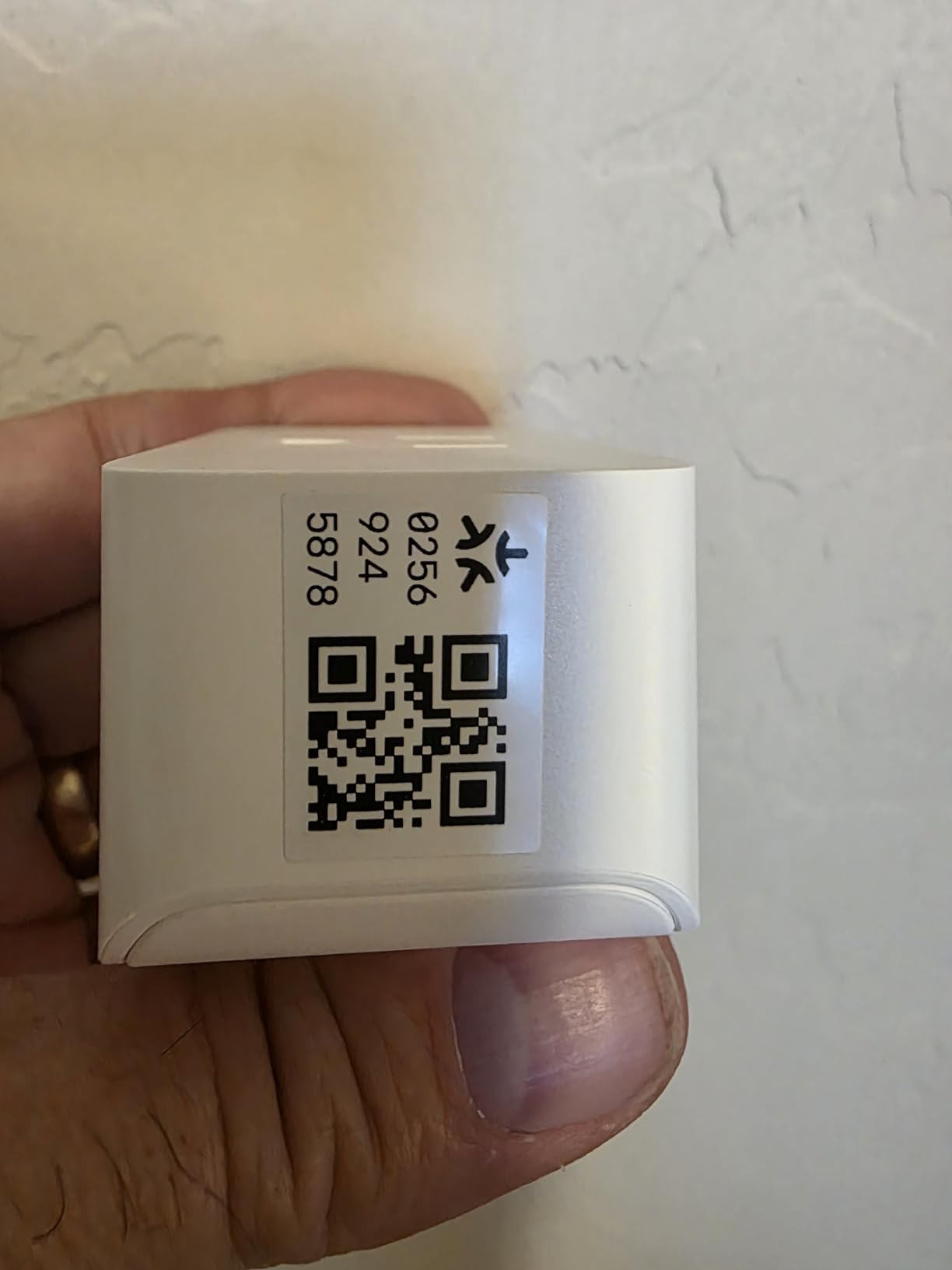
Onboarding uses Bluetooth, which the Tapo app uses to hand credentials to the plug instead of making you type them. In practice the setup is faster than a password-based join. Advanced scheduling and timers cover lamps, fans, humidifiers and seasonal lights.
When Matter helps and when it does not
Matter solves the ecosystem problem cleanly for the mainstream assistants, but it does not turn a Wi-Fi plug into a Zigbee device. Local operation still depends on your router being up, and anyone running Home Assistant will want to check that the current Matter integration handles their setup before buying several.
Two limits are worth planning around. The radio is 2.4GHz only, so a dual-band router must keep its 2.4GHz band enabled. And the plug still needs one initial setup pass in the Tapo app before it appears in the other ecosystems, which trips up buyers expecting a pure QR-code experience.
Why you might pick something else instead
There is no energy monitoring on this base model, so if your goal is watts and kWh you need the P115M variant, which is covered by the Tapo P115 in this roundup. Switching is on and off only, with no dimming.
At roughly 2900 reviews the owner base is smaller than the Kasa or Amazon plugs, so long-run history here is thinner. That is the trade for cross-ecosystem support and local operation, and for most households buying Matter is the safer long-term bet.
4. Philips Hue Smart Plug: Best for HomeKit Lighting Setups
Philips Hue Smart Plug, White – 2 Pack – Turns Any Light Into a Smart Light – Control with Hue App – Compatible with Alexa, Google Assistant, and Apple HomeKit
Zigbee and Bluetooth radios
Matter compatible
UL certified
2-year warranty
Pros
- Highest satisfaction rating in the roundup
- Reconnects reliably after outages
- Works with HomeKit Alexa and Google
- Uses Zigbee so it spares the Wi-Fi network
- Runs cool during continuous use
Cons
- Hue Bridge needed for the full feature set
- On and off only with no energy data
- Too wide to stack two in one outlet
- Highest cost in this roundup
The Hue Smart Plug is the one product here that owners describe without complaint about longevity. It holds a 4.7 star average with 84 percent five-star ratings, and the recurring sentence in reviews is that it simply never fails, which is the standard we hold other plugs to.
Connectivity is the smart part. It speaks Zigbee as well as Bluetooth, so it joins the Hue mesh instead of adding another device to your Wi-Fi network, and it is Matter compatible for anyone not using Hue. If you already run Hue lighting, this plug lets you bring a non-Hue lamp into the same automations and scenes.
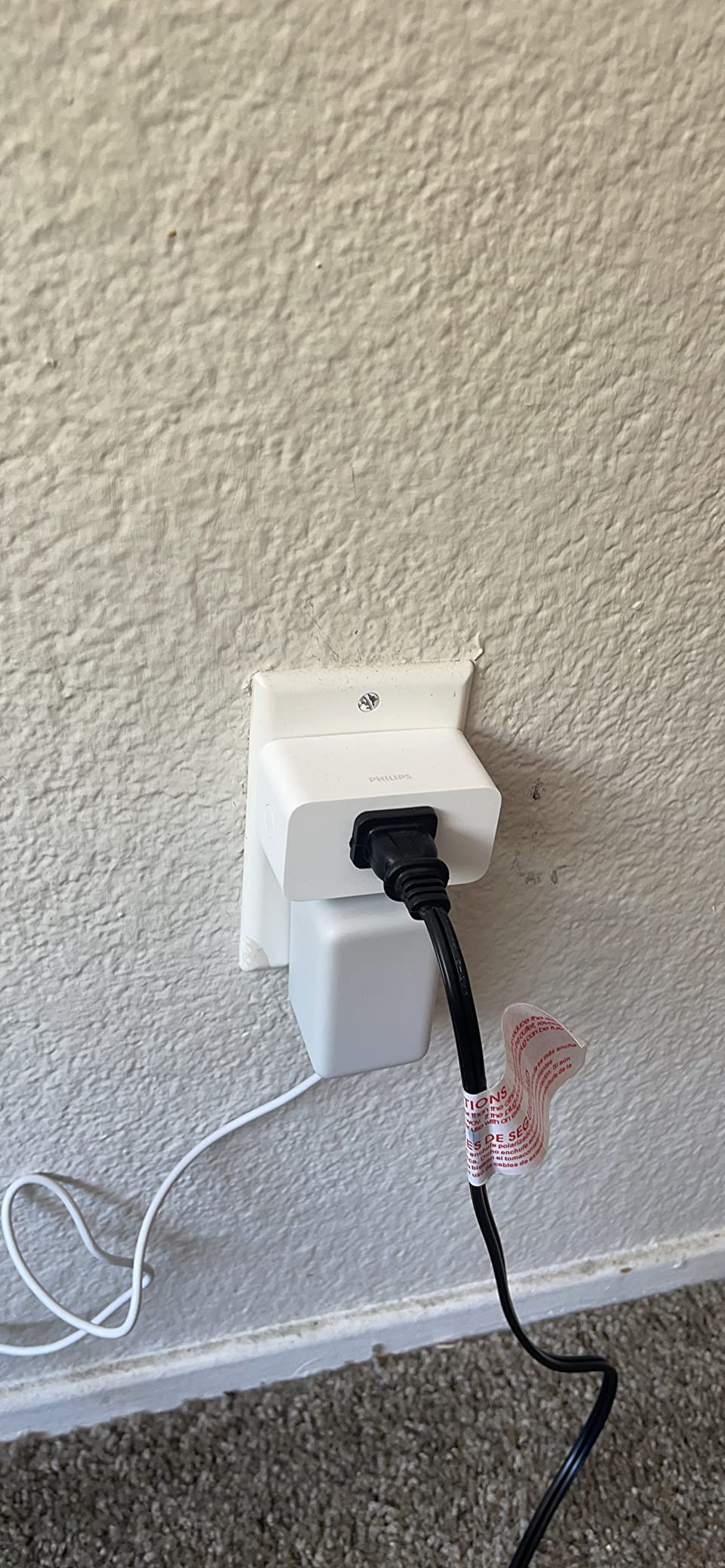
Reviewers repeatedly mention two physical details that matter more than the spec sheet suggests. The body runs cool even after days of continuous use, and the status LED switches itself off, so the plug does not light up a dark room at night. Both details come from careful enclosure design rather than a spec.
The box contains two plugs, which is the right pairing for this product. The point of the Hue plug is retrofitting lamps you already own, so a two-pack covers a bedside lamp and a floor lamp without a second order. Because it turns any lamp into a Hue-controlled light, it also means a lamp without a colour bulb still joins your scenes, schedules and switches.
What the Hue Bridge changes
The plug works through Bluetooth on its own, which covers local control and voice. Add a Hue Bridge and you unlock remote access from outside the home, the full automation engine and the Hue app routines that go beyond a single schedule. If you plan to leave devices running while you are away, the Bridge is the piece that makes that possible.
Without the Bridge you are limited to on and off with power-on behaviour configured on the plug itself. That is a real constraint for anyone planning timers, and it is why we rank this plug below the Tapo P125M for general automation use.
Where it is the wrong choice
Cost is the obvious factor, and this plug sits well above every other option here. The premium buys build quality, a tidy design and dependable longevity, not extra features. If your goal is energy data, cheap metering or filling a power strip, this is not the tool for the job.
The body is also wider than a mini plug, so two will not stack in a single duplex receptacle. And the 10 watt ceiling in the listing reflects lamp duty rather than appliance duty, so treat this as a lighting product rather than a coffee-maker controller.
5. Tapo P115: Best for Energy Monitoring
Tapo Smart Plug Wi-Fi, Energy Monitoring, P115(4-Pack), 15A
Real-time energy tracking
Cost estimates and export
15A 1800W
4 plugs included
Pros
- Accurate real-time energy charts
- Cost estimates with Excel export
- Charge Guard cuts power at a set level
- Auto-shutoff prevents overloads
- Works with Home Assistant
Cons
- Some units stopped communicating after a few weeks
- History can be lost when re-paired as new
- 2.4GHz Wi-Fi only
- Larger body than mini plugs
If your reason for wanting a smart plug is data, this is the one to buy. The Tapo P115 tracks real-time consumption, turns it into charts in the app, and estimates what that usage costs against your utility rate. You can export the history to a spreadsheet and build your own off-peak schedule around it.
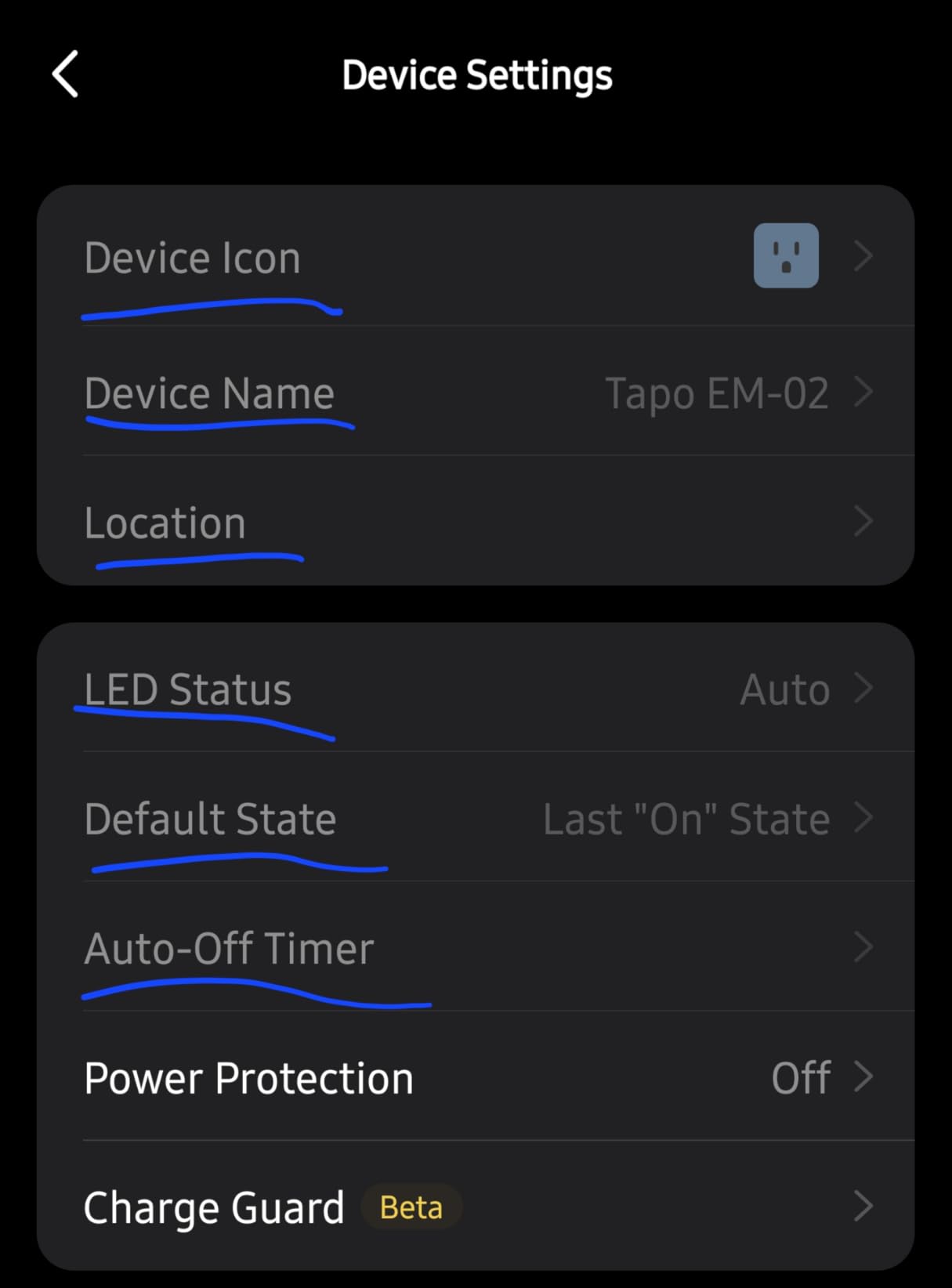
Two safety features separate it from a plain metering plug. Charge Guard cuts power once a device reaches a battery level you set, which stops a tool or a laptop from sitting on the charger indefinitely. Auto-shutoff disconnects a device that draws more power than expected, protecting both the plug and the appliance.
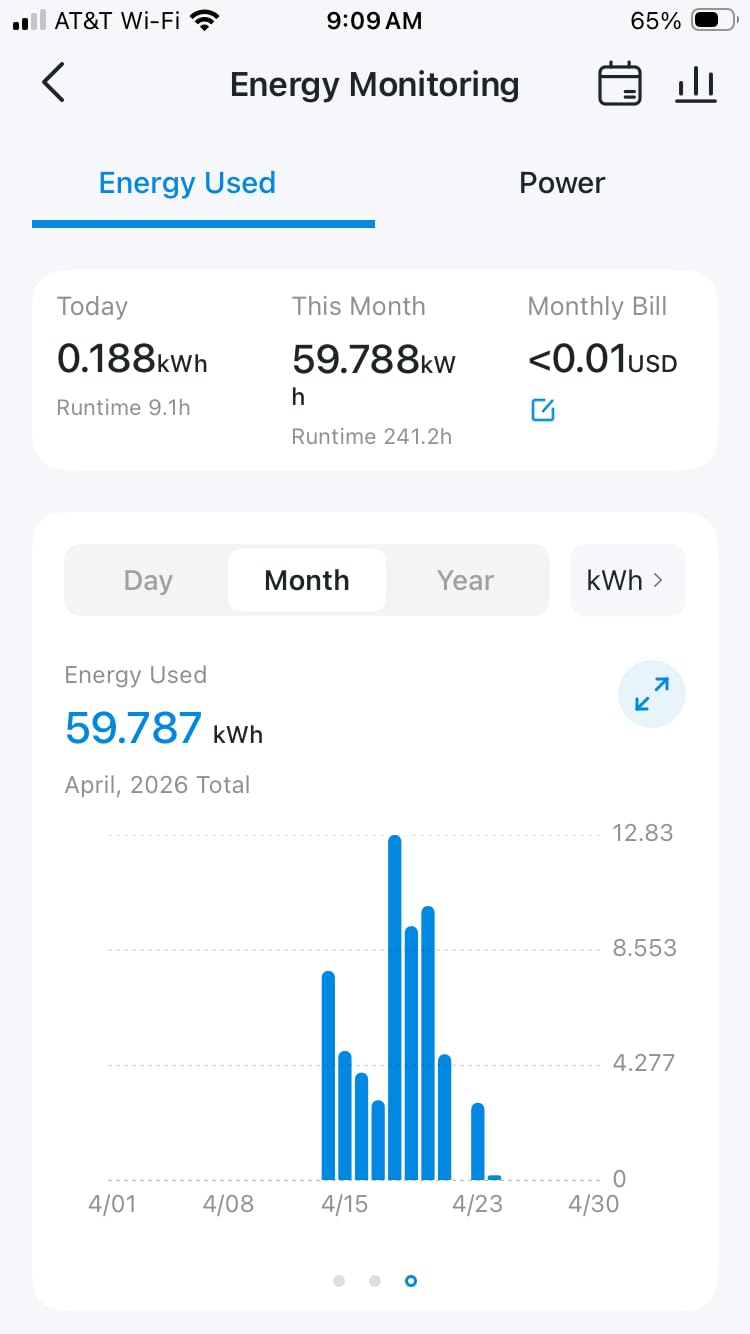
Setup takes about 75 seconds including the firmware update, and automatic updates mean you are not maintaining it by hand. The pack contains four plugs and a quick start guide, rated at 15 amps and 1800 watts, with ETL, FCC and RoHS compliance. Owners running Home Assistant report that these plugs work with it, which is unusual for a Wi-Fi metering device.
This is where the W versus kWh question from the forums gets concrete. Use watts for a live dashboard reading and for triggering an automation when an appliance is drawing power. Use the cumulative kWh total for cost tracking, because that is the number you multiply by your rate.
Scheduling here is more than a simple timer. On top of the standard on and off windows, the app adds sunrise and sunset offsets so a device follows the actual daylight rather than the clock, and a timed auto-off that can be attached to any of the four plugs individually.
Using the data for real automations
Once you have a kWh history, the plug becomes more than a remote switch. You can schedule high-consumption devices to run during off-peak hours, set an upper limit on what a tenant or a guest can use, and flag a failing appliance when its average draw creeps up over weeks.
Laundry is the most common example. A washer and dryer cycle drops the power draw sharply when it finishes, and that dip is enough to trigger a notification from your hub without any extra hardware.
The reliability question to weigh first
This is the one pick where reliability feedback is mixed. Several reviews describe units that stopped communicating or dropped off the network after a few weeks, and one owner reported losing 2 out of 8 plugs. That is a real pattern rather than an isolated complaint, so buy the four-pack expecting to keep a spare.
Two smaller issues appear repeatedly. Some instructions describe Wi-Fi pairing when Bluetooth pairing is actually required, and a plug that has to be re-registered as a new device can lose its stored history. Because of the metering focus, use this on an appliance you want to watch, not on the lamp you need to work every night.
6. Govee H5086: Best Energy Monitoring with Bluetooth Resilience
Govee Smart Plug with Energy Monitoring, WiFi Bluetooth Outlet, 4 Pack
Power current and voltage
History up to 1 year
15A 1800W
ETL and FCC certified
Pros
- Reports power current and voltage
- History kept daily to one year
- Dual Wi-Fi and Bluetooth
- 15A 1800W suits coffee makers
- To-the-minute scheduling with group control
Cons
- 2.4GHz Wi-Fi only
- Bulkier than mini plugs
- Smaller review base than established rivals
- No dimming
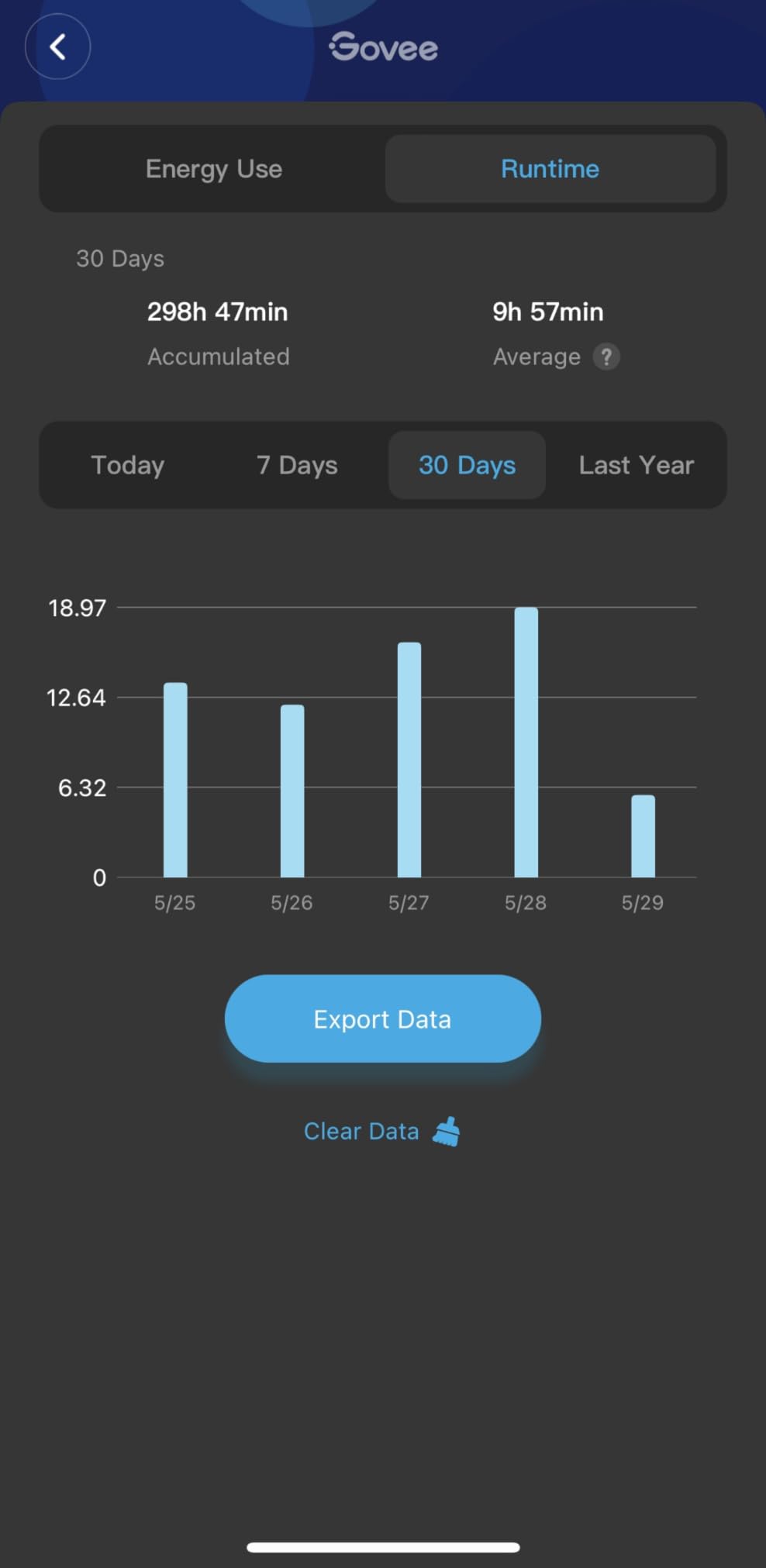
The Govee H5086 does what the Tapo P115 does with a different resilience strategy. It reports real-time power, current and voltage, and keeps the history organised daily, weekly, monthly and out to a full year, which is the longest retention window in this roundup.
Its standout feature is the dual radio. Bluetooth handles pairing and reconnection, so after an outage the plug rejoins without the manual reset ritual that some competing units require. Owners who live somewhere with frequent power cuts rate this model highly for that reason alone.
The 15 amp and 1800 watt rating is higher than most metering plugs in the category, and reviewers specifically call it out as suitable for coffee makers and other higher-draw countertop appliances. Contact material is stainless steel, the body is fire resistant, and the plug carries ETL and FCC certification.
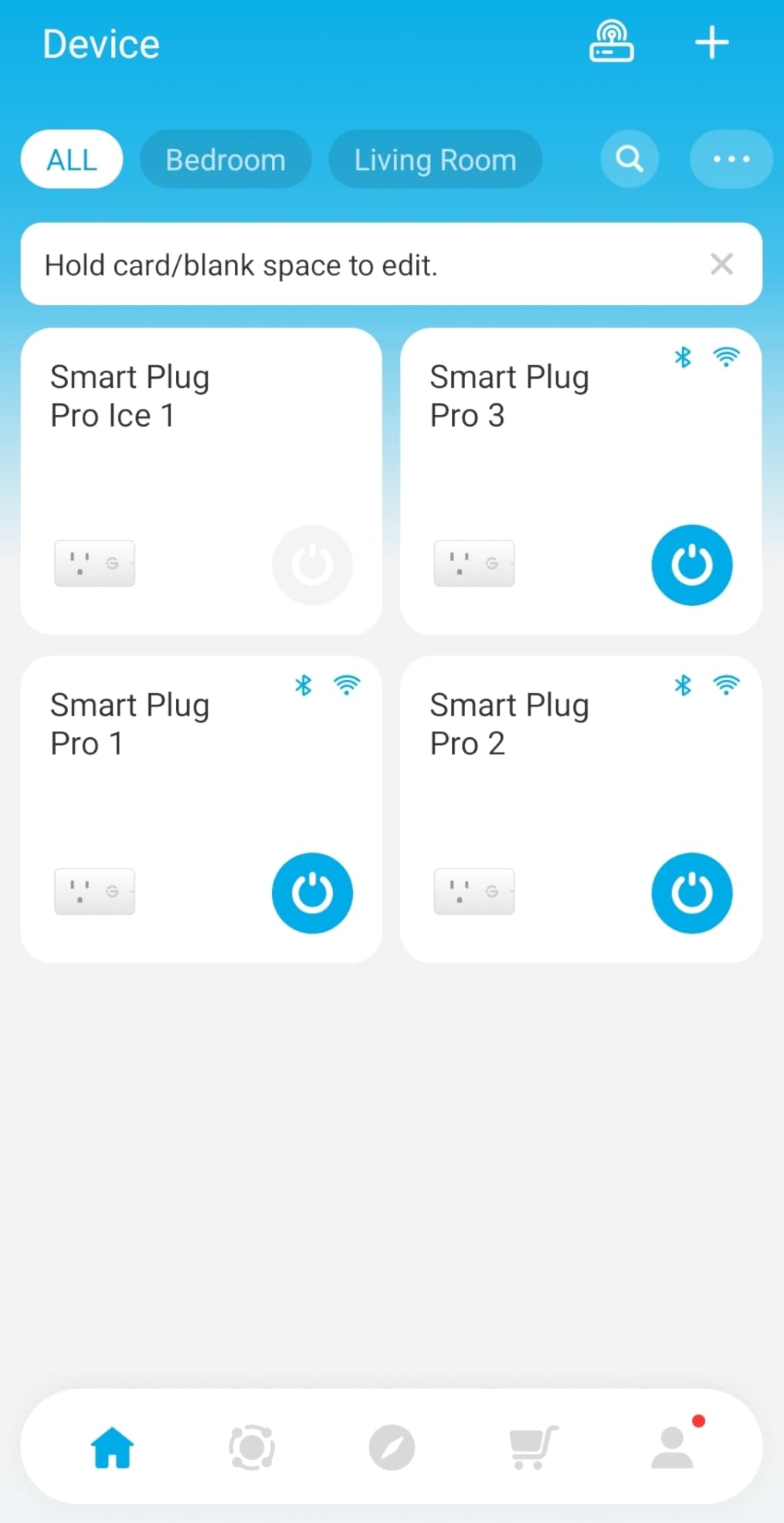
Scheduling is granular to the minute, with group control for switching several plugs at once and app sharing so other household members can manage them. It works with Alexa, Google Assistant and IFTTT.
The year-long history is the part that separates this from a simple live readout. A one-year window means you can compare the same season year over year, spot a device whose baseline draw has crept upward, and justify replacing something that looked fine on a single month’s data.
When this beats the Tapo P115
Choose the Govee if your household has unstable power. The Bluetooth fallback is not a marketing line, it is the mechanism that gets the plug back on the network after a cut, and it also makes first-time pairing more forgiving on crowded 2.4GHz networks.
Choose it also if you want current and voltage alongside wattage. That extra data helps you spot an appliance drawing more than it should, which is useful when a circuit keeps tripping.
Where it falls behind
The body is larger than the mini plugs in this list, so it will crowd a power strip. The radio is 2.4GHz only. And at roughly 1200 reviews, this is a newer listing than the Kasa or Amazon plugs, so the long-run failure history is less well documented.
There is no dimming, and no cost-per-kWh calculation in the app the way the Tapo offers. If your priority is a polished energy dashboard rather than raw readings, the Tapo P115 is the better dashboard and the Govee is the better plug.
7. meross Smart Plug 15A: Best for Apple Home Without a Bridge Purchase
meross Smart Plug 15A, Works with Apple HomeKit, Voice & APP Control 4 Pack
Native Apple HomeKit support
15A 1800W
ETL and FCC certified
4 plugs included
Pros
- Works natively with Apple HomeKit and Siri
- Fast response in HomeKit automations
- Also supports Alexa Google and SmartThings
- Compact enough to stack two per outlet
- Sunrise and sunset scheduling
Cons
- Needs a HomePod or Apple TV for remote access
- HomeKit setup is fiddly per plug
- No energy reporting
- Some units stopped responding after months
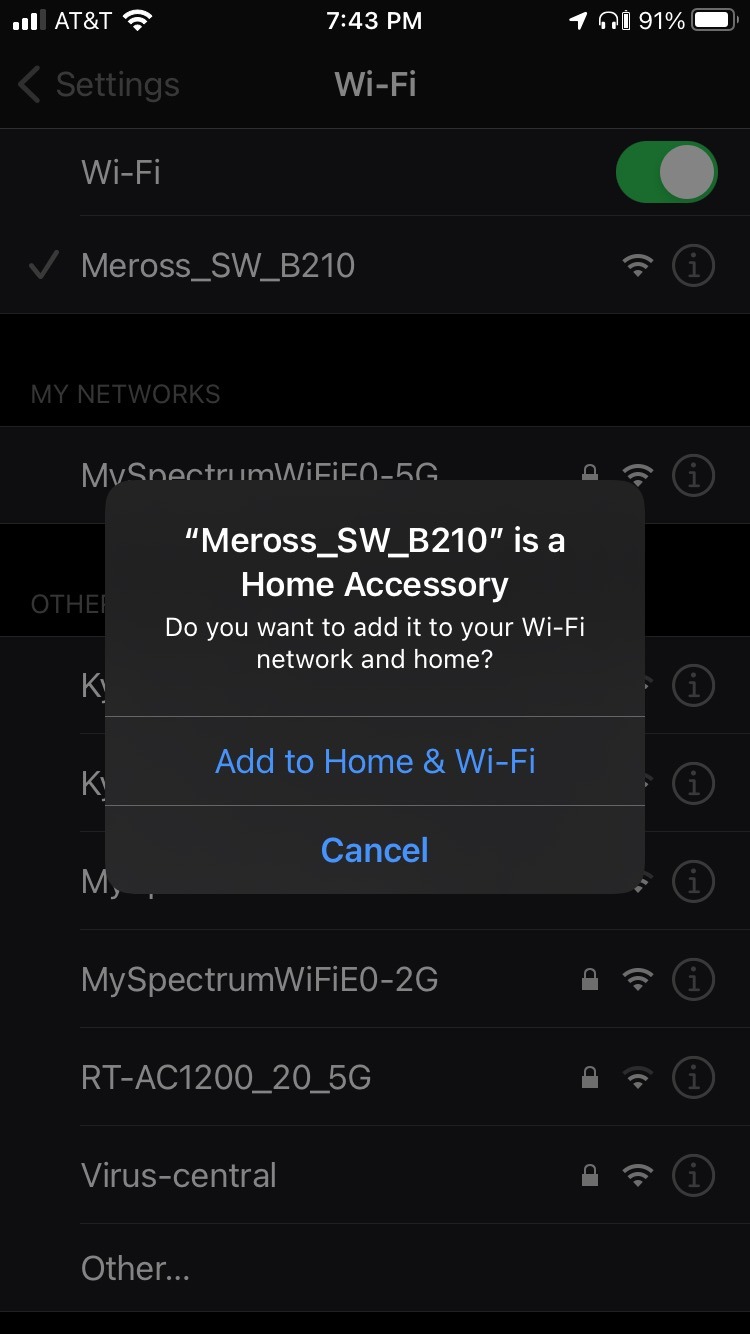
The meross MSS110 is one of the few ways to get a 15 amp plug into Apple Home without buying a bridge for the plug itself. It registers directly with HomeKit, shows up in the Home app, and responds to Siri on the same local network, which is exactly what an Apple household wants from a lamp plug.
Owners running large HomeKit installations, some with dozens of devices, report fast automation response and stable long-term behaviour. The body is polycarbonate, ETL and FCC certified, and rated for appliances up to 15 amps and 1800 watts.
Scheduling includes sunrise and sunset offsets, so a plug can follow the day rather than the clock. Amazon Alexa, Google Assistant, SmartThings and IFTTT all work as well, which makes this a reasonable pick in a mixed-assistant house as long as HomeKit is the priority.
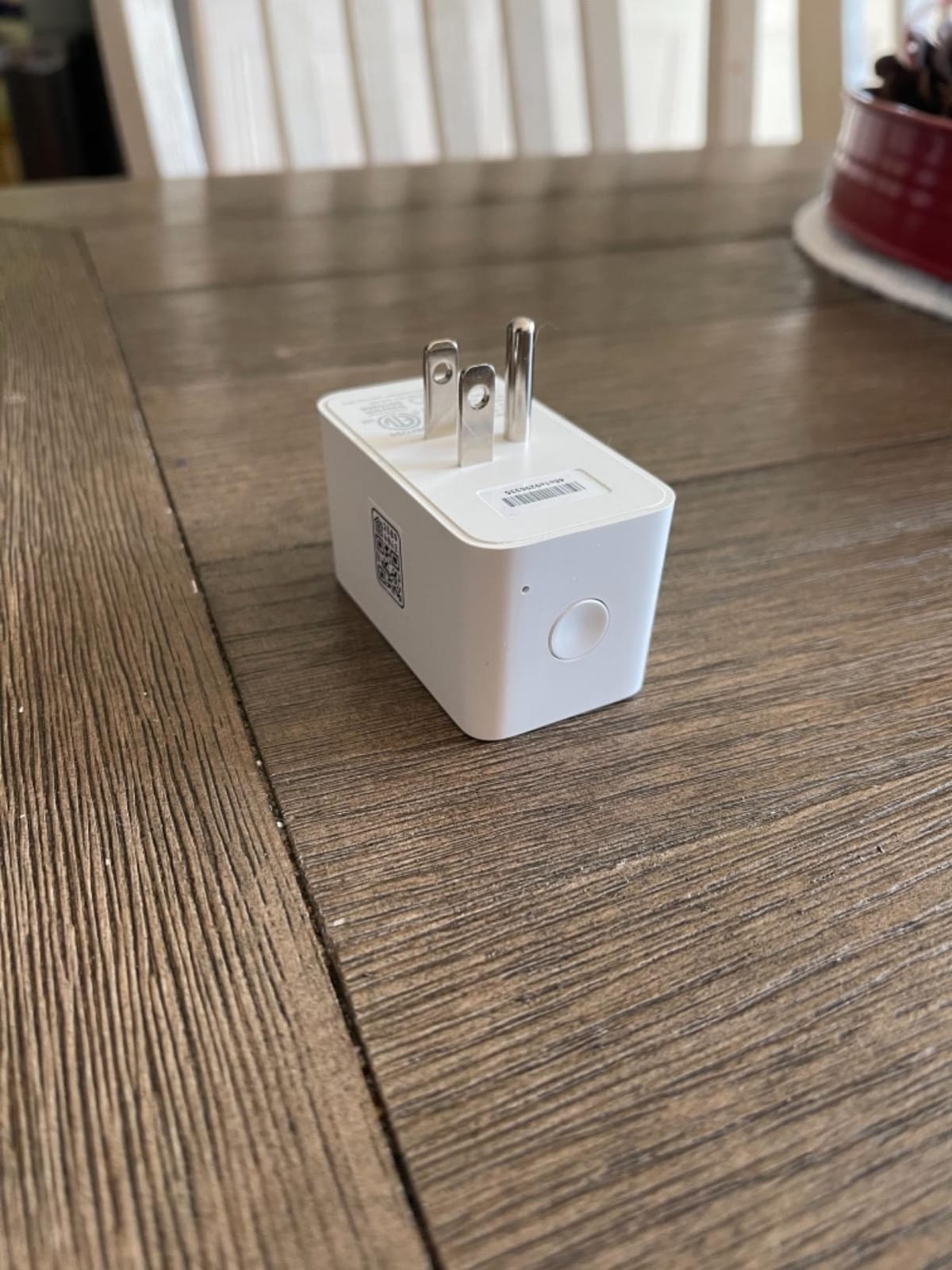
The compact footprint is genuinely useful in an Apple setup, because it occupies a single socket and leaves room for a second mini plug in the same receptacle. Control also extends beyond the Home app: Siri on an Apple Watch, CarPlay voice and a wall-mounted iPad all work as triggers once the plug is in HomeKit.
The bridge question every Apple buyer asks
Remote access is the catch. Control from outside the home requires an always-on HomePod, Apple TV or iPad acting as the HomeKit bridge. If you already have one, this plug needs nothing else. If you do not, factor in that bridge before you decide this is the cheaper route.
Pairing also takes more effort than a Wi-Fi plug. Each unit has to be scanned individually with your phone kept close to it, and the meross app has to be added separately afterwards so the plug can receive firmware updates.
Where the 4.3 average comes from
This plug has the lowest average rating of the ten, driven by three specific issues rather than general dissatisfaction. HomeKit pairing is fiddly, network changes or band-stealing routers can force a full reset and re-pair, and a small number of units stopped responding after weeks or months while support emails went unanswered.
If you have never used HomeKit, the Tapo P125M in this list reaches the same Apple Home destination with less ceremony. If HomeKit is already your system, this plug works well and the rating reflects setup friction more than reliability.
8. Kasa Smart Plug Ultra Mini EP10: Best Compact Plug for Power Strips
Kasa Smart Plug Ultra Mini 15A, EP10, Smart Home Wi-Fi Outlet
Compact 2.36 by 2.03 inch body
15A 1800W
2.08 ounces
2-year warranty
Pros
- Smallest footprint in the roundup
- Setup in under five minutes with no hub
- Stable connection over long use
- UL certified with 2-year warranty
- Excellent value in multipacks
Cons
- No Apple HomeKit support
- Google Home linking takes extra steps
- Bright status LED cannot be disabled
- On and off only with no dimming
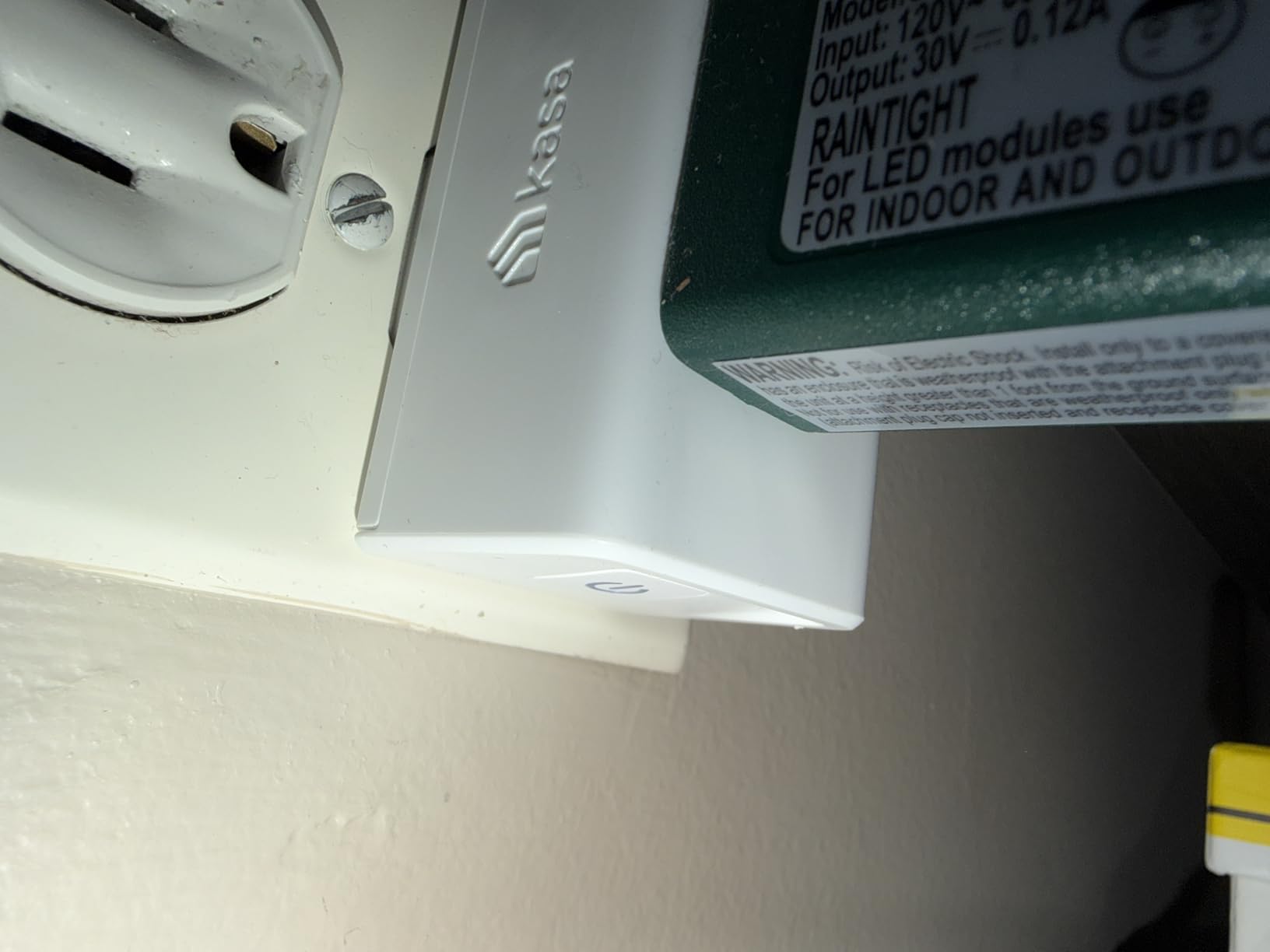
The EP10 solves one specific problem better than anything else here: fitting a smart plug onto a crowded power strip without blocking the sockets around it. At 2.36 by 2.03 by 1.5 inches and 2.08 ounces, several fit side by side on the same strip where full-size plugs cannot.
Owners with more than 40000 reviews at 4.5 stars report setup in under five minutes with no hub and no code entry, and they describe the connection as stable over long use. It works with Amazon Alexa and Google Assistant, and the Kasa app handles schedules and countdown timers.
Certification is UL, the warranty runs two years, and the load rating is 15 amps and 1800 watts at 120 volts. Because of its size, this is the model we suggest for powering strips of holiday lights or a bank of small accessories where every socket matters.
It is also the natural upgrade for anyone who started with a bulkier plug and found it blocked the outlet next to it. Several owners mention replacing older WeMo units with the EP10 for exactly this reason.
A front push button handles local control, so you can cut power at the plug itself rather than through the app. The physical actuator is the same design used across the Kasa line, which is one reason replacement units slot into an existing multi-outlet arrangement without re-planning the layout.
Checking the small-print details before you buy
Two specifications are worth reading. The operating range is 32 to 104 degrees Fahrenheit, which is fine indoors but confirms this is not an outdoor plug despite the low profile. The ingress rating is IP00, meaning no water protection at all.
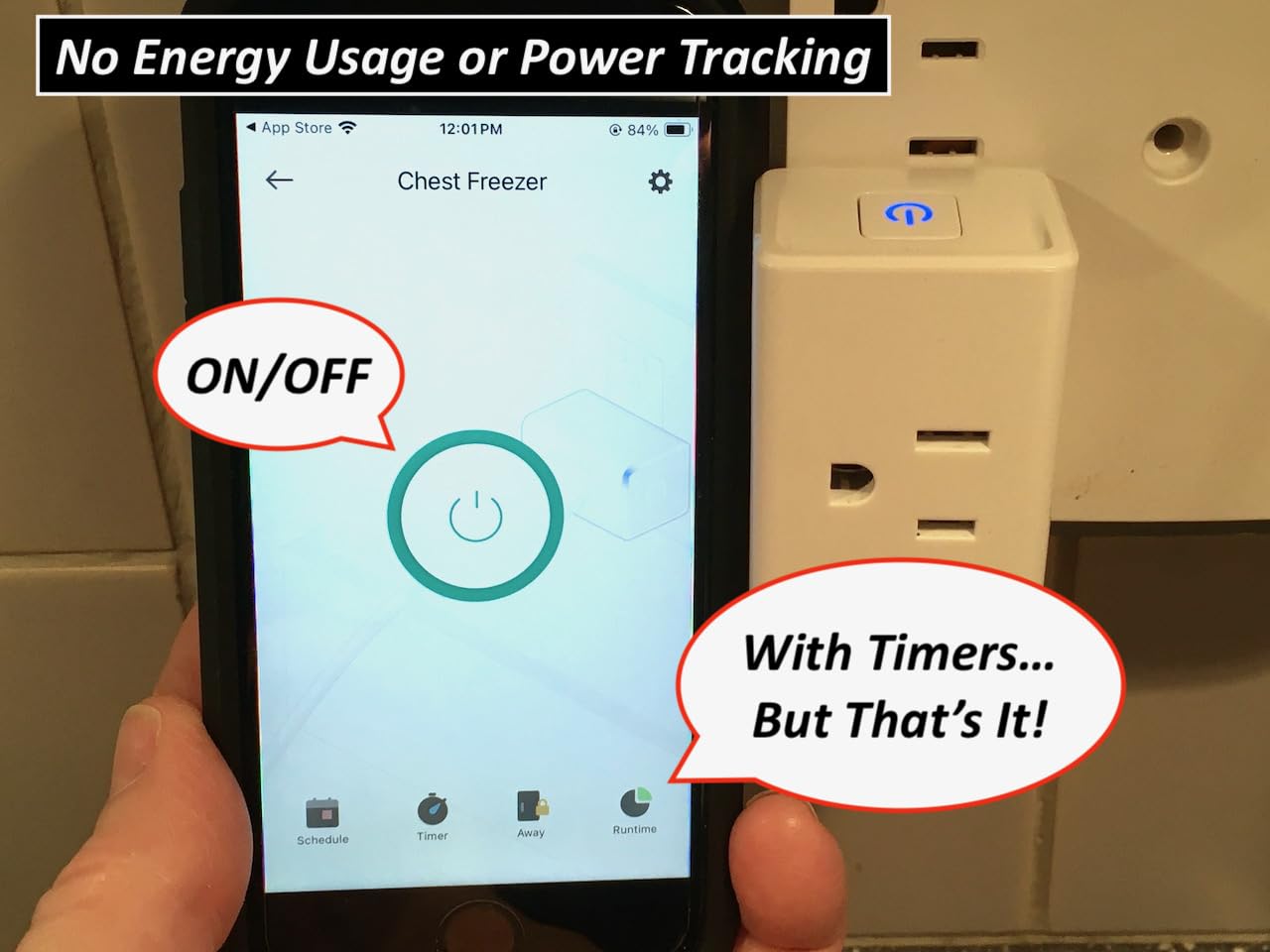
There is also no energy monitoring and no dimming on this model. If you want either, the Kasa-branded Tapo P115 in this roundup covers metering.
What annoys owners
The status LED is bright and cannot be switched off inside the Kasa app, which bothers people who use these in bedrooms. Night mode lives in a separate TP-Link utility, which is an extra step people expect the Kasa app to handle.
A minority of plugs are stubborn during pairing and need several reset attempts, and Google Home linking takes more steps than Alexa. None of these are deal breakers for a strip of lights, and they are the reason this plug earns a budget badge rather than the top spot.
9. Govee Smart Plug H5083: Best 4-Pack for Multi-Room Setups
Govee Smart Plug, WiFi Outlet Compatible with Alexa & Google Assts, 4 pcs
Bluetooth plus Wi-Fi radios
10A 1200W rating
ETL certified
4 plugs included
Pros
- Reconnects automatically after outages
- Compact enough for power strips
- Fast response to app and voice
- Group control and sharing
- Quick replacement support
Cons
- Lower 10A 1200W rating
- No energy monitoring on this model
- Timer setup is awkward in the app
- Audible relay click
- 2.4GHz only
The H5083 is the four-pack option for covering a whole home rather than one room. Nearly 14000 owners rate it 4.5 stars, and the review pattern is consistent: people with frequent power outages say these plugs survive and come back on their own, which is the Bluetooth fallback doing its job.
Group control lets you switch a set of lamps across rooms with one tap, and app sharing gives other household members access without a second account setup. Pairing through the Govee Home app by searching the H5083 model number takes moments.
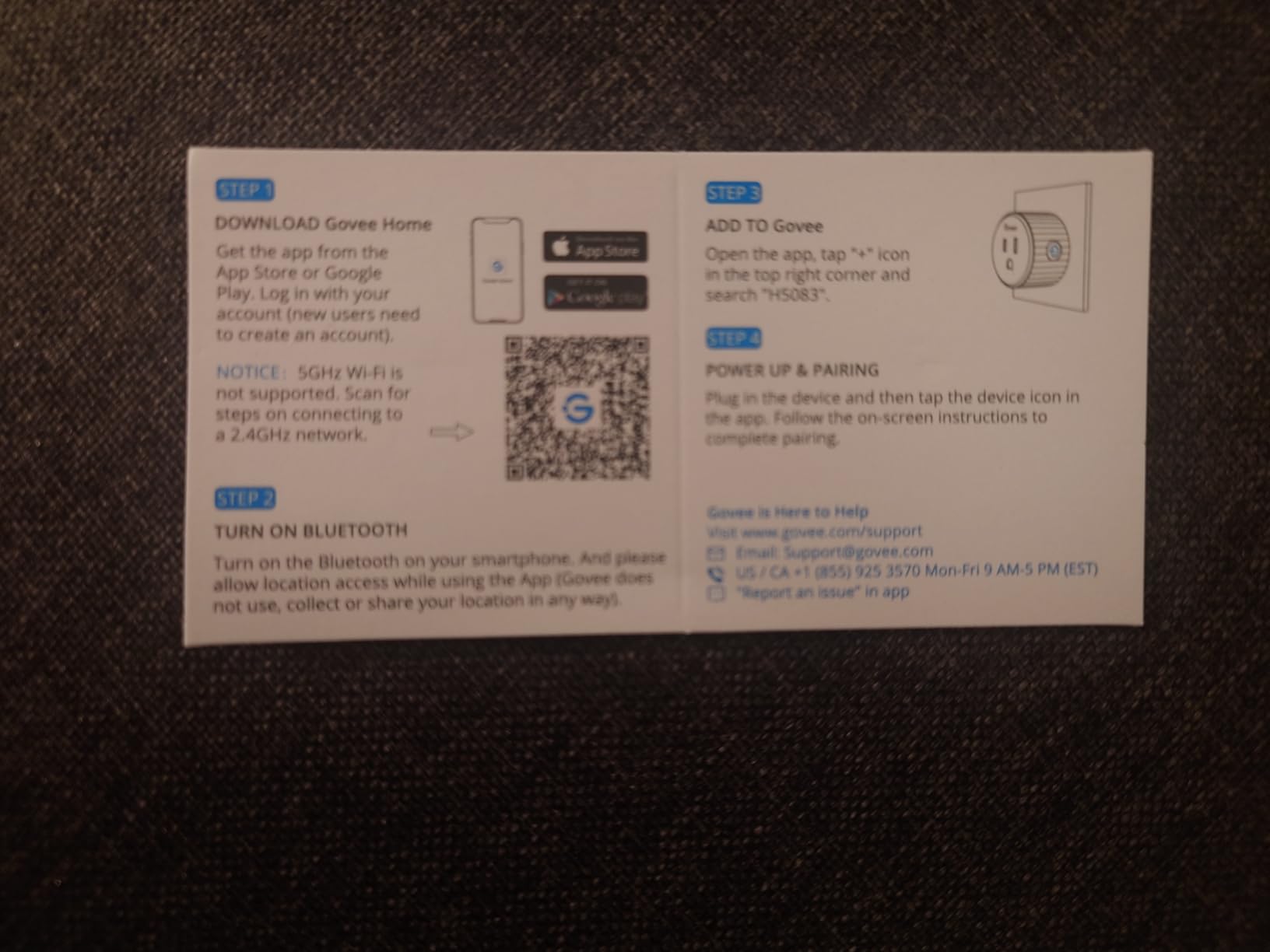
The body is compact enough that it does not block the adjacent outlet, which makes it a solid second choice next to the EP10 for power-strip work. The enclosure is plastic, the plug is ETL certified, and it works with Amazon Alexa and Google Assistant.
This is the pick for a rental, a guest suite or a home office where you want several lamps automated without touching a switch. It is also reversible, which matters in rented accommodation.
Custom schedules and one-tap group control are the two features owners use most, and both are configured once in the Govee Home app and then apply to every plug in the pack. That is the reason to buy four at once rather than four singles from different brands and maintain four different automations.
Why the lower current rating matters
This model is rated at 11 amps on the product page with a 10 amp and 1200 watt figure in the listing detail. That is well below the 15 amp plugs elsewhere in this roundup. Lamps, fans and small kitchen appliances are fine, but a toaster, a space heater or a hair dryer is not, and pushing toward the ceiling causes nuisance cut-outs.
If you need higher draw with metering, the Govee H5086 covers 15 amps and 1800 watts. If you need high draw with no metering, go back to the Kasa HS103.
Setting expectations on the app
The most common complaint is that the timer workflow in the app is not intuitive, so expect a short learning curve when you build your first schedule. The relay also clicks audibly on every switch, the same feedback the Kasa HS103 owners mention.
There is no energy monitoring on this specific model, and the radio is 2.4GHz only. With those two limits understood, it remains a strong choice when you want four dependable, compact, no-hub plugs in one order.
10. Amazon Basics Smart Plug: Best for Filling Several Rooms at Once
Amazon Basics Smart Plug, Works with Alexa Only, Voice Control, Remote APP Control, Schedule, Compact Design, Versatile, 2.4 GHz Wi-Fi, No Hub Required, 4-Pack, White
Alexa-only on this variant
UL certified
15 amp rating
4 plugs included
Pros
- Zero-touch setup option at checkout
- No third-party apps or hubs
- Compact body leaves other sockets free
- Schedules by time or sunrise and sunset
- 4-pack covers multiple rooms
Cons
- Alexa only on this variant
- Highest share of one-star reviews here at 9 percent
- Needs re-discovery after some outages
- No energy monitoring
The Amazon Basics plug is the bulk option. Four plugs arrive in one order, each rated at 15 amps and UL certified, which makes it the efficient way to automate a living room, two bedrooms and a hallway in a single purchase.
Setup is handled entirely inside the Alexa app, with no third-party app and no hub. If you link the device to your Alexa account during checkout, the zero-touch option handles most of the work for you. Schedules can run on a timer, on a voice command, or tied to sunrise and sunset.
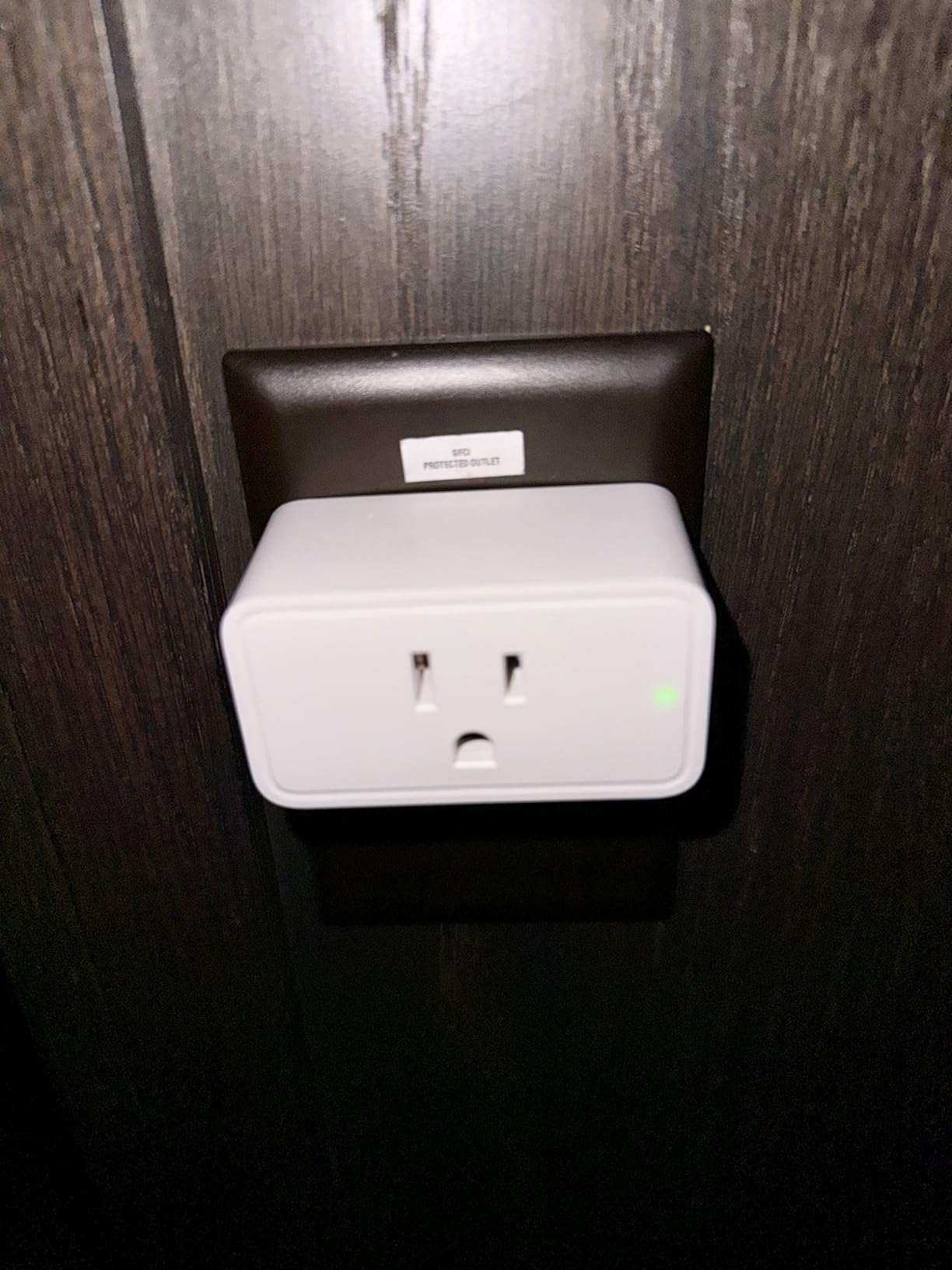
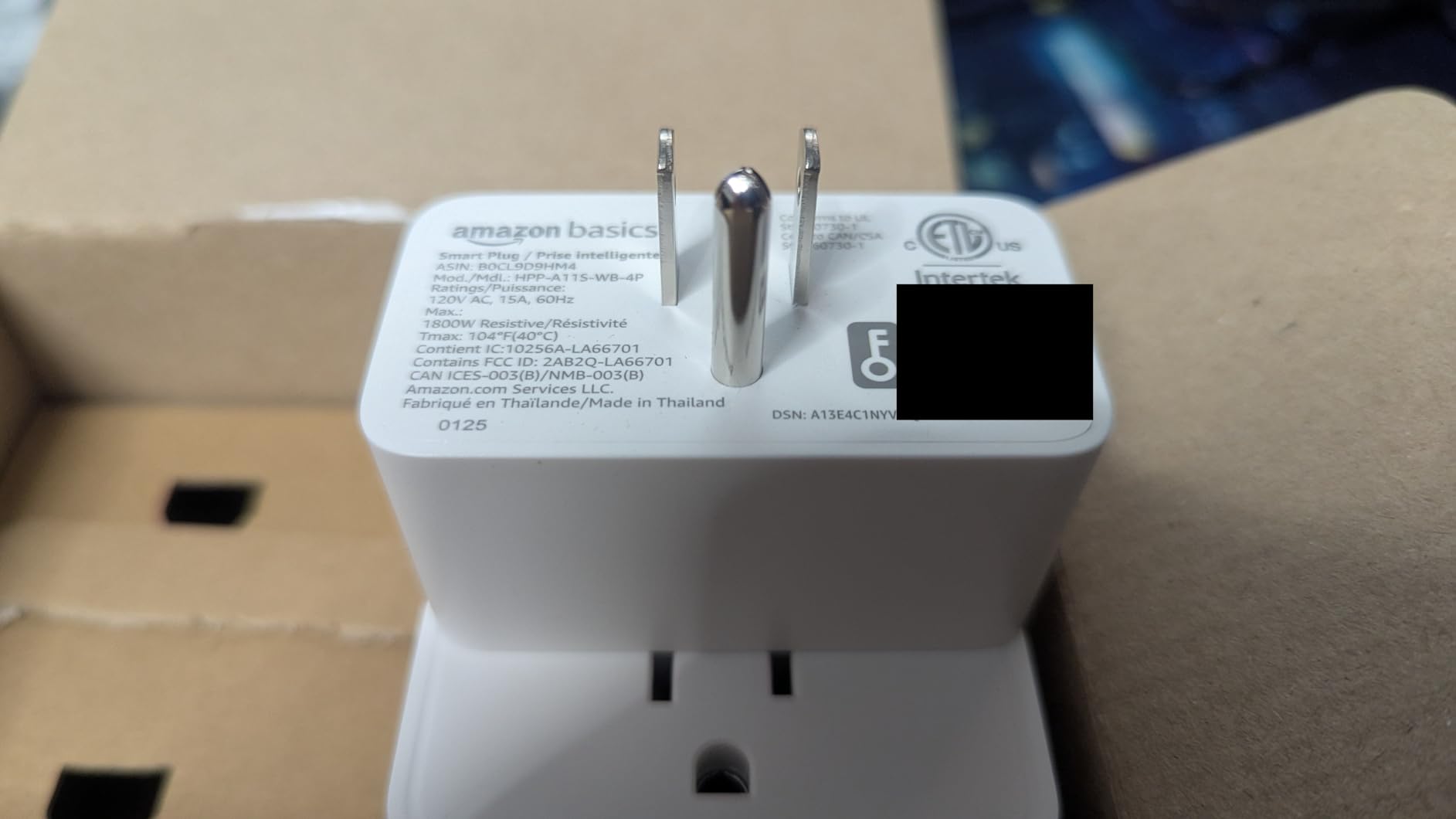
The body measures 2.7 by 2.1 by 1.5 inches and fits into a single socket while leaving the other free, so it works in tighter wall receptacles than a full-size plug. Warranty coverage is one year, shorter than the two years offered by several picks in this list.
At 4.4 stars across more than 8400 reviews, the score sits below the leaders, and the reason is visible in the rating distribution. Nine percent of reviews are one star, the largest share of any plug here, and that comes from re-pairing friction after Alexa outages.
Because the whole pack joins over 2.4GHz Wi-Fi with no hub, adding more rooms later is just a matter of repeating the same app flow. The four identical units also share the same routines, so a single schedule can cover every plug in the pack instead of being set up one device at a time.
Choosing between the two Amazon options
If both plugs are candidates, the single-pack Amazon Smart Plug is the better buy for most people. It carries a 4.7 average against 4.4 here, it re-connects on its own after outages instead of needing re-discovery, and it comes with a longer effective track record.
This four-pack earns its place on volume. When your goal is eight to twelve controlled outlets across a property and every one of them runs on Alexa, the per-plug cost and the single checkout make it hard to argue with.
What you give up
This variant is Alexa only, with no Apple HomeKit and no Google Assistant. A Matter-compatible version of the same plug exists as a separate variant, and that is the one to choose if your household is not Alexa-only.
There is no energy monitoring and no dimming, so it stays a switching device. For paired with security systems and cameras that need shared schedules and voice control, our guide to the best smart home security systems for homes covers the wider picture.
How to Choose a Smart Plug: Wi-Fi, Matter, Zigbee and Z-Wave
Choosing a smart plug in 2026 comes down to one question first: do you want another device on your Wi-Fi network, or do you want to join a mesh that runs through a hub. Everything else follows from that answer.
Wi-Fi plugs need a 2.4GHz network, which every plug in this roundup requires. Setup takes minutes, there is no hub to buy, and the app does everything. The cost is that every plug is a separate client on your router, so a household with 30 plugs puts real pressure on a small network.
Matter plugs are still Wi-Fi or Thread devices, but they present a common interface to Apple Home, Alexa, Google Home and SmartThings. They also support local control, so commands go straight to the device on your network instead of travelling to a vendor cloud first. If you are starting fresh in 2026, Matter is the least regrettable choice for mainstream users.
Zigbee and Z-Wave plugs need a hub or a USB coordinator dongle, which is the hidden cost that catches first-time buyers. In return you get a mesh network that extends as you add devices, and integrations that talk to your controller directly over your own network rather than over the internet. Home Assistant Community discussions return to this point constantly: a coordinator dongle is a one-time purchase, but you have to make it deliberately.
The cloud question deserves more attention than spec sheets give it. A cloud-dependent plug works only when the vendor decides it should. Home Assistant Community users describe TP-Link devices that want a cloud server for even local features, and a firmware security patch that closed the local port to third-party access before being restored. Zigbee devices avoid this by design, and Matter devices reduce it without eliminating it.
Local versus cloud control can be checked before you buy. In Home Assistant, sort the integrations directory by quality scale and look for local push integrations. A cloud-polled integration will keep reporting status over the internet even when your hub is running perfectly on a disconnected network.
Power rating is the last filter. A 10 amp plug is a lamp controller. A 15 amp, 1800 watt plug can handle a coffee maker or a humidifier. Anything that generates heat should not be switched automatically at all, which is the subject of the next section.
What Not to Plug Into a Smart Plug
Never automate a heat-generating appliance. Space heaters, electric kettles, coffee makers, toasters, irons and hair dryers all draw high current and push heat into a small plastic enclosure. Plug one of those into a smart plug and you have created a fire risk that no amount of reliable firmware makes acceptable. Keep those appliances on a plain switch you control by hand.
Do not exceed the rated load on the plug, which is 15 amps and 1800 watts on most of the models here. Resistive and motorised loads behave differently, and motors such as a fan can draw a surge at startup that a plug sitting close to its limit will not enjoy.
Do not plug a power strip into a smart plug. The strip has its own breaker and multiple loads, and the combination defeats the safety certification both products were tested under. If you want several switched outlets, buy individual plugs or a dedicated smart power strip instead.
Do not cycle a refrigerator, a freezer or any medical equipment remotely. Compressors need a steady supply, and an automated cut-off during an outage is a genuine hazard. If you want to monitor a fridge for a power failure, put it on a plug that reports energy but never switches.
Finally, keep the physical button working as a fallback. Every plug in this roundup has a manual control, and for a load that matters you should be able to turn it off without opening an app.
Reliability, Cloud Dependence and Energy Monitoring
Reliability data is the most useful part of owner reviews and the hardest to find on a spec sheet. The pattern across these ten plugs is that Wi-Fi models with a Bluetooth fallback recover from outages more reliably than Wi-Fi-only models, and that long-run complaints cluster around two issues: a plug that stops answering the network, and a vendor change that alters how the plug is reachable.
Cloud dependence is the second theme. An Alexa or Kasa plug is straightforward and works well, but its automations live in an account you do not control. A Zigbee plug costs more to set up and keeps working on your network without permission. If you already run a local-first system, factor that difference into the decision rather than treating a Wi-Fi plug as a cheaper equivalent.
Energy monitoring is where the real return sits. The Tapo P115 and the Govee H5086 both report live watts and accumulate kWh over time, and that data supports automations no switching plug can build: charging cut-offs, overload shut-off, off-peak scheduling against your utility rate, and a notification when a washing machine finishes its cycle.
Do smart plugs save electricity? They do, but not through the switch itself. A plug always consumes a small amount of standby power. The savings come from cutting the phantom load of an appliance that would otherwise sit powered all day, and from running heavy devices during cheaper tariff hours. The metering models in this list are the ones that let you prove either effect.
One last durability note. Every plug reviewed here is rated IP00 or has no ingress rating at all, meaning none of them belongs outdoors or in a damp garage. Outdoor string lights need a purpose-built weather-resistant plug with a documented IP rating, and even those eventually fail when moisture finds its way past the seal.
Frequently Asked Questions
Which smart plug is best for my home?
For most households the Amazon Smart Plug is the best starting point, because it needs no hub, pairs with the Alexa app in minutes and holds a 4.7 rating across more than 570000 reviews. If you use Apple Home, Google Home or SmartThings, choose the Matter-enabled Tapo P125M instead, since it joins every one of those ecosystems and keeps working on your local network when the internet drops.
What smart plugs work best with Home Assistant?
Wi-Fi plugs from large manufacturers work, but the most reliable path is a plug with a local-push integration rather than a cloud-polled one. In Home Assistant, sort the integrations directory by quality scale and IoT class to find local integrations. Matter and HomeKit devices work locally, and cheap Tuya-based plugs usually need a third-party custom integration that takes more effort to set up.
Which smart plug is the most reliable?
Reliability depends more on the protocol than the brand. Zigbee plugs report far fewer problems than Wi-Fi models because they do not depend on a cloud connection or on the router staying alive. Among Wi-Fi options, the Philips Hue Smart Plug holds a 4.7 rating with 84 percent five-star reviews and owners describe it as never failing, while the Amazon Smart Plug is the most dependable of the mainstream no-hub plugs.
What devices should not be used with smart plugs and why?
Never put heat-generating appliances behind a smart plug. Space heaters, kettles, coffee makers, toasters, irons and hair dryers draw high current and trap heat inside the enclosure. Also avoid exceeding the 15 amp and 1800 watt rating, never plug a power strip into a smart plug, and do not cycle a refrigerator, freezer or medical equipment remotely.
Do smart plugs need a hub?
Wi-Fi and Matter plugs need no hub at all, which is why the Amazon Smart Plug and the Tapo P125M pair straight to your phone. Zigbee and Z-Wave plugs require a hub or a USB coordinator dongle, such as a Zigbee coordinator for Home Assistant. That dongle is a one-time purchase, but budget for it before buying your first mesh plug.
Can smart plugs monitor energy usage accurately?
Yes, on the models built for it. The Tapo P115 and the Govee H5086 report real-time watts alongside cumulative kWh, and the Tapo adds cost estimates against your utility rate with spreadsheet export. Watch the difference between the two readings: use watts for live dashboards and automations, and kWh for cost tracking.
What is the difference between a smart plug and a smart outlet?
A smart plug is an add-on device that sits in an existing wall socket, so it is removable in seconds and works in a rental. A smart outlet replaces the receptacle itself, so it needs electrical work and an electrician. Outlets look cleaner and can carry per-socket energy monitoring, but plugs are cheaper, portable and far easier to move between rooms.
The Best Smart Plugs for Home Automation in 2026
Start with the Amazon Smart Plug if you want one dependable, no-hub plug that re-joins the network by itself after a power cut. Choose the Tapo P125M next if your household spans Apple Home, Alexa, Google and SmartThings, since Matter and local network control make it the most future-proof option in this roundup. The Kasa HS103P2 in a multipack fills a home cheaply, and the EP10 handles crowded power strips where space is the constraint.
If your goal is data rather than switching, the Tapo P115 is our pick for energy monitoring and cost estimates, with the Govee H5086 as the tougher option for homes with unstable power. The Philips Hue plug is the one to buy when you already run Hue lighting and care most about longevity. Whichever you pick, check the load rating first and keep heat-generating appliances on a manual switch.