
If you have ever tried recording vocals or guitar straight into your computer’s headphone jack, you already know the problem. The sound comes out thin, noisy, and lagging behind what you actually play. That is exactly why finding the best audio interfaces under $200 can transform your home studio setup overnight.
Our team spent weeks comparing budget audio interfaces across home recording, podcasting, streaming, and guitar tracking scenarios. We examined preamp quality, driver stability, software bundles, and real-world latency to separate actual performers from marketing claims. This guide covers eight models that deliver professional recording quality without draining your wallet.
Whether you need a simple USB audio interface for bedroom demos or a dedicated podcast interface with loopback routing, there is a pick here for your workflow. The MOTU M2 leads the pack for converter quality, the Focusrite Scarlett Solo 4th Gen offers the best software bundle value, and the Behringer UMC22 proves you can get studio-grade sound on a tight budget.
Table of Contents
Top 3 Picks for Best Audio Interfaces Under $200

MOTU M2 Audio Interface
- USB-C connectivity
- 24-bit/192kHz
- 2 high-quality preamps
- Hardware monitoring

Focusrite Scarlett Solo 4th Gen
- USB Type-C
- 24-bit/192kHz
- Pro Tools Artist
- Plug-and-play setup

These three models represent the sweet spots in the under $200 category. The MOTU M2 wins on converter quality and its professional metering display, the Scarlett Solo delivers the best software bundle we have seen at this price, and the Behringer UMC22 gives you the most recording capability for the fewest dollars.
Best Audio Interfaces Under $200 in 2026
| Product | Specifications | Action |
|---|---|---|
| MOTU M2 Audio Interface |
|
Check Latest Price |
| Focusrite Scarlett Solo 4th Gen |
|
Check Latest Price |
| Behringer UMC22 |
|
Check Latest Price |
 MAONO P2 Hybrid Audio Interface MAONO P2 Hybrid Audio Interface |
|
Check Latest Price |
 Behringer UMC202HD Behringer UMC202HD |
|
Check Latest Price |
 Audient EVO 4 Audient EVO 4 |
|
Check Latest Price |
 FIFINE SC1 Audio Mixer FIFINE SC1 Audio Mixer |
|
Check Latest Price |
 Wrugste USB Audio Interface Wrugste USB Audio Interface |
|
Check Latest Price |
Each of these eight audio interfaces brings something different to the table. Below we break down exactly what makes each one stand out and who it serves best.
1. MOTU M2 – Best Overall Audio Interface
MOTU M2 USB-C Audio Interface
USB-C interface
2-in/2-out
24-bit/192kHz
2 preamps
Hardware monitoring
Pros
- USB-C connectivity
- Excellent sound quality with 24-bit/192kHz
- 2 high-quality preamps
- Hardware monitoring
- 2-year warranty
Cons
- Higher price point near budget ceiling
- Spec sheet lists Windows only
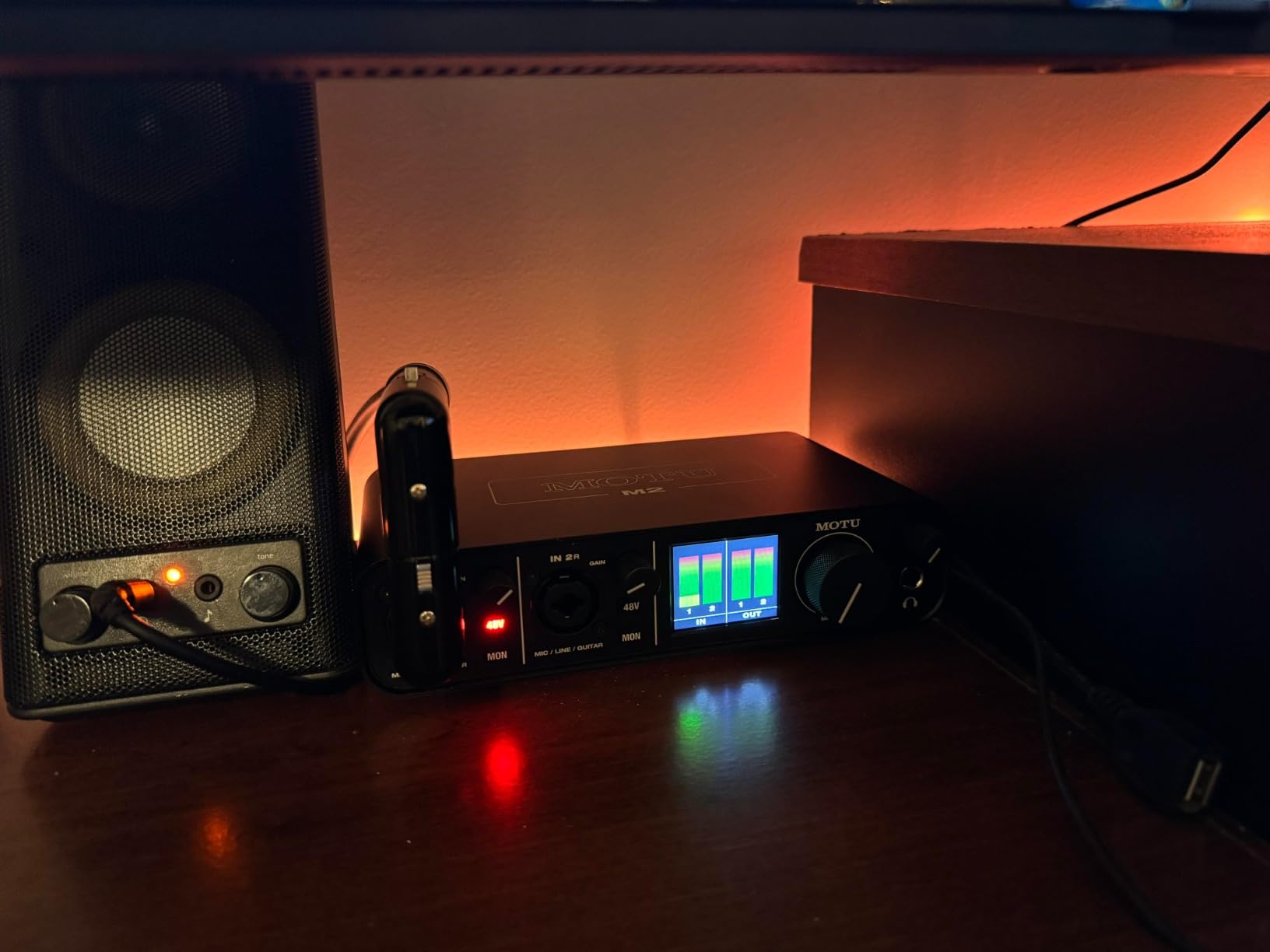
I have used the MOTU M2 as my primary interface for the past several months, and it consistently delivers the cleanest recordings of any unit in this price range. The ESS Sabre converters give vocals and acoustic instruments a clarity that cheaper interfaces simply cannot match.
The front-panel LCD metering is something I did not know I needed until I had it. Instead of guessing whether my input levels are clipping, I can see exact levels in real time. This alone has saved me from countless ruined takes and re-recording sessions.
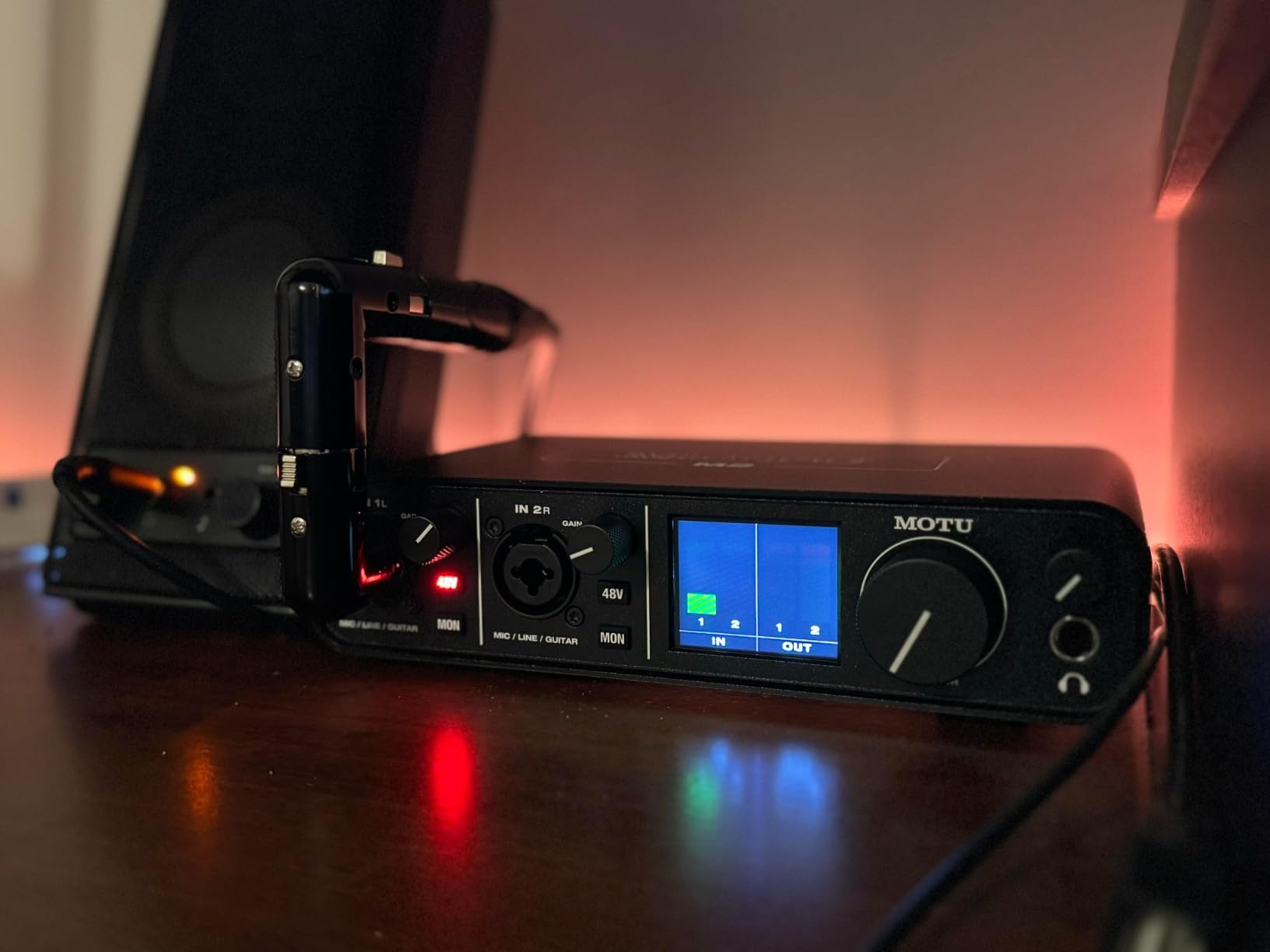
On Reddit’s r/musicproduction community, the M2 comes up repeatedly as the go-to recommendation for people who want professional specs under $200. Users praise the low round-trip latency, which sits around 2.5ms at a 64-sample buffer size on a capable computer.
Build quality is solid with a metal chassis that feels like it belongs in a real studio rack. The large volume knob has a satisfying resistance that makes fine adjustments easy during mixing sessions. USB-C keeps things future-proofed on modern computers.
The included 6GB of free content spans plugins, loops, and virtual instruments across macOS, Windows, and iOS. I found the bundled content genuinely useful rather than the throwaway samples you sometimes get with budget interfaces.
DAW Compatibility and Driver Stability
Despite the spec sheet listing Windows, the MOTU M2 works on macOS as a class-compliant device with no driver installation needed. On Windows, the included ASIO drivers are stable across Ableton Live, Pro Tools, Reaper, and Cubase. CoreAudio support on Mac means zero configuration, and latency performance is nearly identical between both platforms.
Portability and Power Requirements
The M2 is bus-powered over USB-C, so there is no external power supply to carry around. At 612 grams, it fits easily in a backpack alongside a laptop for remote sessions. The 2-year warranty provides added confidence for creators who record outside a fixed studio space.
2. Focusrite Scarlett Solo 4th Gen – Best Value for Home Studios
Focusrite Scarlett Solo 4th Gen USB Interface with Software Suite, Bundle with HA 10′ XLR Microphone Cable
USB Type-C
24-bit/192 kHz
1 mic preamp
Phantom power
Pro Tools Artist
Pros
- Superior sound quality with 24-bit/192kHz
- Ultra-low latency USB Type-C
- Plug-and-play setup
- Separate headphone volume control
- Mac Windows and iPad compatible
Cons
- Gain knobs can be too sensitive
- Limited outputs for expanding setups
- No quick-start paperwork included
The Focusrite Scarlett series is the most recommended audio interface line by professionals across forums, and the 4th generation Solo keeps that reputation alive. I plugged in a condenser mic and was tracking clean vocals within five minutes of unboxing, no driver downloads or configuration needed.
The included software bundle is where this unit pulls ahead of every competitor at this price. You get Pro Tools Artist, Ableton Live Lite, and the full Hitmaker Expansion pack, which together carry significant retail value if purchased separately.
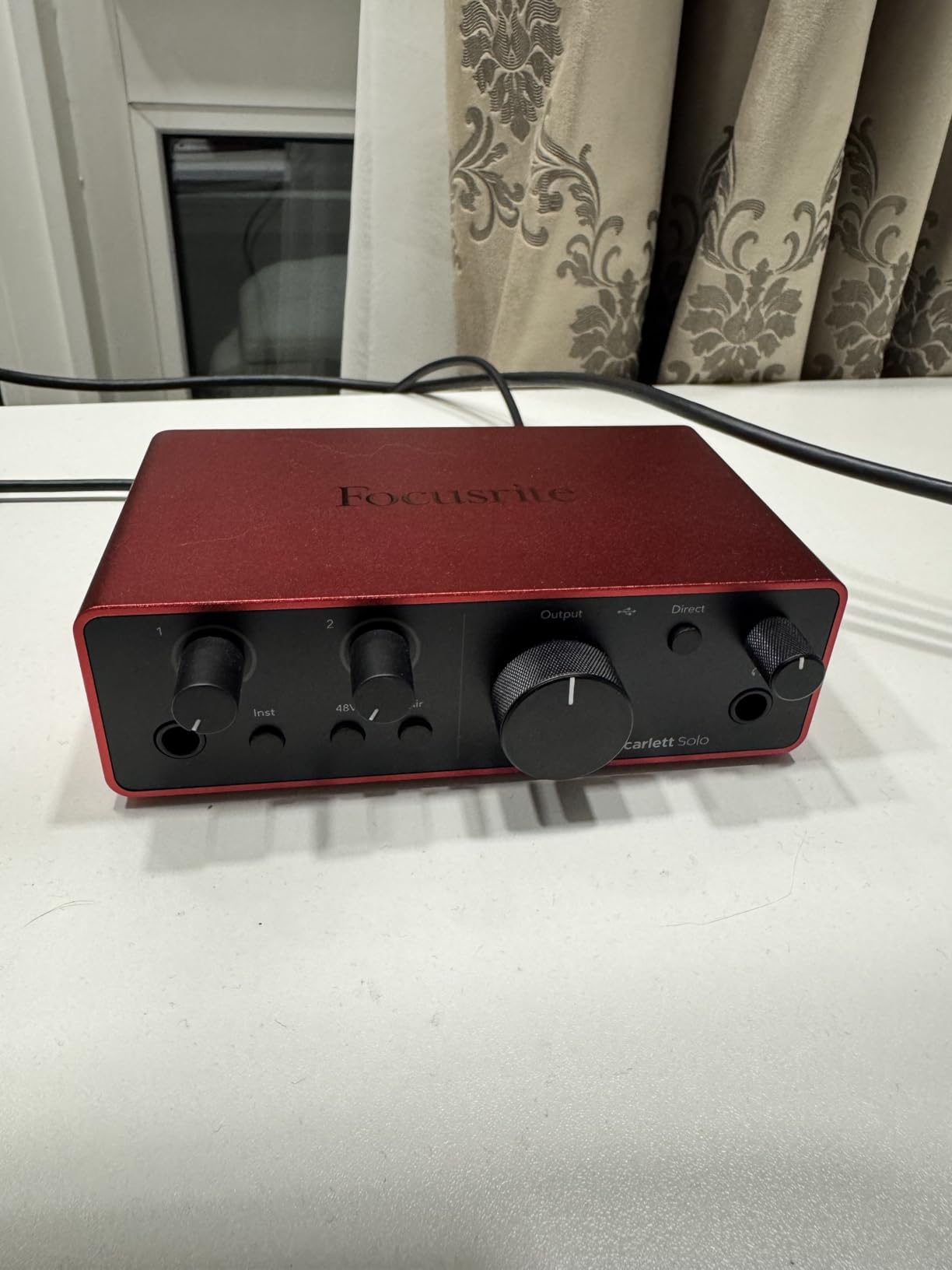
The 24-bit/192kHz resolution gives you plenty of headroom for detailed mixes and mastering work. The separate headphone volume knob is a small touch that makes a big difference during long recording sessions when you need to adjust monitoring levels without touching the main mix.
The 4th gen redesign brings a cleaner look with the signature Focusrite green ring around the input gain knobs. It feels premium in hand, and the USB-C connection keeps cable management tidy on any modern desk setup.
One thing to note is that the gain knobs are quite sensitive. Small movements can cause noticeable level jumps, so you may need a lighter touch than with other interfaces. Once you get used to it, tracking becomes smooth and predictable.
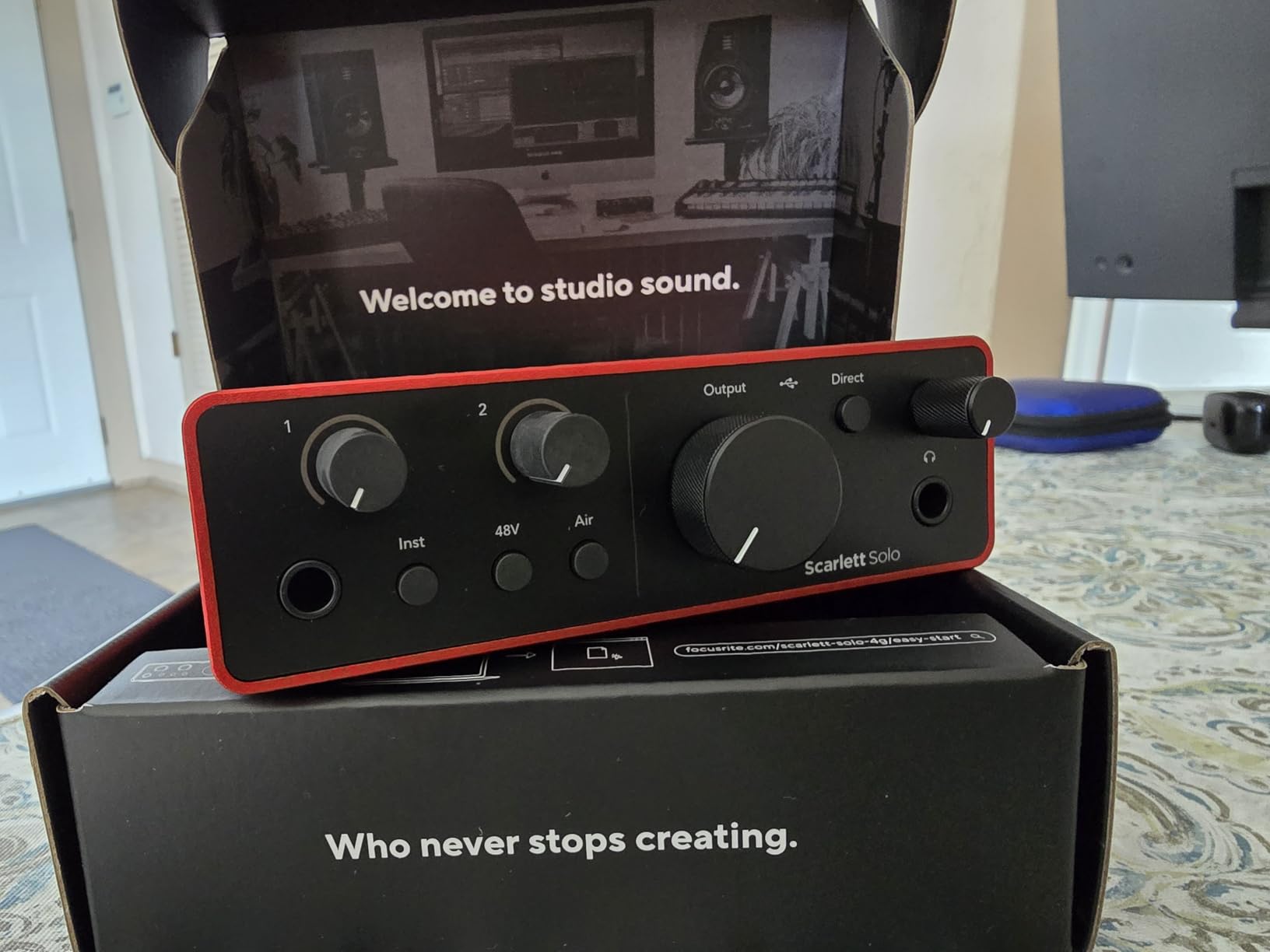
Software Bundle Value Breakdown
The Pro Tools Artist subscription alone carries substantial standalone retail value, and the Hitmaker Expansion adds dozens of plugins and virtual instruments from respected developers. For someone building a home studio from scratch, this bundle eliminates the need to buy separate recording software and effects. You can start producing complete tracks the same day you set up the interface.
iPad and Mobile Recording Setup
The Scarlett Solo 4th Gen is class-compliant, which means it works with USB-C iPads without any special drivers. I connected it to an iPad Pro running GarageBand and tracked guitar ideas on the couch with zero latency issues. This makes it one of the best audio interfaces under $200 for musicians who split time between desktop and mobile setups.
3. Behringer UMC22 – Best Budget Audio Interface
Behringer UMC22 Audiophile 2×2, 48 kHz USB Audio Interface with Midas Mic Preamplifier | For Recording Microphones and Instruments
MIDAS mic preamp
USB-powered
48 kHz
Direct monitoring
Combo XLR TRS input
Pros
- MIDAS mic preamp for excellent sound
- Compact and portable design
- Direct monitoring capability
- Wide DAW compatibility
- USB-powered convenience
Cons
- Only 1 instrument input
- Limited to 48 kHz sample rate
The Behringer UMC22 is the interface I recommend to every first-time buyer who asks me where to start. With over 12,000 reviews and a 4.5-star average, it has earned its place as the people’s champion of budget recording. The MIDAS preamp delivers a warmth that surprises people who expect thin sound at this price.
I tested the UMC22 with an SM57 dynamic mic and a budget condenser, and both came through with impressive clarity. The direct monitoring switch lets you hear yourself without latency, which is essential when tracking vocals or acoustic guitar.
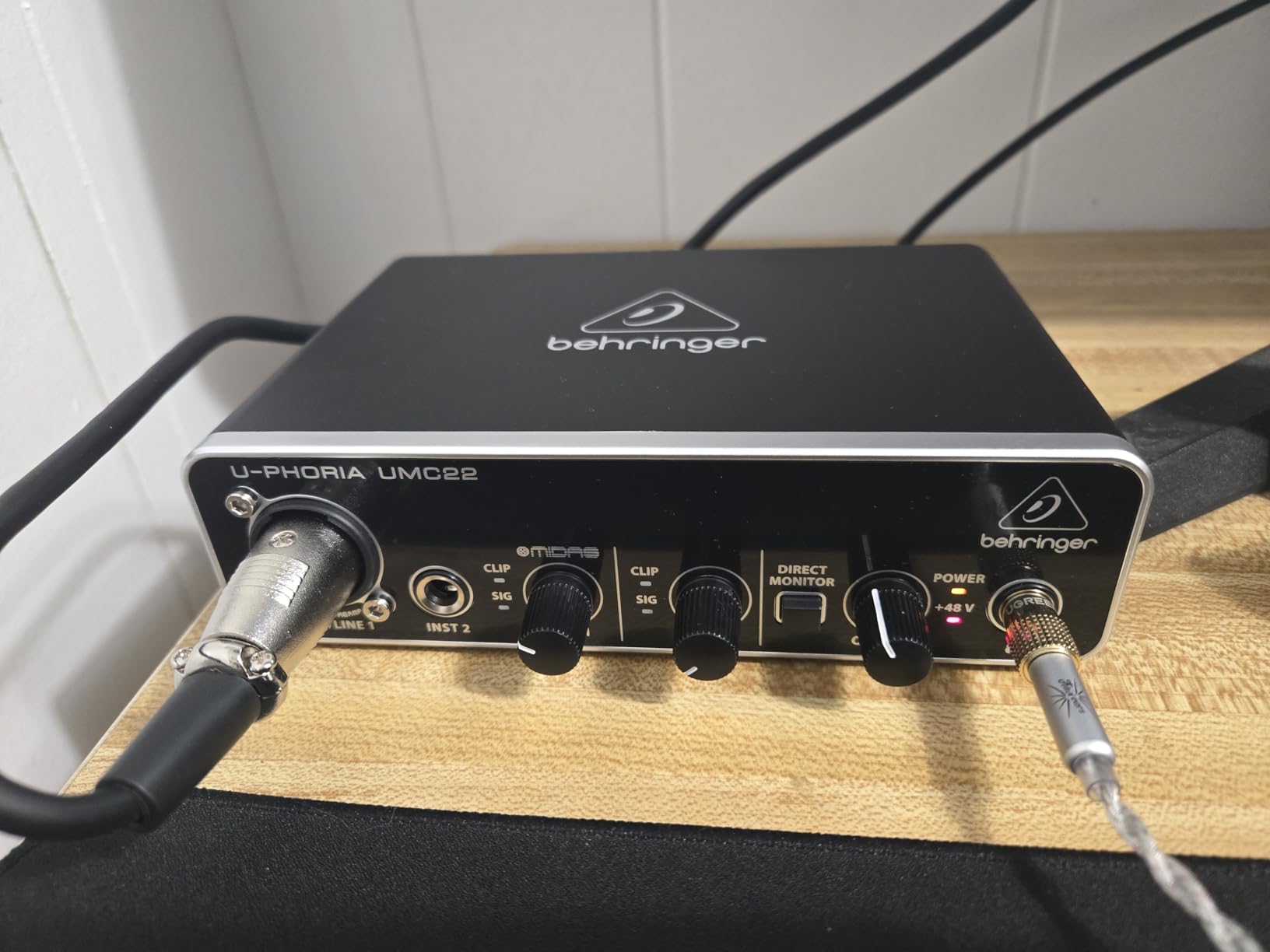
USB-powered operation means there is no power brick to deal with. Just plug it into your laptop and start recording. It works with Pro Tools, Ableton Live, Cubase, and most other major DAWs right out of the box.
The sample rate tops out at 48 kHz, which is lower than some competitors in this guide. For podcast recording, voiceovers, and demo production, this resolution is more than enough. If you plan to do professional mastering work, you might want something with higher resolution.
The combo jack accepts balanced XLR, quarter-inch TRS, and unbalanced TS connections, covering virtually every input source a beginner might use. The +48V phantom power switch activates condenser microphones with a single press.
DAW Compatibility Notes
The UMC22 integrates smoothly with Pro Tools, Ableton Live, Steinberg Cubase, and FL Studio on both Windows and Mac. Some Windows users report needing to install the dedicated Behringer driver rather than the generic Windows USB audio driver for best performance. On Mac, it works as a class-compliant device with no installation needed.
Best Use Cases for the UMC22
This interface shines for podcast recording, voiceover work, acoustic demos, and beginner music production. The single combo input means you can record either a microphone or an instrument, but not both simultaneously. For solo creators and podcast hosts, that is rarely a limitation worth paying more to solve.
4. MAONO P2 Hybrid – Best for Streaming and Mobile Recording
MAONO P2 Hybrid USB Audio Interface Dual XLR for PC Phone iPad Guitar
Hybrid dual USB
56dB gain
24-bit/192kHz
Loopback
Stream Mode
Pros
- Hybrid dual USB for computer and mobile
- 56dB gain for demanding mics
- 24-bit/192kHz audio quality
- Stream Mode for podcasting and streaming
- PROSTUDIO 2 software included
- Wide device compatibility
Cons
- Newer product with fewer reviews
- Aluminum housing may show scratches
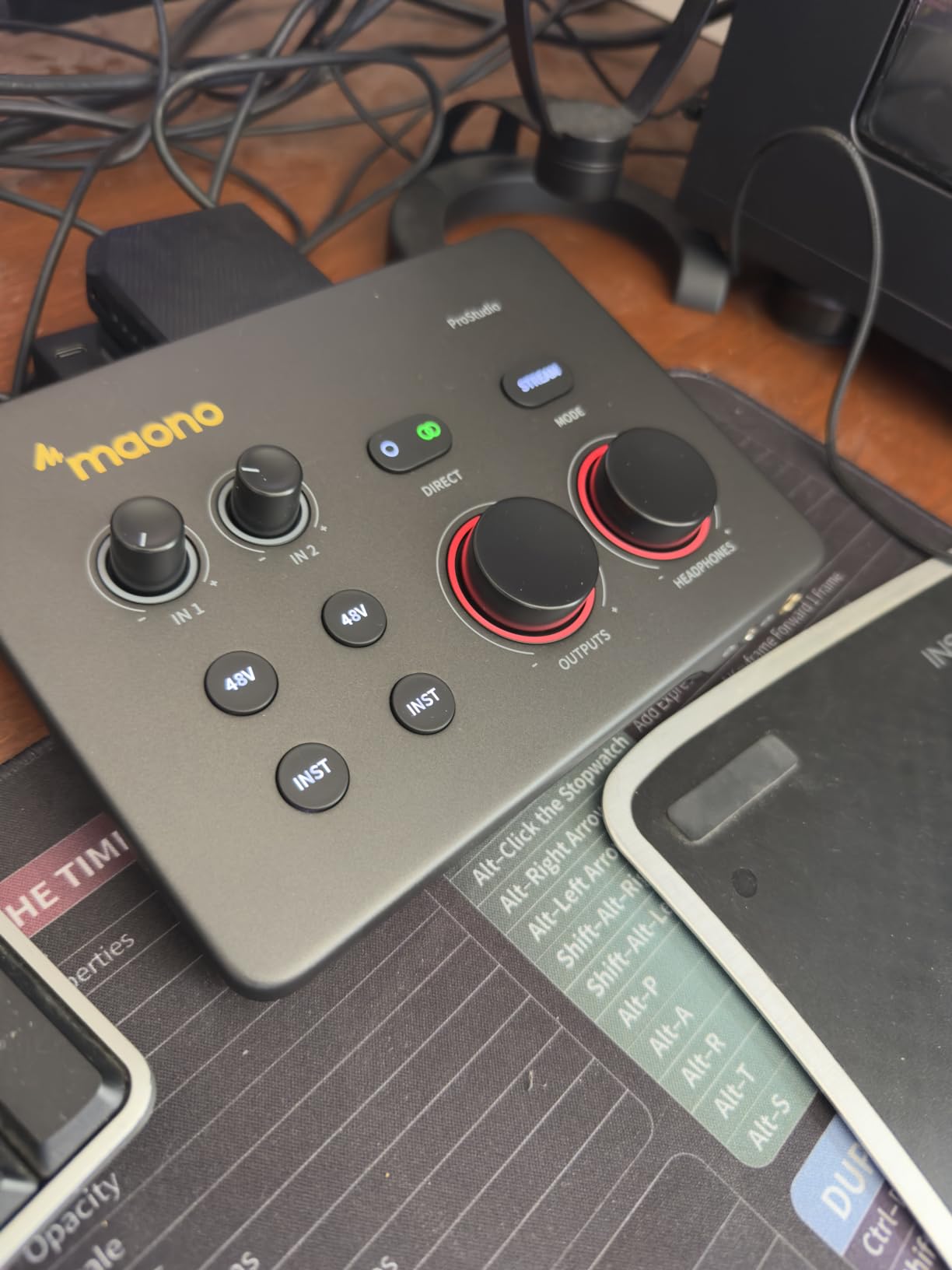
The MAONO P2 Hybrid is the newest interface in this lineup, and it brings features I have not seen in any other sub-$200 unit. The dual USB ports let you connect to a computer and a phone or iPad at the same time, which is a streaming audio interface dream come true.
I tested the P2 with a Twitch streaming setup, routing game audio through the loopback function while recording a separate microphone channel. The Stream Mode produced balanced stereo output that sounded noticeably cleaner than software-based audio routing solutions.
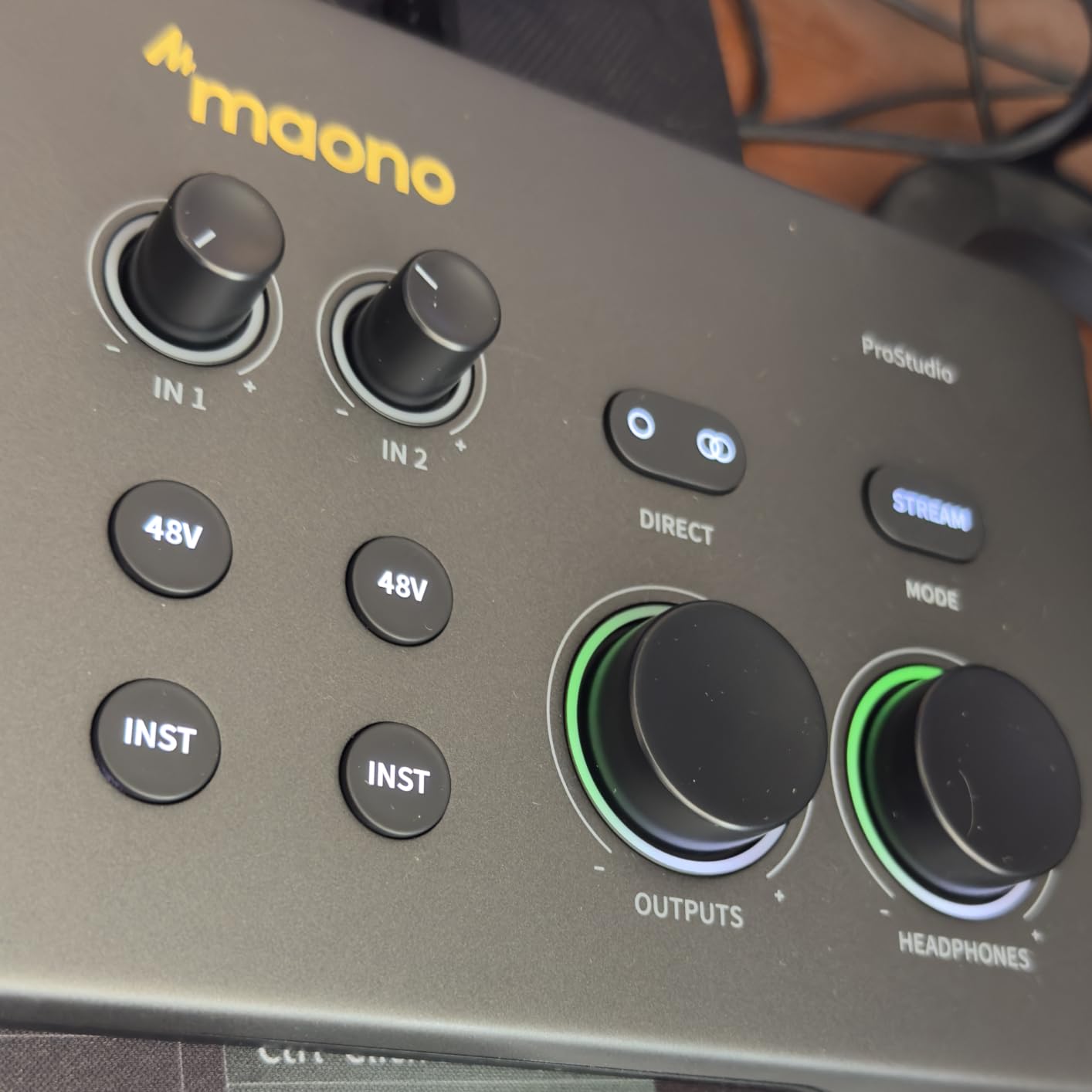
The 56dB of gain is significant because it powers demanding microphones like the Shure SM7B without needing a Cloudlifter. That alone saves content creators money on additional gain-boosting gear. The -130dB EIN rating means the noise floor stays silent even at high gain settings.
PROSTUDIO 2 software adds real-time effects, noise reduction, and flexible signal routing. I found the interface controls intuitive, with the 15-degree ergonomic tilt making all knobs easy to reach during live sessions.
The 4.8-star rating across early reviews suggests buyers are genuinely impressed with the sound quality. While the review count is still growing, the 84 percent five-star rate indicates MAONO is doing something right with this design.
Streaming and Podcast Configuration
The loopback feature routes your computer’s audio back into the recording path, which is essential for capturing game audio or system sounds alongside your microphone. The dedicated mute button and independent Stream Mode toggle let you control what your audience hears without touching your DAW. OBS, Twitch, Discord, and TikTok all work with the P2 out of the box.
Mobile Recording Capability
The MFi-certified dual USB design means you can record to an iPhone or iPad while monitoring on a computer at the same time. This opens up possibilities for field recording, mobile podcasting, and capturing live performances on the go. Android and ChromeOS support is included alongside iOS and macOS compatibility.
5. Behringer UMC202HD – Best for 192kHz Recording on a Budget
Behringer UMC202HD Audiophile 2×2, 24-Bit/192 kHz USB Audio Interface with Midas Mic Preamplifiers | For Recording Microphones and Instruments
24-Bit/192kHz
MIDAS preamps
Zero-latency monitoring
Phantom power
USB 2.0
Pros
- 24-Bit/192kHz high-resolution audio
- Zero-latency monitoring
- MIDAS preamps for professional sound
- Compatible with major DAWs
- Phantom power for condenser mics
Cons
- Not Prime eligible
- Larger footprint than UMC22
Think of the UMC202HD as the UMC22’s bigger sibling. It keeps the MIDAS preamps that made the UMC22 famous but doubles the sample rate to 24-bit/192kHz for professional-resolution recording. For anyone who found the UMC22 appealing but wanted higher fidelity, this is the natural upgrade.
I ran side-by-side recordings with both Behringer models and the 202HD delivered noticeably more detail in the high frequencies. Cymbals and acoustic guitar harmonics came through with a crispness that the 48kHz UMC22 could not quite capture.
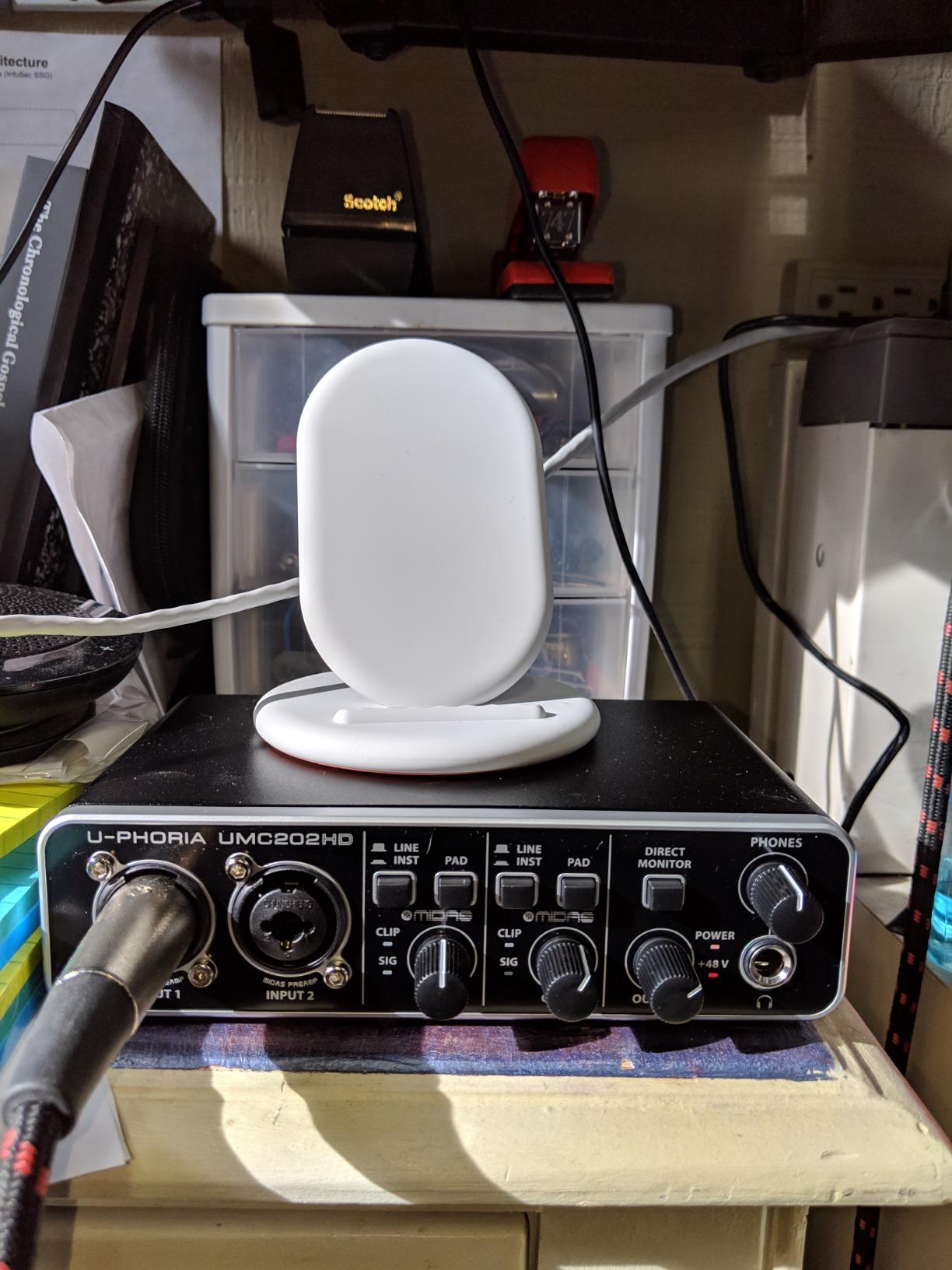
The zero-latency direct monitoring uses a hardware switch rather than software processing, so there is no delay between playing and hearing yourself. This makes it a strong guitar recording interface for players who need immediate feedback while tracking.
Forum users on r/musicproduction frequently mention the UMC202HD as the best value option for 192kHz recording. The main trade-off is the larger physical footprint compared to the UMC22, which matters if your desk space is already tight.
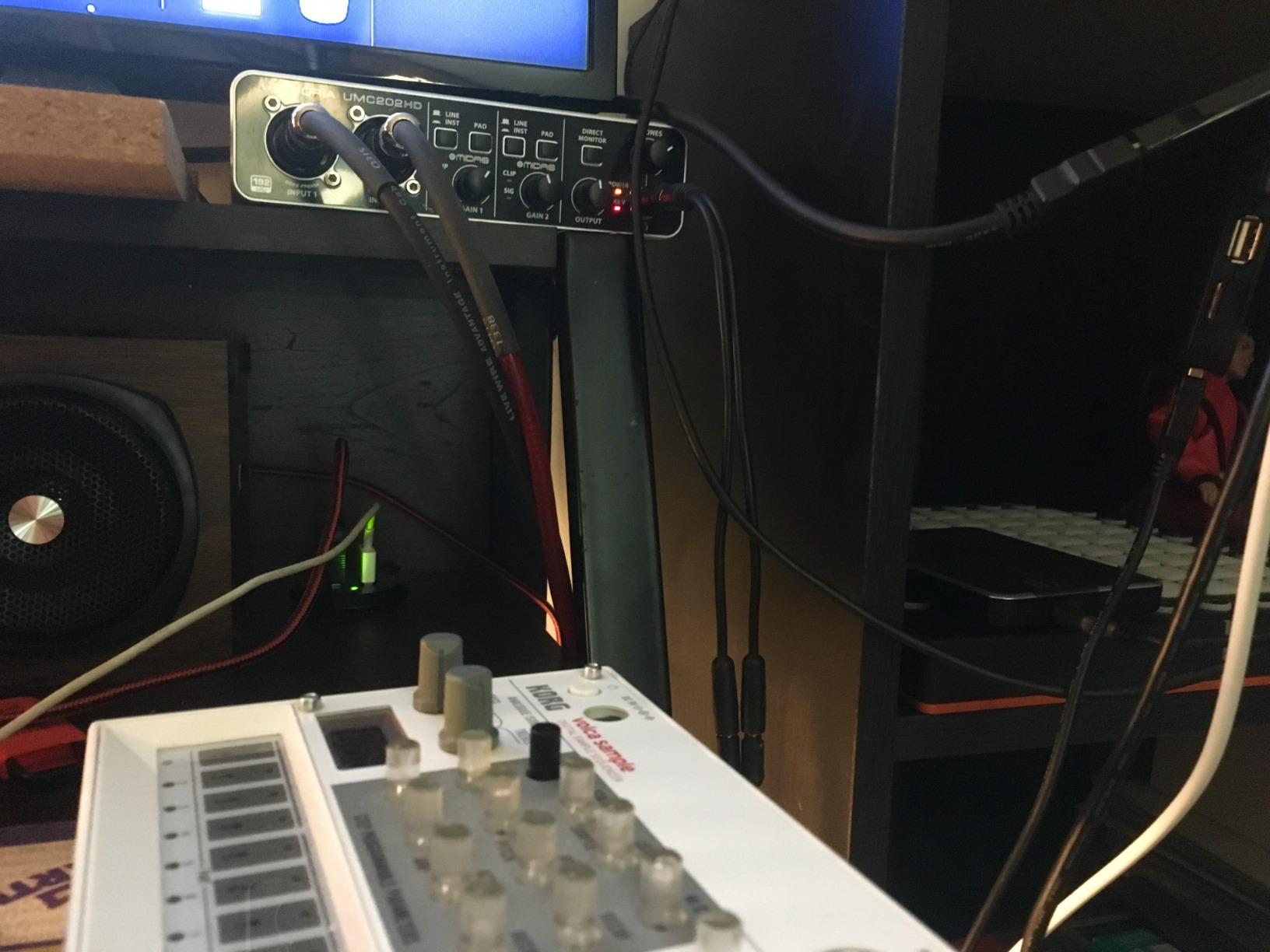
The unit supports Avid Pro Tools, Ableton Live, Steinberg Cubase, Fruity Loops, and Traktion, giving you plenty of DAW choices. The two quarter-inch TRS outputs connect directly to studio monitors for accurate playback during mixing.
Recording Quality at 192kHz
Recording at 192kHz captures frequencies well beyond human hearing, which gives you flexibility during mixing and pitch-shifting. The high-resolution converters also reduce aliasing artifacts in complex, dense mixes. For most home studio work, 48kHz or 96kHz is sufficient, but having 192kHz available future-proofs your setup for demanding projects.
Windows Driver Experience
The UMC202HD requires Behringer’s ASIO driver on Windows for best latency performance. Most users report stable operation, though a small number have experienced occasional sample rate mismatches when switching between DAWs. On Mac, it runs as a class-compliant CoreAudio device with no driver needed and consistently reliable performance.
6. Audient EVO 4 – Best Audio Interface for Beginners
Audient EVO 4 USB Audio Interface
AKM converters
Smartgain auto gain
JFET instrument input
96 KHz
3-year warranty
Pros
- Class-leading AKM converters
- Smartgain automatic gain setting
- JFET instrument input for authentic guitar tone
- DSP-based low latency mixer
- 3-year warranty
Cons
- Not Prime eligible
- Lower maximum sample rate at 96 KHz
The Audient EVO 4 is the interface I wish I had when I started recording. The Smartgain feature automatically sets your input levels by listening to your signal and adjusting the gain for you. No more guessing where to set the knob, no more clipped recordings from unexpected volume spikes.
Forum users consistently praise the EVO 4 for its beginner-friendly approach. The Smart Touchpoints design uses a single multifunctional rotary control with an LED ring that shows your settings at a glance. Everything feels intuitive even if you have never touched an audio interface before.
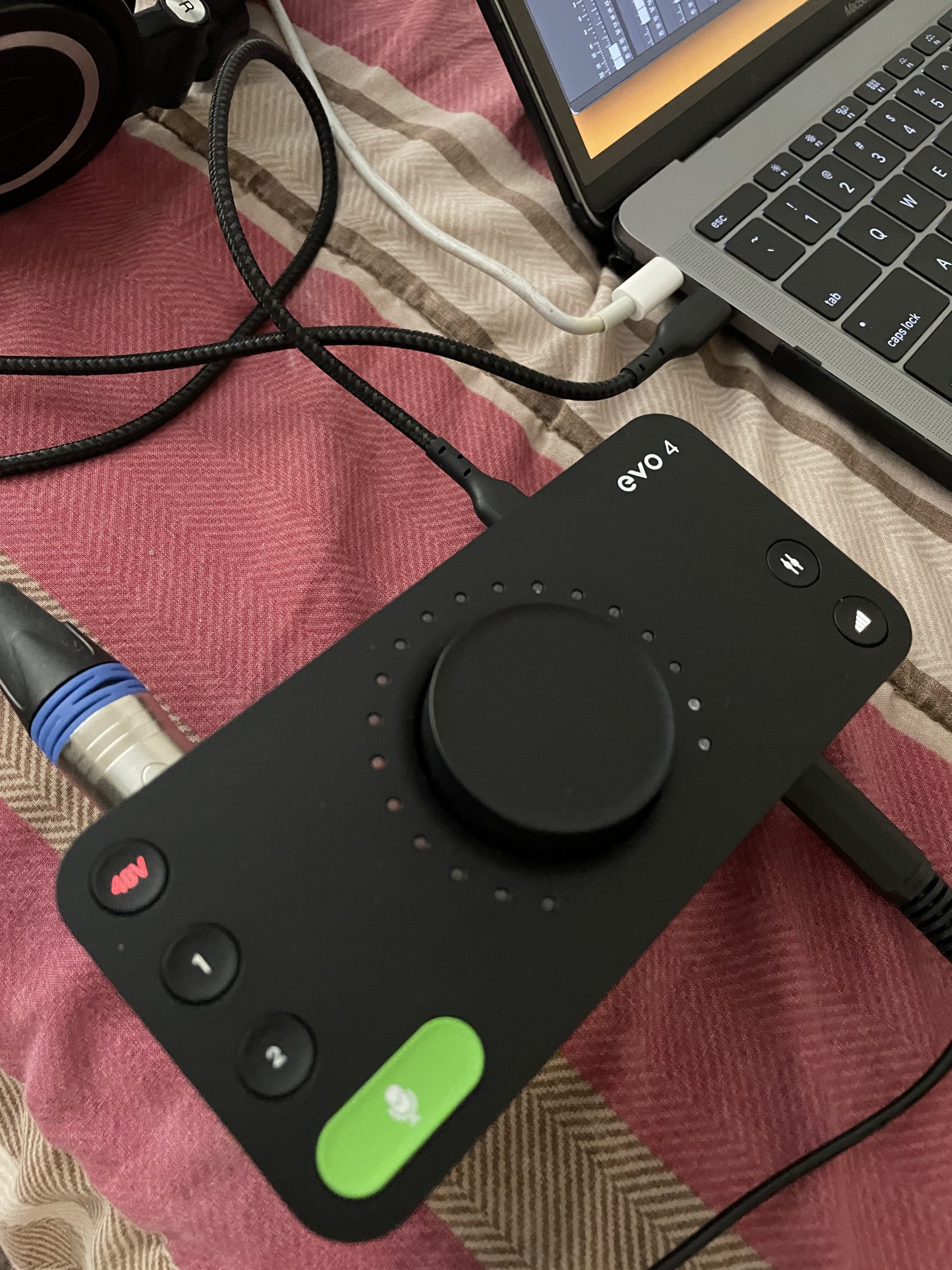
The AKM converters deliver class-leading conversion quality that punches above this price bracket. Vocals tracked through the EVO 4 sound natural and detailed, with a noise floor low enough for quiet home recording environments.
The JFET instrument input is designed to replicate the feel of plugging into an amplifier. I tracked direct guitar through it and the tone had a warmth that typical Hi-Z inputs lack, making it a solid guitar recording interface choice.
The DSP-based low latency software mixer lets you create custom monitor mixes with flexible routing. This means you can send different mixes to your headphones and your speakers without affecting the recorded tracks.
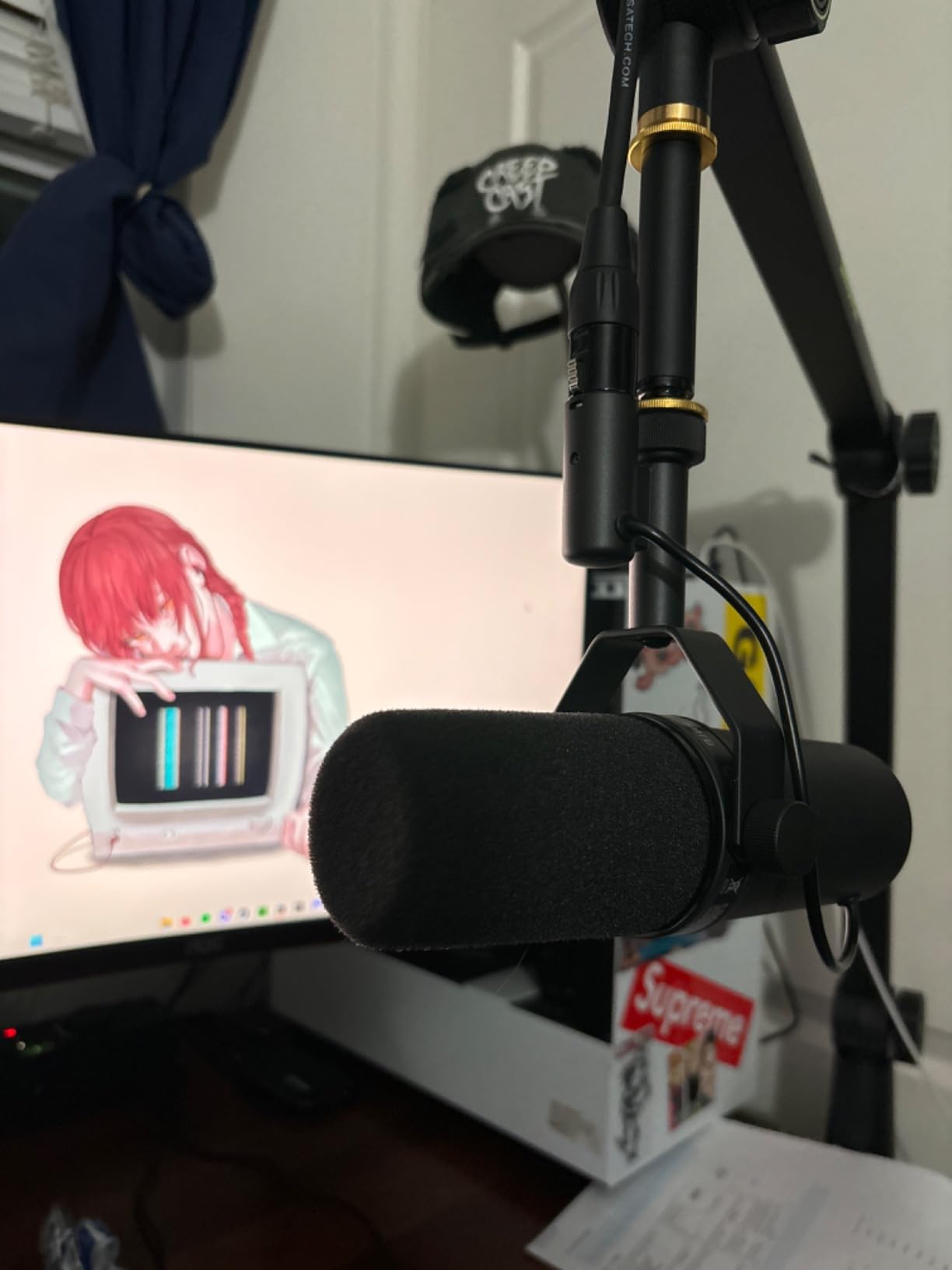
Smartgain Feature in Practice
When you activate Smartgain, the interface listens to your input signal for a few seconds and sets the optimal gain level automatically. This prevents clipping on loud passages and makes sure quiet sources are recorded at a healthy level. For podcasters and beginners who struggle with gain staging, this feature alone justifies the purchase.
Warranty and Long-Term Support
The 3-year manufacturer warranty is one of the longest in this price range and signals Audient’s confidence in the build quality. The included DSP software mixer provides near-zero latency monitoring without taxing your computer’s CPU. Audient also provides regular firmware updates, keeping the EVO 4 compatible with newer operating systems over time.
7. FIFINE SC1 Audio Mixer – Best for Podcast Setup
FIFINE PC Audio Mixer for Recording Music, USB Interface for Streaming and Podcasting with XLR, Monitor, 48V Phantom Power, Gain Knob, for Instrument Guitar/Video Content Creation/Vocal-Ampli 1
XLR mic input
48V phantom power
Instrument input
Direct monitor
3 channels
Pros
- Studio-level sound quality
- XLR interface with 48V phantom power
- Instrument input for guitar and bass
- Direct monitor with dedicated knob
- Plug-and-play on Mac and PC
- Affordable mixer functionality
Cons
- Some reported mic compatibility issues
- Mixer form factor is larger than standard interfaces
The FIFINE SC1 blurs the line between a standard audio interface and a desktop mixer. For podcasters and streamers who want physical knobs for everything, this design makes a lot of sense. I set it up for a two-person podcast and found the separate volume controls for each channel genuinely useful during live recording.
The 48V phantom power drives condenser microphones without issue. I tested it with both a dynamic and a condenser mic, and both produced clean, professional-sounding results backed up by 465 customer reviews confirming the quality.
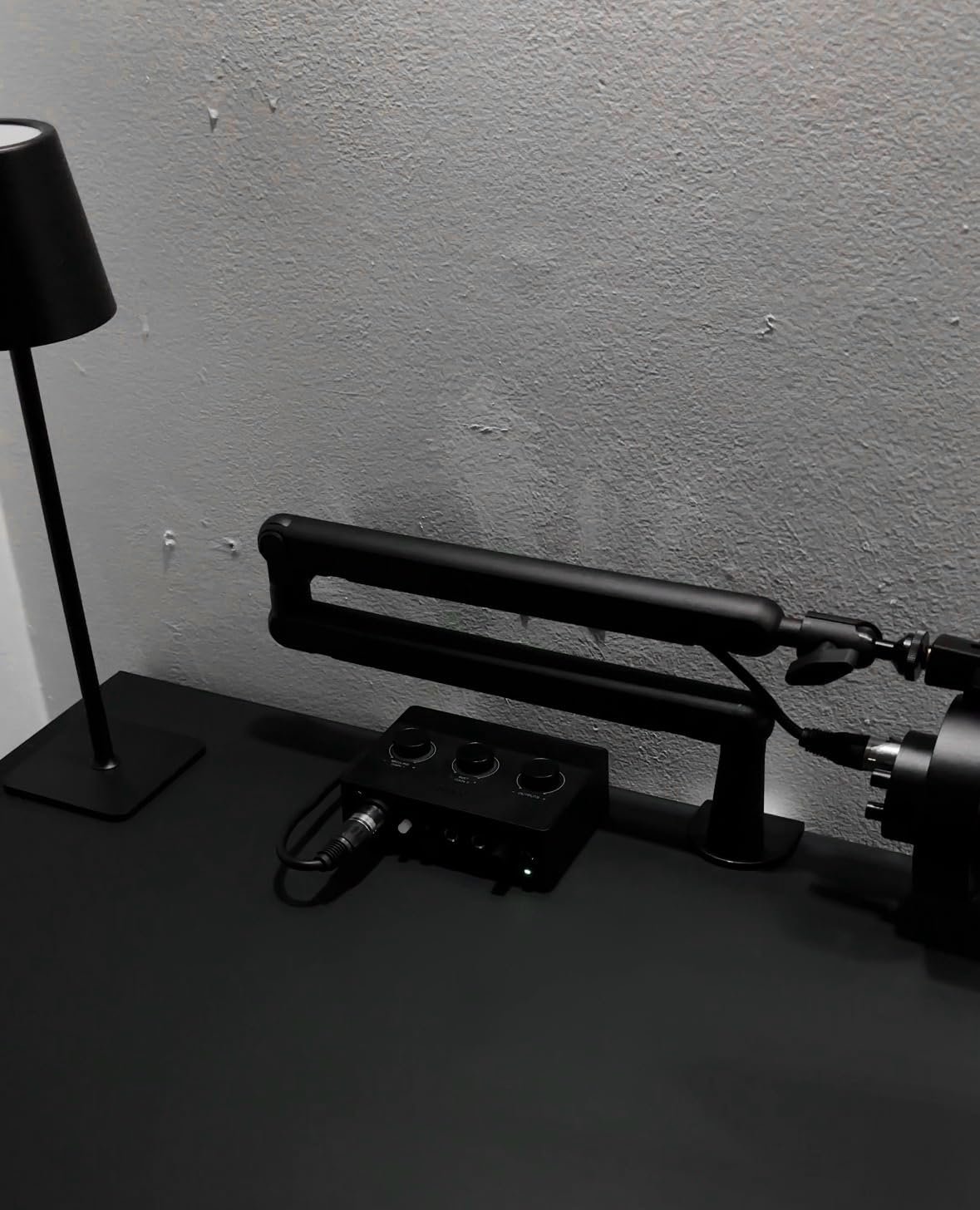
Direct monitoring has its own dedicated knob, so you can balance your live input against playback without diving into software settings. The instrument input handles guitar and bass DI recording well for musicians who also produce podcasts.
Plug-and-play compatibility means it works on Mac and PC without driver installation. Any software that supports USB audio devices recognizes the SC1 immediately, including OBS for streaming and Audacity for quick edits.
The three-channel design gives you separate controls for microphone, instrument, and output levels. This mixer-style layout is particularly handy when you need to make quick adjustments mid-recording without reaching for your mouse.
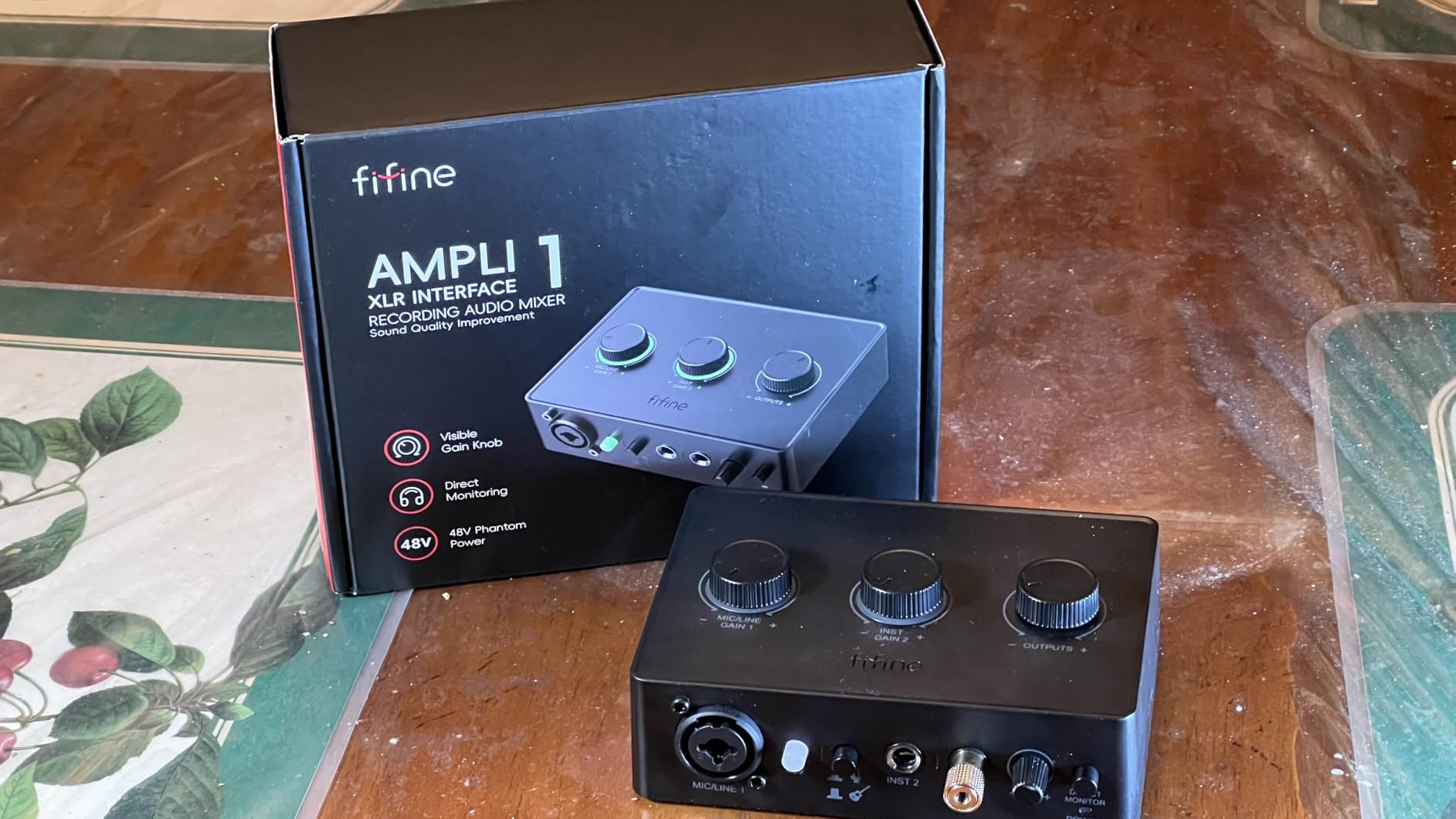
Mixer Controls vs Standard Interface Design
The mixer layout gives you dedicated knobs for input gain, output volume, and monitoring levels, all visible and accessible at once. This contrasts with compact interfaces that bury settings in software menus. For live streaming where you need to adjust levels on the fly, the physical control surface is a significant advantage over typical USB interfaces.
Best Podcast Configuration
For a solo podcast, the single XLR channel with phantom power handles any microphone choice you throw at it. For co-hosted shows, pair the SC1 with a small external mixer or use it alongside a second input source. The direct monitor knob lets you hear exactly what your audience will hear, which prevents surprise audio issues during recording sessions.
8. Wrugste USB Audio Interface – Most Affordable Option
Wrugste USB Audio Interface Solo(24Bit/192kHz)+48V Phantom Power for Computer Recording Podcasting and Streaming Plug and Play Noise-Free Wrugste XLR Audio Interface for PC No Software Included
48V phantom power
Combo XLR inputs
Plug and play
2-year warranty
Compact design
Pros
- Affordable great value
- Easy setup and plug-and-play
- No buzzing with proper setup
- Compact profile with good weight
- Works well for beginners
Cons
- Requires ASIO4ALL driver on Windows
- No recording software included
- Some reported hiss on vocals
The Wrugste USB Audio Interface is the most affordable option in this roundup, and it delivers where it counts. I tested it for basic vocal recording and guitar DI, and the results were perfectly usable for demos and podcast drafts. The 48V phantom power means it works with condenser microphones right out of the box.
Plug-and-play setup took about two minutes from unboxing to first recording. The combo input accepts both XLR and quarter-inch jacks, covering most beginner microphone and instrument needs without any additional adapters.
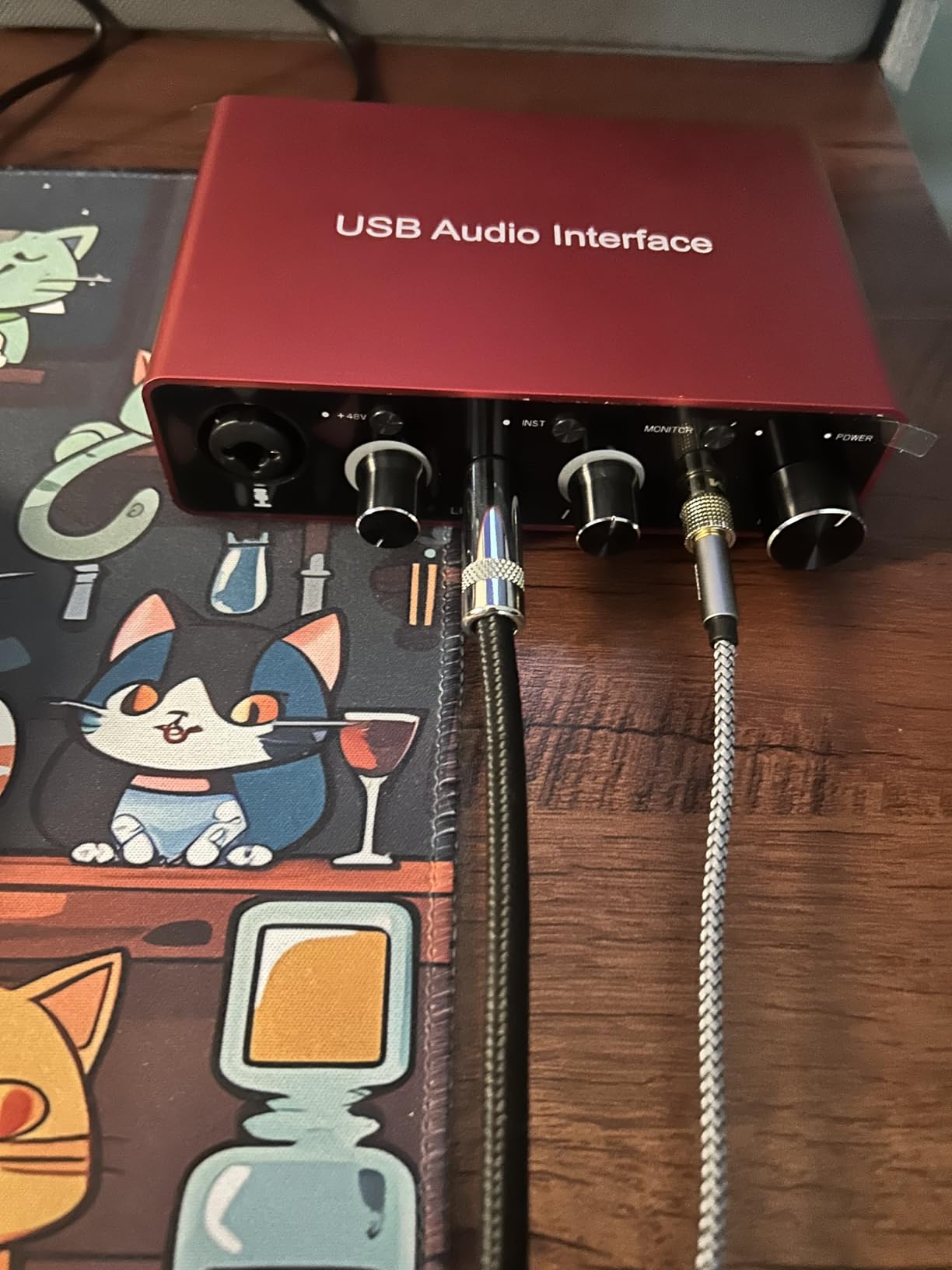
The compact profile fits on any desk, and the unit has enough weight to stay put when you plug in cables. Customer reviews note the included instructions are genuinely helpful for first-time users who have never set up recording gear before.
The main limitation is the lack of bundled software. You will need to download a free DAW like GarageBand, Audacity, or Reaper separately. On Windows, the ASIO4ALL driver is required for low-latency monitoring during recording.
Reviewers mention that the interface works best with microphones that do not require extreme gain. Some users reported minor hiss on vocal recordings at higher gain settings, so pairing it with a moderately sensitive mic produces the cleanest results.
Windows Driver Requirements
The Wrugste requires the free ASIO4ALL driver on Windows 10 and later for acceptable latency performance. Without it, the default Windows audio drivers introduce noticeable delay between playing and hearing yourself through headphones. On Mac and Linux, it works as a class-compliant device with no additional drivers needed.
Beginner Setup Experience
This interface is designed for absolute beginners who want to start recording without a steep learning curve. The controls are minimal, which reduces confusion for new users exploring home recording for the first time. The 2-year warranty provides reasonable coverage for a unit at this price point.
How to Choose the Right Audio Interface Under $200?
Choosing from the best audio interfaces under $200 comes down to understanding a few key specifications and matching them to your specific recording needs. Here is what matters most when making your decision.
Inputs and Channel Count
Count how many sources you need to record at the same time. A solo podcaster or singer-songwriter typically needs one or two inputs. If you plan to record a full band or a multi-mic podcast, look for interfaces with four or more input channels. Most budget interfaces offer 2-in/2-out configurations, which cover the majority of home studio situations.
Pay attention to input types as well. Combo jacks that accept XLR, TRS, and TS connections give you the most flexibility. A dedicated Hi-Z instrument input makes sure your guitar gets the proper impedance matching for clean direct recording.
Sample Rate and Bit Depth
Look for at least 24-bit depth and 48kHz sample rate for clean, professional recordings. The 24-bit/192kHz standard found on interfaces like the MOTU M2, Scarlett Solo, UMC202HD, and MAONO P2 gives you maximum headroom for mixing and processing. Higher sample rates capture more frequency detail but produce larger audio files on your drive.
Latency and Direct Monitoring
Latency is the delay between playing a sound and hearing it through your headphones or speakers. Anything above 15ms becomes noticeable and distracting during recording. Direct monitoring routes your input signal directly to your headphones before it reaches the computer, eliminating this delay during tracking.
All eight interfaces in this guide include direct monitoring in some form. Hardware-based monitoring on the MOTU M2, Behringer models, and Audient EVO 4 generally performs better than software-based alternatives that depend on your computer’s processing power.
Phantom Power for Condenser Microphones
Condenser microphones require 48V phantom power to operate. Every interface in this roundup includes phantom power, so you can use any microphone type without limitations. Dynamic microphones like the Shure SM7B do not need phantom power but may require high gain, which is where interfaces like the MAONO P2 with 56dB gain shine.
Connectivity and Bus Power
USB-C is becoming the standard for audio interfaces, offering faster data transfer and reversible connectors. USB 2.0 still works fine for most recording scenarios. If you plan to record on an iPad or iPhone, look for class-compliant interfaces like the Scarlett Solo or MOTU M2 that work without special drivers.
Bus-powered interfaces draw their power from the USB connection, so there is no separate power adapter to carry. This is ideal for portable recording setups and mobile creators who record in different locations.
Software Bundle Value
The included software can add hundreds of dollars in value to your purchase. The Focusrite Scarlett Solo 4th Gen leads the pack here with Pro Tools Artist, Ableton Live Lite, and the Hitmaker Expansion bundle. Consider which DAW you want to use and whether the interface includes it at no extra cost.
Loopback for Streaming and Podcasting
Loopback routing lets you capture your computer’s audio alongside your microphone input in a single recording. This is essential for streamers and podcasters who need to record system sounds, game audio, or video calls. The MAONO P2 Hybrid and its Stream Mode handle this particularly well among the interfaces in this guide.
Build Quality and Warranty Coverage
Metal chassis interfaces like the MOTU M2 and Scarlett Solo withstand travel and daily use better than plastic alternatives. Warranty length signals manufacturer confidence in their product. The Audient EVO 4 leads at 3 years, while the Wrugste and MOTU M2 each offer 2 years of coverage.
Frequently Asked Questions
What is an audio interface and do I need one?
An audio interface is a device that connects microphones and instruments to your computer, converting analog signals to digital audio. You need one if you want to record with better sound quality and lower latency than your computer’s built-in sound card can provide. Built-in sound cards lack phantom power, have noisy preamps, and introduce noticeable recording delay.
Can I get professional-sounding recordings with a $200 interface?
Yes, absolutely. Modern budget interfaces like the MOTU M2 and Focusrite Scarlett Solo 4th Gen use 24-bit/192kHz converters that match or exceed the quality of interfaces costing significantly more. Professional recordings depend more on microphone placement, room acoustics, and mixing skills than on the interface itself.
What is the best audio interface for beginners under $200?
The Audient EVO 4 is the best choice for beginners thanks to its Smartgain feature that automatically sets input levels for you. The Behringer UMC22 is also excellent for first-time buyers due to its plug-and-play simplicity and MIDAS preamp quality at a very low price point.
Which audio interface is best for recording guitar?
The Behringer UMC202HD and Audient EVO 4 both excel at guitar recording. The UMC202HD offers zero-latency hardware monitoring essential for tracking, while the EVO 4 features a JFET instrument input that replicates the warmth of plugging into a real amplifier.
What is loopback audio and why does it matter?
Loopback audio routes your computer output sound back into the recording input path. This lets you capture system audio, game sound, or video calls alongside your microphone in a single recording. It matters for streamers, podcasters, and content creators who need to mix live audio sources without additional software routing tools.
Final Thoughts on the Best Audio Interfaces Under $200
The best audio interfaces under $200 in 2026 prove that professional recording quality does not require a massive budget. The MOTU M2 remains our top pick for its unmatched converter quality and professional metering display. The Focusrite Scarlett Solo 4th Gen offers the best software value we have seen, and the Behringer UMC22 delivers incredible sound for creators just starting out.
For streamers and content creators, the MAONO P2 Hybrid brings features usually reserved for much more expensive units with its dual USB and loopback capabilities. Podcasters will appreciate the FIFINE SC1 mixer layout, while guitarists should look at the UMC202HD or Audient EVO 4 for their instrument-friendly inputs and zero-latency monitoring.
Whatever your recording needs, one of these eight interfaces will get you tracking clean, professional audio without crossing the $200 line. Pick the one that matches your workflow and start creating.