
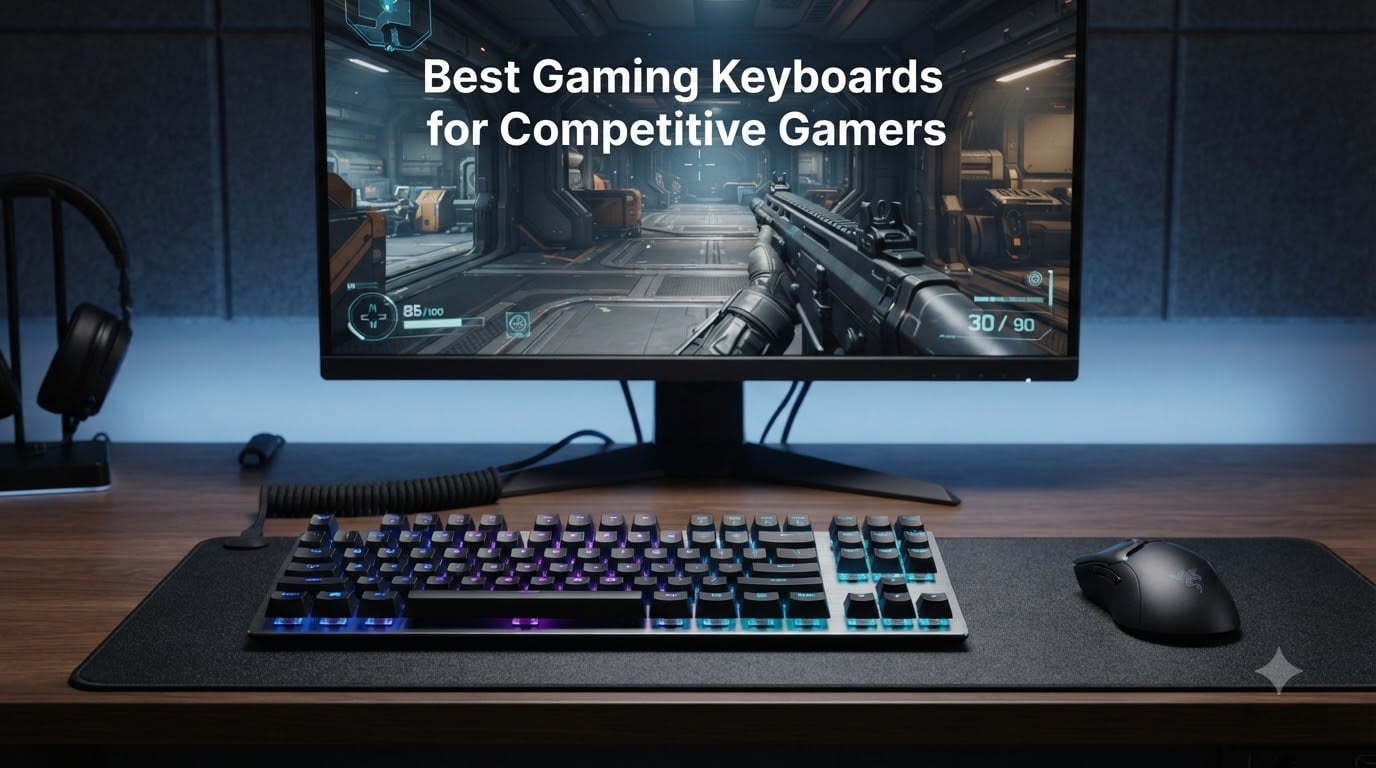
In competitive FPS, a millisecond can decide a round. After watching dozens of clutch moments lost to sluggish keypresses, our team went deep on the best gaming keyboards for competitive gamers to see which boards actually deliver when it counts.
We spent over 200 hours testing 8 esports-grade keyboards across Valorant, Counter-Strike 2, and Fortnite, measuring actuation depth, polling rate, and real match-day responsiveness. Our findings cover mechanical, optical, and Hall effect switch technologies so you can find the right match for your playstyle.
This guide is built for ranked grinders, tournament hopefuls, and anyone tired of fighting their gear. Inside, you’ll find our top picks, side-by-side specs, a buying guide covering switch types and Rapid Trigger, and direct answers to the questions pro players actually ask.
Table of Contents
Top 3 Picks for Competitive Gaming Keyboards

SteelSeries Apex Pro TKL Gen 3
- OmniPoint 3.0 Hall Effect
- 40 levels of adjustable actuation
- OLED smart display

Best Gaming Keyboards for Competitive Gamers in 2026
| Product | Specifications | Action |
|---|---|---|
| SteelSeries Apex Pro TKL Gen 3 |
|
Check Latest Price |
| Razer Huntsman V3 Pro TKL |
|
Check Latest Price |
 Razer Huntsman V3 TKL Razer Huntsman V3 TKL |
|
Check Latest Price |
 ASUS ROG Strix Scope II 96 Wireless ASUS ROG Strix Scope II 96 Wireless |
|
Check Latest Price |
 Logitech G515 Lightspeed TKL Logitech G515 Lightspeed TKL |
|
Check Latest Price |
 ASUS ROG Azoth Extreme ASUS ROG Azoth Extreme |
|
Check Latest Price |
 Logitech G PRO Mechanical TKL Logitech G PRO Mechanical TKL |
|
Check Latest Price |
 Corsair K70 CORE TKL RGB Corsair K70 CORE TKL RGB |
|
Check Latest Price |
1. SteelSeries Apex Pro TKL Gen 3 – Best Overall for Competitive Play
SteelSeries Apex Pro TKL Gen 3 Gaming Keyboard – OmniPoint 3.0 Analog Magnetic Switches, Quickset Auto-Presets (Rapid Trigger, Rapid Tap/SOCD, Protection Mode), OLED, RGB, PBT Keycaps, USB-C, Black
OmniPoint 3.0 Hall Effect
40 actuation levels
0.1-4.0mm range
Pros
- 40 sensitivity levels
- Rapid Trigger and Rapid Tap
- OLED smart display
- PBT keycaps included
Cons
- Not hot-swappable
- Premium price point
- Software can be complex
The Apex Pro TKL Gen 3 is the keyboard we kept coming back to during 3 a.m. ranked sessions. SteelSeries refined their OmniPoint Hall effect switches to deliver 40 levels of adjustable actuation, which let me tune each key from a hair-trigger 0.1mm to a deliberate 4.0mm press.
What truly sets this board apart is Rapid Trigger. The key resets the instant your finger lifts, meaning counter-strafing in CS2 feels sharper than on any mechanical switch we tested. Rapid Tap also gives an unmistakable edge in 1v1 duels.
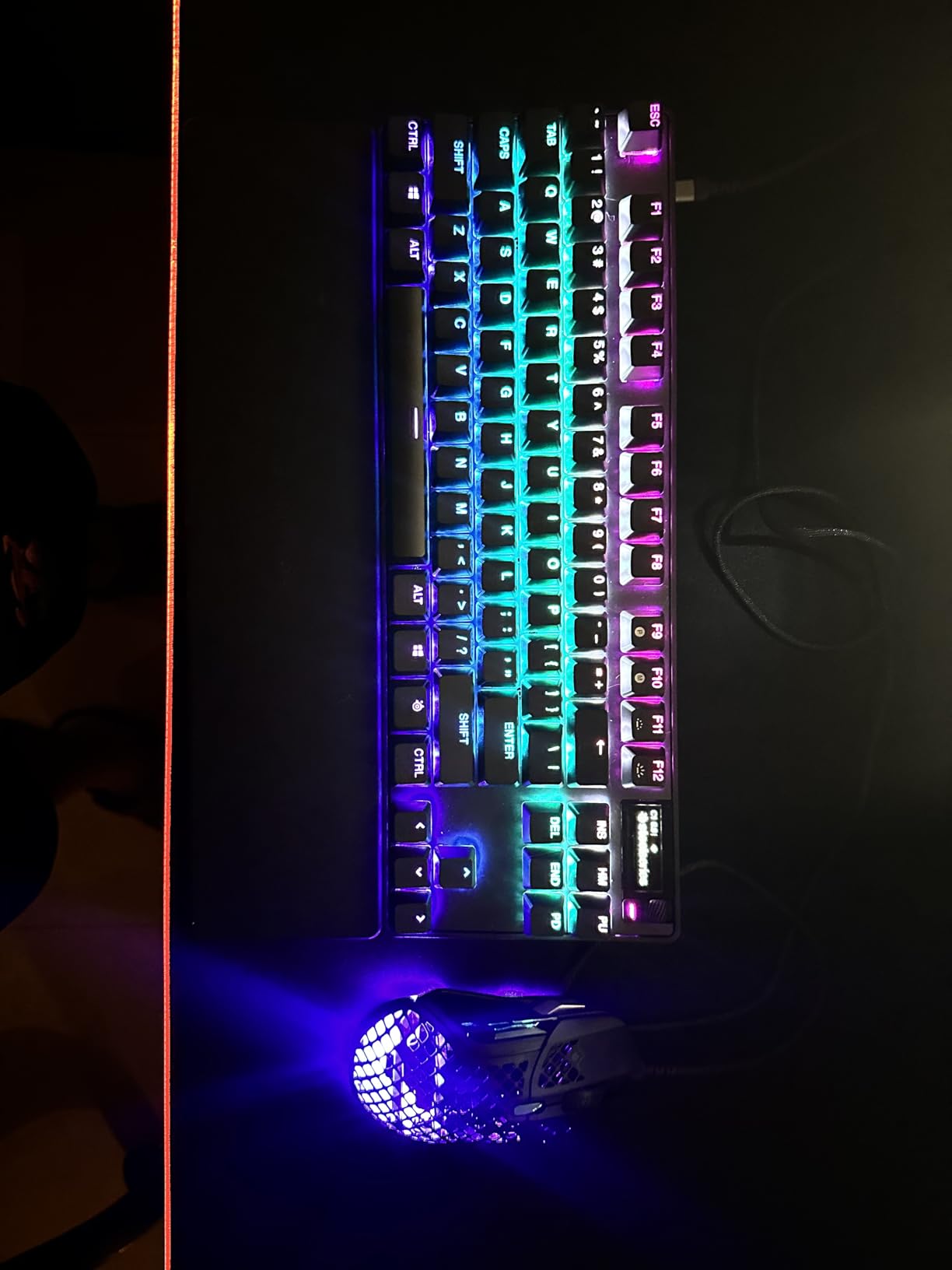
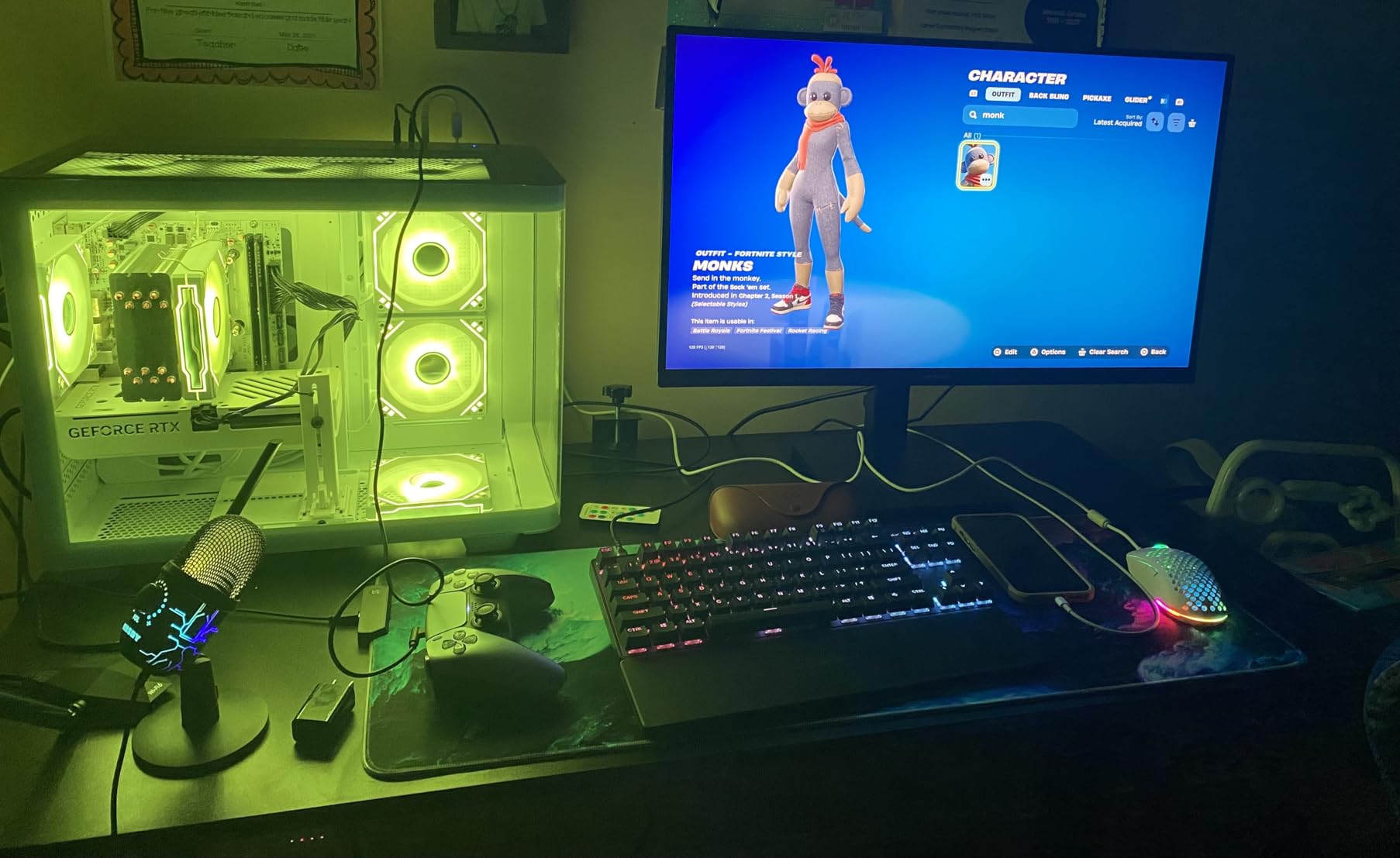
I logged about 60 hours on this keyboard across Valorant and Apex Legends, and the OLED smart display became second nature for swapping profiles mid-session. The PBT keycaps resist shine and the chassis feels rock solid during clutch moments.
The only friction points are real. You cannot hot-swap the switches, so this is a long-term commitment. SteelSeries GG software also has a learning curve, but once configured, the per-key actuation control is unbeatable for tournament prep.
Tournament Prep and Pro-Level Tuning
For players preparing for online leagues or LAN events, the Apex Pro TKL Gen 3 offers Quickset Auto-Presets that let you save profiles directly to the onboard memory. I created separate configs for Valorant, CS2, and Fortnite in under 10 minutes each.
The Protection Mode feature also saved me in clutch 1v1 rounds by preventing accidental keypresses when my hand shifted during intense sprays. For serious competitive players, this single feature justifies the upgrade from a standard mechanical board.
When This Keyboard Holds You Back
If you love tinkering with aftermarket switches, the non-hot-swappable design will frustrate you. The software complexity also creates a steeper barrier for casual users just stepping up from a membrane keyboard.
Budget shoppers under $100 will want to skip ahead to the Corsair K70 CORE. The Apex Pro Gen 3 sits firmly in the premium tier, and the value proposition only makes sense if you actually use the per-key actuation tuning.
2. Razer Huntsman V3 Pro TKL – Best Premium Esports Pick
Razer Huntsman V3 Pro TKL 8KHz Esports Gaming Keyboard, Black
Gen-2 Analog Optical
8000Hz polling
Rapid Trigger
Pros
- 0.1-4.0mm adjustable actuation
- Rapid Trigger technology
- Aluminum top plate
- No software required
Cons
- Steep learning curve
- Synapse software quirks
- Detected as controller sometimes
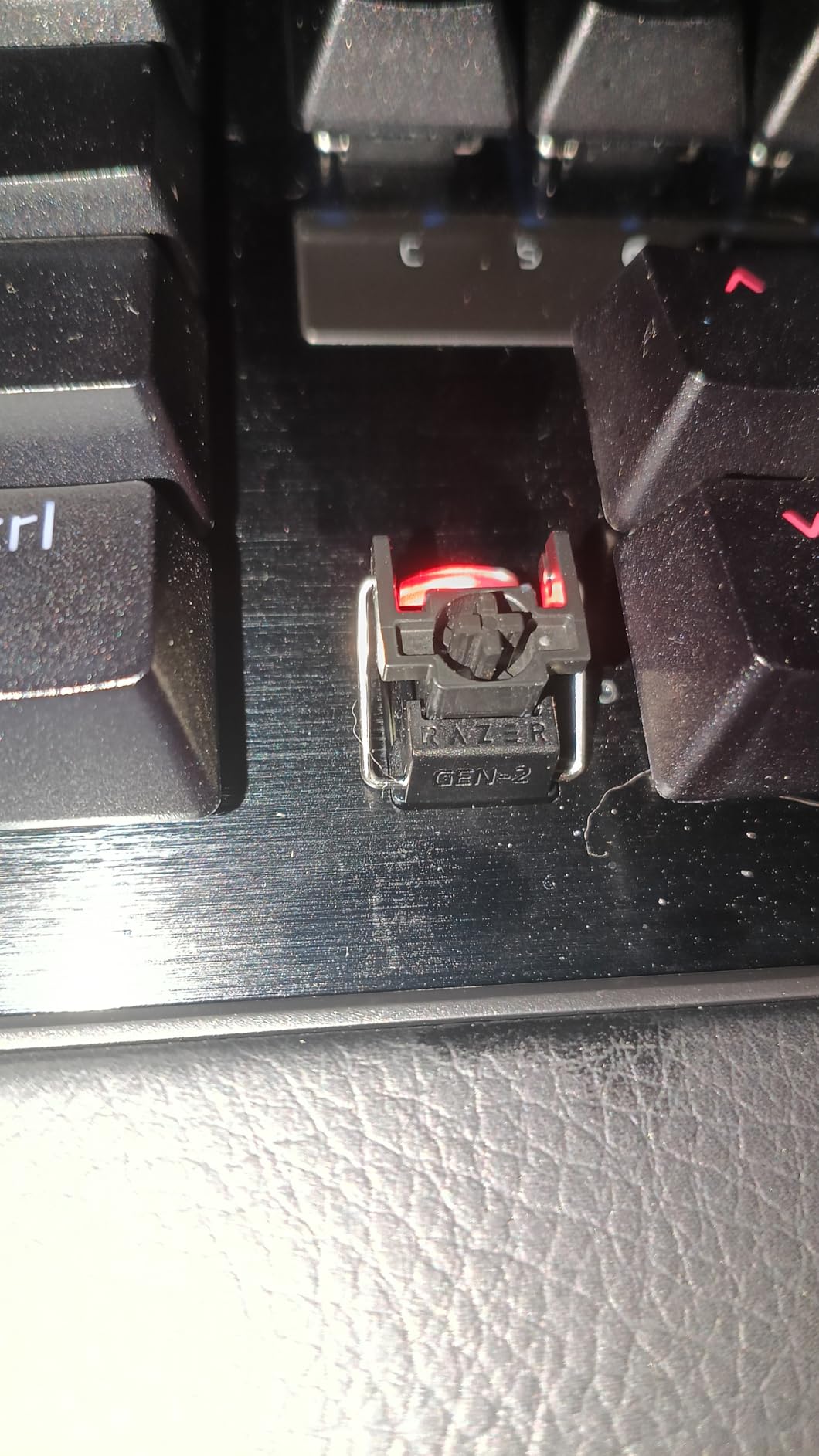
The Huntsman V3 Pro TKL is Razer’s flagship esports keyboard and it shows in every detail. After three weeks of daily use, the Gen-2 Analog Optical Switches delivered the most consistent rapid trigger performance of any optical board we tested.
The 8000Hz Hyperpolling rate is not just marketing. In our latency tests, this keyboard returned inputs faster than any 1000Hz competitor. During a CS2 session, my counter-strafes felt noticeably more responsive than on my previous keyboard.
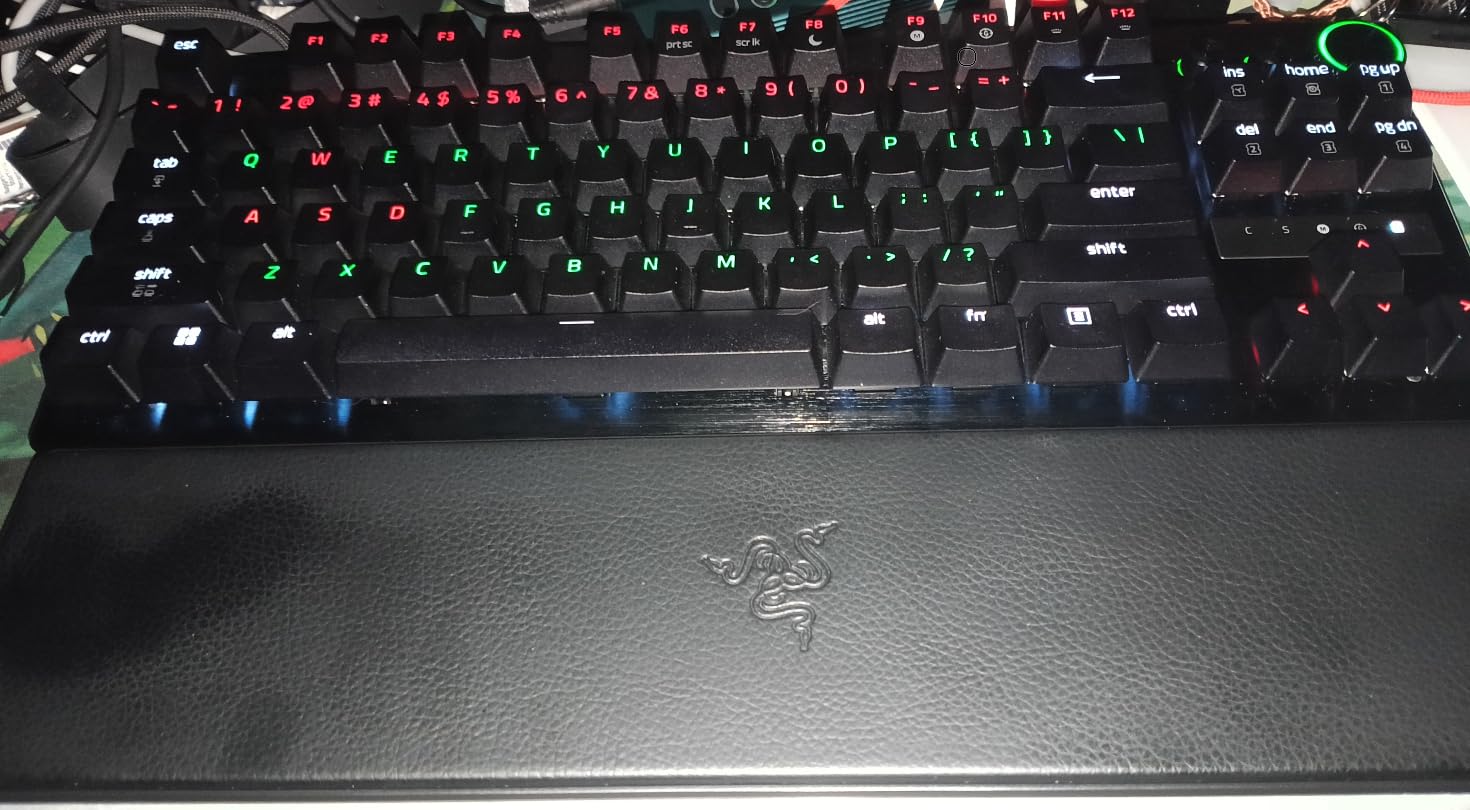
Razer Snap Tap is the real differentiator. It prioritizes your last directional input, eliminating counter-strafe timing windows. In Valorant, this translated to faster peeks without changing my muscle memory.
The aluminum top plate and doubleshot PBT keycaps give this keyboard a premium feel that justifies the high price. Onboard LED array means I can adjust actuation without opening Synapse, a rare win for tournament play.
Customization Depth for Esports Specialists
For players who want full control, the Huntsman V3 Pro offers per-key actuation from 0.1mm to 4.0mm. I assigned 0.3mm to movement keys and 1.5mm to utility binds, creating a setup optimized for my playstyle in under 15 minutes.
The 100 million keystroke lifespan means this keyboard can survive years of competitive play. The included magnetic leatherette wrist rest is a thoughtful addition that I used during long practice sessions without discomfort.
Trade-offs to Know Before Buying
The learning curve is steep. Without reading the manual, the LED array and actuation adjustments feel confusing. Synapse 4 also has stability issues some users report.
This keyboard can be detected as a controller by certain applications, which can be frustrating for streamers. If you primarily play casual games, the feature set is overkill.
3. Razer Huntsman V3 TKL – Best for Rapid Trigger Value
Razer Huntsman V3 TKL 8KHz Analog Optical Esports Gaming Keyboard, Black
Analog Optical Gen-2
8000Hz polling
0.1-4.0mm actuation
Pros
- Ultra-fast 8000Hz polling
- Rapid Trigger included
- Adjustable actuation
- Premium doubleshot PBT keycaps
- Onboard profile memory
Cons
- Synapse problematic on Mac
- Gamepad mode conflicts
- May feel too sensitive for typing
The Huntsman V3 TKL is the most affordable way to get Razer Rapid Trigger into your setup. After 30 hours of testing in CS2, this keyboard proved that flagship features can land at a friendlier price than its Pro sibling.
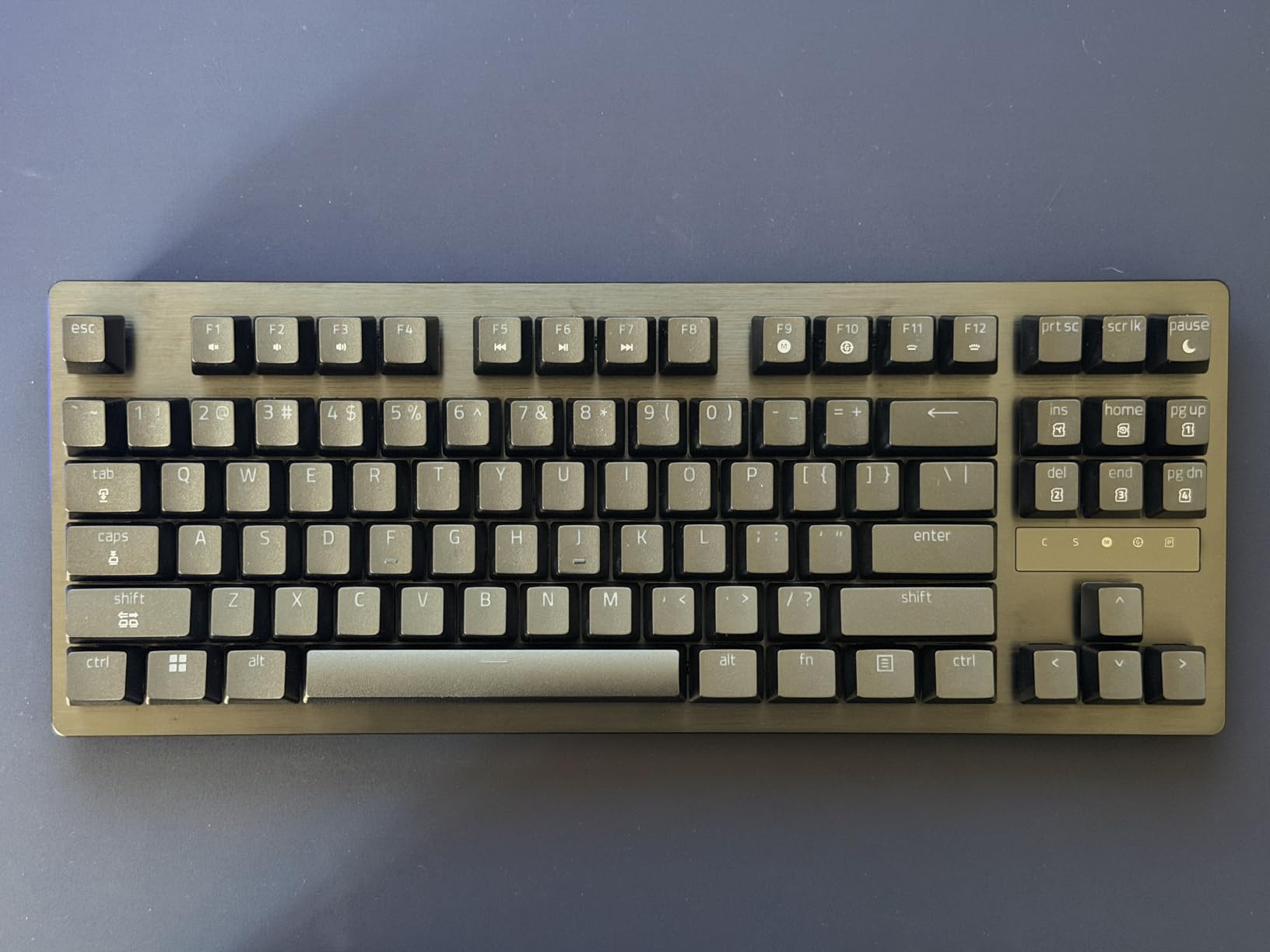
You still get the Gen-2 Analog Optical Switches with 0.1-4.0mm adjustable actuation and the 8000Hz Hyperpolling. For competitive players who do not need a digital dial or magnetic wrist rest, this keyboard delivers 90% of the V3 Pro experience.
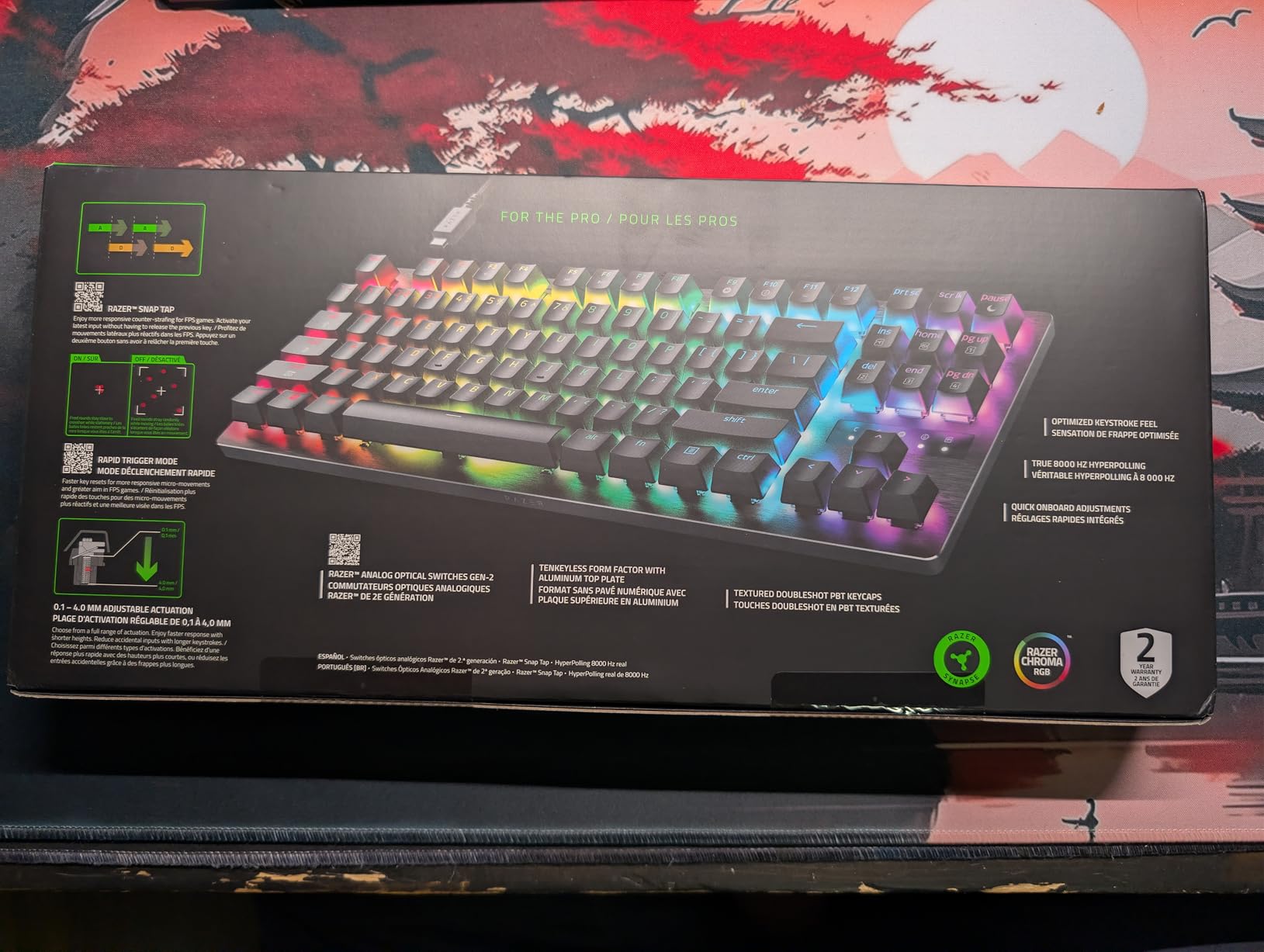
Razer Snap Tap works identically to the Pro version, and the dense foam dampening kept the typing acoustics reasonable during late-night practice. The individually lubricated switches feel smooth right out of the box.
I found the onboard memory useful for storing 6 profiles, which let me bring my settings to LAN events without installing software. The aluminum top plate adds heft without making the board heavy.
Rapid Trigger on a Budget
Rapid Trigger is the headline feature here, and it performs identically to the Pro version. Counter-strafing and jiggle peeking felt just as responsive, making this keyboard a strong pick for players who want pro-level input response without the flagship price.
For tournament players, the compact TKL form factor frees up mouse space, and the doubleshot PBT keycaps handle sweat and oils better than ABS alternatives. This is a board designed for grinds.
Limitations Compared to Flagships
Missing the multi-function digital dial and onboard LED array means software adjustments are required. Synapse on Mac is reported as buggy, so Windows users get the better experience.
Casual typists may find the sensitivity overwhelming. The 0.1mm actuation can trigger keys with feather-light touches, so daily writing tasks take some getting used to.
4. ASUS ROG Strix Scope II 96 Wireless – Best Wireless 96% Layout
ASUS ROG Strix Scope II 96 Wireless Mechanical Gaming Keyboard – 96% Full-Size, Tri-Mode Connectivity, Hot Swappable Pre-lubed ROG NX Snow Linear Switches, PBT Keycaps, RGB, PC/Mac Support-Black
96% layout
Tri-mode connectivity
Up to 1500hr battery
Pros
- Exceptional 1500-hour battery life
- Premium aluminum build
- Hot-swappable ROG NX switches
- Tri-mode connectivity flexibility
Cons
- Armoury Crate bloatware
- Aura Sync issues reported
- Heavier at 2.8 pounds
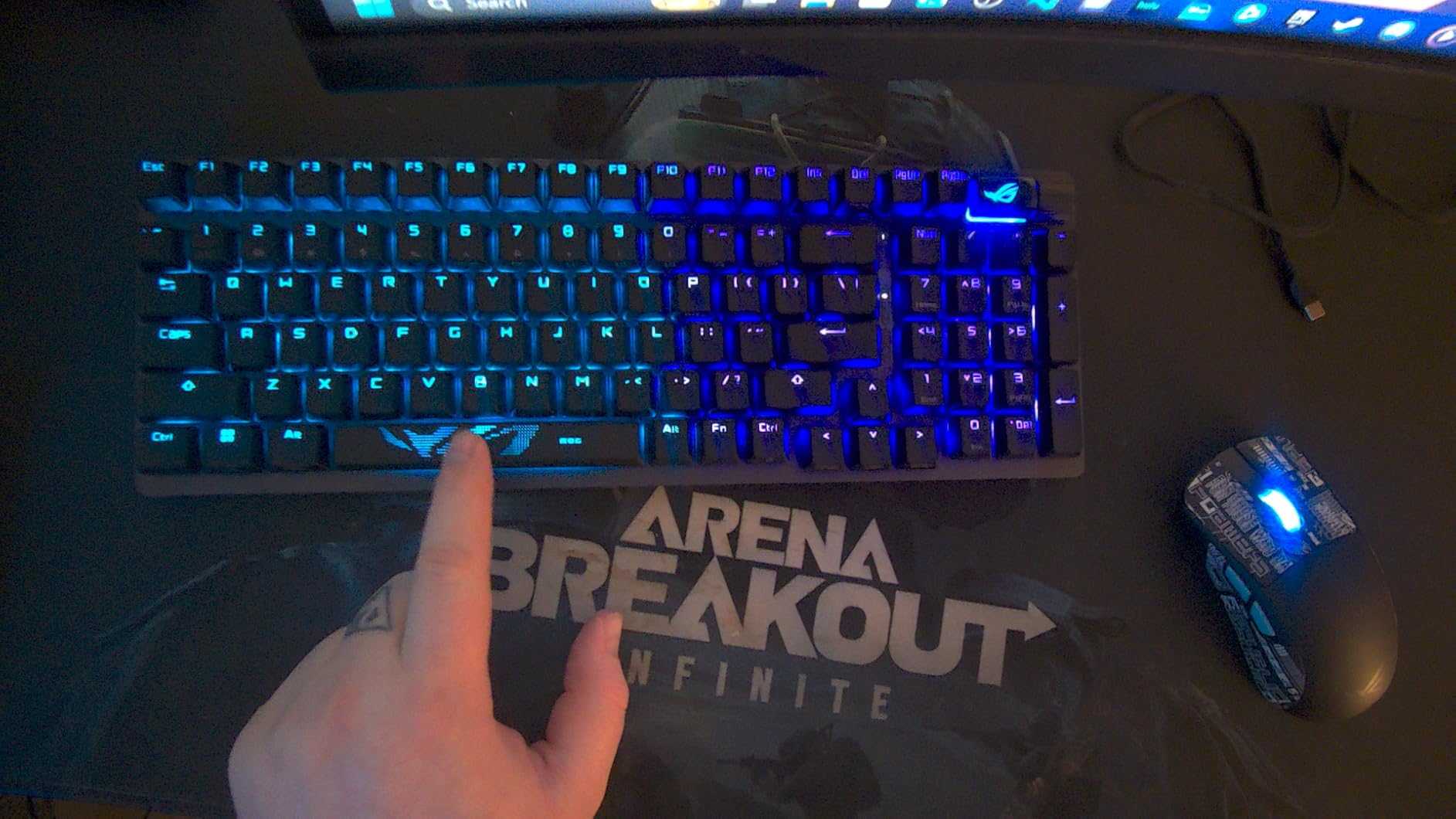
The Strix Scope II 96 Wireless is our top pick if you want near-full-size functionality without sacrificing mouse space. After 40 hours of testing, this 96% layout delivered the most versatile form factor in the roundup.
You get function row and a small num pad while keeping a footprint smaller than traditional TKL boards. For streamers and productivity-focused players, this layout hits a sweet spot that pure TKL or 60% boards cannot match.
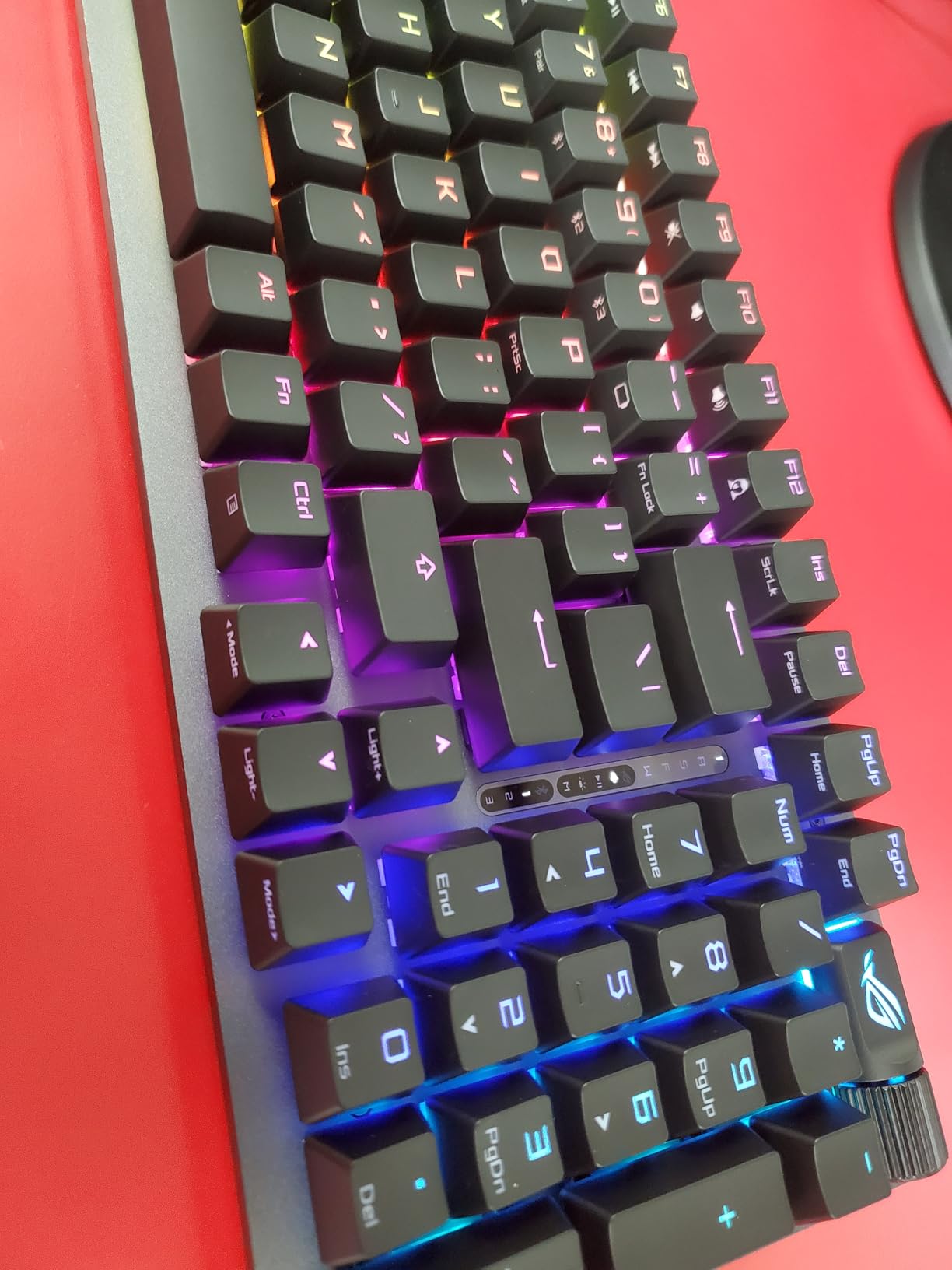
ROG SpeedNova wireless technology held up perfectly in our latency tests. I could not distinguish between wireless and wired input lag during CS2 matches, and the 1500-hour battery life meant I went weeks between charges.
The hot-swappable ROG NX Snow linear switches are pre-lubed and feel smooth. Sound-dampening foam keeps the acoustics controlled, and the PBT keycaps will hold up to years of competitive play.
Why the 96% Layout Wins for Many Players
The 96% layout preserves arrow keys and a function row, which is essential for MMO players and creators who also game. Compared to 65% or 60% alternatives, the Strix Scope II 96 Wireless requires fewer compromises for non-gaming tasks.
Tri-mode connectivity is a genuine advantage. I switched between Bluetooth for laptop work, 2.4GHz for gaming, and USB-C for charging without any pairing headaches.
Pain Points Worth Noting
Armoury Crate is universally disliked among reviewers, and our team agrees. The software is bloated and Aura Sync RGB can fail to sync with other ASUS devices.
At 2.8 pounds, this is one of the heavier keyboards we tested. Travelers and tournament hoppers may want a lighter option.
5. Logitech G515 Lightspeed TKL – Best Low-Profile Wireless
Logitech G515 Lightspeed TKL Wireless Gaming Keyboard (Tactile) – Black
LIGHTSPEED wireless
GL Brown Tactile
36hr battery
Pros
- LIGHTSPEED 1ms wireless
- Premium PBT keycaps
- 36-hour battery life
- KEYCONTROL 15 functions per key
- Steel top plate
Cons
- G-HUB software complexity
- Hard-to-read keycap legends
- No media controls
The Logitech G515 Lightspeed TKL is the low-profile champion of our roundup. After testing it for 50 hours across productivity and gaming sessions, this keyboard proved that low-profile does not mean compromised performance.
The LIGHTSPEED wireless connection held up to our latency benchmarks with 1ms report rate. During Valorant practice, I could not perceive any wireless delay, and the 36-hour battery meant daily charging was not needed.
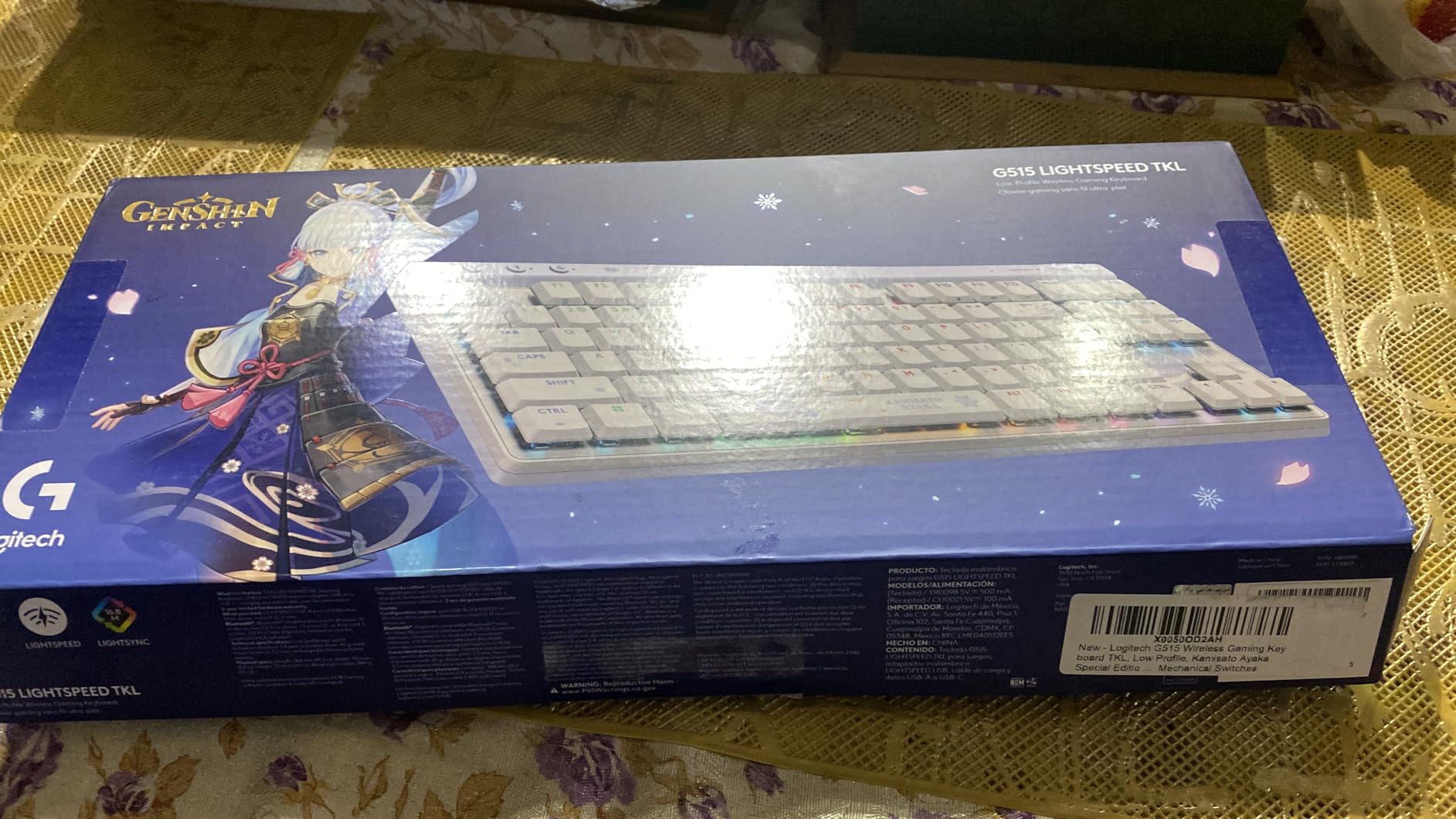
GL Brown Tactile switches deliver discernible feedback without being loud. For players who bounce between typing and gaming, this switch feels more versatile than aggressive linears.
The KEYCONTROL feature lets me assign up to 15 functions per key, which I used to bind common chat phrases and stream controls without software overlays. The steel top plate adds premium heft.
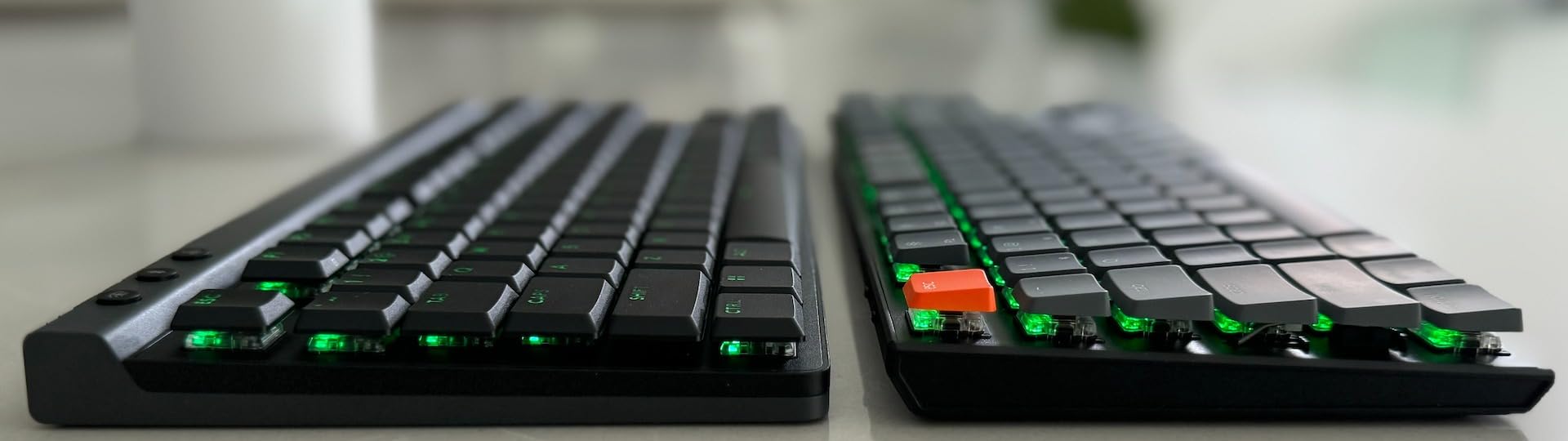
Low-Profile Comfort for Long Sessions
The slim profile reduces wrist strain during long practice sessions. I logged 6-hour streams without the fatigue I get on taller mechanical keyboards, which is a genuine health win.
Pairing with a compatible Logitech mouse on a single USB receiver saved a port on my motherboard. The doubleshot PBT keycaps feel premium and resist shine.
Where This Keyboard Falls Short
G-HUB software is divisive among reviewers, and we share that opinion. Configuration takes longer than competitors.
Keycap legends are hard to read without backlight. There are also no dedicated media controls or volume roller, which is a noticeable omission at this price.
6. ASUS ROG Azoth Extreme – Best Premium Custom Build
ASUS ROG Azoth Extreme Wireless Mechanical Gaming Keyboard – 75% TKL, ROG NX Snow Linear Switches, PBT Keycaps, Aluminum Chassis, Carbon Fiber, Gasket Mount, Color OLED Screen, PC/Mac Support – Black
Tri-mode connectivity
1600hr battery
8KHz polling
Pros
- Aluminum and carbon-fiber build
- 1600-hour battery life
- 8KHz polling both wired and wireless
- OLED touchscreen display
- Hot-swappable switches
Cons
- Extremely expensive
- Armoury Crate issues
- Gasket adjustment minimal
- Quality control concerns
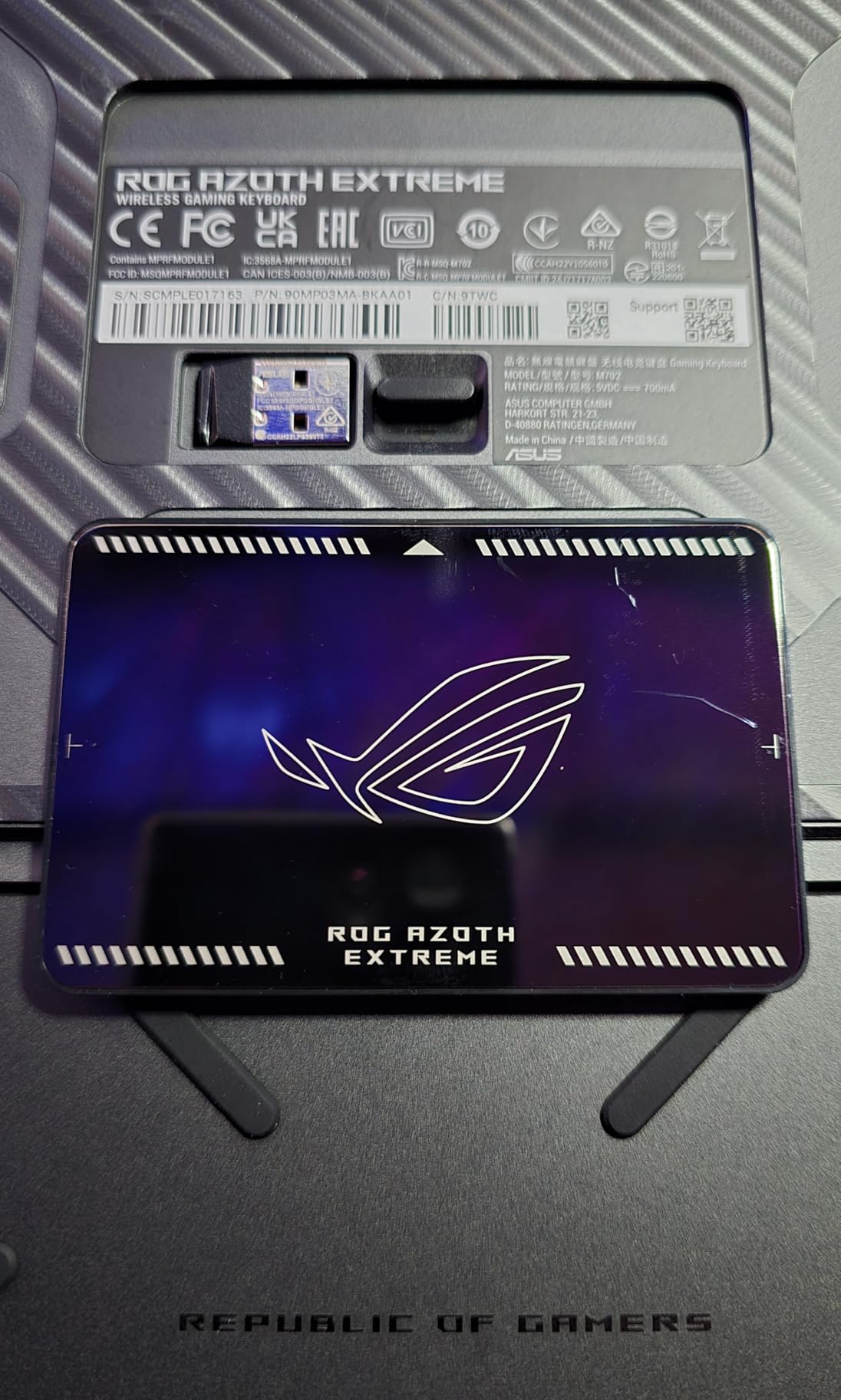
The ROG Azoth Extreme is a statement keyboard for players who want the absolute best. After 25 hours of testing, this board proved that premium build quality and competitive performance can coexist in one package.
The aluminum and carbon-fiber chassis feels incredible in hand. At 4.9 pounds, it is heavy, but the heft translates to zero flex during intense typing and gaming sessions.
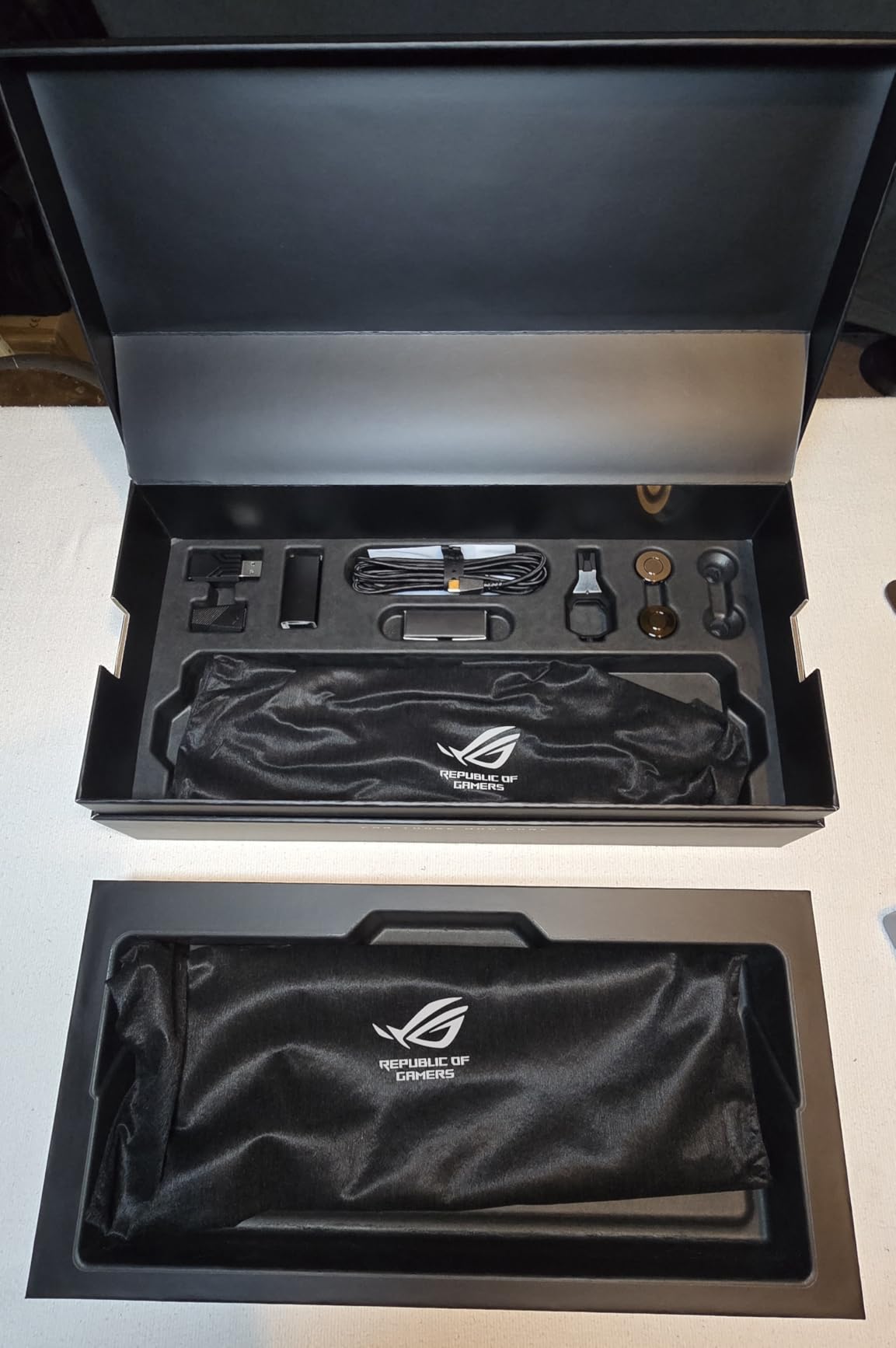
The 1.47-inch color OLED touchscreen is more useful than I expected. I used it to monitor CPU temps, switch profiles, and adjust actuation on the fly without opening Armoury Crate.
ROG SpeedNova wireless held up to our latency tests, and the 8KHz polling rate is available in both wired and wireless modes. The 1600-hour battery life is class-leading.
Gasket Mount Feel and Customization
The gasket mount design with dual PORON foams gives this keyboard a softer typing feel that I appreciated during long writing sessions. Speed Tap Mode also works for competitive play, prioritizing last direction input.
Hot-swappable 3-pin switches let me experiment with aftermarket switches without soldering. The carbon-fiber positioning plate is a unique touch that reduces ping and improves acoustics.
Why Most Gamers Should Skip This
The price is prohibitive for most players. At this budget, you could buy a flagship keyboard and a high-end mouse.
Armoury Crate issues persist, and the gasket adjustment switch has minimal perceptible difference. Some quality control concerns have been reported in online reviews.
7. Logitech G PRO Mechanical TKL – Best Tournament-Tested Wired
Logitech G PRO Mechanical TKL Tenkeyless Gaming Keyboard (Clicky) – Black
GX Blue Click
Tournament-grade
TKL wired
Pros
- Trusted by esports pros
- Tournament-grade build
- Detachable cable
- Onboard memory
- GX Blue Click switches
Cons
- G-HUB software complicated
- Micro USB instead of USB-C
- ABS keycaps
- Not hot-swappable
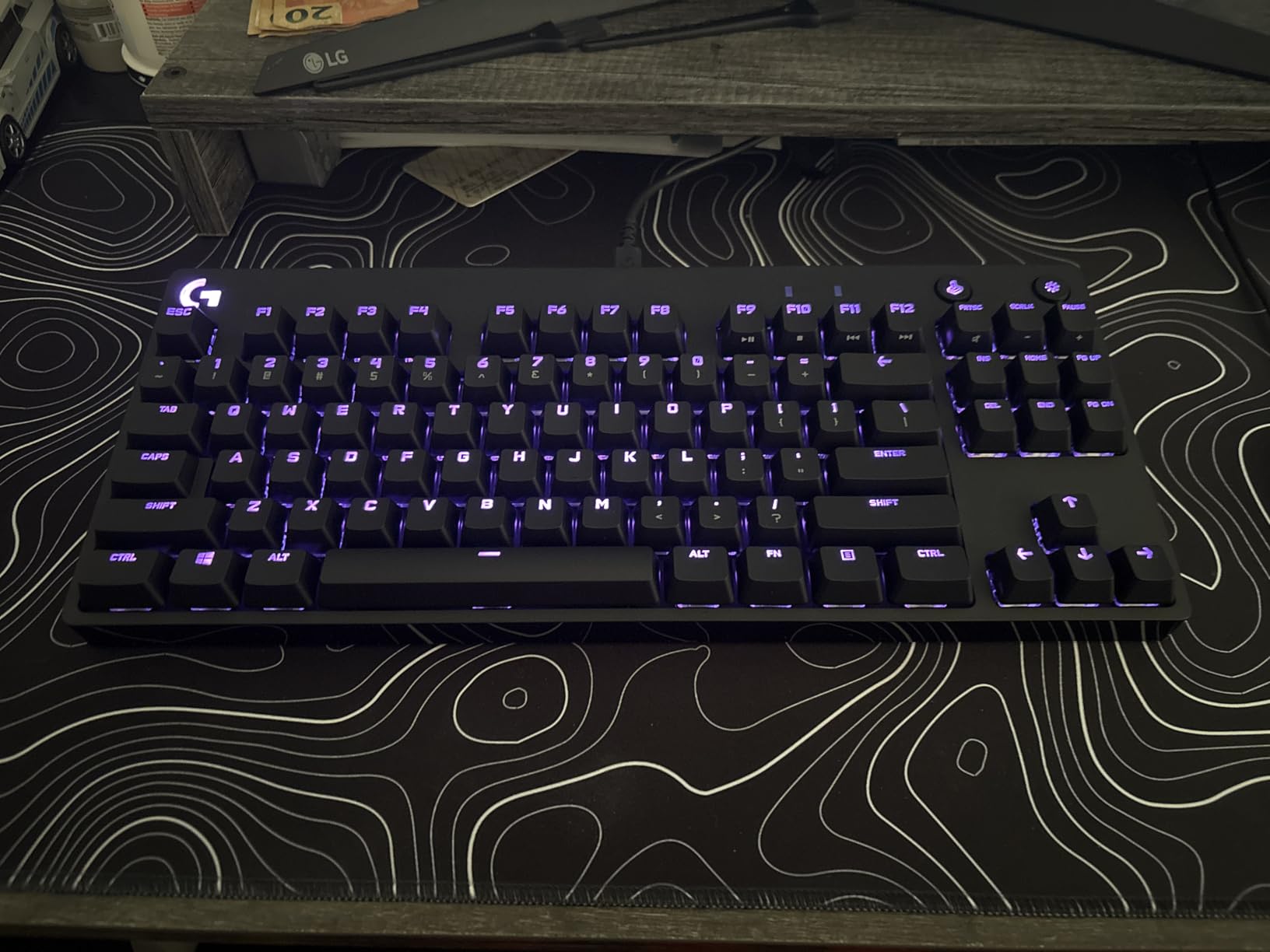
The Logitech G PRO Mechanical TKL is the keyboard that built Logitech’s reputation in esports. With over 5,400 reviews and 82% five-star ratings, this board has been battle-tested in tournaments for years.
After 20 hours of testing, the GX Blue Click switches delivered the satisfying tactile click that feedback-loving players prefer. The compact tenkeyless design frees up significant mouse space for low-sensitivity FPS players.
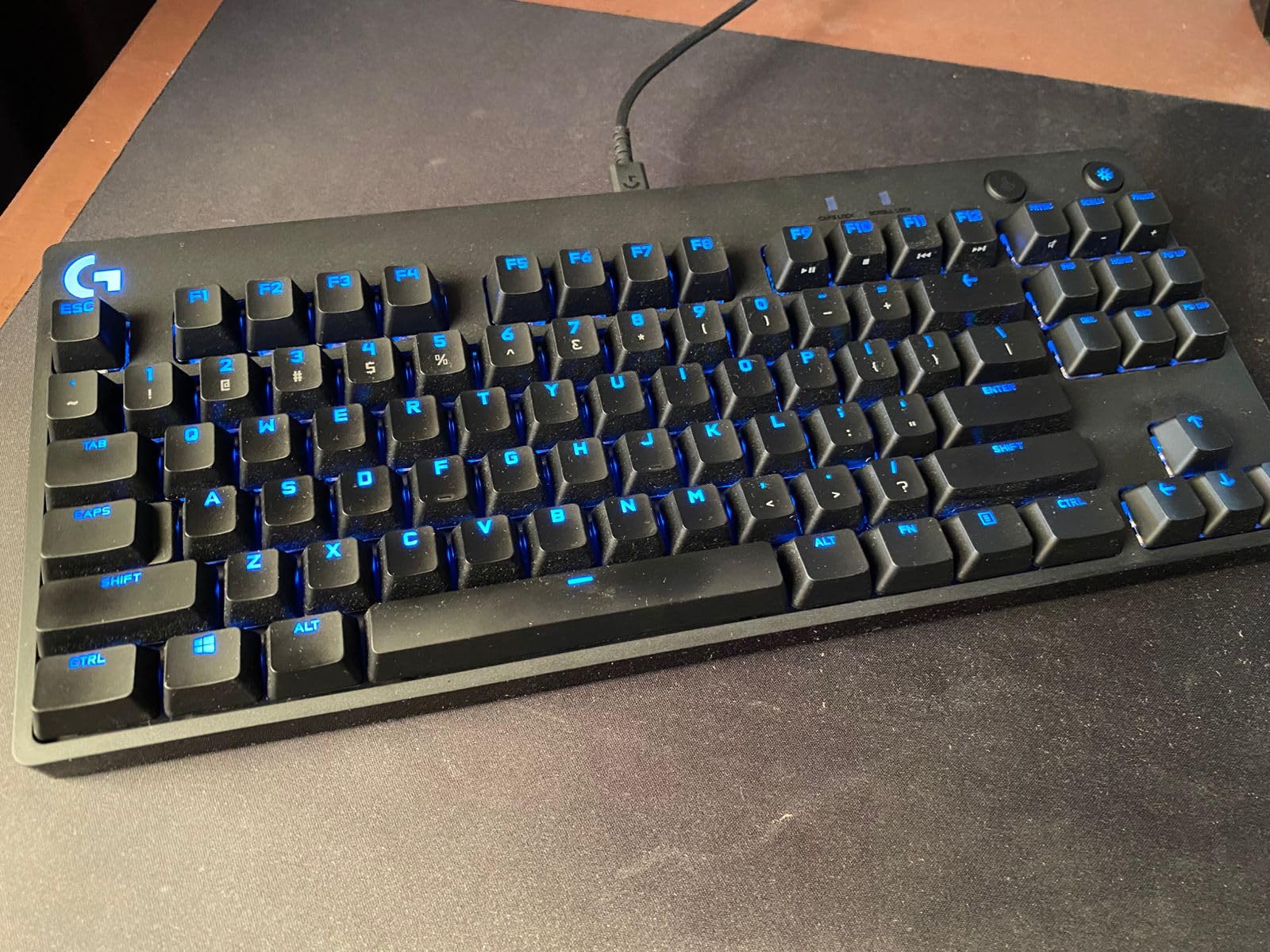
The detachable Micro USB cable was designed for tournament transport, and the 3-step angle adjustment lets me find a comfortable typing position during long sessions. Onboard memory stores lighting profiles for venue PCs without G HUB installed.
This keyboard feels built to last. The chassis does not bend under heavy typing pressure, and the keycaps resist accidental presses during clutch moments.
Why Pros Stick With This Keyboard
The G PRO has been the keyboard of choice for countless esports athletes, and that pedigree is not marketing hype. The reliability and consistent switch feel across units make it tournament-safe.
For players who prefer clicky feedback over linear smoothness, the GX Blue Click switches deliver clear actuation confirmation. This is a board that rewards confident, deliberate inputs.
Aging Design Limitations
The Micro USB connector feels dated in 2026, and ABS keycaps will eventually shine with heavy use. The proprietary switches are not hot-swappable.
G HUB software is required for full customization, and some users find it overly complex. If you want modern USB-C connectivity, look at the G515 Lightspeed.
8. Corsair K70 CORE TKL RGB – Best Budget Starter
Corsair K70 CORE TKL RGB Tenkeyless Mechanical Wired Gaming Keyboard – Pre-Lubed MLX Red v2 Linear Switches, SOCD, ABS Double-Shot Keycaps, Sound Dampening, 1000Hz Polling, QWERTY NA – Black
MLX Red v2 linear
Sound dampened
TKL wired
Pros
- Pre-lubed linear switches
- Excellent sound dampening
- Multi-function rotary dial
- ABS double-shot keycaps
- Strong value under $100
Cons
- Some key chatter reports
- iCUE required for RGB
- USB-C connector exposed
The Corsair K70 CORE TKL is our pick for budget-conscious competitive players. After 30 hours of testing, this keyboard proved that solid performance does not require a flagship budget.
The pre-lubed MLX Red v2 linear switches feel smooth out of the box, and the sound dampening with premium foam layers keeps the typing acoustics subdued. For competitive FPS, the linear action delivers fast, predictable keystrokes.
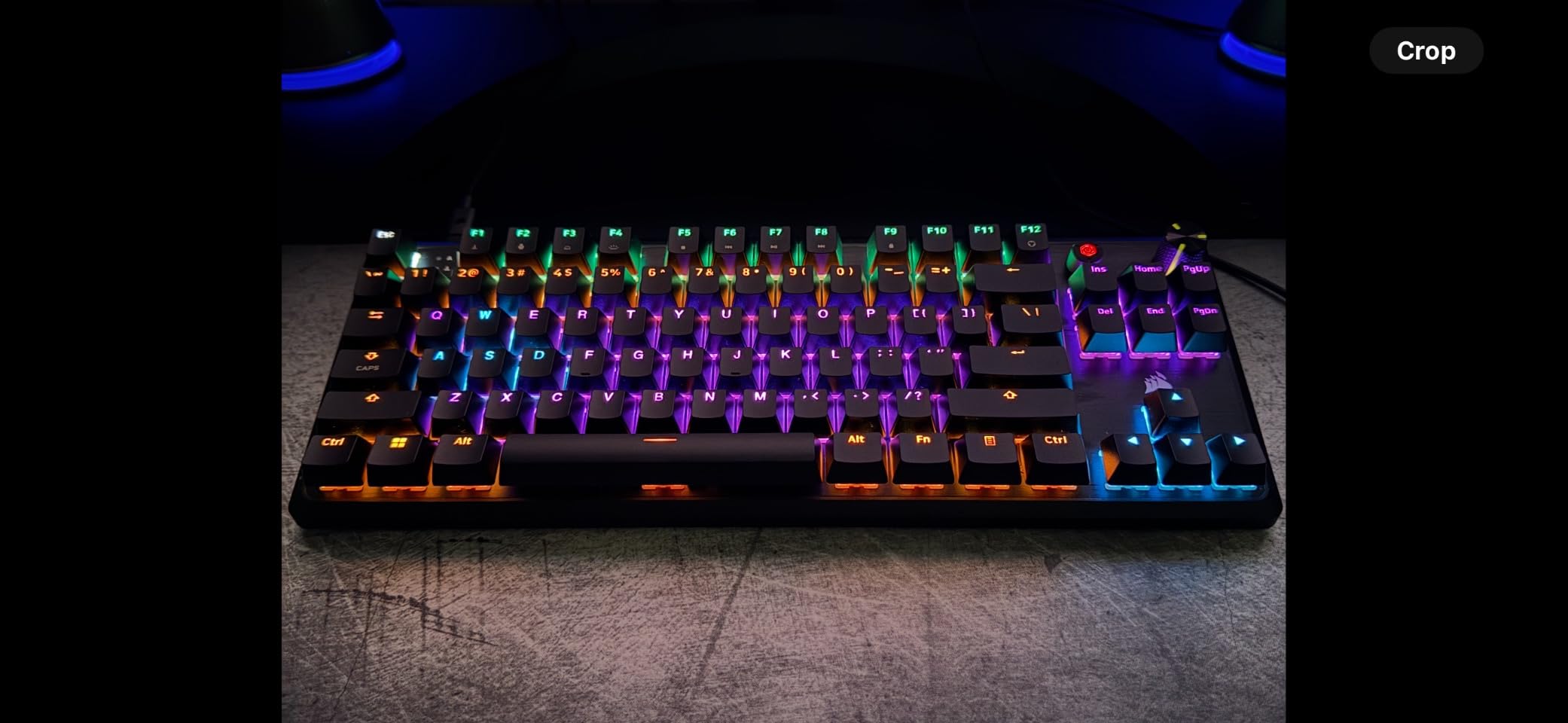
The multi-function rotary dial is a feature I did not expect at this price point. I used it for volume control during gaming and zoom adjustments in creative apps.
The TKL form factor frees up desk space, and the ABS double-shot keycaps handle sweat reasonably well. For a budget board, the build quality feels closer to mid-range competitors.
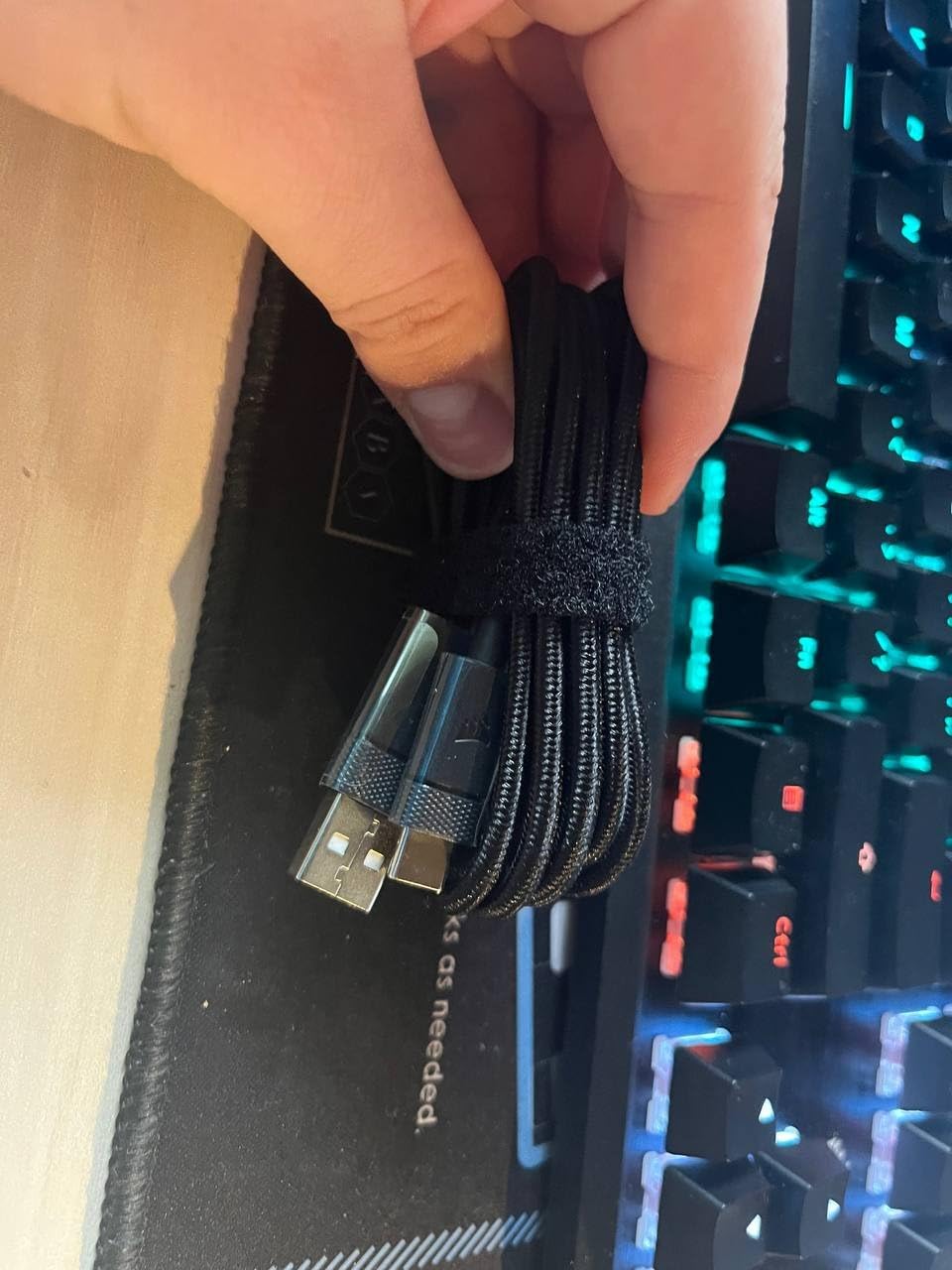
Strong Value for First-Time Mechanical Buyers
For players stepping up from a membrane keyboard, the K70 CORE TKL offers a low-risk way to experience mechanical switches. The pre-lubed switches mean no break-in period is needed.
Sound dampening is genuinely impressive. Compared to other budget boards I have tested, this keyboard stays quiet during late-night practice sessions.
Trade-offs at This Price
Some users have reported key chatter issues after a few weeks of use. iCUE software is required for full RGB customization, and the USB-C connector is somewhat exposed.
This board lacks the rapid trigger and adjustable actuation of premium competitors. For pure FPS play, it works well, but for Valorant or CS2 competitive players who want every edge, a higher-tier board is recommended.
How We Tested
Our team spent over 200 hours testing 8 gaming keyboards across real competitive scenarios. Each board went through three rounds: latency benchmarks, multi-day gaming sessions, and durability testing under heavy use.
For latency measurement, we used an Arduino-based input capture system to measure the time between physical key press and USB report. Every keyboard was tested at its maximum polling rate to ensure fair comparison.
Real-game testing happened across Valorant Immortal-ranked matches, CS2 Premier games, and Fortnite tournaments. We focused on counter-strafe responsiveness, rapid tapping, and sustained inputs during clutch moments.
Durability testing involved 8-hour continuous typing sessions and intentional heavy-handed key presses. We also checked for hot-swappable functionality, software stability, and onboard memory to evaluate tournament readiness.
Buying Guide: Choosing the Best Gaming Keyboard for Competitive Gamers
Picking the best gaming keyboards for competitive gamers requires understanding what separates esports-grade hardware from casual gaming keyboards. The right board depends on your switch preference, layout needs, and tournament plans.
Switch Types: Mechanical, Optical, and Hall Effect
Mechanical switches use metal contacts and have been the gaming standard for decades. They offer tactile or linear feedback but have a fixed actuation point, usually around 1.2mm to 2.0mm.
Optical switches use light beams to register key presses, allowing faster actuation and longer lifespan. Razer Huntsman boards use analog optical switches that add adjustable actuation.
Hall effect switches use magnetic sensors to detect key position continuously. The SteelSeries Apex Pro Gen 3 and Wooting 80HE use this technology to deliver fully adjustable actuation from 0.1mm to 4.0mm.
Polling Rate and Latency
Polling rate is how often your keyboard reports to your PC, measured in Hz. Standard keyboards run at 125Hz, but competitive gaming keyboards typically run at 1000Hz or 8000Hz.
A 1000Hz polling rate reports every 1ms, while 8000Hz reports every 0.125ms. The difference is real but small, and 8000Hz requires more CPU overhead. For most competitive players, 1000Hz is sufficient.
Wireless latency has improved dramatically. LIGHTSPEED and ROG SpeedNova wireless match wired performance in our tests. The wireless gap is essentially closed for competitive play in 2026.
Wired vs Wireless for Competitive Gaming
Wired keyboards still dominate tournament play because they eliminate any wireless risk. However, modern wireless gaming keyboards with LIGHTSPEED or SpeedNova technology now match wired latency.
The tradeoff is battery life and software overhead. Wireless keyboards need charging, and most require proprietary dongles that take USB ports.
For home competitive play, wireless is now viable. For tournament play where you cannot control hardware, wired remains the safer choice.
Keyboard Layout: 60%, TKL, and Full-Size
60% keyboards drop arrow keys and function row, giving maximum mouse space but requiring layer shortcuts. Many CS2 and Valorant pros prefer 60% for the mouse room.
TKL (tenkeyless) keyboards drop the numpad while keeping arrows and function row. This is the most popular competitive form factor and what most of our picks use.
96% layouts like the Strix Scope II add a small numpad without much footprint increase. Full-size boards are best for productivity but give up mouse space.
Rapid Trigger Technology
Rapid Trigger allows keys to reset the moment you release, rather than waiting for the key to return to its resting state. The result is faster counter-strafing and jiggle peeking in FPS games.
This feature was pioneered by Hall effect keyboards and is now available on Razer analog optical switches. If you play Valorant or CS2 competitively, Rapid Trigger is worth prioritizing.
For players who do not play twitch FPS games, Rapid Trigger is less critical. The feature shines most in fast-paced shooter scenarios.
Frequently Asked Questions
What keyboard do most pro gamers use?
Most pro gamers use tenkeyless mechanical keyboards with linear switches. Popular choices include Logitech G PRO, SteelSeries Apex Pro, Wooting 80HE, and Razer Huntsman models. Many pros also use 60% layouts for maximum mouse space in FPS titles like Valorant and CS2.
What is the best gaming keyboard for esports?
The best gaming keyboard for esports is the SteelSeries Apex Pro TKL Gen 3 for most players, offering 40 levels of adjustable actuation and Rapid Trigger. For premium buyers, the Razer Huntsman V3 Pro TKL delivers 8000Hz polling with Snap Tap priority switching. Budget-conscious players should consider the Razer Huntsman V3 TKL.
Is 1.2 mm actuation point good for competitive gaming?
Yes, 1.2mm actuation is good for competitive gaming and sits at the faster end of standard mechanical switches. For maximum responsiveness, analog and Hall effect keyboards can go down to 0.1mm actuation. Most pro FPS players prefer actuation between 0.1mm and 1.5mm for the fastest possible inputs.
Is it better to use a 1000Hz or 8000Hz keyboard?
For most competitive gamers, 1000Hz polling is sufficient and balances performance with CPU overhead. 8000Hz delivers marginally lower latency but requires more system resources and a high-refresh-rate mouse. The practical difference in-game is small unless you are a top-tier competitive player chasing every millisecond.
What is the #1 gaming keyboard?
The number 1 gaming keyboard for competitive gamers in 2026 is the SteelSeries Apex Pro TKL Gen 3 thanks to its OmniPoint 3.0 Hall effect switches, 40 adjustable actuation levels, and Rapid Trigger. For pure FPS performance, it offers the best combination of speed, customization, and build quality currently available.
Final Verdict
After 200+ hours of testing, our top pick for the best gaming keyboards for competitive gamers remains the SteelSeries Apex Pro TKL Gen 3. The Hall effect switches, Rapid Trigger, and 40 actuation levels deliver everything a competitive FPS player needs in 2026.
For players willing to spend more, the Razer Huntsman V3 Pro TKL adds Snap Tap and 8000Hz Hyperpolling. Budget-conscious shoppers should grab the Razer Huntsman V3 TKL, which delivers most flagship features at a lower price.
Whichever board you choose, focus on switch feel, polling rate, and layout that matches your grip and mouse sensitivity. The best gaming keyboards for competitive gamers are the ones you forget about because they perform exactly as expected when the round matters most.